Wren & Kettle Coffee — Coffee Shop Punch Card Site
Coffee Shop Punch Card Site is a local-business loyalty site built in ClickFunnels AI for Wren & Kettle Coffee, a neighbourhood café in Riverwest, Milwaukee. It pairs a fully interactive digital punch card with a prepaid ten-cup checkout, giving any counter business a repeat-visit engine that runs without a loyalty app.
About this template
What is Wren & Kettle Coffee — Coffee Shop Punch Card Site?
Wren & Kettle Coffee has been on Center Street for nine years, roasts its own beans every Tuesday, and runs 3,400 digital punch cards with a 4.8-star average across 1,120 reviews. This template turns that café's web presence into a loyalty engine: visitors start a punch card straight from the home page hero, watch stamps press in as they visit, and can prepay ten drinks at once on a real checkout. No app download, no third-party loyalty platform.
What you get
Six visitor-facing pages and an owner dashboard:
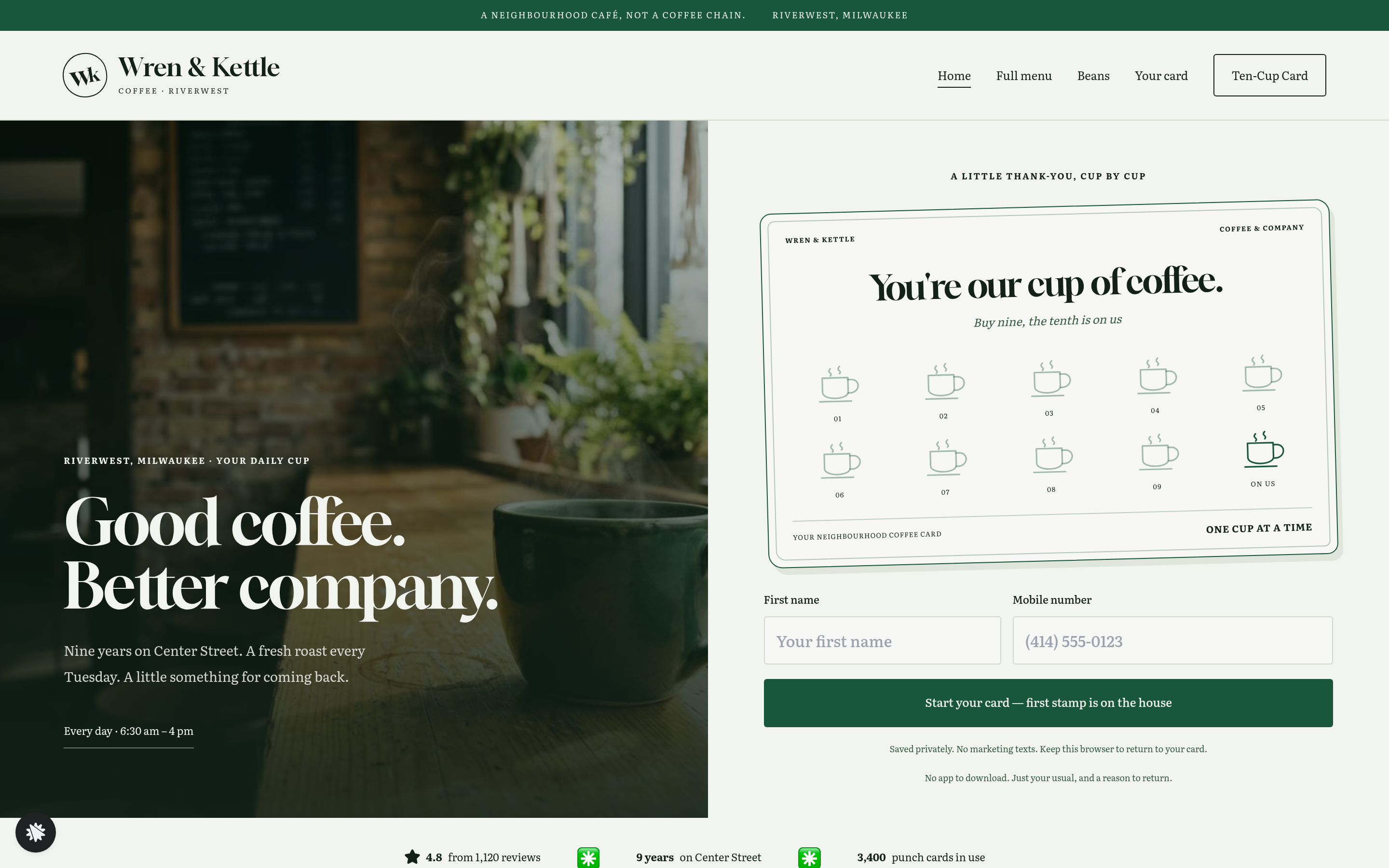
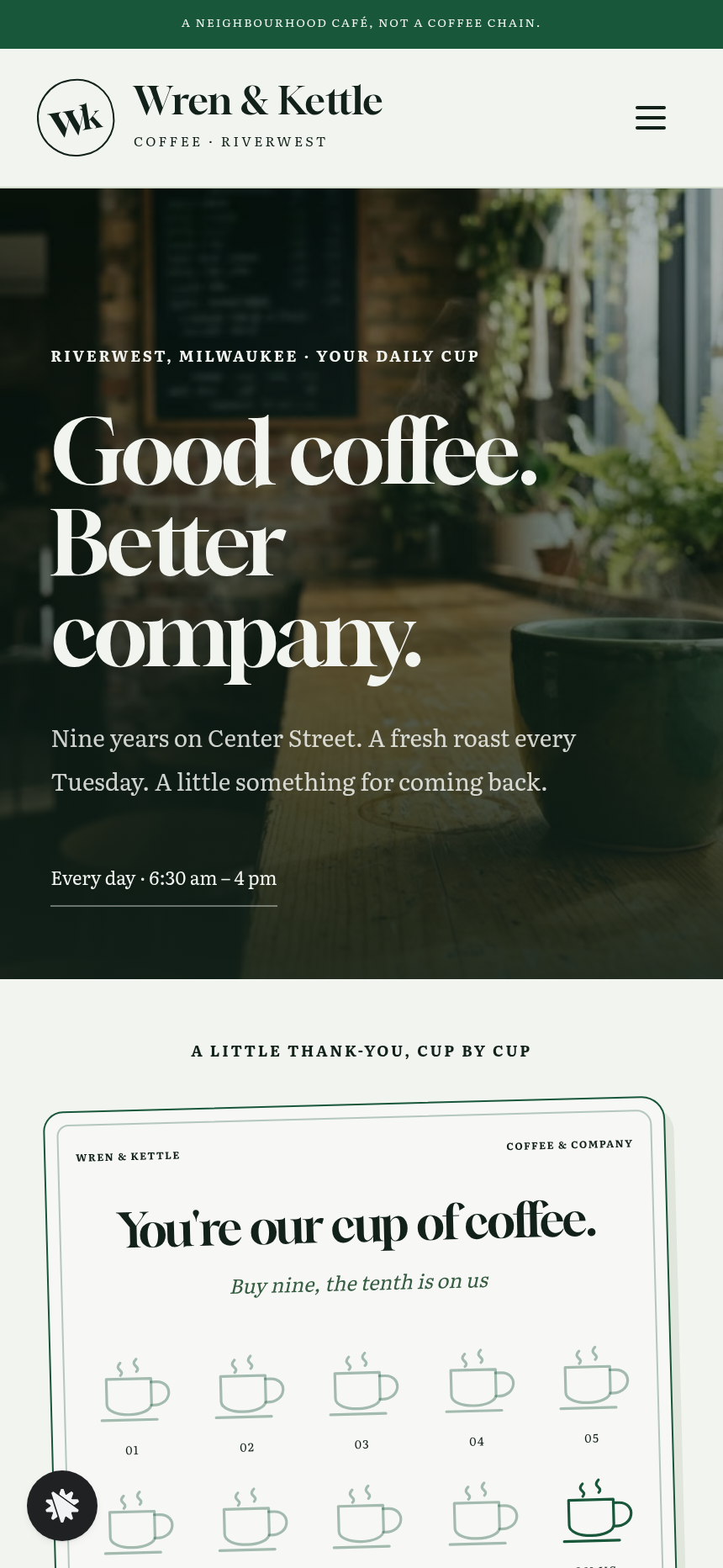
- Home (/) — green announcement strip, top nav with a Ten-Cup Card button, a split hero (café photo alongside the punch card with ten cup-shaped stamp spots and a two-field start form), three social-proof numbers, a menu card with dotted price leaders, this week's roast with tasting notes, three regulars' quotes, a find-us block, and a Ten-Cup Card arch card.
- Card (/card) — the visitor's saved punch card on its own page, an explanation of how stamps work, and the barista counter button.
- Ten-Cup (/ten-cup) — a prepaid Ten-Cup Card for $42 (ten drinks, saves $8 against ten individual $5 drinks) on a real card checkout with an optional $16 bag-of-this-week's-roast order bump.
- Thank-you (/thank-you) — the visitor's card showing ten prepaid cups, a purchase recap (Ten-Cup Card · $42.00 one-time, tax line, roast-bag note), and counter instructions.
- Menu (/menu) — full café menu: coffee, non-coffee drinks, and kitchen items with a note on allergens.
- Beans (/beans) — the Center Street roast profile (cocoa, caramel, orange), the Tuesday small-batch roasting story, and a prompt to add a bag at checkout.
- Dashboard (/dashboard → /admin) — funnel report with overall conversion, page-by-page steps, and a contacts list (opt-ins newest first, test traffic labelled and separated).
How it works
- A visitor arrives at / and sees the punch card in the hero with the line 'Buy nine, the tenth is on us.'
- They type a first name and mobile number into the two-field start form; the card turns over to their own name ('Dana's card') with the first stamp already pressed in, a card number, and '9 to go.'
- Each subsequent café visit the barista taps 'At the counter your barista taps here' to add a stamp; at ten stamps the card reads 'Free drink earned' with a four-letter redeem word, then 'Start a new card' resets it.
- The card is saved in the browser, so it persists on /card and on return visits — opt-in data and contact records land in the funnel's built-in database, visible in the owner dashboard with CSV export, so no external CRM is needed from day one.
- Visitors who want to prepay navigate to /ten-cup, where the checkout renders on load with the Ten-Cup Card ($42, pay in full, no subscription) and an optional order bump for a $16 bag of Center Street roast — the checkout, bump, and thank-you page at /thank-you form the complete money path.
- The thank-you page shows the card at ten prepaid cups and a receipt recap; visitors bring their payment receipt to the counter on Center Street.
When you want to change the stamp count, the redeem-word logic, the roast name, or the checkout price, you describe the change in plain language and ClickFunnels AI edits the relevant page — the punch card copy, the order summary, or the bump label — without touching any code.
The signature step
The punch card in the home hero is the moment the template is built around. Typing a first name transforms a generic loyalty card into a personal one — name, card number, stamp count — and the counter button lets a visitor watch it fill in real time. It demonstrates the product before anyone has paid anything.
Who it's for
- Cafés and coffee roasters that want a loyalty mechanic without a monthly loyalty-app subscription.
- Bakeries, juice bars, and smoothie counters running a buy-nine-get-one programme.
- Salons, car washes, and any counter business where repeat visits are the whole business model.
- Neighbourhood restaurants that already have regulars and want a reason for those regulars to share the site.
- Café owners who want to sell prepaid drink bundles online and track buyers without setting up a separate e-commerce platform.
Design
- Type pairing
- Gloock display Literata body
- Motion
- stamp presses in on tap; card turns on start; reduced-motion: static
- Signature screen
- Digital punch card that stamps and turns into the visitor's own card
What can you use Wren & Kettle Coffee — Coffee Shop Punch Card Site for?
- A Milwaukee café owner replaces a paper punch-card programme with this site, hands the URL to regulars at the counter, and watches 3,000+ cards activate in the first year without buying loyalty software.
- A juice bar uses the Ten-Cup page to sell prepaid ten-drink bundles online during a slow January, adding the roast-bag-style bump slot for a branded bottle or tote.
- A neighbourhood bakery customises the stamp count to eight (buy seven pastries, the eighth is free) and updates the menu card with rotating seasonal items each week.
- A blow-dry bar adapts the template for hair services: the punch card tracks appointments instead of coffees, and the prepaid bundle becomes a five-blowout package at a fixed price.
- A car wash chain uses the admin dashboard to monitor how many loyalty cards have been started across locations, exporting the contacts list to identify high-frequency customers for a direct offer.
- A coffee roaster adds the Beans page as the primary destination for a wholesale enquiry, linking the bean profile and Tuesday-roast story to a simple order-bump upsell at the Ten-Cup checkout.
Frequently asked questions
What is the Coffee Shop Punch Card Site?
Who is this template for?
What pages are included?
How do I customize the Coffee Shop Punch Card Site in ClickFunnels AI?
Does it include a checkout or order form?
Can I use my own branding and domain?
How is it different from a classic ClickFunnels lead-magnet or opt-in funnel?
What setup is required before sharing the site?
Related templates
 Local Business
Fold & Fetch — Laundry Pickup Add-Your-Stop Route Site
What is the Laundry Pickup Route Map Site? Built with ClickFunnels AI, it is a van-route laundry booking page where visitors tap their corner on a street map and book a $39 pickup.
 Local Business
Elm Street Garage — Slide-the-Cars Parking Site
Elm Street Garage Slide-the-Cars Parking Site is a ClickFunnels AI reservation site for a 420-space garage in downtown Portland, Maine. The home page opens with a sliding-car puzzle, then visitors pick a day and arrival time, pay $14 by card, and get a confirmation page.
 Local Business
Gull Point Putt — Putt-the-7th Mini Golf Site
Gull Point Putt — Putt-the-7th Mini Golf Site is a booking funnel built in ClickFunnels AI for an 18-hole seaside mini-golf course in Ocean Beach, San Diego. Visitors putt the 7th hole on the home page, then book a group round for a flat $48.
 Local Business
Awl & Last — Point-to-the-Repair Cobbler Site
Awl & Last Point-to-the-Repair Cobbler Site is a service-booking-and-checkout funnel built in ClickFunnels AI for shoe and boot repair shops that take work by mail. Visitors tap the parts of a drawn boot to build a priced repair quote, then pay $20 for a prepaid mail-in box — no phone call, no form-filling, no guesswork.
Make this template your starting point.
Inspect the preview, plan your changes, and test the workflow before you share it.
Use this template