Gull Point Putt — Putt-the-7th Mini Golf Site
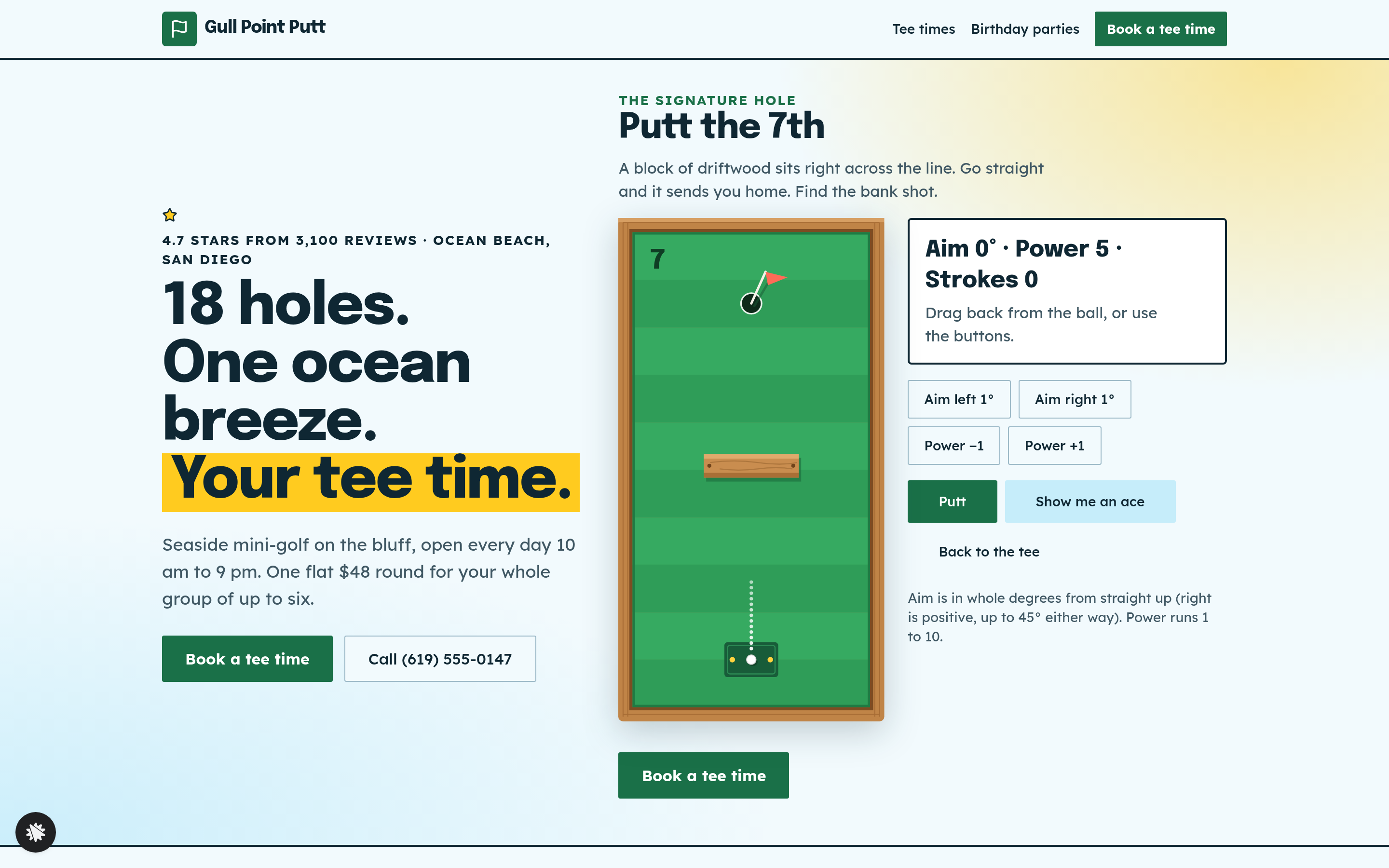
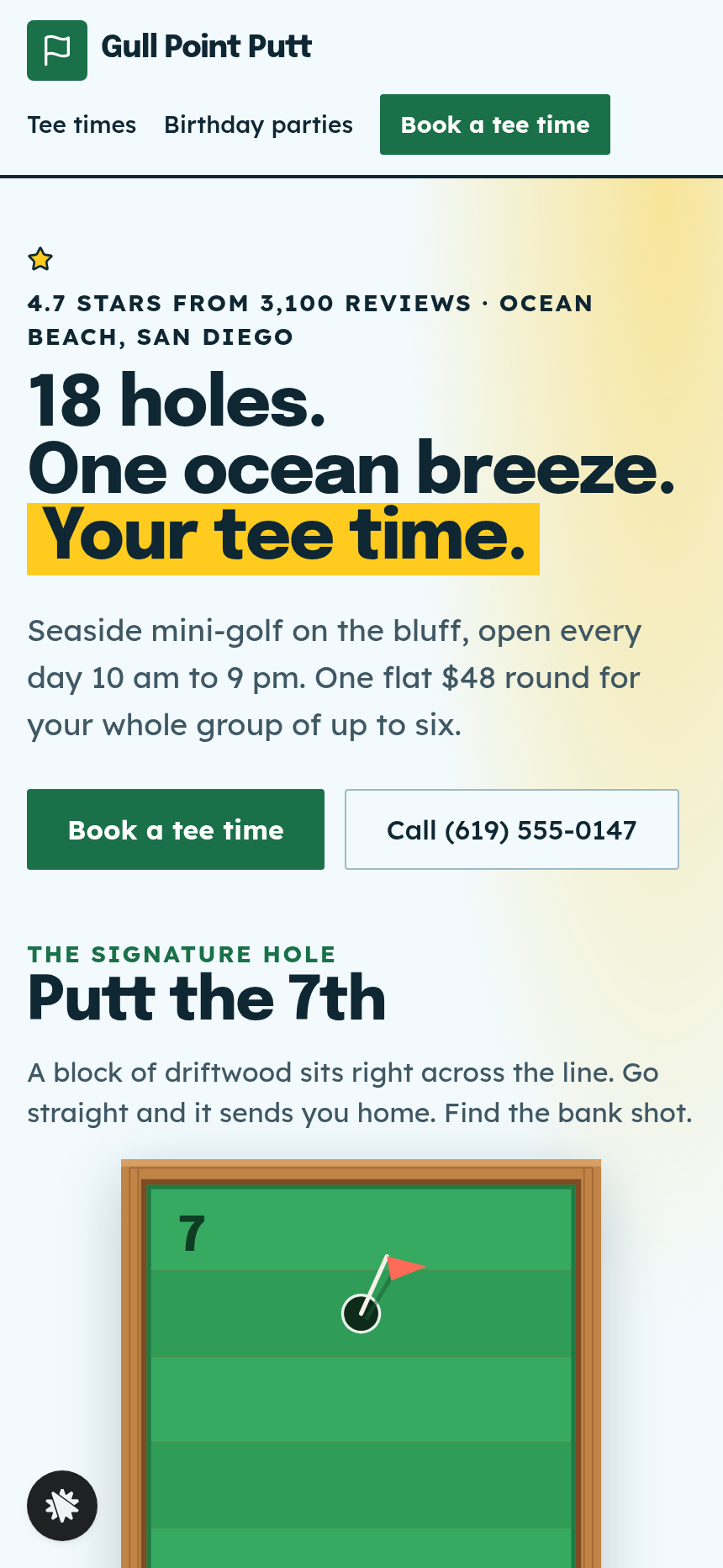
Gull Point Putt — Putt-the-7th Mini Golf Site is a booking funnel built in ClickFunnels AI for an 18-hole seaside mini-golf course in Ocean Beach, San Diego. Visitors putt the 7th hole on the home page, then book a group round for a flat $48.
About this template
What is Gull Point Putt — Putt-the-7th Mini Golf Site?
Gull Point Putt is an 18-hole seaside mini-golf course in Ocean Beach, San Diego. It is open every day from 10 am to 9 pm. This booking funnel gives visitors a short game on the 7th hole before they choose a tee time, then takes them through a group round booking for a flat $48.
What you get
- Home page (/) has the headline with "Putt the 7th" beside it, the hole drawn from above with a driftwood block across the middle, a drawn course map, prices, player quotes, hours and address, an FAQ, and a Call and Book bar on phones.
- Tee times (/tee-times) lists the next seven days in 30-minute slots from 10:00 am to 8:30 pm. Some slots show as Full.
- Book (/book?date=…&time=…) recaps the chosen slot in words, saves name and email as a lead, and takes card payment for a group round for up to six players at $48. A $10 bump adds six glow-in-the-dark balls.
- Booked (/booked) gives the day and time in words, along with what to bring.
- Birthday parties (/birthday-parties) holds an enquiry form with name, email, phone, date, number of guests and a message. Each enquiry is answered by a "Got it" page.
How it works
- The visitor reads the headline and reaches the 7th hole on the home page.
- They pull back from the ball to aim and set power, or use the Aim left 1°, Aim right 1°, Power −1, Power +1 and Putt buttons.
- A readout shows the current aim, power and stroke count, starting at "Aim 0° · Power 5 · Strokes 0".
- A straight putt bounces back off the block. Aiming 32° right at power 6 drops the ball in for a hole in one.
- The visitor picks a time on the tee-times page, which lists the next seven days.
- The book page recaps the slot, saves name and email, and moves to card checkout.
- The booked page confirms the day and time and lists what to bring.
To change the round price, the opening hours or the course copy, make the request in the builder chat.
The signature step
The 7th hole on the home page is the step that sets this funnel apart. It is a drawing of the hole from above with a driftwood block across the middle. Visitors aim and set power themselves, then putt. "Show me an ace" sets the aim and power for a hole in one and putts for them, and "Back to the tee" starts the hole over. A visitor who tries the hole gets a feel for the course before paying for a round.
Who it's for
- Mini-golf courses and family entertainment venues that sell group time slots
- Attractions with timed entry, such as escape rooms and driving ranges
- Operators who take birthday party enquiries alongside regular bookings
- Local venues that want a booking page without hiring a developer
Design
- Type pairing
- Epilogue display Lexend body
- Motion
- the ball rolls with friction and banks off the edges
- Signature screen
- Putt-the-7th hole: pull back to aim and set power; the ball banks off the walls and the driftwood
What can you use Gull Point Putt — Putt-the-7th Mini Golf Site for?
- A mini-golf course owner changes the name, address and round price in the builder chat, then takes group bookings from its own page.
- A family entertainment centre adds its own course map and uses the birthday party enquiry form to collect party leads next to regular tee-time sales.
- An escape-room venue adapts the tee-time grid to room-entry slots and keeps the interactive preview, swapping the putt for a puzzle teaser.
- A driving range operator uses the flat-price checkout for bay rentals and the order bump for a bucket-of-balls add-on.
- A seasonal pop-up mini-golf attraction on a boardwalk runs the funnel for one summer to test demand before the next season.
- A multi-location mini-golf brand copies the template for each site, changing the course name, address, hours and prices while keeping the 7th hole the same.
Frequently asked questions
What is Gull Point Putt — Putt-the-7th Mini Golf Site?
Who is this template for?
What pages are included?
How do I customize Gull Point Putt — Putt-the-7th Mini Golf Site in ClickFunnels AI?
Does it include a checkout or order form?
Can I use my own branding and domain?
How is it different from a classic ClickFunnels booking funnel?
What setup is required?
Related templates
 Local Business
Fold & Fetch — Laundry Pickup Add-Your-Stop Route Site
What is the Laundry Pickup Route Map Site? Built with ClickFunnels AI, it is a van-route laundry booking page where visitors tap their corner on a street map and book a $39 pickup.
 Local Business
Elm Street Garage — Slide-the-Cars Parking Site
Elm Street Garage Slide-the-Cars Parking Site is a ClickFunnels AI reservation site for a 420-space garage in downtown Portland, Maine. The home page opens with a sliding-car puzzle, then visitors pick a day and arrival time, pay $14 by card, and get a confirmation page.
 Local Business
Awl & Last — Point-to-the-Repair Cobbler Site
Awl & Last Point-to-the-Repair Cobbler Site is a service-booking-and-checkout funnel built in ClickFunnels AI for shoe and boot repair shops that take work by mail. Visitors tap the parts of a drawn boot to build a priced repair quote, then pay $20 for a prepaid mail-in box — no phone call, no form-filling, no guesswork.
 Local Business
Bead & Count — Abacus Club Trial Class Site
Bead & Count — Abacus Club Trial Class Site is a local-business site, made in ClickFunnels AI, where a parent (or the child on their lap) can play with an interactive abacus before booking a $15 trial class. It moves a visitor from curiosity to a confirmed session in one path.
Make this template your starting point.
Inspect the preview, plan your changes, and test the workflow before you share it.
Use this template