Awl & Last — Point-to-the-Repair Cobbler Site
Awl & Last Point-to-the-Repair Cobbler Site is a service-booking-and-checkout funnel built in ClickFunnels AI for shoe and boot repair shops that take work by mail. Visitors tap the parts of a drawn boot to build a priced repair quote, then pay $20 for a prepaid mail-in box — no phone call, no form-filling, no guesswork.
About this template
What is Awl & Last — Point-to-the-Repair Cobbler Site?
Awl & Last Shoe Repair is a cobbler in Spokane, Washington, open Tuesday to Saturday and repairing boots since 1987. The funnel has one job: turn mail-in repairs into booked work, with a goal of 140 a month. A visitor taps a part of a drawn boot, sees the price appear, and sends the boots in when the quote looks right. Payment is a flat $20 box fee with an optional $12 cedar shoe-tree bump.
What you get
- Home (/): a three-line headline, the Point-to-the-Repair tool directly beneath it, a three-step "How mail-in works" section, three drawn before-and-after cards, three short customer quotes (first names only), shop hours and address, a short FAQ, and a sticky Call, Text and Send-in bar on phones.
- Mail-in (/mail-in): the checkout page. It recaps the chosen repairs and running total from the query string (?r=heel,leather), collects name, email and shipping address, and runs a secure order page that charges $20 for the padded box, shoe bag and prepaid return label, with a $12 cedar shoe-tree order bump.
- Thank-you (/thank-you): the receipt page, showing the repairs booked, the box posting date, and a note that the repair bill is paid after the work is done.
- Drop-off (/drop-off): a walk-in alternative with a "Hold me a bench spot" form.
- Bench spot held (/bench-spot-held): confirmation after a bench-spot request.
- Dashboard (/dashboard and /admin): the owner's view of visits, contacts, and sales. Test traffic is labelled and kept separate.
How it works
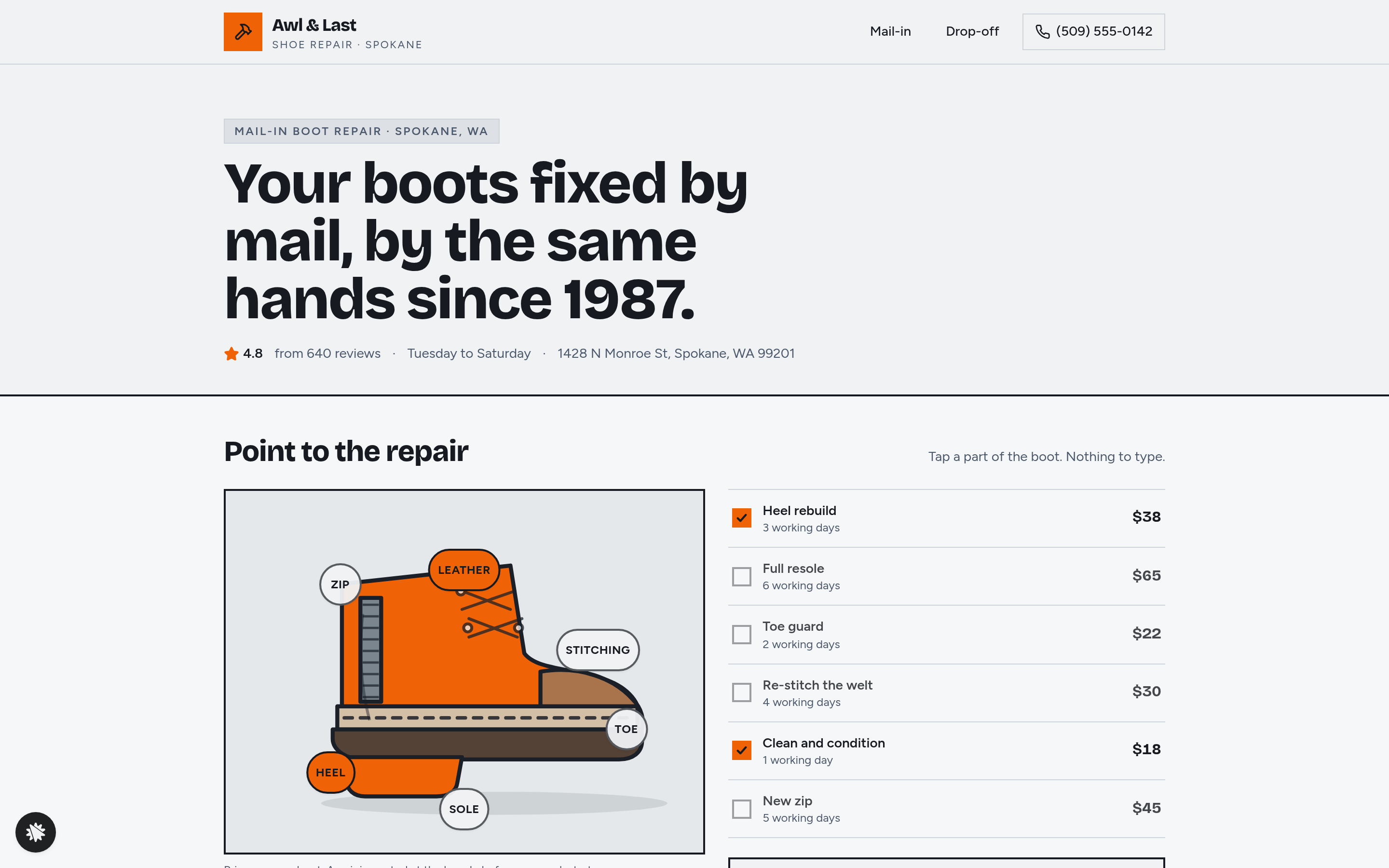
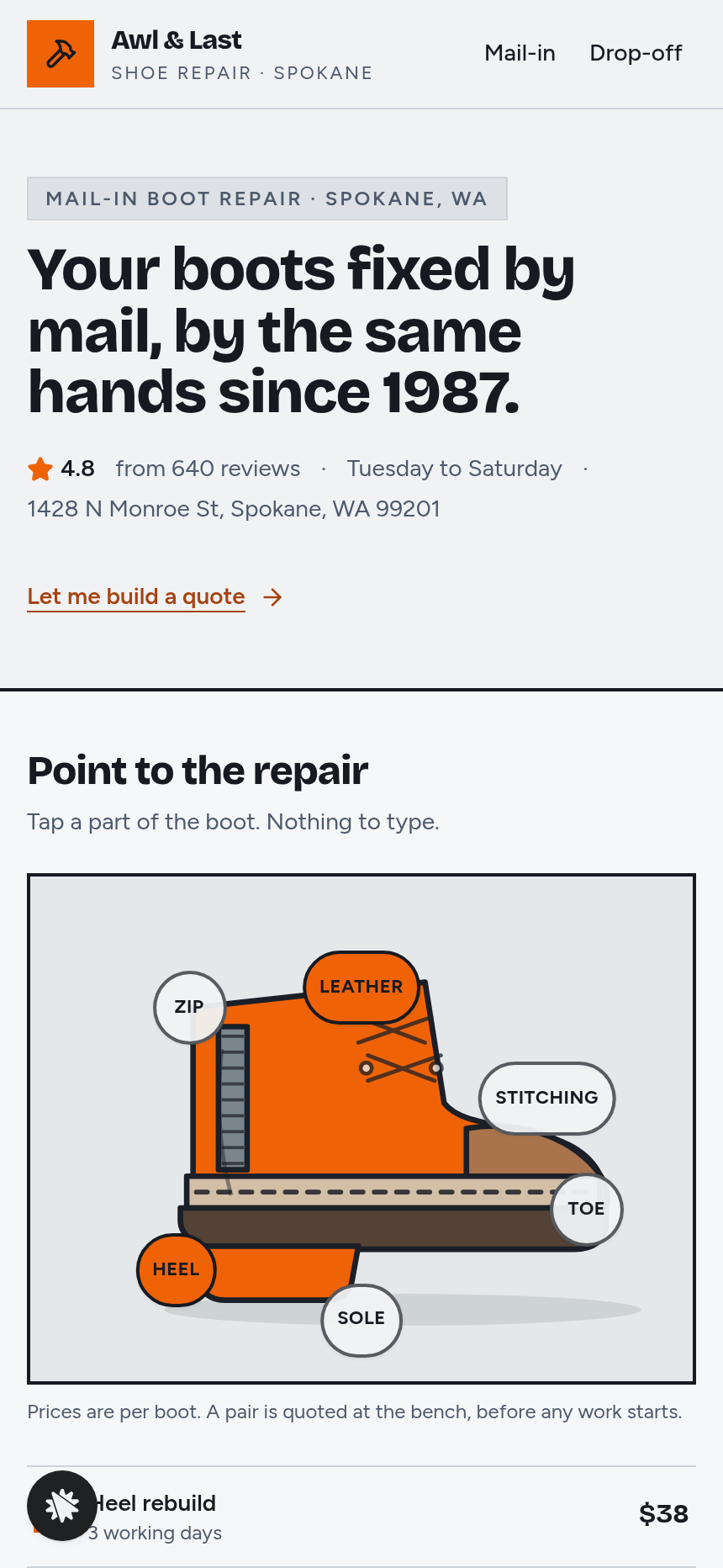
On arrival, the home page shows the Point-to-the-Repair boot right under the headline. Six parts (Heel, Sole, Toe, Stitching, Leather and Zip) are live buttons on the illustration and are also listed beside it. The boot opens with Heel ($38) and Leather (Clean and condition, $18) already selected: $56 total, ready 3 working days after the boots arrive. Tapping a part toggles it, and the quote updates at once. The ready-by rule adds the working days of the longest chosen repair, plus one extra day when three or more repairs are chosen. "Send my boots in" carries the choices to the mail-in page as a query string. There the visitor enters name, email and shipping address. Those details are saved to the funnel's built-in contacts database, so the shop holds a full record of each incoming repair before the box ships. The secure order page charges the flat $20 box fee, and the cedar shoe-tree bump is offered there. The thank-you page then shows the receipt and posting date.
The signature step
The Point-to-the-Repair tool is the conversion engine. It is a filled, flat illustration of a work boot with six tappable regions. Each region maps to one repair: Heel rebuild ($38, 3 days), Full resole ($65, 6 days), Toe guard ($22, 2 days), Re-stitch the welt ($30, 4 days), Clean and condition ($18, 1 day), and New zip ($45, 5 days). The quote card lists every active repair, the running total, and the ready-by line. "Clear" empties the selection, and "Start again" restores the Heel-and-Leather default. At 390 px the boot fills the screen width and every part button stays at least 44 px tall.
Who it's for
This funnel suits cobblers, tailors, watch and jewellery repairers, bike-repair shops, and any trade business that quotes by named part or service and wants customers to start repairs by post. It works for shops adding mail-in to a walk-in business and for mail-only repair brands. The drop-off page and bench-spot form mean walk-in customers are not ignored.
Design
- Type pairing
- Bricolage Grotesque display Figtree body
- Motion
- a chosen part lights up on the boot and the quote card updates
- Signature screen
- Point-to-the-repair boot: six tappable parts build a priced repair quote with a ready-by rule
What can you use Awl & Last — Point-to-the-Repair Cobbler Site for?
- A sole cobbler in a mid-size city adds mail-in repairs without hiring staff: visitors quote themselves on the boot tool and the box fee covers postage, so the shop only handles confirmed jobs.
- A boot-restoration brand with no physical shopfront uses the funnel as its entire customer-facing site, taking all orders through the mail-in page and tracking every incoming repair in the built-in contacts dashboard.
- An existing walk-in cobbler wants to fill bench time between foot-traffic peaks: the drop-off page and bench-spot form handle walk-ins while the home page boot tool drives mail-in volume in parallel.
- A leather-goods repair shop adapts the template by renaming the six boot parts to bag, strap, zip, lining, buckle, and handle — matching its own repair menu — using plain-language chat edits.
- A bike-repair shop uses the point-to-the-part concept to let customers self-quote brake, gear, wheel, frame, saddle, and cable repairs, then ship their bike in a box for a flat dispatch fee.
- A watch and jewellery repairer replaces the boot illustration with a watch face and renames the six parts to crown, crystal, band, clasp, movement, and case, then sets its own prices and turnaround days through the chat-edit flow.
Frequently asked questions
What is Awl & Last Point-to-the-Repair Cobbler Site?
Who is it for?
What pages are included?
How do I customize Awl & Last Point-to-the-Repair Cobbler Site in ClickFunnels AI?
Does it include a checkout or order form?
Can I use my own branding and domain?
How is it different from a classic ClickFunnels order funnel?
What setup is required before going live?
Related templates
 Local Business
Fold & Fetch — Laundry Pickup Add-Your-Stop Route Site
What is the Laundry Pickup Route Map Site? Built with ClickFunnels AI, it is a van-route laundry booking page where visitors tap their corner on a street map and book a $39 pickup.
 Local Business
Elm Street Garage — Slide-the-Cars Parking Site
Elm Street Garage Slide-the-Cars Parking Site is a ClickFunnels AI reservation site for a 420-space garage in downtown Portland, Maine. The home page opens with a sliding-car puzzle, then visitors pick a day and arrival time, pay $14 by card, and get a confirmation page.
 Local Business
Gull Point Putt — Putt-the-7th Mini Golf Site
Gull Point Putt — Putt-the-7th Mini Golf Site is a booking funnel built in ClickFunnels AI for an 18-hole seaside mini-golf course in Ocean Beach, San Diego. Visitors putt the 7th hole on the home page, then book a group round for a flat $48.
 Local Business
Bead & Count — Abacus Club Trial Class Site
Bead & Count — Abacus Club Trial Class Site is a local-business site, made in ClickFunnels AI, where a parent (or the child on their lap) can play with an interactive abacus before booking a $15 trial class. It moves a visitor from curiosity to a confirmed session in one path.
Make this template your starting point.
Inspect the preview, plan your changes, and test the workflow before you share it.
Use this template