Brightline — Commercial Cleaning Quote Site
Commercial Cleaning Quote Site is a local-service lead-capture funnel built in ClickFunnels AI that shows a live monthly price range before asking a building manager for a single piece of contact information. It runs an instant quote calculator on the home page and books free walkthrough appointments directly into an owner lead inbox.
About this template
What is Brightline — Commercial Cleaning Quote Site?
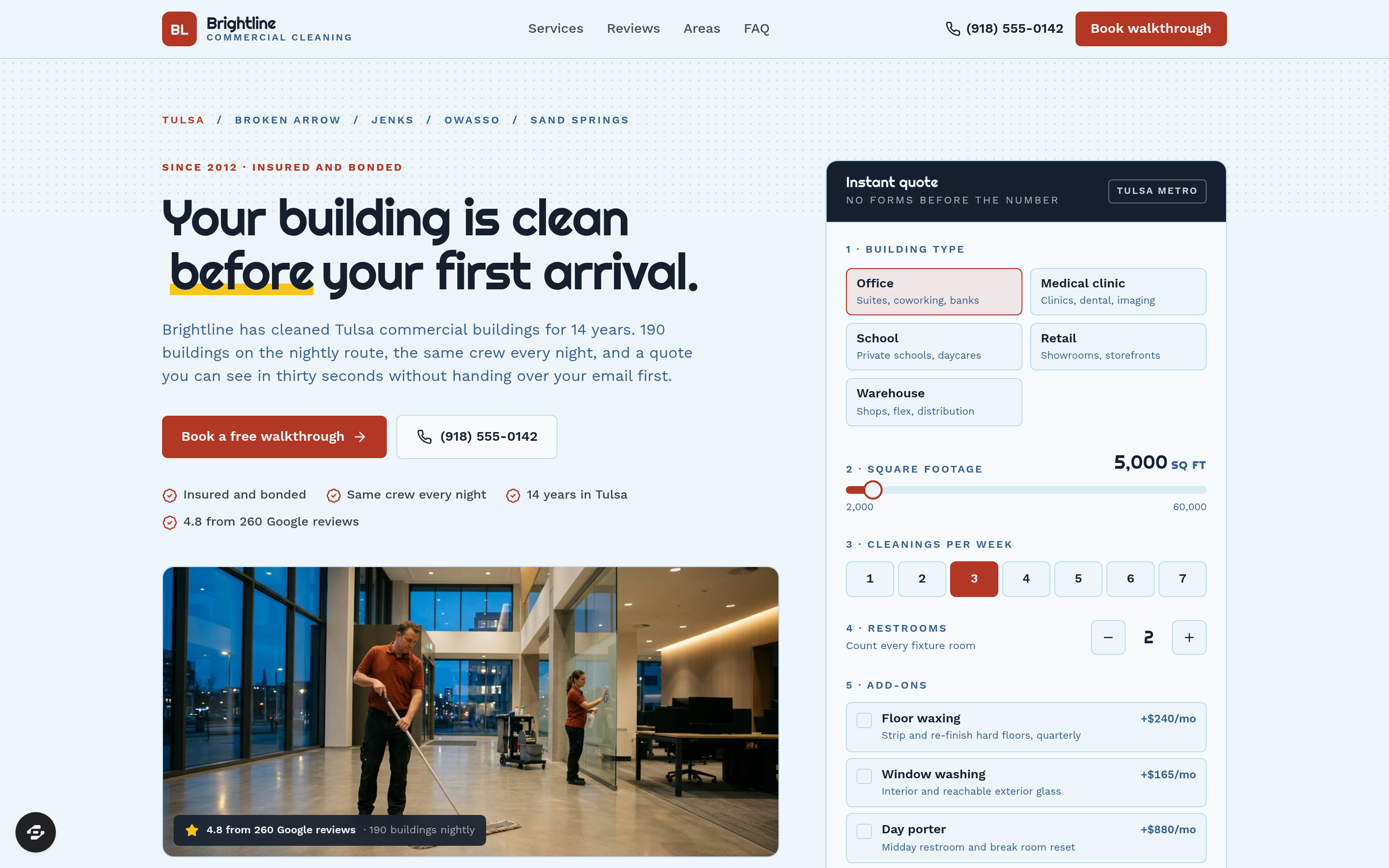
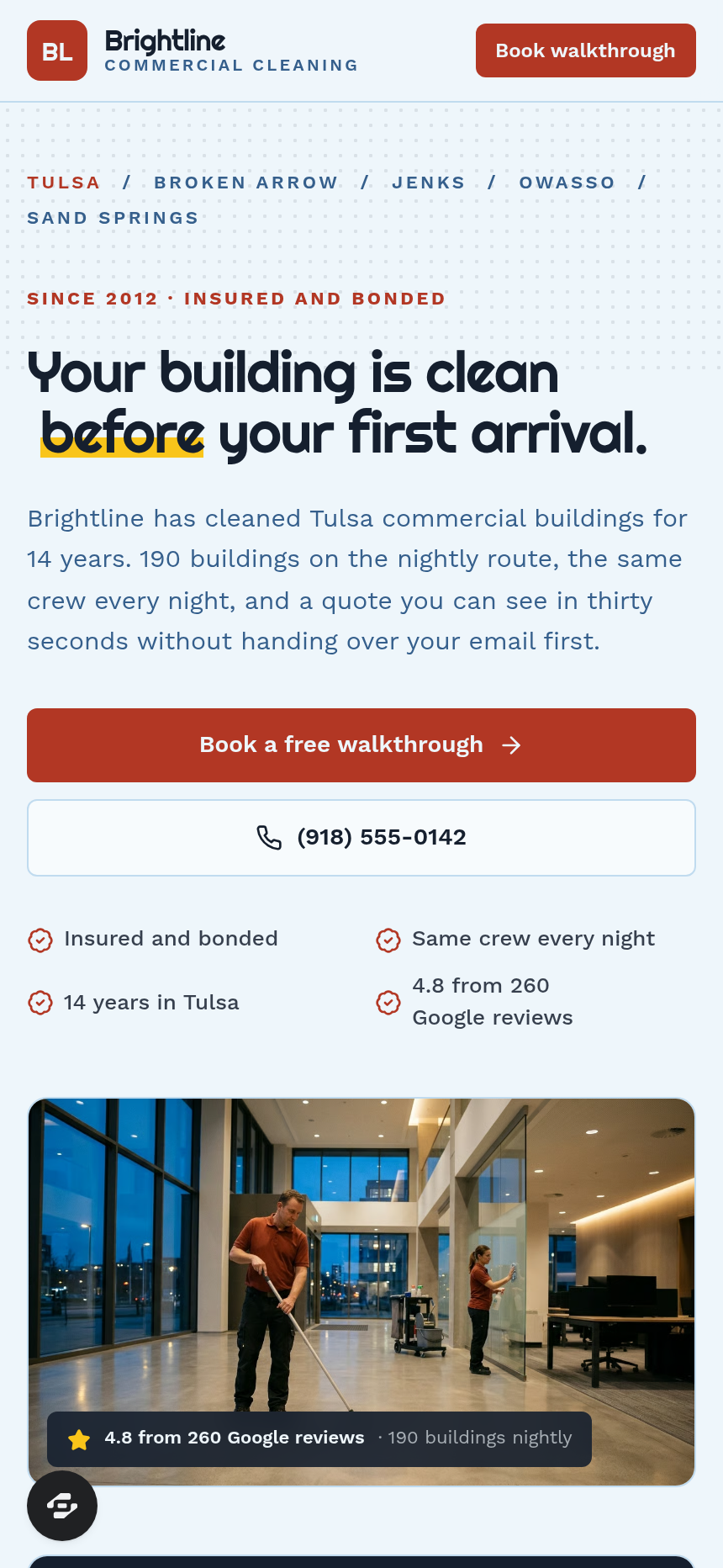
Brightline Commercial Cleaning Quote Site converts cold traffic — office managers and property managers searching for a janitorial bid in Tulsa — into booked 30-minute walkthrough appointments. The funnel earns trust with a real monthly price range before it asks for anything, then carries that number forward through every subsequent step.
What you get
Five route-based pages wired together as one visitor journey:
- Home (/) — slim nav, sticky mobile Call / Text / Free Quote bar, split hero with a crew photo and the instant quote calculator card, a dark proof strip (14 years, 190 buildings nightly, 4.8 Google rating), a six-service grid, before-and-after for the three rooms managers notice, eight finished manager reviews with an aggregate rating, six Tulsa-area neighborhoods (Brookside, Cherry Street, Broken Arrow, Jenks, Owasso, Sand Springs), the nightly checklist, an FAQ section, and two CTA bands.
- Walkthrough (/walkthrough) — step 2 of 2; the monthly quote carried from the calculator; ten weekday slots computed from today in morning and afternoon blocks; company, contact, and building address fields; a notes field; confirmation button.
- Confirmation (/confirmation) — the booked day written in words, the supervisor's name and role, what to have ready, and an add-to-calendar link to Google Calendar.
- Service detail (/services/:slug) — one short page per service covering what is included, how it is priced, and the coverage area, with a 'Book a free walkthrough' CTA.
- Admin dashboard (/admin) — owner lead inbox behind login; lists walkthrough requests with contact details, total count, not-yet-contacted count, and booked count; search and refresh controls.
How it works
- A building manager lands on the home page and sees the instant quote calculator beside a crew photo — no form, no email gate.
- They pick a building type (office, medical clinic, school, retail, warehouse), drag the square-footage slider (2,000–60,000 sq ft), set cleanings per week (1–7), count restrooms, and toggle add-ons (floor waxing, window washing, day porter).
- The yellow monthly-range card updates live with a per-visit figure underneath it.
- They click 'Lock this quote with a free walkthrough' and land on /walkthrough with their number already shown.
- They pick a weekday morning or afternoon slot, fill in company and contact fields, and submit — writing a real lead to the built-in database, viewable in the owner dashboard without any external CRM. Every walkthrough request is stored there with its contact details and booking status, so the owner can track not-yet-contacted and marked-booked counts in one place (C12).
- They land on /confirmation with the day in words, supervisor details, a prep checklist, and an add-to-calendar link.
- The owner sees the new request in the /admin lead inbox.
When you open this template in ClickFunnels AI and type a change — swap 'Tulsa' for your city, update the business name and phone number, adjust the square-footage slider range, or rewrite the add-on labels — ClickFunnels AI applies the edit across the pages that reference it, without you touching a code file (C02). The template itself is free to start from; building and AI edits draw from your plan credits (C03).
The signature step
The instant quote calculator on the home page (/, rendered by QuoteCalculator.tsx) is the funnel's entire value proposition made visible. Building-type tiles, a labeled square-footage slider, a cleanings-per-week selector, a restroom counter with plus/minus controls, and three add-on toggles drive a live yellow monthly-range card. Below the range sits the per-visit figure and the disclaimer: 'A planning range, not a bill. We confirm the final number after walking the building.' The 'Lock this quote with a free walkthrough' button carries the computed range to /walkthrough so the visitor never re-enters what they already told you.
Who it's for
Commercial cleaning companies, janitorial franchises, and B2B local-service operators who win new accounts through an in-person site visit after a ballpark price. It suits operators covering a metro area with multiple neighborhoods, running six or more distinct services, and needing a simple way to manage inbound walkthrough requests without a CRM subscription.
Design
- Type pairing
- Righteous display Work Sans body
- Motion
- none; reduced-motion: static
- Signature screen
- Instant monthly quote calculator
- References
-
- Local-service instant quote
What can you use Brightline — Commercial Cleaning Quote Site for?
- A solo commercial cleaning operator in a mid-size metro replaces the Tulsa references with their own city, updates the six neighborhood names, and launches the funnel to run Google Local Services Ads — the calculator gives every click a reason to stay instead of bouncing to a competitor.
- A janitorial franchise with ten crews uses the admin lead inbox at `/admin` to route new walkthrough requests to the nearest route supervisor each morning without paying for a CRM subscription.
- A cleaning company expanding into medical facilities customizes the building-type tiles to add 'medical clinic' and 'dental office', rewrites the before-and-after section for exam rooms and waiting areas, and updates the nightly checklist to reference EPA-registered disinfectants.
- A pressure-washing and window-cleaning company adds its services to the six-service grid, swaps the add-on toggles from floor waxing to gutter cleaning and soft-wash treatment, and uses the per-service detail pages at `/services/:slug` to rank for individual service keywords.
- A commercial cleaning business owner running a referral program hands the confirmation page URL to current clients — the page shows an example booking so referred contacts know exactly what to expect from the walkthrough before they arrive.
- A franchise development team uses the template as a proof-of-concept site for each new territory, swapping the neighborhood list and supervisor name per market, so every franchisee launches with a working quote funnel on day one.
Frequently asked questions
What is the Commercial Cleaning Quote Site template?
Who is this template for?
What pages are included?
How do I customize the Commercial Cleaning Quote Site in ClickFunnels AI?
Does it include a checkout or order form?
Can I use my own branding and domain?
How is it different from a classic ClickFunnels lead-gen funnel?
What setup is required before the funnel goes live?
Related templates
 Local Business
Fold & Fetch — Laundry Pickup Add-Your-Stop Route Site
What is the Laundry Pickup Route Map Site? Built with ClickFunnels AI, it is a van-route laundry booking page where visitors tap their corner on a street map and book a $39 pickup.
 Local Business
Elm Street Garage — Slide-the-Cars Parking Site
Elm Street Garage Slide-the-Cars Parking Site is a ClickFunnels AI reservation site for a 420-space garage in downtown Portland, Maine. The home page opens with a sliding-car puzzle, then visitors pick a day and arrival time, pay $14 by card, and get a confirmation page.
 Local Business
Gull Point Putt — Putt-the-7th Mini Golf Site
Gull Point Putt — Putt-the-7th Mini Golf Site is a booking funnel built in ClickFunnels AI for an 18-hole seaside mini-golf course in Ocean Beach, San Diego. Visitors putt the 7th hole on the home page, then book a group round for a flat $48.
 Local Business
Awl & Last — Point-to-the-Repair Cobbler Site
Awl & Last Point-to-the-Repair Cobbler Site is a service-booking-and-checkout funnel built in ClickFunnels AI for shoe and boot repair shops that take work by mail. Visitors tap the parts of a drawn boot to build a priced repair quote, then pay $20 for a prepaid mail-in box — no phone call, no form-filling, no guesswork.
Make this template your starting point.
Inspect the preview, plan your changes, and test the workflow before you share it.
Use this template