Brightsteps — Move-the-Tower Parent Q&A Funnel
The Brightsteps Move-the-Tower Masterclass Funnel is a survey-first webinar registration funnel built in ClickFunnels AI for a kids' logic club in Ann Arbor, Michigan. It opens with a playable three-peg tower puzzle, asks each parent's own question before a free live Q&A is booked, and leads families to a $49 four-week course.
About this template
What is Brightsteps — Move-the-Tower Parent Q&A Funnel?
Brightsteps Logic Club has taught kids' logic in Ann Arbor, Michigan since 2015, with 380 children aged 7 to 12 a year in groups of six. This funnel invites parents to a free live Q&A called "How kids learn to think in steps," and it asks each parent's own question before anything is sold. Parents who want more can buy Thinking in Steps, a four-week live course for one payment of $49.
What you get
Four pages a parent sees, along with a custom 404 page:
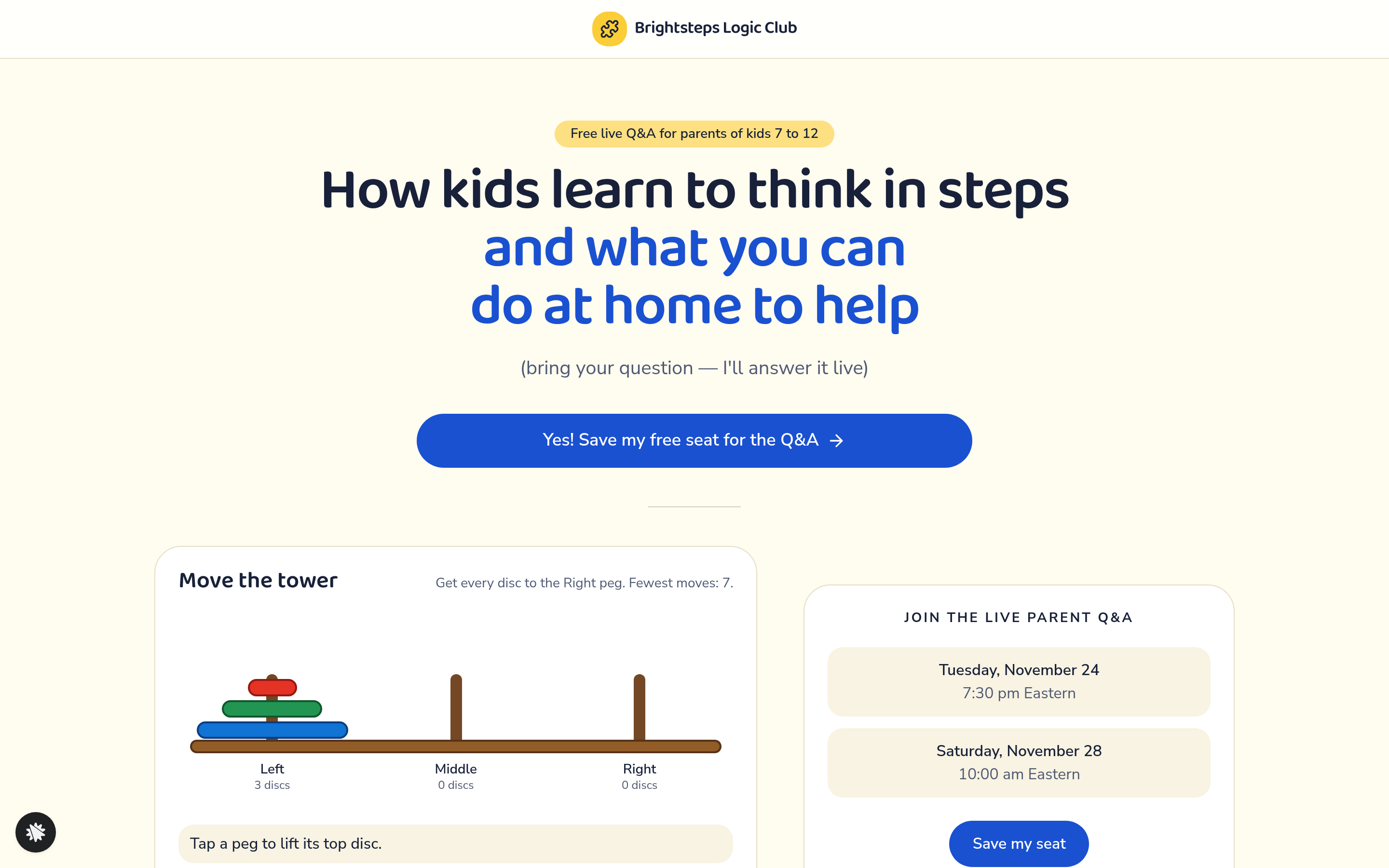
- Landing (/): a headline, a playable three-peg tower, a countdown to the first session, an eight-point checklist, and a registration pop-up.
- Seat (/seat): the chosen session in words, an add-to-calendar option, and one question about what the child finds hardest.
- Course (/course): the four live weeks of Thinking in Steps, a card checkout at $49, a $12 bump for a box of 30 printable puzzle cards, and a "No thanks, just the Q&A" link.
- Welcome (/welcome): the first class day, which is the Saturday after the chosen session, and what to have ready.
How it works
The Landing page works out two live sessions from today's date: the next Tuesday at 7:30 pm Eastern, and the Saturday after that at 10:00 am Eastern. In the registration pop-up a parent gives a name, an email, and their child's age as one of three tiles (7-8, 9-10 or 11-12). They pick a session and type their own question. The Seat page confirms the choice and asks what the child finds hardest, so the host knows what to cover.
Want a different price or wording? Tell the builder inside ClickFunnels AI, for example "make the course $79". When the pages look right, connect your own domain and publish.
The signature step
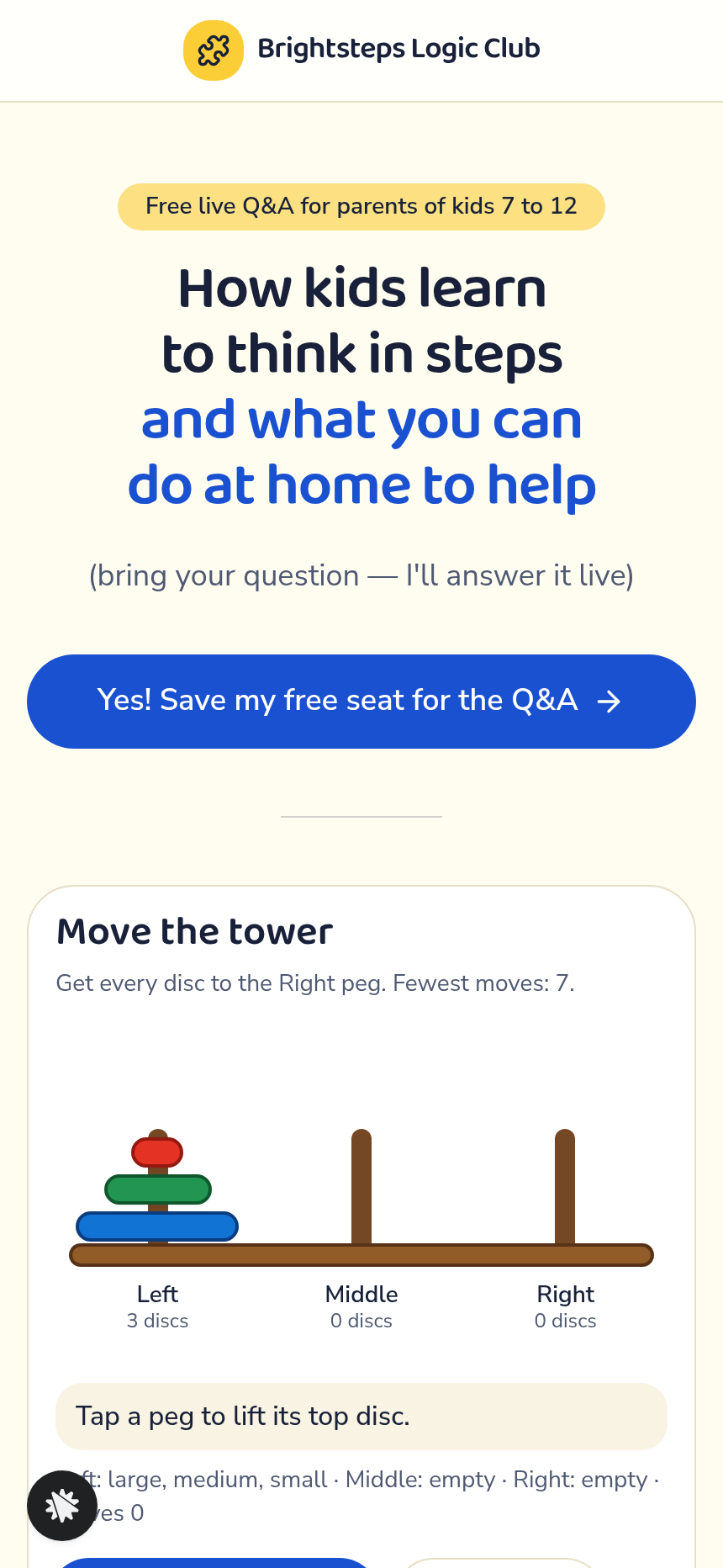
The Move the Tower game sits on the Landing page. A parent taps a peg to lift its top disc, then taps another peg to set it down. A bigger disc can never sit on a smaller one. Each move is counted against the fewest possible, which is 7, or 15 with the "Try 4 discs" switch. "Show me the 7 moves" plays the answer. A parent who solves the puzzle, or watches it solved, has already seen step-by-step thinking before reading any bullet point.
Who it's for
- After-school logic, coding and maths clubs that run a free parent session before they sell a course.
- Tutoring centres that want parent questions answered before checkout.
- Kids' enrichment teachers who want to see what parents are asking before the call.
- Parenting educators who host a free webinar before a multi-week live programme.
Design
- Type pairing
- Baloo 2 display Nunito Sans body
- Motion
- a lifted disc floats above its peg; Show me plays the seven moves one at a time
- Signature screen
- Move-the-tower: three pegs and three discs, never a big disc on a small one; fewest 7 moves (15 with four discs)
- References
-
- 9.3 live Q&A registration page (headline band with one button, picture beside two session times, countdown band, ticked checklist, warning line, button again)
What can you use Brightsteps — Move-the-Tower Parent Q&A Funnel for?
- A kids' logic club in Ann Arbor runs a free live Q&A and reads the parent questions collected at registration to plan what the call covers.
- A tutoring centre adds the three-peg puzzle to its registration page so parents try step-by-step thinking before they read the session details.
- A coding school uses the Seat page question about what a child finds hardest to see which problems to address in the first class.
- An enrichment teacher asks the builder chat to make the course $79, connects her own domain, and publishes the same four pages.
- A homeschool co-op offers the box of printable puzzle cards as the bump on the course checkout.
- A parenting educator who plans a free webinar before a multi-week live course reuses the registration and checkout flow with her own copy.
Frequently asked questions
What is the Brightsteps Move-the-Tower Masterclass Funnel?
Who is this funnel for?
What pages are included?
How do I customize the Brightsteps Move-the-Tower Masterclass Funnel in ClickFunnels AI?
Does it include a checkout or order form?
Can I use my own branding and domain?
How is it different from a classic ClickFunnels webinar registration funnel?
What setup is required before going live?
Related templates
 Webinars & Challenges
Evergreen Webinar Funnel
The Evergreen Webinar Funnel is a just-in-time automated webinar template in ClickFunnels AI that lets registrants pick a session starting in 15 minutes or the next day, then walks them through a real-timeline room, a scheduled pitch reveal, and a checkout — all without fake live chat or inflated attendee counts.
 Webinars & Challenges
Loop & Toss — Juggling Pattern Seven-Day Challenge Funnel
The Loop & Toss Juggling Pattern Seven-Day Challenge Funnel is a seven-day paid challenge template built in ClickFunnels AI for skill teachers who want to prove their method before asking for a sale. It opens on a live pattern player instead of a video, then moves a visitor into a $17 checkout and seven dated lesson pages.
 Webinars & Challenges
The One-Word Workshop — Word Wall Paid Workshop Funnel
The One-Word Workshop Word Wall Funnel is a paid-workshop funnel built in ClickFunnels AI that opens on a live typographic wall of 36 words, lets each visitor claim or contribute their one word for the year, and carries it through to a $24 seat checkout.
 Webinars & Challenges
The 14-Day Clear-Out — Room Wheel Challenge Funnel
The 14-Day Clear-Out Challenge Funnel is a paid challenge funnel template built in ClickFunnels AI that lets visitors rate six rooms on sliders, watches a wheel redraw their personal room order, and routes them through a $27 checkout into a 14-day email challenge.
Make this template your starting point.
Inspect the preview, plan your changes, and test the workflow before you share it.
Use this template