Loop & Toss — Juggling Pattern Seven-Day Challenge Funnel
The Loop & Toss Juggling Pattern Seven-Day Challenge Funnel is a seven-day paid challenge template built in ClickFunnels AI for skill teachers who want to prove their method before asking for a sale. It opens on a live pattern player instead of a video, then moves a visitor into a $17 checkout and seven dated lesson pages.
About this template
What is Loop & Toss — Juggling Pattern Seven-Day Challenge Funnel?
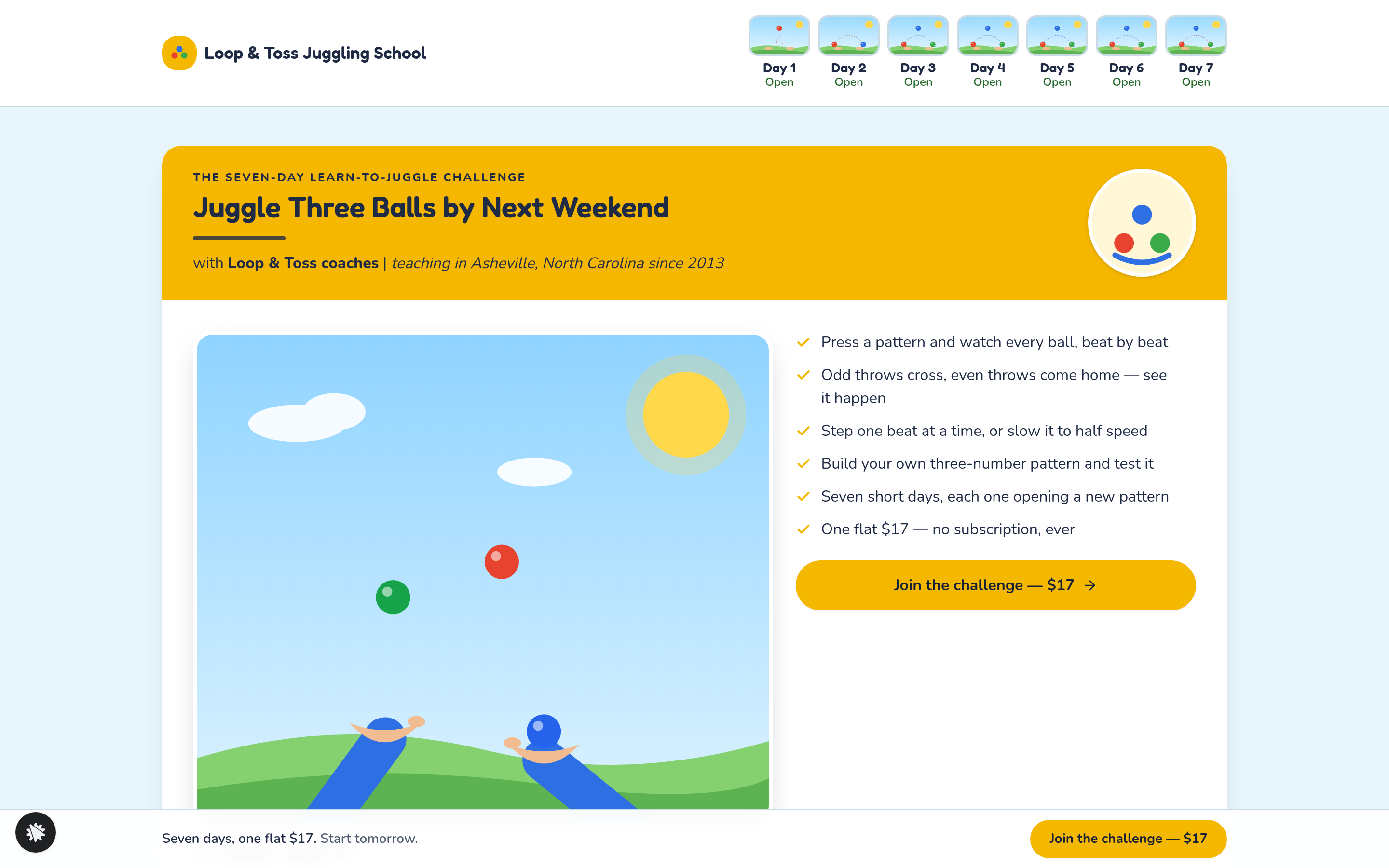
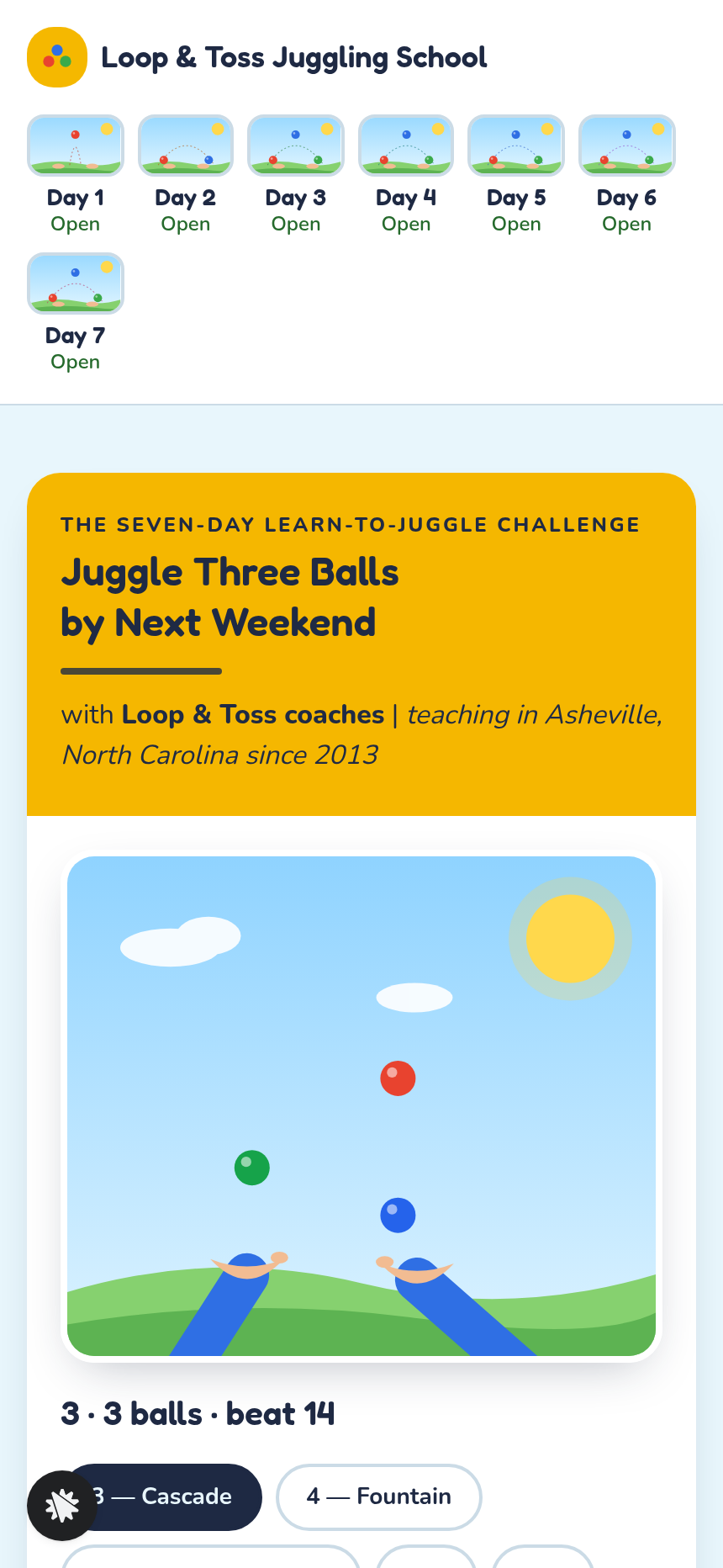
Loop & Toss is a juggling school in Asheville, North Carolina teaching since 2013. The funnel sells a seven-day learn-to-juggle challenge for a flat $17. What makes it unusual is the first thing a visitor sees: not a hero video, not a row of testimonials, but a working pattern player that draws two hands and three balls following the real numerical rules jugglers use. The visitor can interact with it before they read a single line of sales copy. That interaction is the proof.
What you get
Five named routes ship with the template:
- Index (/): a white header with seven day-tile chips, then a column of white cards on a pale sky-blue ground. The first card holds the pattern player (six preset patterns: 3, 4, 5, 441, 531, 51; pause, step, and half-speed controls; a "Make your own" field that takes three digits and returns a verdict on whether they can be juggled). Days 2–7 each get their own card with a drawn scene and a "Load in player" button. Below those cards: student quotes, a join band, and a slim sticky join bar.
- Join (/join): name and email step, then a card checkout for $17 with an optional $12 beanbag-set order bump.
- Welcome (/welcome): receipt confirmation listing seven days dated from tomorrow, with the join email confirmed.
- Day pages (/day/1 through /day/7): each day's pattern loads in the player alongside three short steps.
- Dashboard (/admin): visible to the owner only, it reports visits, opt-ins, conversion rate, recent contacts, and sales. Test traffic is labelled separately and never counted.
How it works
- Arrivals on the Index page find the pattern player already running the three-ball cascade.
- They tap through the six preset patterns, optionally type their own three-digit sequence, and read the juggleability verdict.
- They scroll the seven day cards, read student quotes, and hit the join button.
- On Join, they enter name and email, then proceed to the card checkout. They can add the beanbag set bump before paying.
- Payment completes and the visitor lands on Welcome with their seven days dated out.
- Each morning, they open their day page at /day/1 through /day/7, follow three steps, and use the player to watch the day's pattern at half speed before trying it.
- The funnel's built-in database keeps every opt-in and purchase, and the owner reads all contacts and sales on the Dashboard without an external CRM.
- From the gallery, choosing "Edit this design" gives you a finished first draft instead of a blank page.
The signature step
On the Index page, the pattern player is the main proof point. It opens on the three-ball cascade. Six buttons switch to patterns 3, 4, 5, 441, 531, and 51; each change updates the drawn hands, the ball count, and a beat readout. The "Make your own" field takes three single digits; entering 4-2-3 returns "can be juggled" because no two balls land on the same beat, while 4-3-2 returns "cannot" for the opposite reason. That instant verdict does the persuasion work: the visitor trusts the method because they just tested it themselves.
Who it's for
- Juggling instructors selling short paid challenges online
- Skill teachers in any hobby with a pattern people can watch before they try it: yo-yo, card flourishes, knots, drumming rudiments, pen spinning
- Creators who run cohort challenges and want a low-price entry offer under $25
- Anyone who wants a seven-day challenge funnel where the landing page shows the skill rather than describing it
Design
- Type pairing
- Fredoka display Nunito body
- Motion
- balls fly on arcs timed to the pattern's beats; reduced-motion: paused on the first beat with Step one beat
- Signature screen
- Juggling pattern player: six number patterns animated by the real throw rules, plus a make-your-own three-digit juggleability check
- References
-
- 2.2 summit day page (header with day thumbnails, stacked cards with heading bar, media left and tick list right)
What can you use Loop & Toss — Juggling Pattern Seven-Day Challenge Funnel for?
- A juggling coach in Asheville sells a $17 seven-day challenge; the pattern player on the landing page lets visitors test the three-ball cascade before they buy, cutting the need for a long video explainer.
- A drumming teacher adapts the template by renaming day cards to rudiment names, swapping the pattern player labels for drum notation, and updating the checkout price to $19 — all via chat edits without touching any page structure.
- A yo-yo instructor adds a $15 string-and-bearing order bump to the Join checkout to cover their starter kit, keeping the total under $35 and the whole purchase in one transaction.
- A card-flourish creator runs the challenge as a cohort: the Welcome page dates all seven days from tomorrow so every buyer starts together, and the Dashboard shows the owner exactly how many people are in each day.
- A skill teacher with an existing audience uses the template to test a new topic quickly — they remix the funnel, describe their own three-step daily format in the chat, and publish within a session to validate demand before building a full course.
- A local hobby school uses the funnel as a low-price front end: the $17 challenge feeds into a $197 in-person weekend workshop, with the Welcome page copy pointing graduates to the next step.
Frequently asked questions
What is the Loop & Toss Juggling Pattern Seven-Day Challenge Funnel?
Who is this funnel for?
What pages are included?
How do I customize the Loop & Toss Juggling Pattern Seven-Day Challenge Funnel in ClickFunnels AI?
Does it include a checkout or order form?
Can I use my own branding and domain?
How is it different from the classic seven-day-content-launch-funnel?
What setup is required before sharing the funnel?
Related templates
 Webinars & Challenges
Evergreen Webinar Funnel
The Evergreen Webinar Funnel is a just-in-time automated webinar template in ClickFunnels AI that lets registrants pick a session starting in 15 minutes or the next day, then walks them through a real-timeline room, a scheduled pitch reveal, and a checkout — all without fake live chat or inflated attendee counts.
 Webinars & Challenges
Brightsteps — Move-the-Tower Parent Q&A Funnel
The Brightsteps Move-the-Tower Masterclass Funnel is a survey-first webinar registration funnel built in ClickFunnels AI for a kids' logic club in Ann Arbor, Michigan. It opens with a playable three-peg tower puzzle, asks each parent's own question before a free live Q&A is booked, and leads families to a $49 four-week course.
 Webinars & Challenges
The One-Word Workshop — Word Wall Paid Workshop Funnel
The One-Word Workshop Word Wall Funnel is a paid-workshop funnel built in ClickFunnels AI that opens on a live typographic wall of 36 words, lets each visitor claim or contribute their one word for the year, and carries it through to a $24 seat checkout.
 Webinars & Challenges
The 14-Day Clear-Out — Room Wheel Challenge Funnel
The 14-Day Clear-Out Challenge Funnel is a paid challenge funnel template built in ClickFunnels AI that lets visitors rate six rooms on sliders, watches a wheel redraw their personal room order, and routes them through a $27 checkout into a 14-day email challenge.
Make this template your starting point.
Inspect the preview, plan your changes, and test the workflow before you share it.
Use this template