Juniper & Gold — Wedding Photographer Booking Site
The Wedding Photographer Booking Site is a service-booking funnel built in ClickFunnels AI that walks a couple from checking date availability in the hero straight to a $500 date-hold deposit checkout. It is the complete Juniper & Gold template: date checker, three galleries, packages, inquiry form, deposit order page with an engagement-session bump, and a confirmation page.
About this template
What is Juniper & Gold — Wedding Photographer Booking Site?
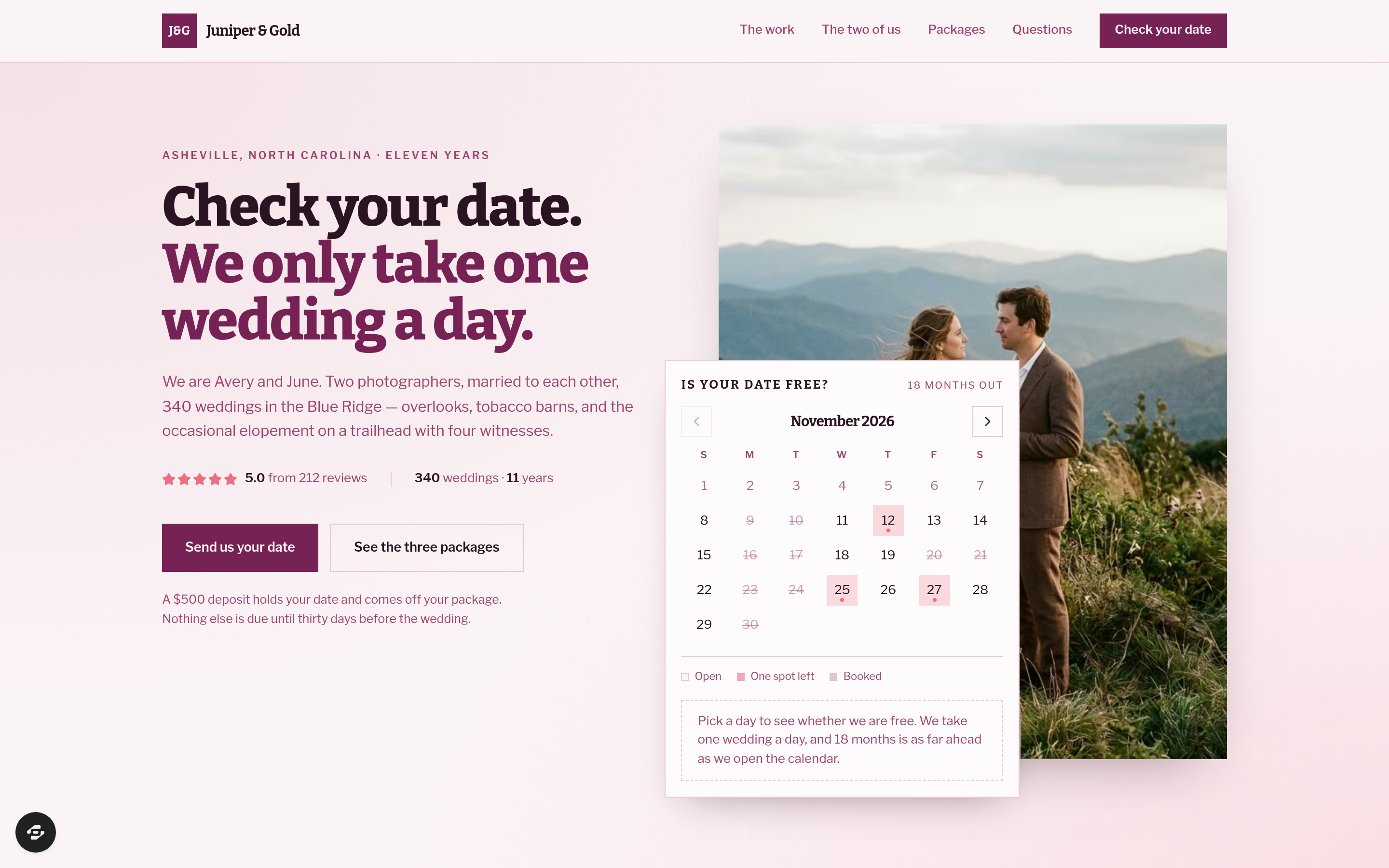
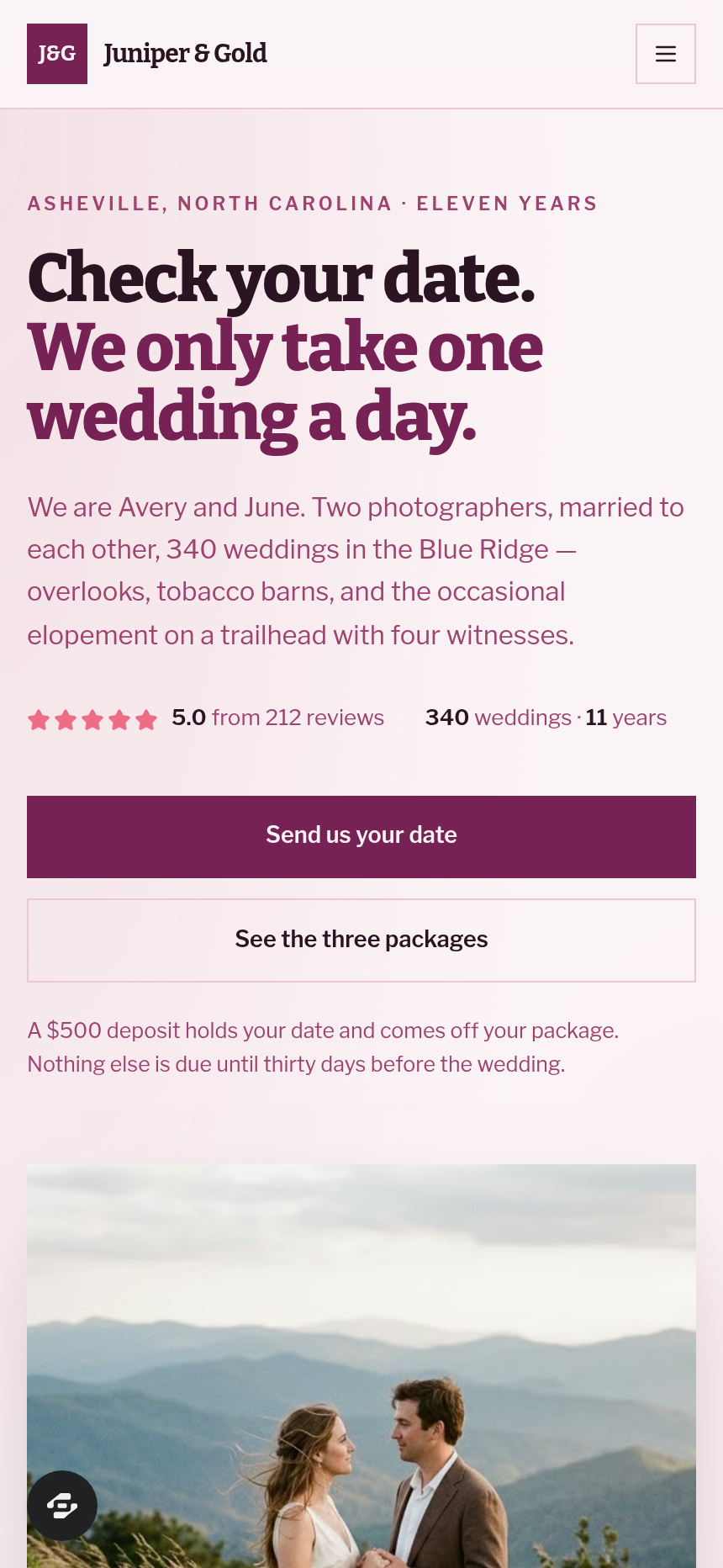
Juniper & Gold is a husband-and-wife wedding photography team in Asheville, North Carolina with eleven years and 340 weddings behind them. This funnel has one job: take a visitor who wonders "is our date free?" and move them to a paid $500 date-hold before they close the tab. The home page leads with an interactive month calendar that marks each day open, one spot left, or booked — computed eighteen months ahead, with most peak-season Saturdays in May, June, September, and October already taken. Everything downstream of that moment is built to reduce the gap between curiosity and a card on file.
What you get
- Index (/) — blush nav, split hero with the date checker beside a large couple photo, inline calendar card, six-word CTA, three gallery sections (mountain overlooks, barn receptions, elopements), the photographers' story, six named couple reviews (5.0 out of 5 from 212 reviews), three packages ($3,800 / $5,200 / $6,900 with hours, second shooter, and album), FAQ, and a plum CTA band.
- Inquiry (/inquiry) — step one of two; collects names, email, phone, wedding date carried from the checker, venue, guest count, and package selection; writes a real lead record; nothing is charged here.
- Hold (/hold) — step two of two; shows what date is being held, the $500 deposit order form (credited to the package, not an added fee), and a $180 engagement-session order bump; full card checkout with Visa, Mastercard, Amex, and Discover.
- Confirmation (/confirmation) — shows the held date in plain words, three numbered next-steps (planning call three business days out with a Google Calendar link, paperwork and questionnaire, then a four-month timeline kickoff), and the studio email.
- Dashboard (/admin) and Navigate (/dashboard) — owner-side funnel report showing overall conversion, pages in order, and recent contacts.
- 404 — stays on-brand with a single line pointing back to the calendar.
How it works
A visitor lands on the Index, picks a date on the calendar card, and sees one of three states: open (Hold this date button appears), one spot left (urgency copy, same button), or booked (suggested alternatives). Clicking the button carries the chosen date into the Inquiry page, where the couple fills in their details. Submitting the Inquiry form writes their record to the funnel's built-in lead storage — every inquiry, date, package selection, and contact detail is captured and visible in the owner dashboard without needing an external CRM. The visitor proceeds to the Hold page, where the deposit order page ships with a secured checkout for the $500 deposit and an optional $180 engagement-session bump charged in the same transaction; the balance is not due until thirty days before the wedding. After payment, the Confirmation page renders their specific held date and the planning-call calendar link. When you want to change headline copy, swap a package price, adjust the engagement-session bump amount, or reword the deposit policy, you describe the edit in plain language and ClickFunnels AI rewrites that element — the date checker label, the Hold page deposit note, the Confirmation next-steps copy — without you touching code.
The signature step
The hero date checker on the Index page is what makes this funnel distinctive. The calendar card overlaps the couple photo and marks every day for the next eighteen months as open, one spot left, or booked — computed fresh from today, never hard-coded. Peak Saturdays are mostly gone; Fridays and Sundays in those months are thinning. The "one spot left" state names the tension directly: another couple is already asking about that weekend, and a hold is the only way to keep it. The "Hold this date" button appears only when the date is available, so every click to the Hold page is already pre-qualified.
Who it's for
- Wedding photographers who want to stop losing dates to couples who meant to get back to them
- Photography duos or solo shooters with a date-based calendar who take a deposit to hold the day
- Videographers, planners, or florists whose service is one-per-day and whose inquiry form currently goes nowhere
- Any date-based service provider who wants a checkout on the first visit rather than a quote-and-wait loop
Design
- Type pairing
- Bitter display Libre Franklin body
- Motion
- none; reduced-motion: static
- Signature screen
- Hero date checker on the couple photo
- References
-
- Wedding photographer sites with an availability checker
What can you use Juniper & Gold — Wedding Photographer Booking Site for?
- A solo wedding photographer in the Pacific Northwest replaces Juniper & Gold's name and Asheville references, sets their own three package prices, and starts collecting $500 deposits the same week without building a custom site.
- A husband-and-wife photography duo uses the one-wedding-per-day calendar model exactly as built, adds their own mountain and barn gallery images, and uses the Dashboard to track how many inquiries convert to paid holds each month.
- A wedding videographer adapts the three packages section to reflect video-only packages with different hour counts and delivery timelines, then uses the engagement-session bump slot for a highlight-reel add-on at checkout.
- A wedding planner repurposes the date checker and deposit flow to hold planning consultation dates, changing the Hold page copy to reflect a planning retainer instead of a photography deposit.
- A photographer with an existing inquiry form swaps to this funnel specifically to add the $180 engagement-session order bump on the Hold page, recovering revenue that previously required a separate follow-up email.
- A photography studio owner monitors the /admin Dashboard to see the overall conversion rate from Index visits to completed holds, then describes copy changes on the Inquiry page to ClickFunnels AI to test whether shorter form fields lift the step-two completion rate.
Frequently asked questions
What is the Wedding Photographer Booking Site?
Who is this funnel for?
What pages are included?
How do I customize the Wedding Photographer Booking Site in ClickFunnels AI?
Does it include a checkout or order form?
Can I use my own branding and domain?
How is it different from a classic ClickFunnels lead capture or application funnel?
What setup is required before sharing the funnel?
Related templates
 Local Business
Fold & Fetch — Laundry Pickup Add-Your-Stop Route Site
What is the Laundry Pickup Route Map Site? Built with ClickFunnels AI, it is a van-route laundry booking page where visitors tap their corner on a street map and book a $39 pickup.
 Local Business
Elm Street Garage — Slide-the-Cars Parking Site
Elm Street Garage Slide-the-Cars Parking Site is a ClickFunnels AI reservation site for a 420-space garage in downtown Portland, Maine. The home page opens with a sliding-car puzzle, then visitors pick a day and arrival time, pay $14 by card, and get a confirmation page.
 Local Business
Gull Point Putt — Putt-the-7th Mini Golf Site
Gull Point Putt — Putt-the-7th Mini Golf Site is a booking funnel built in ClickFunnels AI for an 18-hole seaside mini-golf course in Ocean Beach, San Diego. Visitors putt the 7th hole on the home page, then book a group round for a flat $48.
 Local Business
Awl & Last — Point-to-the-Repair Cobbler Site
Awl & Last Point-to-the-Repair Cobbler Site is a service-booking-and-checkout funnel built in ClickFunnels AI for shoe and boot repair shops that take work by mail. Visitors tap the parts of a drawn boot to build a priced repair quote, then pay $20 for a prepaid mail-in box — no phone call, no form-filling, no guesswork.
Make this template your starting point.
Inspect the preview, plan your changes, and test the workflow before you share it.
Use this template