Brass Comb Barbershop — Walk-In Queue Site
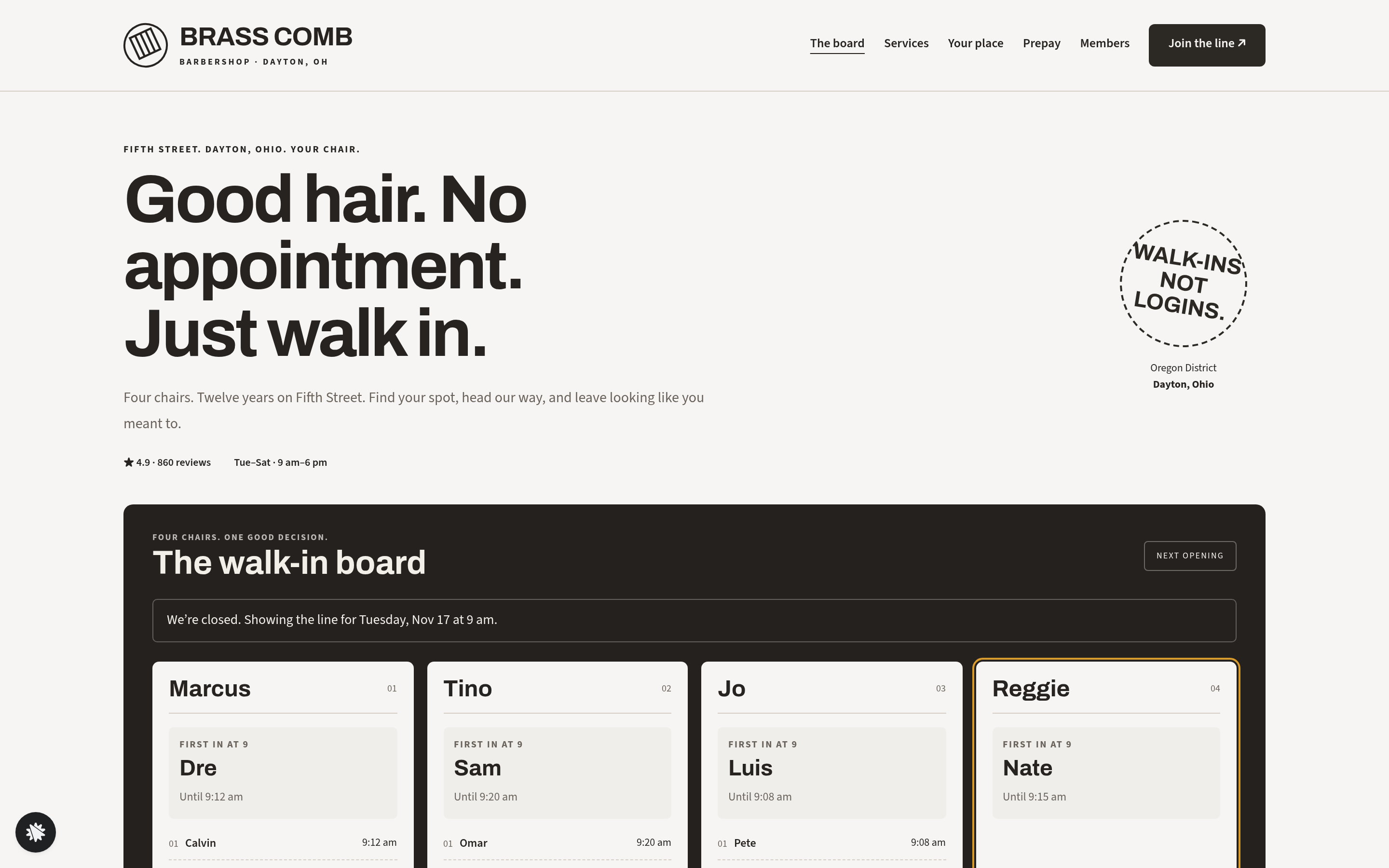
Brass Comb Barbershop — Walk-In Queue Site is a local business funnel built in ClickFunnels AI that puts a live four-chair queue board on the home page, lets walk-in customers join the line from their phone, and hands them a place card with a real head-over time.
About this template
What is Brass Comb Barbershop — Walk-In Queue Site?
Brass Comb is a four-chair, walk-ins-only barbershop in Dayton's Oregon District. This funnel replaces a waiting-room clipboard with a public queue board: visitors see exactly who is in each chair, how long until a spot opens, and the names already waiting — then join from wherever they are.
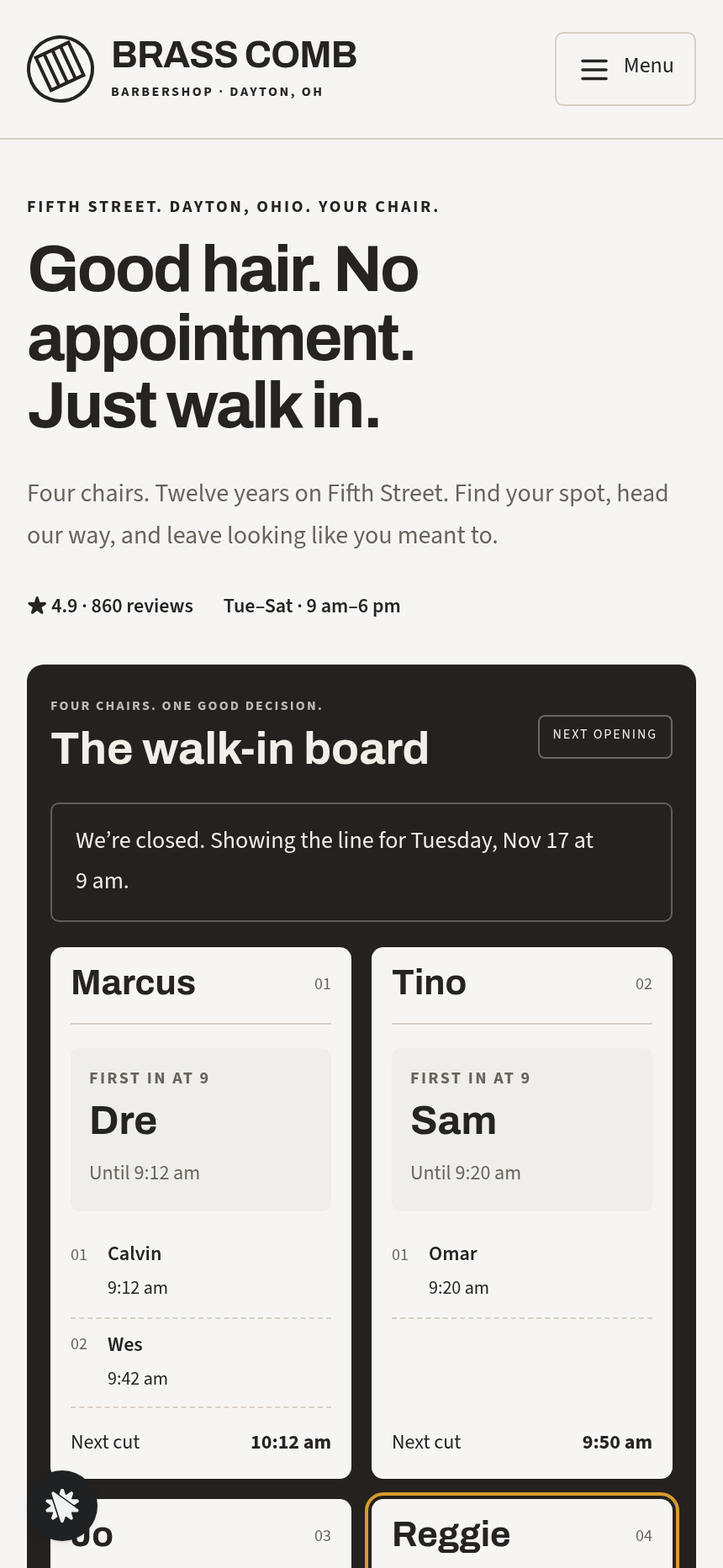
What you get
Home / (The board) — the walk-in board in the hero: four barber columns (Marcus, Tino, Jo, Reggie), each showing the current client, the time their cut ends, and the first names waiting behind them. One line above the board announces the shortest wait at that moment. Below the board: the join form (first name, mobile, three service tiles — Haircut $32, Haircut and beard $44, Kids cut $24 — and a barber choice or first-available), the place card that slides in after submission, the price list formatted as a menu card with dotted leaders, four barber portraits, aggregate rating with customer quotes, a find-us section with parking notes, and a shop FAQ.
Your Place (/place) — the same place card on its own page, with the chosen service and barber carried in the URL. Includes directions, an arrival guide (what to say at the door, when to show a receipt), and a countdown to the visitor's chair time.
Prepay (/prepay) — an optional card checkout for the chosen service at its fixed price, with a $9 hot-towel finish order bump. Entirely optional; the queue position does not depend on paying ahead.
Paid Confirmation (/paid-confirmation) — payment reference confirmed, service and barber recap, and the place card so the visitor still knows when to head over.
Services (/services) — the three services, their prices, and what to expect in the chair, with links to join the line or prepay.
Admin Dashboard (/dashboard and /admin) — funnel traffic, conversion, and every contact who joined the line, newest first, with test traffic labelled separately.
How it works
- A visitor lands on the home page and reads the walk-in board; every time shown is computed from the visitor's clock (30 minutes per cut, 45 for a cut with beard).
- They pick a service tile and a barber preference, enter a first name and mobile number, and submit the join form.
- Their name appears on the board in the correct column; a place card slides in showing their position number, the barber's name, and a head-over time (for example, "You're 2nd in line with Reggie — head over by 2:40 pm") with a live countdown.
- If they are running late, the "Running late — move me back one" button reorders the board and recalculates every time below theirs. "Leave the line" removes them entirely.
- From the place card they can tap through to /place for a standalone ticket page, or to /prepay to pay the fixed service price before arrival — the money path ends at /paid-confirmation with the receipt and their place card side by side.
- Every name, mobile number, and service choice that comes through the join form is stored in the funnel's built-in database and visible in the owner dashboard at /admin, so the shop has a record without any external CRM.
- Outside opening hours the board shows the projected line for the next open day and labels it clearly.
When you open this template, you describe your changes in plain language — swap the barber names, adjust the service prices, or reword the arrival guide — and ClickFunnels AI edits the relevant pages directly. The template ships ready to preview on desktop and mobile before you remix it into your own shop's queue.
The signature step
The walk-in board on the home page is the whole product. Four named columns update in the visitor's browser as people join, move back, or leave; the shortest-wait callout recalculates automatically. For a walk-in business, this board is the equivalent of a checkout page: it converts a curious passer-by into a named person in the queue.
Who it's for
Any local business that serves people in arrival order: barbershops, walk-in salons, nail bars, urgent-care counters, repair desks, food trucks, and pop-up shops where knowing your wait time is the difference between staying and leaving.
Design
- Type pairing
- Archivo display Source Sans 3 body
- Motion
- place card slides in on join; countdown ticks; reduced-motion: static
- Signature screen
- Live walk-in board of four chairs with a join-the-line place card
What can you use Brass Comb Barbershop — Walk-In Queue Site for?
- A barbershop in a busy urban district publishes the board URL on a sidewalk sign so customers can join the line from the street before walking in.
- A walk-in nail salon replaces its paper sign-in sheet with the queue site, giving each customer a phone-based place card they can check from a coffee shop next door.
- A food truck at a weekly market lets diners join the queue remotely and head over when their countdown reaches ten minutes.
- A single-operator barber uses the prepay checkout to collect service payment in advance on busy Saturdays, reducing counter time per customer.
- A repair counter at an electronics shop embeds the board link in their Google Business profile so customers can check wait times before driving over.
- A pop-up barbershop at a festival runs the queue site on a tablet at the entrance, with the admin dashboard open on a second device so the barber can see the full list at a glance.
Frequently asked questions
What is the Brass Comb Barbershop Walk-In Queue Site?
Who is this template for?
What pages are included?
How do I customize this template in ClickFunnels AI?
Does it include a checkout or order form?
Can I use my own branding and domain?
How is it different from a classic ClickFunnels lead-capture funnel?
What setup is required before sharing the site?
Related templates
 Local Business
Fold & Fetch — Laundry Pickup Add-Your-Stop Route Site
What is the Laundry Pickup Route Map Site? Built with ClickFunnels AI, it is a van-route laundry booking page where visitors tap their corner on a street map and book a $39 pickup.
 Local Business
Elm Street Garage — Slide-the-Cars Parking Site
Elm Street Garage Slide-the-Cars Parking Site is a ClickFunnels AI reservation site for a 420-space garage in downtown Portland, Maine. The home page opens with a sliding-car puzzle, then visitors pick a day and arrival time, pay $14 by card, and get a confirmation page.
 Local Business
Gull Point Putt — Putt-the-7th Mini Golf Site
Gull Point Putt — Putt-the-7th Mini Golf Site is a booking funnel built in ClickFunnels AI for an 18-hole seaside mini-golf course in Ocean Beach, San Diego. Visitors putt the 7th hole on the home page, then book a group round for a flat $48.
 Local Business
Awl & Last — Point-to-the-Repair Cobbler Site
Awl & Last Point-to-the-Repair Cobbler Site is a service-booking-and-checkout funnel built in ClickFunnels AI for shoe and boot repair shops that take work by mail. Visitors tap the parts of a drawn boot to build a priced repair quote, then pay $20 for a prepaid mail-in box — no phone call, no form-filling, no guesswork.
Make this template your starting point.
Inspect the preview, plan your changes, and test the workflow before you share it.
Use this template