Two Rivers — Moving Inventory Estimator Site
Moving Inventory Estimator Site is a local-service booking funnel built in ClickFunnels AI for moving companies that want visitors to price their own job room by room before giving a phone number. The funnel walks someone from a live truck-fill estimator through a date picker and into a $99 deposit checkout — all without a quote-request form.
About this template
What is Two Rivers — Moving Inventory Estimator Site?
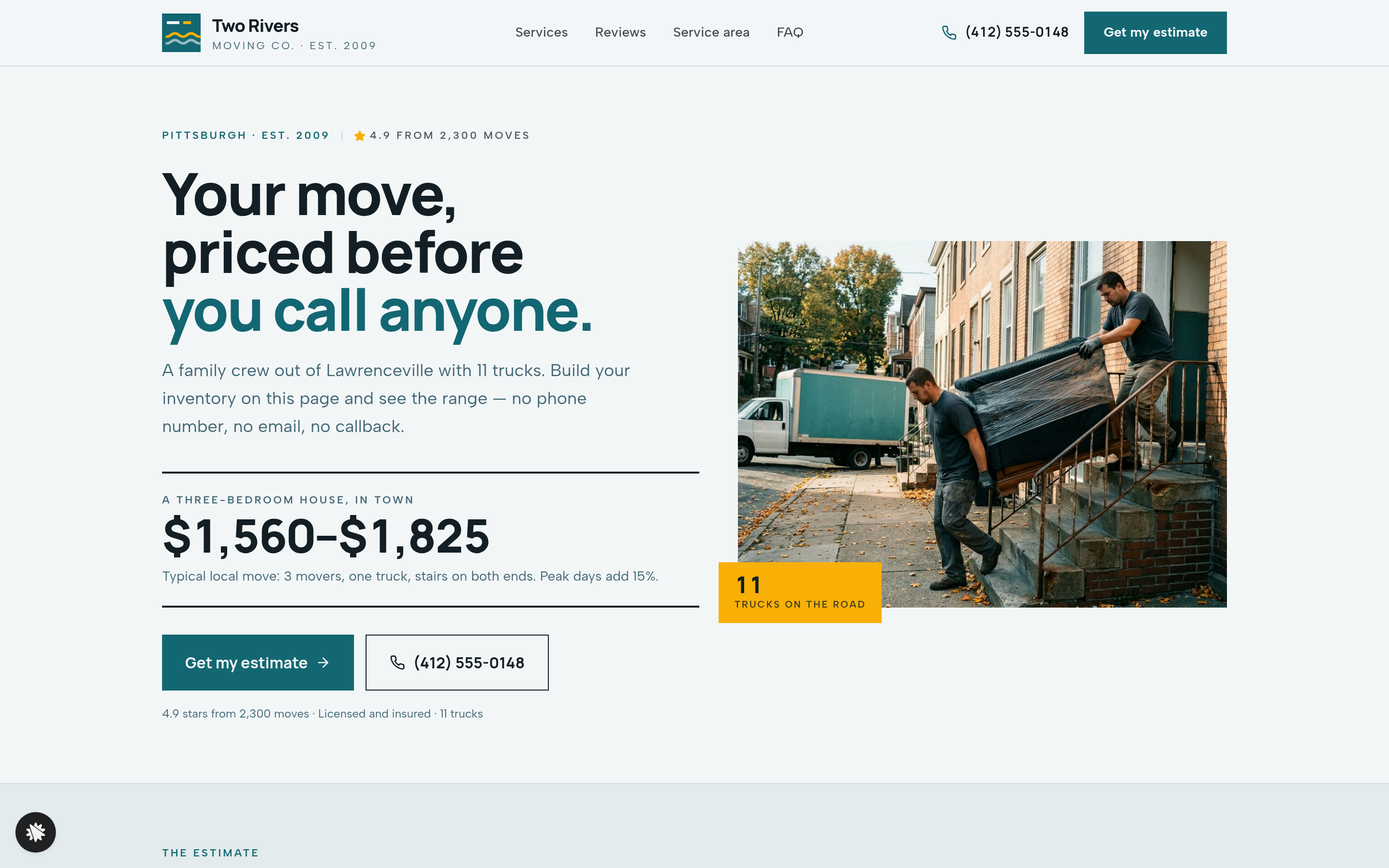
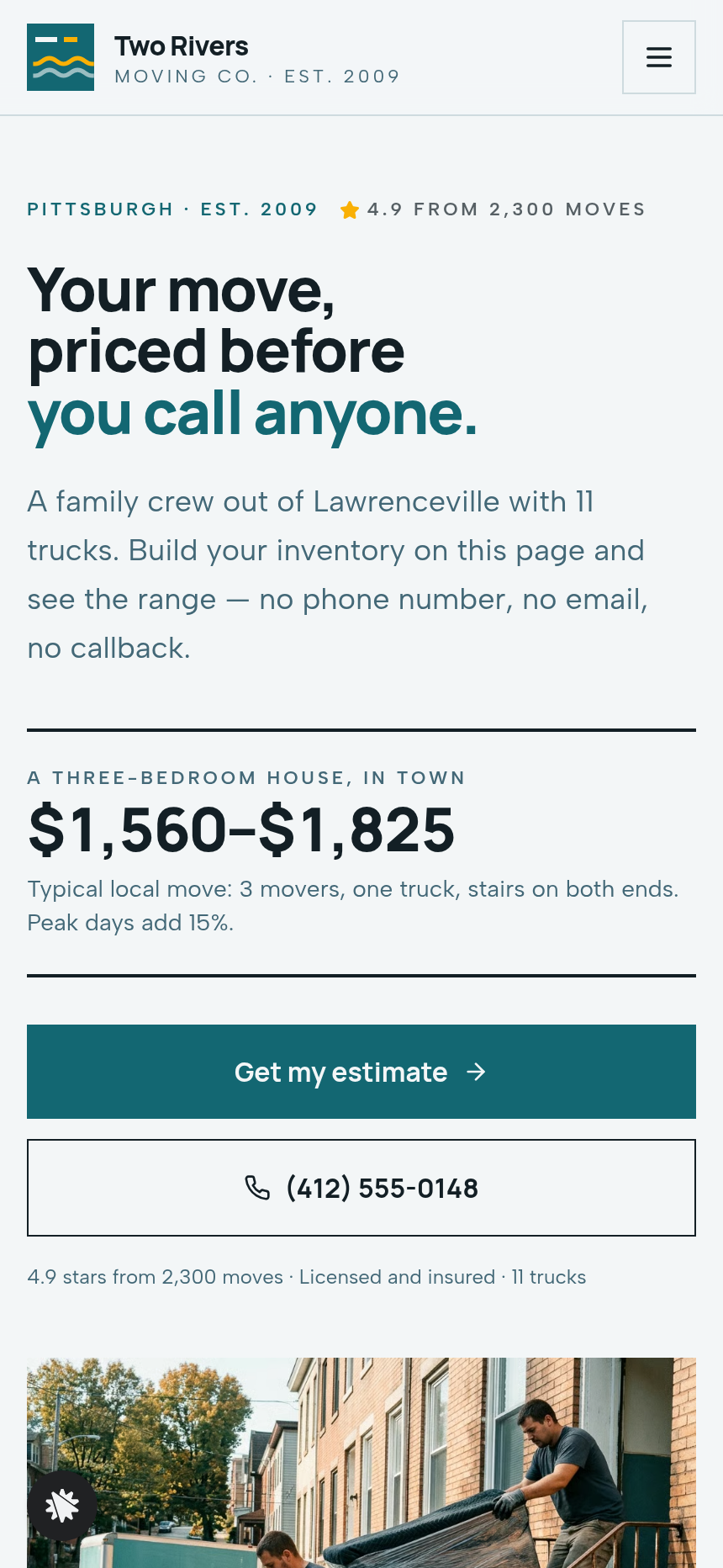
Two Rivers Moving Co. is a family-owned Pittsburgh mover with 11 trucks and 4.9 stars across 2,300 moves. This funnel lets a visitor price their move on the home page — tapping through rooms, adding furniture and boxes, watching a drawn truck fill up and a price range update — before they ever share their name or email. When they like the number, they carry that inventory into a calendar, pick a date, pay a $99 deposit and receive a dated confirmation with a counted-back checklist.
What you get
- Home page and estimator (/) — the room-by-room inventory tool (living room, kitchen, bedrooms, office, garage, basement), plus/minus steppers for every item (sofa, sectional, queen bed, dresser, dining table, small/medium/large boxes, piano), a side-view truck drawing that fills as items are added with marks at 16, 20 and 26 feet, a cubic-feet meter, crew selector (2, 3 or 4 movers), from/to ZIP fields, and stairs/elevator/long-carry toggles. Below the estimator: a three-step explainer, reviews band, FAQ, and a sticky Call · Text · Get my estimate bar on mobile.
- Book (/book) — a month calendar computed from today with weekends and the last three days of each month marked peak (+15%), booked days greyed, morning or afternoon start selection, contact-details form, and the $99 deposit checkout with a $39 wardrobe-box order bump.
- Confirmation (/confirmation) — move date in words, crew arrival window, full inventory summary, price estimate, a checklist counted back from move day (four weeks before, two weeks, two days), and an add-to-calendar link.
- Services (/services) — local, long-distance, packing and storage descriptions with pricing notes.
- Reviews (/reviews) — aggregate 4.9-star rating from 2,300 moves, customer quotes.
- Service Area (/service-area) — Allegheny County coverage map, named neighbourhoods, and long-distance destinations.
- Admin panel (/admin) — owner dashboard with funnel step conversion, recent contacts, and test-traffic labelling.
How it works
- A visitor lands on / and taps through room tabs to add their furniture; the truck drawing fills and the price range updates after each stepper change.
- ZIP codes and access toggles (stairs, elevator, long carry) refine the estimate without any contact required.
- The visitor clicks Pick my move date and the inventory carries forward to /book.
- On the calendar, peak days are labelled before selection; the visitor picks a date and a morning or afternoon start.
- They enter name, email and phone, then reach the deposit checkout — a secured card form with a $39 wardrobe-box bump offered before payment.
- The $99 deposit is charged; the visitor lands on /confirmation with their checklist and calendar link.
- Every opt-in and deposit is stored in the funnel's built-in database and appears in the admin panel at /admin, so the owner sees new bookings without connecting an external CRM.
- When the owner wants to adjust the peak-day surcharge, change the deposit amount, or rewrite the estimator room labels, they describe the change in plain language and ClickFunnels AI edits the relevant component directly.
The signature step
The inventory estimator on / is the reason this funnel converts differently from a standard quote form. Every item a visitor adds shifts the drawn truck toward a fill line (16 ft, 20 ft, 26 ft) and recalculates truck size, crew count, estimated hours and a dollar range in real time. The visitor controls the number before the business controls the conversation — which is why the deposit rate is higher than a traditional callback funnel.
Who it's for
- Local moving companies that want booked dates and deposits instead of phone-tag quote requests.
- Junk removal and hauling operators whose price depends on volume and access conditions.
- Storage and delivery crews who want a self-serve estimator in front of a calendar.
- Any local service priced by cubic feet or crew hours where showing the range early reduces drop-off.
Design
- Type pairing
- Manrope display Albert Sans body
- Motion
- truck fill + meter transitions; reduced-motion: static
- Signature screen
- Room-by-room inventory estimator that fills a drawn truck
What can you use Two Rivers — Moving Inventory Estimator Site for?
- A Pittsburgh mover replaces their contact form with this funnel, letting prospects build their own truck load and see a price range before calling — deposit bookings replace callback requests within the first week.
- A junk removal company swaps the furniture items in the estimator for junk categories (appliances, mattresses, construction debris) and sets a flat per-item rate, keeping the deposit checkout and calendar unchanged.
- A storage operator uses the funnel to price unit size by cubic feet estimated from the same room-by-room tool, then holds a move-in date with a deposit that converts to the first month's storage fee.
- A long-distance moving crew adds their out-of-state destinations to the Service Area page and sets the ZIP-distance logic in the estimator to flag jobs over 100 miles for a travel-cost add-on, all via chat edits.
- A solo mover with one truck uses the funnel's admin panel to monitor bookings and available dates without any external CRM, exporting the contacts list to a spreadsheet when needed.
- A multi-location moving franchise customizes one copy of the funnel per city — updating the service-area neighbourhoods, phone number and deposit amount for each — and publishes each as a separate funnel on its own subdomain.
Frequently asked questions
What is Moving Inventory Estimator Site?
Who is it for?
What pages are included?
How do I customize Moving Inventory Estimator Site in ClickFunnels AI?
Does it include a checkout or order form?
Can I use my own branding and domain?
How is it different from a classic ClickFunnels lead-gen funnel?
What setup is required before going live?
Related templates
 Local Business
Fold & Fetch — Laundry Pickup Add-Your-Stop Route Site
What is the Laundry Pickup Route Map Site? Built with ClickFunnels AI, it is a van-route laundry booking page where visitors tap their corner on a street map and book a $39 pickup.
 Local Business
Elm Street Garage — Slide-the-Cars Parking Site
Elm Street Garage Slide-the-Cars Parking Site is a ClickFunnels AI reservation site for a 420-space garage in downtown Portland, Maine. The home page opens with a sliding-car puzzle, then visitors pick a day and arrival time, pay $14 by card, and get a confirmation page.
 Local Business
Gull Point Putt — Putt-the-7th Mini Golf Site
Gull Point Putt — Putt-the-7th Mini Golf Site is a booking funnel built in ClickFunnels AI for an 18-hole seaside mini-golf course in Ocean Beach, San Diego. Visitors putt the 7th hole on the home page, then book a group round for a flat $48.
 Local Business
Awl & Last — Point-to-the-Repair Cobbler Site
Awl & Last Point-to-the-Repair Cobbler Site is a service-booking-and-checkout funnel built in ClickFunnels AI for shoe and boot repair shops that take work by mail. Visitors tap the parts of a drawn boot to build a priced repair quote, then pay $20 for a prepaid mail-in box — no phone call, no form-filling, no guesswork.
Make this template your starting point.
Inspect the preview, plan your changes, and test the workflow before you share it.
Use this template