Clink Pet Tags — Engraved Tag Preview Funnel
Pet Tag Engraving Preview Funnel is a product-preview-and-purchase funnel built with ClickFunnels AI for Clink Pet Tags, a two-person engraving shop in Duluth, Minnesota. Visitors engrave their tag on screen before they pay, then complete a two-step order on the same page for a flat $14.
About this template
What is Clink Pet Tags — Engraved Tag Preview Funnel?
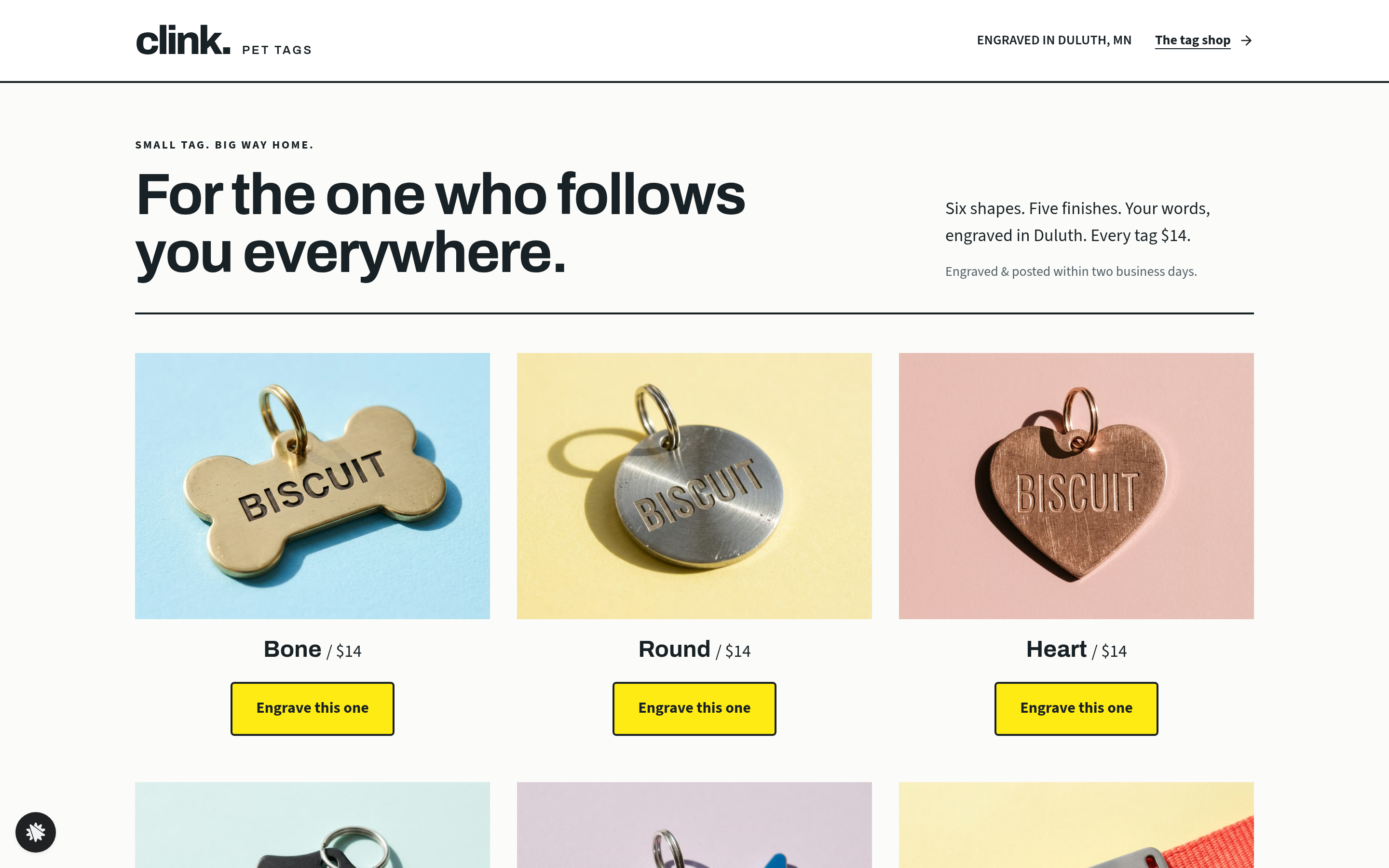
Clink Pet Tags sells one thing — engraved pet ID tags — at one price: $14. The funnel earns that sale by putting the buyer in control of the product before money changes hands. Every line they type appears on a drawn tag in real time, and only after they have seen exactly what will be stamped do they fill in their shipping and card details. The result is a low-friction, high-confidence purchase path suited to any small shop selling a single personalised item.
What you get
Four customer-facing routes and an owner dashboard:
- Index (/) — the shop grid. A six-tile layout labelled 'Choose your tag shape' shows Bone, Round, Heart, Shield, Fish, and a sixth style, each with a photo, the name, and an 'Engrave this one' button. Social proof runs below: 48,000 tags made, 4.9 stars from 3,210 reviews, the shop's founding year.
- Engrave (/product) — the product and order page. A pale outer frame holds two white panels. The left panel carries the tag engraver: shape tiles (step 01), finish tiles (step 02), and three engraving fields with character counters (step 03), plus a Flip button that shows the phone-number side of the drawn tag. The right panel holds the posting-date line, a 'You still have time to order' countdown to the 2 pm engraving run, and the two-step order card — step 1 collects the shipping address, step 2 collects card details for $14 (with an optional $6 silencer-ring-and-spare-split-ring bump). Below both panels a 'Tags on duty' photo grid and three customer quotes close the page.
- SecondTag (/second-tag) — a one-time offer to add a matching second tag with the same engraving for $9, charged to the saved payment method. A preview of the engraving carries over so the buyer sees exactly what the second tag will say.
- ThankYou (/thank-you) — the drawn tag front and back, the full order recap (tag price, optional second tag, optional silencer ring), estimated posting date computed two business days out, and three 'Others also picked up' cards.
- Dashboard (/admin) — visits, overall conversion, recent contacts, and test-traffic labelling for the shop owner.
How it works
Buyers start on the Index, choose a tag shape, and move on to the Engrave page. As they type in the three engraving fields, the drawn tag updates instantly — name on the front, phone number on the back after they tap Flip. Shape and finish tiles change the tag's silhouette and colour without leaving the page. When the engraving reads right, they enter their shipping address (step 1 of the order card) and their card details (step 2); the choices made in the tag engraver are carried directly into the order summary so the recap shows the exact text, shape, and finish they selected. Once paid, the SecondTag page offers a matching tag for $9 on the card already on file, then ThankYou shows the tag front and back, the order recap and the posting date.
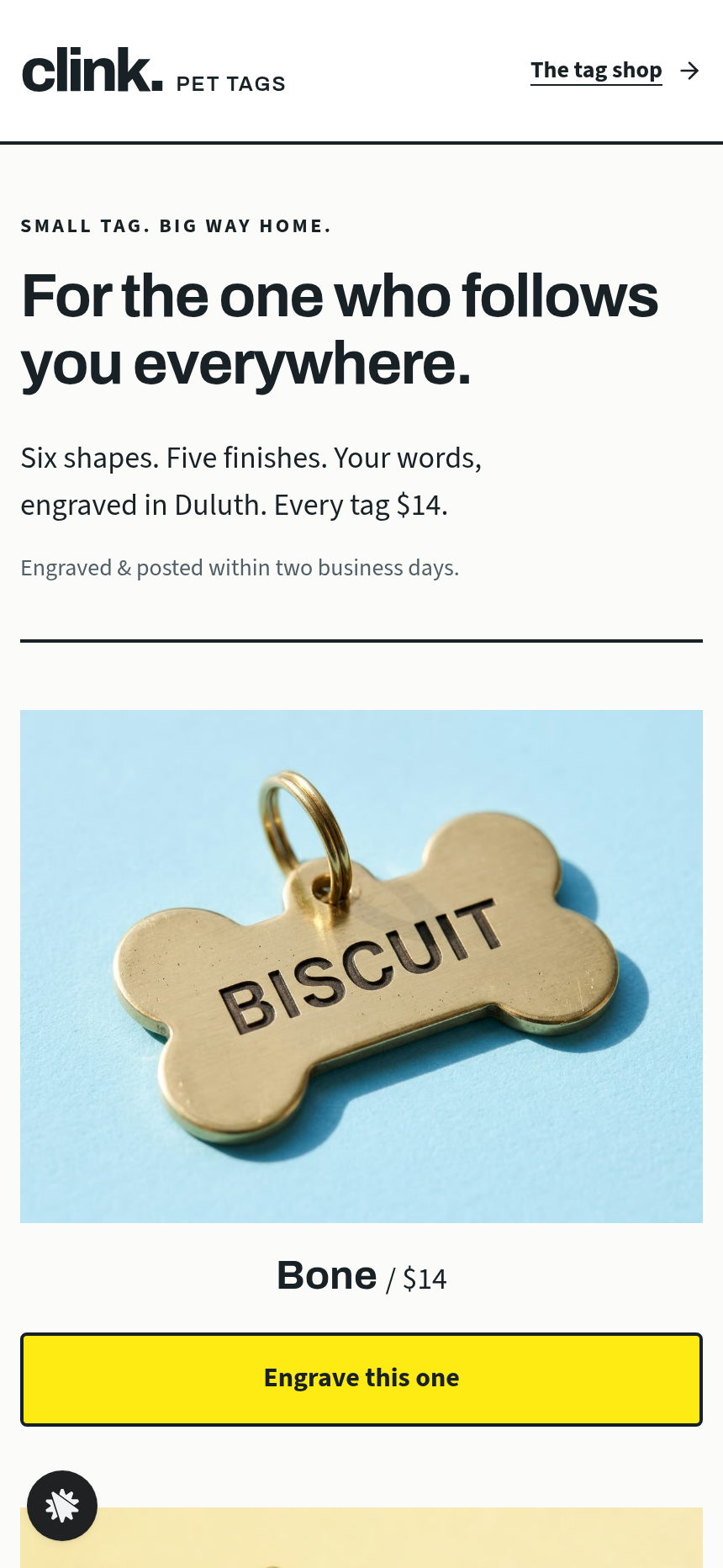
To change the engraving fields, the bump price or the countdown copy, describe the edit to the editor, for example 'change the bump from $6 to $8 and update its label to include a bone-shaped charm', and the matching part of the page is rewritten. Hook up a payment processor, then test the order card, the $9 second-tag charge and the silencer-ring bump. The gallery preview shows the layout at desktop and phone widths before you share the link.
The signature step
The tag engraver on the Engrave page is the funnel's conversion engine. The drawn tag is live: every keystroke updates the engraving, every shape tile reshapes the outline, every finish tile recolours the surface. The Flip button reveals the back so the buyer can confirm the phone number before they commit. The two-step order card sits in the same viewport as the engraver, so the buyer never navigates away from the preview they just built.
Who it's for
- Engraving shops and personalised-gift makers selling at a fixed price
- Print-on-demand stores where the customer's text is the product
- Jewellers, name-label makers, and pet-accessory brands with one or two hero SKUs
- Any small shop that wants 'see it before you pay it' as its main sales argument
Design
- Type pairing
- Archivo display Source Sans 3 body
- Motion
- engraving text appears as typed; tag flips front to back; reduced-motion: instant swap
- Signature screen
- Tag engraver that shows the typed name on the tag, with shape, finish and flip
- References
-
- 3.15 one-product wristband shop page
What can you use Clink Pet Tags — Engraved Tag Preview Funnel for?
- A two-person pet-tag engraving shop replaces its Etsy listing with this funnel so buyers see their pet's name on the tag before checkout, not after delivery.
- A print-on-demand jewellery brand adapts the shape and finish tiles to ring metals and stone options, keeping the live-preview mechanic for personalised name rings at a fixed price.
- A dog-accessory boutique adds its own six collar-tag styles to the shop grid, uses the second-tag offer to sell a matching spare, and tracks conversion by style in the owner dashboard.
- A cat-ID-tag maker running a craft-fair table hands customers a QR code to the Index so they can preview and order at the stall without the seller needing a card reader on site.
- A gift-label company swaps pet names for baby names, adjusts the three engraving fields to Name / Date / Weight, and uses the silencer-ring bump slot to offer a gift-wrap add-on.
- An engraving franchiser uses the funnel as a white-label template, connecting each franchisee's own domain and payment account while keeping the shared tag-engraver mechanic across locations.
Frequently asked questions
What is the Pet Tag Engraving Preview Funnel?
Who is this funnel for?
What pages are included?
How do I customize the Pet Tag Engraving Preview Funnel in ClickFunnels AI?
Does it include a checkout or order form?
Can I use my own branding and domain?
How is it different from a classic ClickFunnels product funnel?
What setup is required before sharing the funnel?
Related templates
 Product & E-com Funnels
Minute Works — Free Plus Shipping Product Funnel
The Free-Plus-Shipping Product Funnel is a physical-product launch funnel built in ClickFunnels AI that gives visitors a $0 item in exchange for $7.95 shipping, then walks them through an order bump, a bundle upsell, and a downsell before landing on a three-part thank-you. It's designed for small-product brands that want to build a buyer list fast without hiding a single charge.
 Product & E-com Funnels
Sill & Stem — Houseplant Window Match Product Funnel
What is the Houseplant Window Match Product Funnel? A plant shop template built in ClickFunnels AI, it opens with a window-light tool and then sells any three plants in a $59 box.
 Product & E-com Funnels
Little Tick — Set-the-Clock First Watch Funnel
Little Tick sells a children's analog watch from Lancaster, Pennsylvania, through a ClickFunnels AI product funnel. A draggable clock face on the landing page lets a child practice reading the time before the parent reaches a $34 checkout.
 Product & E-com Funnels
Cogwood Toys — Turn-the-Gears Product Funnel
The Turn-the-Gears Product Funnel is a checkout-flow template for physical toy and kit sellers, built in ClickFunnels AI, that lets visitors interact with an animated gear board before ordering a $39 wooden kit. It moves visitors from play to purchase across a landing page, two-step order page, one-click wall-frame offer, and thank-you receipt.
Make this template your starting point.
Inspect the preview, plan your changes, and test the workflow before you share it.
Use this template