Plain Tags — First Web Page Playground Course Funnel
The First Web Page Playground Course Funnel is a sales sequence made in ClickFunnels AI for Plain Tags, an evening web school in Wichita, Kansas. It puts a live HTML playground on the sales page so visitors write real code before they ever see a price.
About this template
What is Plain Tags — First Web Page Playground Course Funnel?
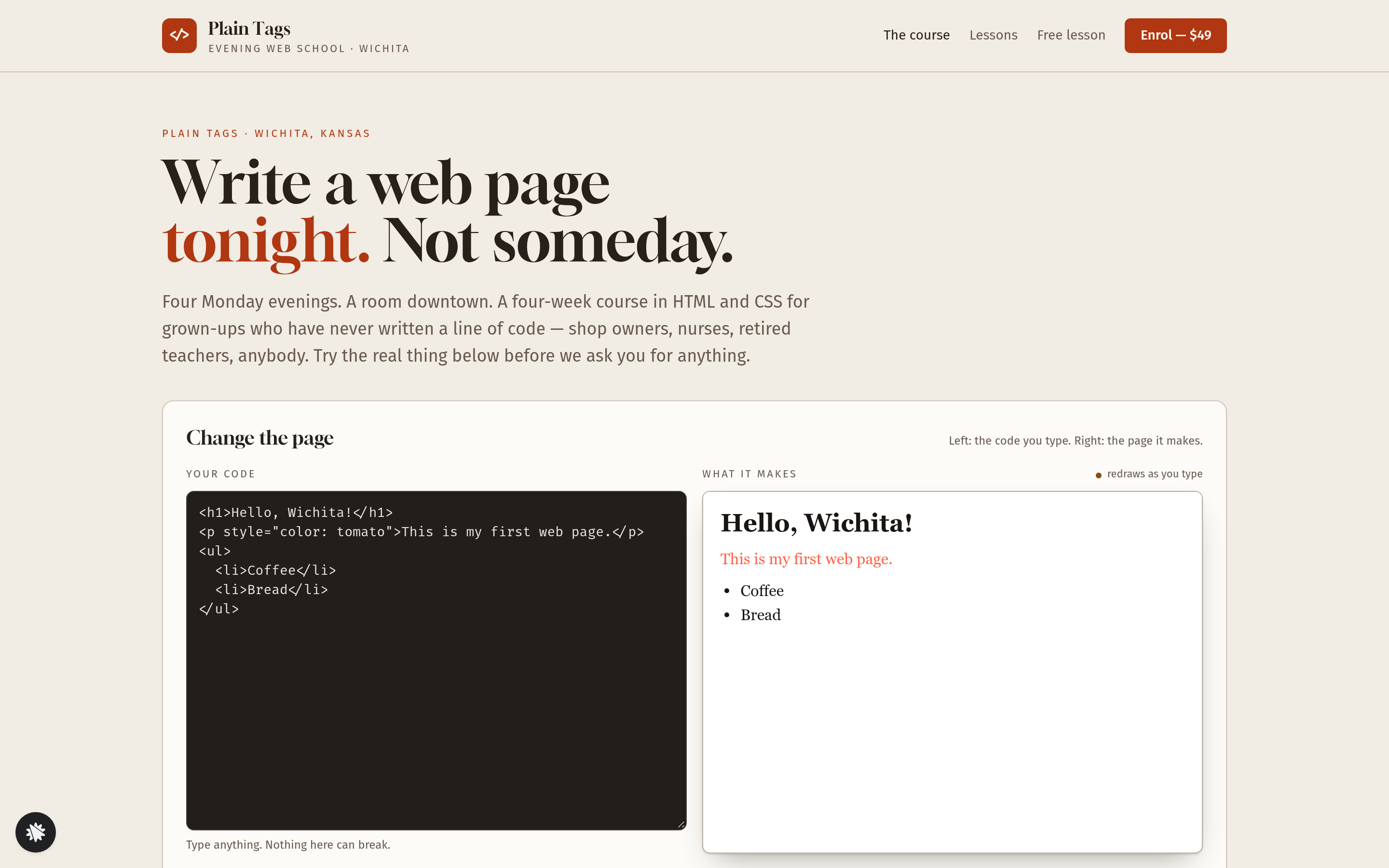
Plain Tags sells Your First Web Page — a four-week evening course in HTML and CSS for grown-ups who have never written a line of code — for a flat $49. The funnel is built around one idea: let the visitor do the first five minutes of the course before being asked for anything. A live code editor sits at the top of the sales page, above the price, above the testimonials, above everything. Visitors type, the preview redraws on every keystroke, and three self-ticking missions mark their progress. By the time they reach the enrol button they have already written HTML.
What you get
Six pages ship with this funnel:
- Home (/) — the "Change the page" playground (a plain-text editor pre-loaded with six lines of HTML, a sandboxed live preview, three missions with "Show me how" buttons, and a 0-of-3 counter that reads "3 of 3 done — you just wrote HTML" at completion), four social-proof numbers, the four-week curriculum, what a Monday evening looks like, three student quotes, a $49 price card, and a FAQ.
- Enrol (/enrol) — a first-name and email form with the visitor's own edited page carried over from the playground, so the first evening starts where they left off.
- Enrol Card (/enrol/card) — a secured card checkout for $49 flat, with an optional $15 printed tag cheat-sheet order bump.
- Offer (/offer) — a one-time $29 one-to-one page review, added with one click to the card already on file.
- Welcome (/welcome) — confirms the seat, shows the four Monday dates and the visitor's first page as they wrote it.
- Lessons (/lessons) and Free Lesson (/free-lesson) — the full sixteen-lesson index with Lesson 01 written out, and a standalone email opt-in for lesson one.
An owner dashboard at /admin stores visits, opt-ins and sales, with test traffic labelled separately.
How it works
- Visitors arrive on Home (/) and see the editor before any sales copy.
- They type in the editor; the preview redraws; missions tick as the conditions are met.
- At "3 of 3 done" the enrol button is highlighted.
- They move to Enrol (/enrol), enter their name and email, and their edited page travels with them.
- At Enrol Card (/enrol/card) they pay $49 and optionally add the $15 cheat-sheet bump — a real card checkout, one payment, no plan.
- The Offer page (/offer) presents the $29 one-to-one review; a single click charges it to the saved card with no second form.
- Welcome (/welcome) confirms the seat and shows the dated Monday evenings alongside the first page the student wrote.
To make a change, describe it after opening this template in ClickFunnels AI: swap the school name, adjust the course price, reword a mission, or change the bump offer. The AI updates that element across the relevant pages, so no code editing is needed. The order page, cheat-sheet bump, one-click offer and welcome step are wired as a complete money path out of the box, and buyers land on the Welcome page where their saved first page and their account details are waiting for them.
The signature step
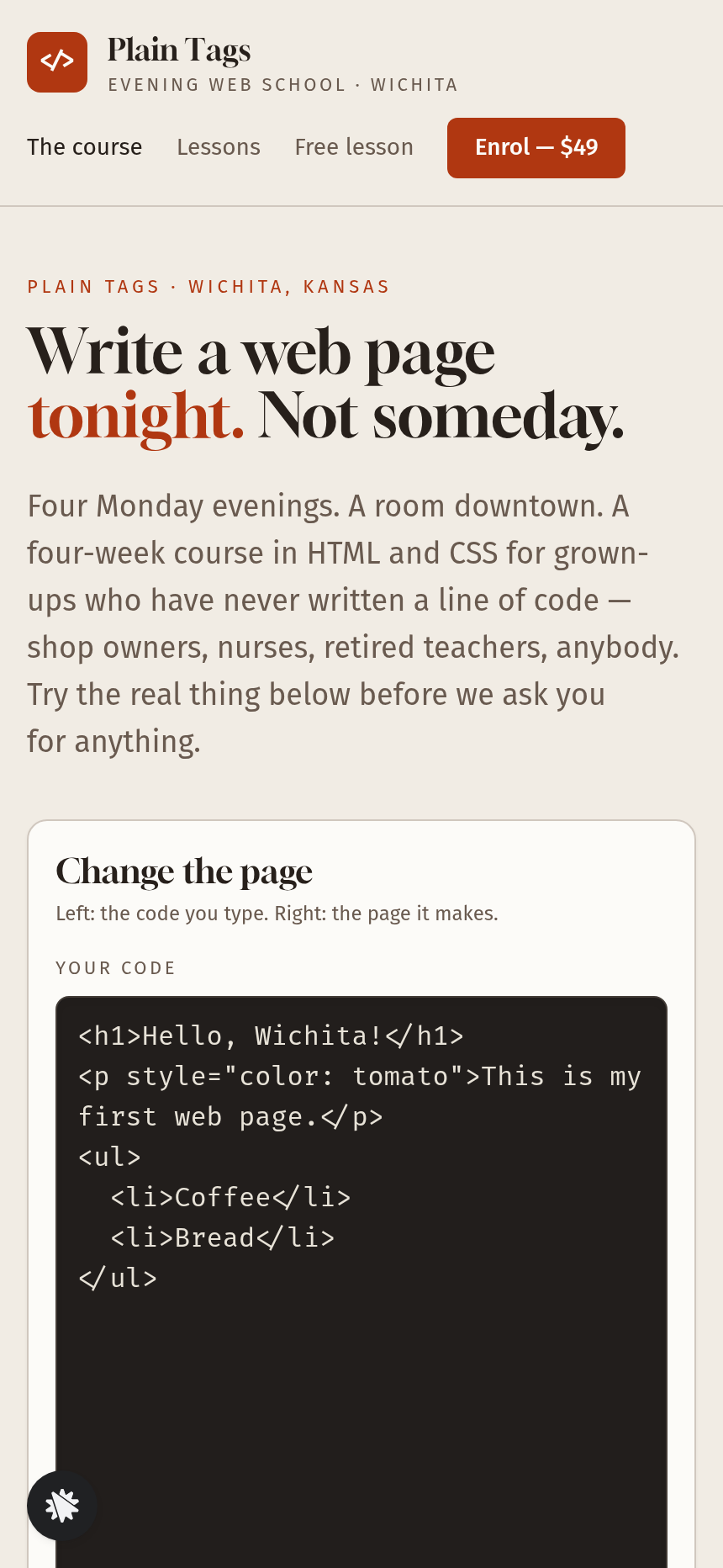
The playground on Home (/) is the part that gives this funnel an edge over a typical course sales page. The editor opens holding exactly these six lines:
<h1>Hello, Wichita!</h1> <p style="color: tomato">This is my first web page.</p> <ul> <li>Coffee</li> <li>Bread</li> </ul>
Mission one ticks when the heading text is no longer "Hello, Wichita!". Mission two ticks when the paragraph colour is not tomato. Mission three ticks when the list holds three or more items. Each "Show me how" button makes the change in the editor — heading becomes "Hello, world!", tomato becomes teal, and <li>Tea</li> is added. Scripts typed into the editor never run. "Start again" restores the six opening lines.
Who it's for
- Evening coding schools and bootcamps selling a first-code course to adult beginners
- No-code instructors who want to offer a taste of HTML before asking for a card
- Music-theory, language, or spreadsheet teachers whose first lesson can be done in a browser widget
- Any educator who can let a beginner complete a small skill in under two minutes before presenting a price
Design
- Type pairing
- Gloock display Fira Sans body
- Motion
- the preview redraws on every keystroke and a mission's tick fills the moment the page shows the change; reduced-motion: no transitions
- Signature screen
- Change-the-page playground: a real HTML editor beside a live preview, with three missions that tick themselves
What can you use Plain Tags — First Web Page Playground Course Funnel for?
- An evening coding school replaces Plain Tags with its own name, updates the Monday dates and room address, and uses the playground to convert walk-in visitors into $49 enrolments without a sales call.
- A no-code course creator keeps the playground mechanic but changes the six opening lines to a spreadsheet formula snippet, so prospective students edit a cell reference and see a result before they pay.
- A language school adapts the three missions to a vocabulary exercise — change the greeting, add a third phrase, swap one word — giving adult learners a two-minute taster before the enrol button appears.
- A freelance web developer running weekend workshops sets the bump to a $15 reference card for HTML attributes and the one-time offer to a $29 live code review, then shares the Free Lesson page on social media to build a waitlist.
- A community college continuing-education department uses the Lessons page (`/lessons`) as a public syllabus and the Free Lesson opt-in to grow its email list before the next cohort opens.
- A creator who already teaches on another platform uses the funnel as a standalone sales page, pointing the Welcome page's account link to their existing member area while keeping the playground and checkout flow intact.
Frequently asked questions
What is the First Web Page Playground Course Funnel?
Who is this funnel for?
What pages are included?
How do I customize the First Web Page Playground Course Funnel in ClickFunnels AI?
Does it include a checkout or order form?
Can I use my own branding and domain?
How is it different from a classic ClickFunnels course funnel?
What setup is required before sharing the funnel?
Related templates
 Coaching & Courses
Even Keel — Debt Payoff Planner Workshop Funnel
The Debt Payoff Planner Workshop Funnel is a free workshop funnel built in ClickFunnels AI for a money coaching business. Visitors run a payoff planner on their own debts, save the plan with their email and then reach a $79 course checkout with a $19 bump.
 Coaching & Courses
Ledgerlight — Fit-the-Line Sales Forecast Course Funnel
Ledgerlight Fit-the-Line Sales Forecast Course Funnel is a course funnel for a $79 six-lesson sales forecasting class, built with ClickFunnels AI. Visitors drag a trend line through a café's twelve monthly sales, and their line carries through enrolment.
 Coaching & Courses
Hollis Ink — Trace-the-Letter Brush Lettering Course Funnel
The Brush Lettering Trace-the-Letter Course Funnel is a course-sales template for Hollis Ink, an Asheville brush-lettering school, made with ClickFunnels AI. Its hero is an interactive tracing pad where visitors follow guided strokes before enrolling in a 21-day course for a flat $49.
 Coaching & Courses
Slow Shutter School — Photo Exposure Simulator Course Funnel
The Photo Exposure Simulator Course Funnel is a course-sales funnel built in ClickFunnels AI for a photography school that sells a beginner exposure course for a single payment of $69. It leads with a working in-browser simulator — aperture, shutter and ISO dials on a drawn lakeshore scene — before the visitor reaches the enrol page, order bump and one-click portfolio-review offer.
Make this template your starting point.
Inspect the preview, plan your changes, and test the workflow before you share it.
Use this template