Even Keel — Debt Payoff Planner Workshop Funnel
The Debt Payoff Planner Workshop Funnel is a free workshop funnel built in ClickFunnels AI for a money coaching business. Visitors run a payoff planner on their own debts, save the plan with their email and then reach a $79 course checkout with a $19 bump.
About this template
What is Even Keel — Debt Payoff Planner Workshop Funnel?
Even Keel Money Coaching is based in Dayton, Ohio. It has taught 2,300 students since 2014 and holds 4.8 stars from 640 reviews. The Debt Payoff Planner Workshop Funnel runs a free workshop called Debt-Free by Design. Visitors work through a live payoff planner on their own debts, then the workshop offers the eight-week course for $79. The planner does the teaching first, so the course sells on the visitor's own numbers.
What you get
Three pages, each with its route:
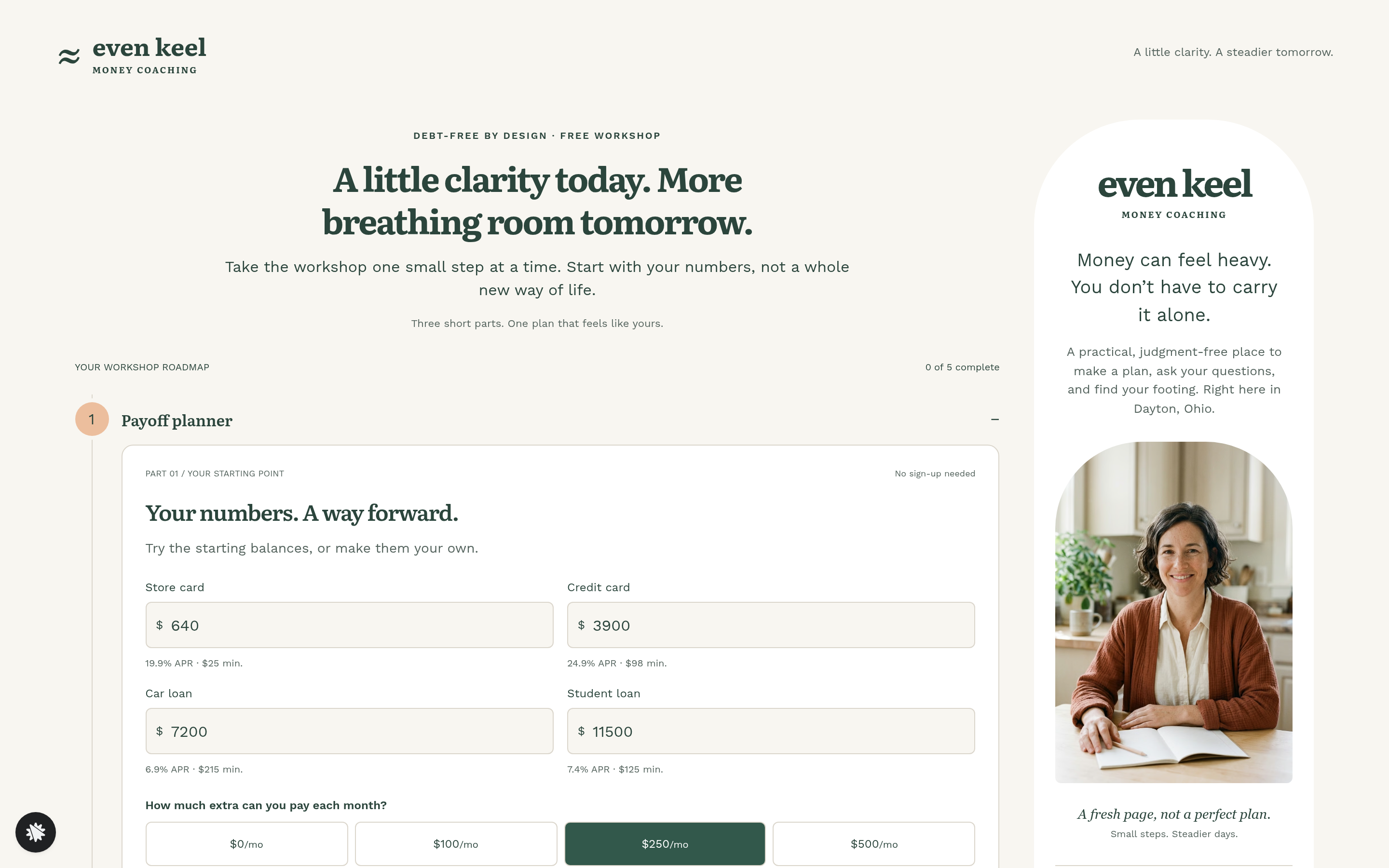
- The workshop (/) runs five numbered steps beside a coach panel: the payoff planner, saving the plan, the biggest money worry, joining the live Q&A and a closing step that leads to the course.
- The course page (/course) lists the eight weeks, a value stack with a struck-through total and three student quotes. It ends with a card checkout for $79 and a $19 bump for the printable payoff tracker and twelve monthly check-in sheets. "No thanks, just the Q&A" skips to the welcome page.
- The welcome page (/welcome) gives the first lesson, due the Monday after today, and the date of the Q&A.
How it works
- The visitor opens the workshop and edits four debts, picks an extra payment of $0, $100, $250 or $500, and chooses the order to clear them in.
- The planner works through every month of interest and minimum payments, then shows the debt-free month and the total interest.
- Step two saves the plan with name and email, and the record lands in the built-in database with the plan attached.
- Step three asks for the biggest money worry, picked from four tiles. Step four offers a seat in the live Q&A, next Thursday at 8:00 pm Eastern, with an add-to-calendar link.
- Step five leads to the course page, where the buyer pays $79 by card. The $19 payoff pack is a checkbox in the same payment.
- After payment the buyer lands on the welcome page with the first lesson and the Q&A date.
The signature step
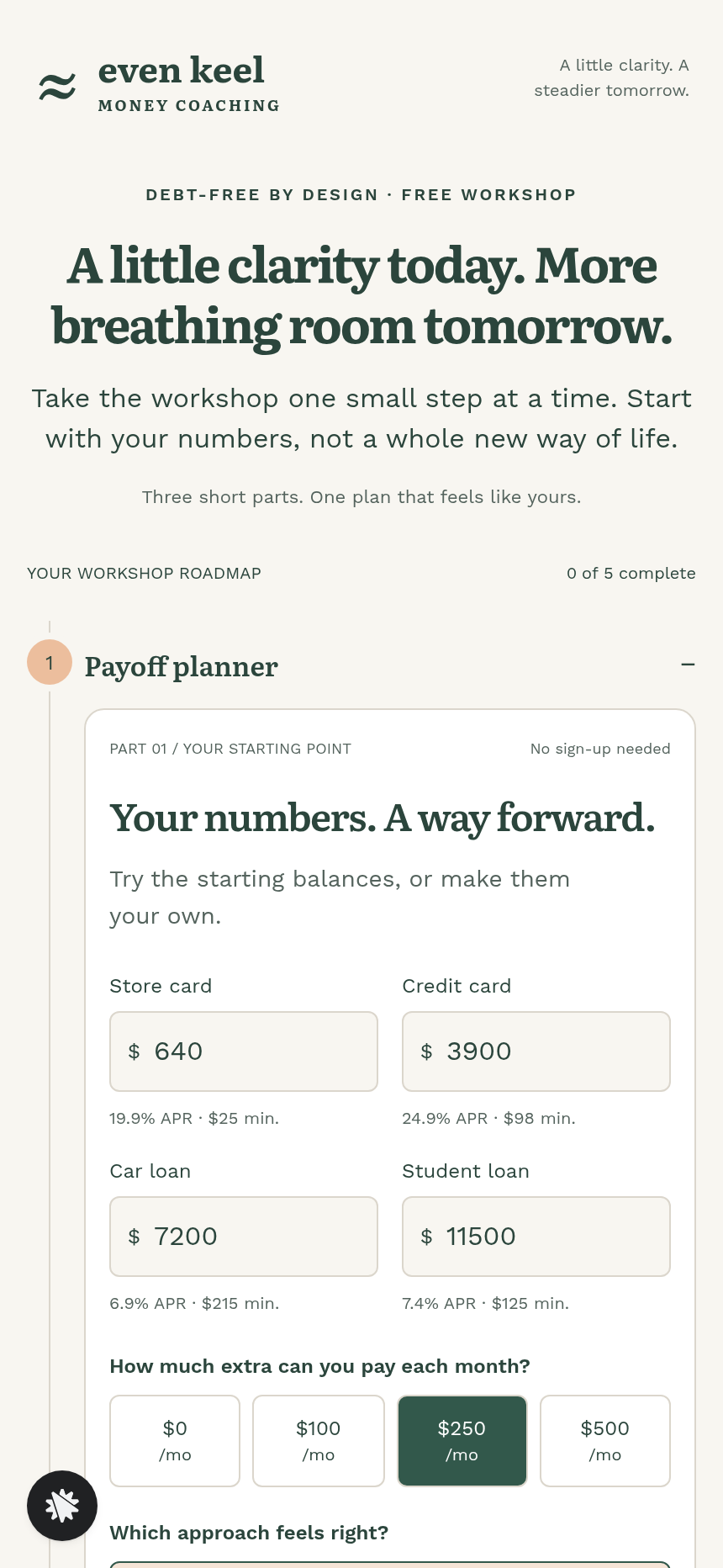
The payoff planner does the selling. It starts with four debts, each with an editable balance, rate and minimum payment: a store card at $640 and 19.9% with a $25 minimum, a credit card at $3,900 and 24.9% with $98, a car loan at $7,200 and 6.9% with $215, and a student loan at $11,500 and 7.4% with $125. The visitor picks an extra payment and whether to clear the smallest balance first or the highest rate first. The default plan is debt-free in 38 months with $3,364.55 in interest. Highest rate first would cost $3,312.64, which is $51.91 less. Timeline bars show each debt's payoff month. The save step comes after the planner, so the visitor has seen their own numbers first.
Who it's for
- Money coaches and financial counselors who run a free workshop before selling a course.
- Credit unions and nonprofit financial-wellness teams that offer a free planner with a paid follow-up.
- Budgeting course creators who want an interactive calculator as the hook instead of a PDF.
- Anyone building a workshop where the visitor's own numbers give them a reason to buy.
Design
- Type pairing
- Literata display Work Sans body
- Motion
- steps open in turn and tick off; timeline bars redraw per plan
- Signature screen
- Payoff planner: four editable debts, extra payment and method buttons; a month-by-month simulation gives the debt-free month, interest, each payoff month and the other method's saving
- References
-
- 9.5 free-workshop follow-the-steps page (layout reference)
What can you use Even Keel — Debt Payoff Planner Workshop Funnel for?
- A money coach in a mid-size city runs the workshop every week and asks the builder chat to swap the four debts for the ones her clients bring up most.
- A credit union's financial-wellness team uses the workshop as a free planning tool and sends members who want more to the course page.
- A budgeting course creator uses the planner as the hook in place of a PDF lead magnet, then renames the eight weeks to match the course.
- A coach who runs a live class uses the save step to fill the next Q&A and changes the date in the builder chat each week.
- A nonprofit counselor keeps the $19 bump for the payoff tracker and check-in sheets on a course page for her own eight-week program.
Frequently asked questions
What is the Debt Payoff Planner Workshop Funnel?
Who is it for?
What pages are included?
How do I customize the Debt Payoff Planner Workshop Funnel in ClickFunnels AI?
Does it include a checkout or order form?
Can I use my own branding and domain?
How is it different from a classic free webinar funnel?
What setup is required before going live?
Related templates
 Coaching & Courses
Ledgerlight — Fit-the-Line Sales Forecast Course Funnel
Ledgerlight Fit-the-Line Sales Forecast Course Funnel is a course funnel for a $79 six-lesson sales forecasting class, built with ClickFunnels AI. Visitors drag a trend line through a café's twelve monthly sales, and their line carries through enrolment.
 Coaching & Courses
Hollis Ink — Trace-the-Letter Brush Lettering Course Funnel
The Brush Lettering Trace-the-Letter Course Funnel is a course-sales template for Hollis Ink, an Asheville brush-lettering school, made with ClickFunnels AI. Its hero is an interactive tracing pad where visitors follow guided strokes before enrolling in a 21-day course for a flat $49.
 Coaching & Courses
Plain Tags — First Web Page Playground Course Funnel
The First Web Page Playground Course Funnel is a sales sequence made in ClickFunnels AI for Plain Tags, an evening web school in Wichita, Kansas. It puts a live HTML playground on the sales page so visitors write real code before they ever see a price.
 Coaching & Courses
Slow Shutter School — Photo Exposure Simulator Course Funnel
The Photo Exposure Simulator Course Funnel is a course-sales funnel built in ClickFunnels AI for a photography school that sells a beginner exposure course for a single payment of $69. It leads with a working in-browser simulator — aperture, shutter and ISO dials on a drawn lakeshore scene — before the visitor reaches the enrol page, order bump and one-click portfolio-review offer.
Make this template your starting point.
Inspect the preview, plan your changes, and test the workflow before you share it.
Use this template