Slow Shutter School — Photo Exposure Simulator Course Funnel
The Photo Exposure Simulator Course Funnel is a course-sales funnel built in ClickFunnels AI for a photography school that sells a beginner exposure course for a single payment of $69. It leads with a working in-browser simulator — aperture, shutter and ISO dials on a drawn lakeshore scene — before the visitor reaches the enrol page, order bump and one-click portfolio-review offer.
About this template
What is Slow Shutter School — Photo Exposure Simulator Course Funnel?
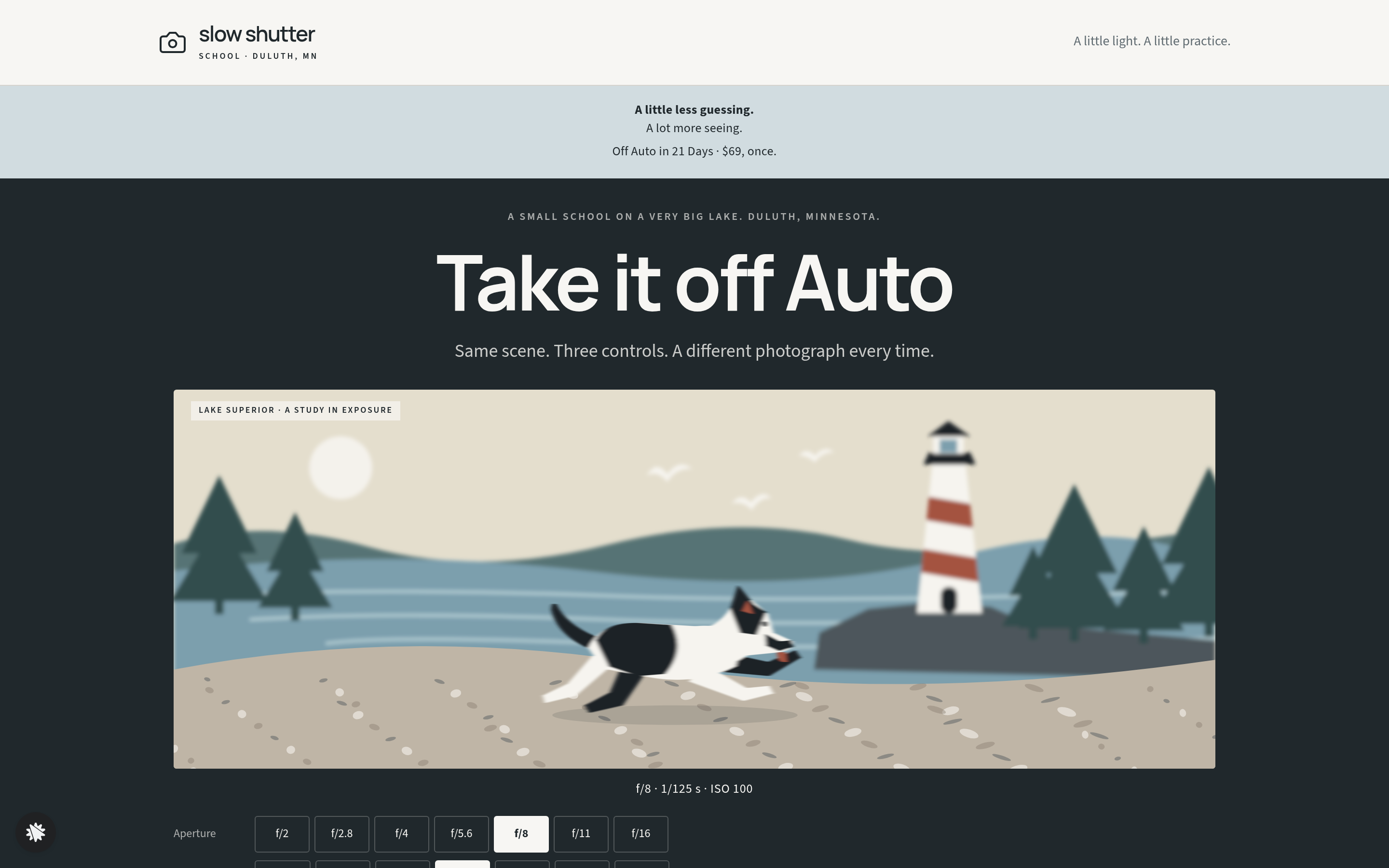
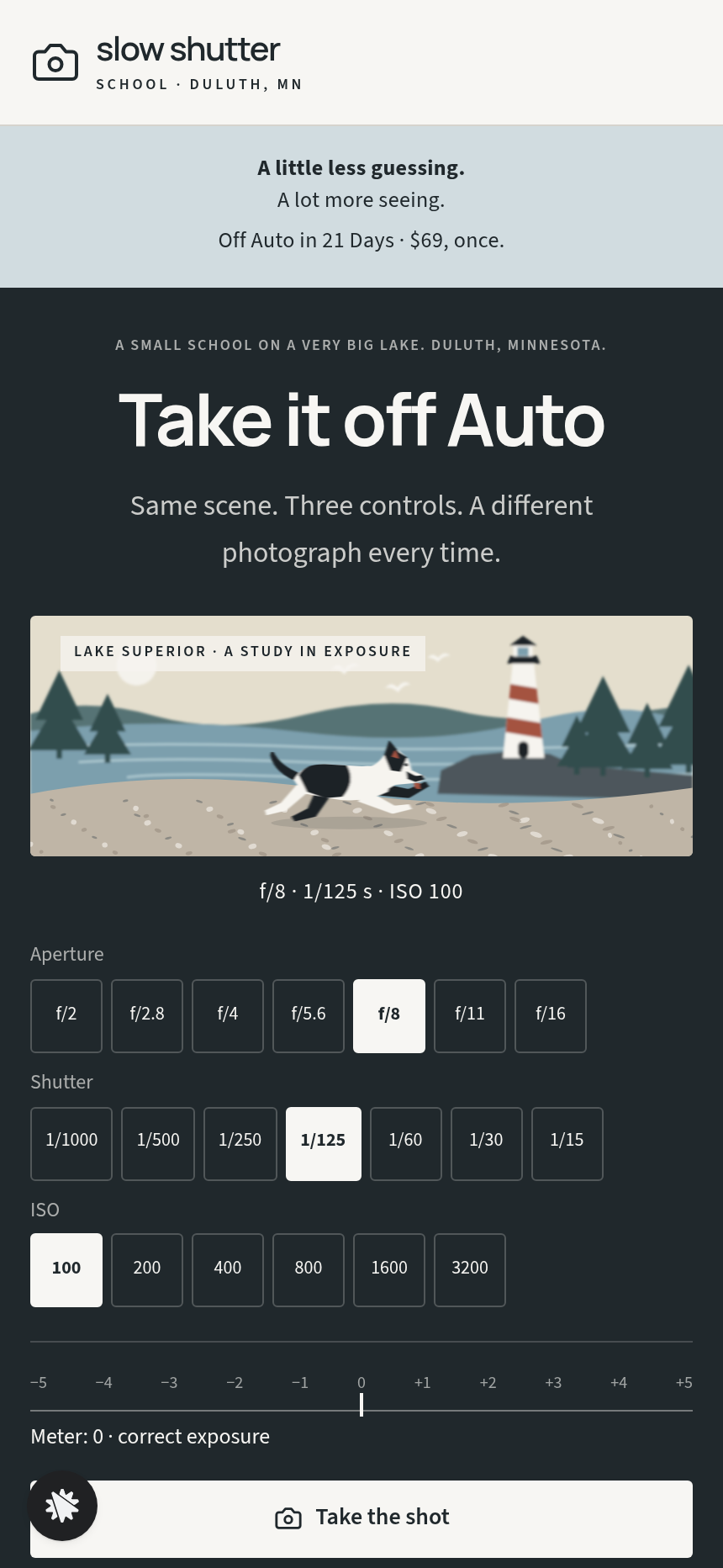
Slow Shutter School is a small photography school in Duluth, Minnesota. This funnel sells Off Auto in 21 Days, a 21-lesson beginner course, for one payment of $69. It opens on a live exposure simulator, a drawn Lake Superior scene with seven aperture stops, seven shutter speeds and six ISO values, so the visitor can try a light meter before seeing a price.
What you get
- Landing page (/): a pale header band, the simulator, a three-fact proof block, week cards, the price band and enrol button, plus a free exposure-chart opt-in at the bottom
- Enrol page (/enrol): email, payment and card steps on the left; the course rail on the right (title, price, three-week outline and a tinted student quote). An order bump adds pocket cheat-cards for $15
- Portfolio Review page (/portfolio-review): a one-time 15-minute recorded critique of six photos for $39, billed to the card on file with one yes-or-no click
- Welcome page (/welcome): confirms the purchase, shows week one on real dates, and surfaces the visitor's last simulator frame
- Lessons page (/lessons): all 21 lessons listed, with the first three open to read without payment
- Exposure Chart page (/exposure-chart): a printable one-page aperture, shutter and ISO reference
- Admin dashboard (/admin): conversion stats, recent contacts and recent sales
- A custom 404 that stays in the school's voice and routes back to the course
How it works
- A visitor arrives at / and turns the dials, watching the lake scene change in blur, grain and brightness while the meter moves.
- They scroll through the week cards, quotes and price, then click enrol.
- On /enrol they enter an email and card details, optionally add the $15 cheat-card bump, and pay $69.
- They land on /portfolio-review, where they can add the $39 critique to their saved card or skip ahead.
- /welcome confirms the order and links to /lessons, where bought access unlocks all 21 lessons.
The signature step
The exposure simulator on / carries the whole argument. Every stop button, from f/1.8 to f/16, 1/15 to 1/2000 and ISO 100 to 3200, changes the drawn scene for real: background blur, motion streaks, grain and brightness. The meter needle moves in whole stops from the f/8, 1/125, ISO 100 baseline, and a coaching line updates with each change. "Take the shot" saves the current frame to a three-frame strip, which reappears on the welcome page to connect the free visit to the paid course.
Who it's for
- Photography teachers selling beginner exposure courses with a live demo on the sales page
- Camera clubs wanting a self-paced course with a low one-time price
- Video and lighting instructors whose students are wary of manual controls
- Any course creator whose subject involves settings a beginner won't touch without a guided first step
Design
- Type pairing
- Manrope display Source Sans 3 body
- Motion
- the scene re-renders on every stop: blur, streak, grain and brightness ease to the new value and the meter needle slides; reduced-motion: values change at once
- Signature screen
- Exposure simulator: aperture, shutter and ISO buttons that change one drawn scene and a light meter
- References
-
- 9.13 course-library offer page (colour band, dark hero band, three course cards, price band) and step-card checkout
What can you use Slow Shutter School — Photo Exposure Simulator Course Funnel for?
- A photography teacher in Duluth launches the funnel as-is, swaps the school name and updates the week card copy through the chat editor, and has a live course sales page with a working simulator within a day.
- A camera club sells seasonal beginner workshops by updating the course title, price and three-week schedule on the enrol page rail without touching any other page.
- A video lighting instructor replaces the lake scene label and simulator coaching lines to match studio lighting controls, turning the exposure funnel into a lighting-ratio demonstration funnel.
- A course creator who already sells on another platform uses the exposure-chart opt-in form at `/exposure-chart` as a standalone lead magnet, collecting emails before promoting their existing paid programme.
- A photography school with an existing audience adds the portfolio-review one-time offer at `/portfolio-review` as a revenue layer on top of their current $69 course without rebuilding the whole funnel.
- A camera manufacturer's education team white-labels the funnel with their own domain and branding to offer a free beginner course as a post-purchase onboarding sequence, using the welcome page and lesson library as the delivery mechanism.
Frequently asked questions
What is the Photo Exposure Simulator Course Funnel?
Who is this funnel for?
What pages are included?
How do I customize the Photo Exposure Simulator Course Funnel in ClickFunnels AI?
Does it include a checkout or order form?
Can I use my own branding and domain?
How is it different from a standard mini-course funnel?
What setup is required before I can go live?
Related templates
 Coaching & Courses
Even Keel — Debt Payoff Planner Workshop Funnel
The Debt Payoff Planner Workshop Funnel is a free workshop funnel built in ClickFunnels AI for a money coaching business. Visitors run a payoff planner on their own debts, save the plan with their email and then reach a $79 course checkout with a $19 bump.
 Coaching & Courses
Ledgerlight — Fit-the-Line Sales Forecast Course Funnel
Ledgerlight Fit-the-Line Sales Forecast Course Funnel is a course funnel for a $79 six-lesson sales forecasting class, built with ClickFunnels AI. Visitors drag a trend line through a café's twelve monthly sales, and their line carries through enrolment.
 Coaching & Courses
Hollis Ink — Trace-the-Letter Brush Lettering Course Funnel
The Brush Lettering Trace-the-Letter Course Funnel is a course-sales template for Hollis Ink, an Asheville brush-lettering school, made with ClickFunnels AI. Its hero is an interactive tracing pad where visitors follow guided strokes before enrolling in a 21-day course for a flat $49.
 Coaching & Courses
Plain Tags — First Web Page Playground Course Funnel
The First Web Page Playground Course Funnel is a sales sequence made in ClickFunnels AI for Plain Tags, an evening web school in Wichita, Kansas. It puts a live HTML playground on the sales page so visitors write real code before they ever see a price.
Make this template your starting point.
Inspect the preview, plan your changes, and test the workflow before you share it.
Use this template