Tidewater Paper Co. — One-of-a-Kind Marbled Notebook Funnel
The Marbled Notebook One-of-a-Kind Funnel is a product template in ClickFunnels AI for makers of one-off handmade goods. Buyers generate and choose their exact cover pattern before paying, then move through shipping, an order bump, a pocket-book add-on and a numbered thank-you receipt.
About this template
What is Tidewater Paper Co. — One-of-a-Kind Marbled Notebook Funnel?
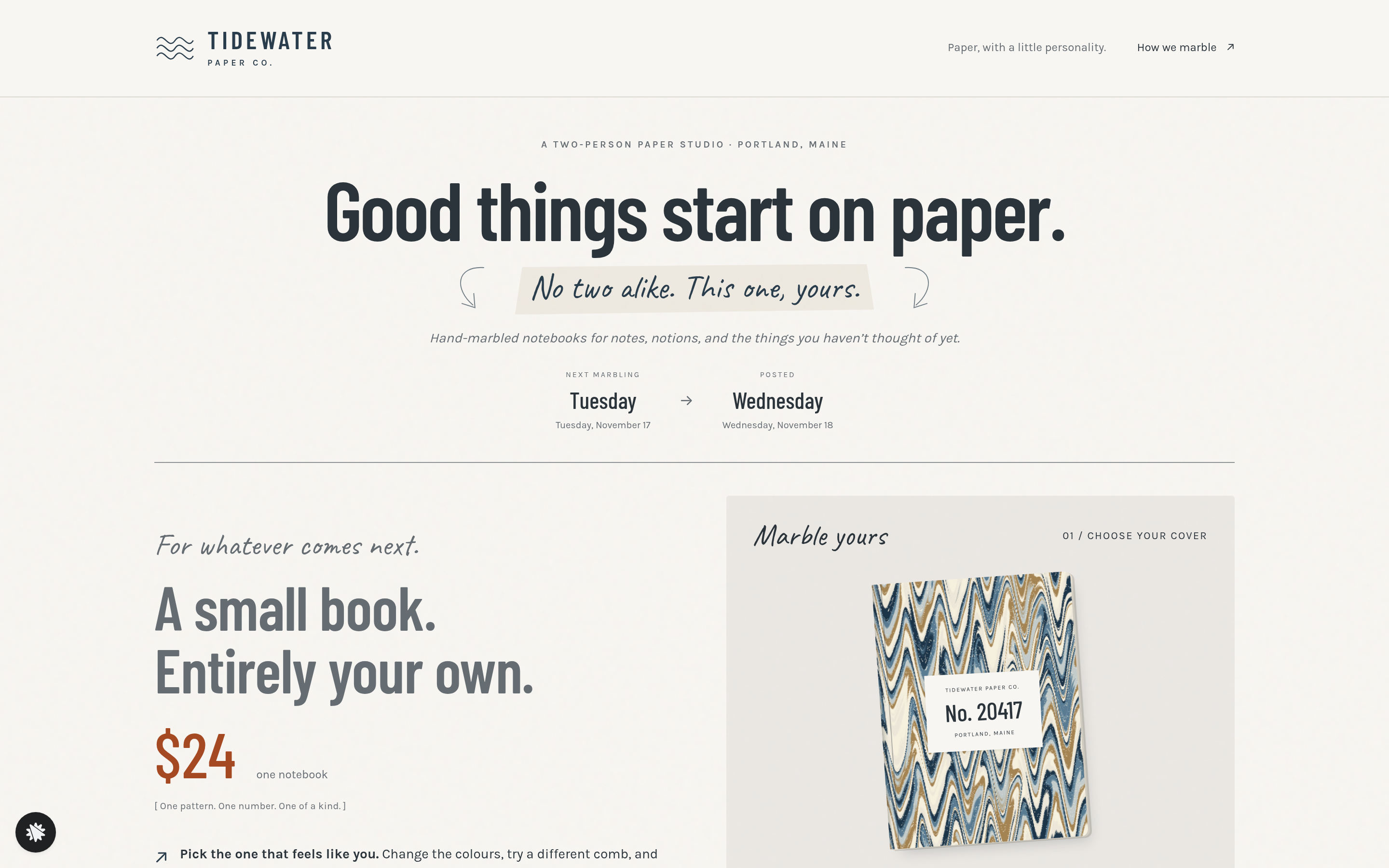
Tidewater Paper Co. sells hand-marbled notebooks at $24 each, and no two covers are alike. This funnel answers a question every maker of one-off goods faces: how does a buyer pick the exact piece before ordering? The answer is a marbling tool on the offer page that makes a new pattern on every tap. The pattern number, colourway and comb then follow the buyer through checkout, the add-on page and the thank-you screen, so the cover they chose is the one they see at each step.
What you get
Four customer pages and an owner dashboard:
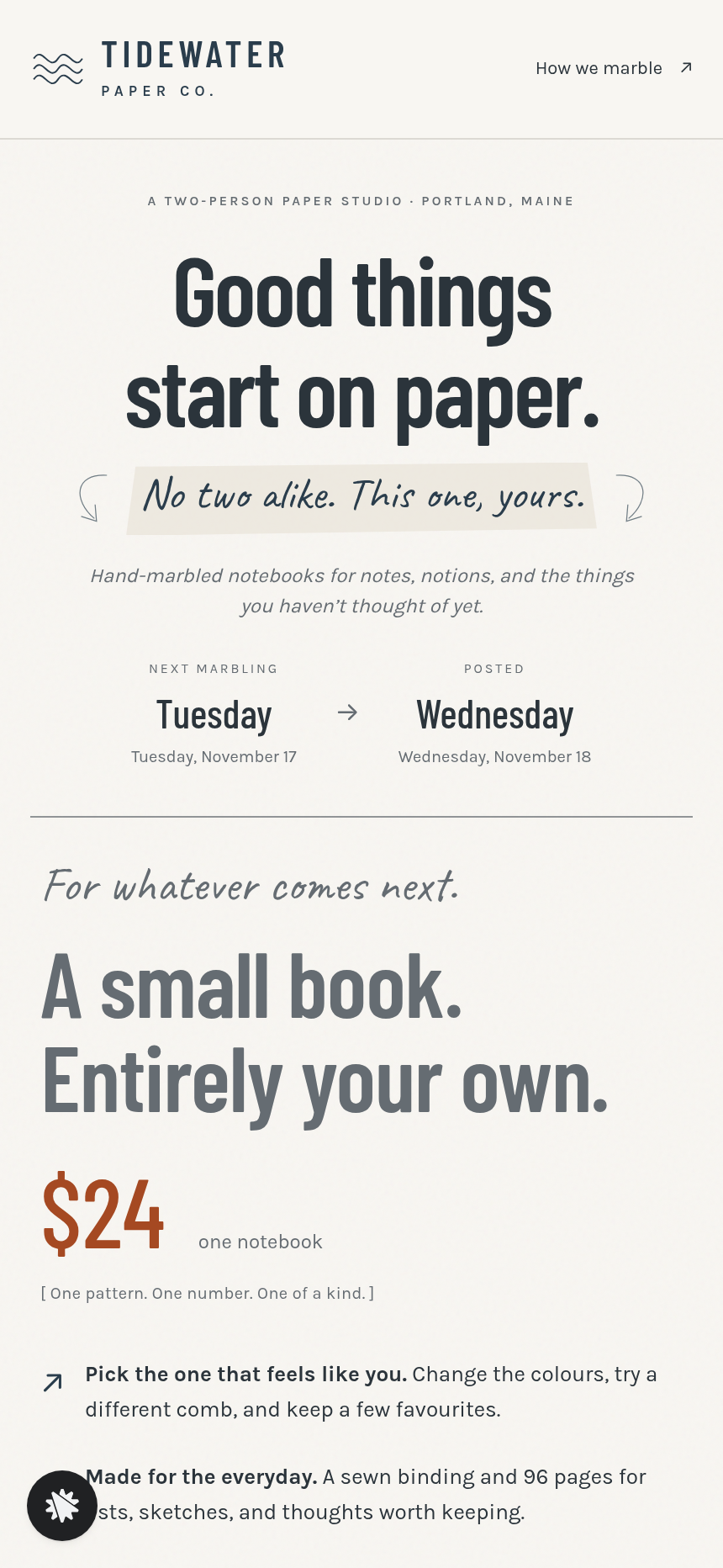
- Landing Page (/): the offer. The left column holds the studio introduction, next marbling day, posting date, price and three studio-fact badges. The right column holds the Marble Studio: a rendered cover with its pattern number, five colourway tiles, three comb options, a tray for up to three saved covers, a "Marble another" button and an "Order this exact notebook — $24" button.
- Order Page (/order): a two-step checkout. Step one is the shipping form (email, full name and address), saved as a lead with the pattern number before any card is charged. Step two is the notebook payment: a flat $24 card form with an optional $9 "Matching bookmark & pencil" bump drawn from the same pattern.
- Add-On Page (/add-on): one card offering the same-sheet pocket book for $14, with "Yes, add this to my order" and "No thanks, just the notebook."
- Thank-You Page (/thank-you): the chosen cover, a receipt (notebook, bookmark selection, pocket book if added), the studio's marbling day and the posting date.
- Admin Dashboard (/admin): funnel-step traffic, overall conversion rate, recent contacts with pattern data and a sales table. Test traffic is labelled and kept apart.
How it works
- The buyer lands on / and reads the offer: sewn binding, 96 pages, numbered pattern, $24.
- They tap "Marble another" until a cover feels right, optionally change the colourway or comb, and keep up to three in the tray.
- They tap "Order this exact notebook." The pattern number, colourway and comb are now locked in.
- On /order step one they enter shipping details. The lead is saved with the pattern choice before the card form appears.
- Step two is the card form. The $9 bookmark-and-pencil bump is a checkbox on the same screen.
- After payment, /add-on offers the same-sheet pocket book for $14: yes or no, one tap.
- /thank-you confirms the cover, the marbling day and the posting date.
Opt-ins, pattern picks and completed orders all land in the funnel's database and appear at /admin, CSV-ready contact rows included. The studio knows which pattern number to pull before it touches the tray. To change copy, a price or the pocket-book offer, describe the edit in the chat. The cover recap, the bump label or the thank-you dates update without touching the marbling logic.
The signature step
The Marble Studio on the landing page is the funnel's defining mechanic. Each tap of "Marble another" draws a new pattern in the browser. The same pattern number, colourway and comb always produce the same cover, so the buyer's choice is fixed: what they kept in the tray is what appears on the order, add-on and thank-you pages. The studio marbles the notebook at the next session and posts it on the confirmed date, and both dates sit beneath the tool.
Who it's for
Any maker whose stock is truly one-of-a-kind: marbled paper studios, hand-dyed yarn and textile shops, ceramic and glaze studios, resin-pour artists, risograph or letterpress editions and tie-dye labels. It also suits any shop selling numbered or limited editions, where letting the buyer pick the specific piece is part of the sale.
Design
- Type pairing
- Barlow Condensed display Karla body
- Motion
- a new pattern washes in across the cover when Marble another is pressed; reduced-motion: instant redraw
- Signature screen
- Marbling tool that generates a numbered one-of-a-kind cover and redraws the same one on the order page
- References
-
- 3.11 home-decor shop offer page and add-on page
What can you use Tidewater Paper Co. — One-of-a-Kind Marbled Notebook Funnel for?
- A marbled-paper studio lists its next session's notebooks and lets buyers generate and lock in a cover pattern before the marbling day, so every order corresponds to a specific numbered sheet.
- A hand-dyed yarn shop adapts the colourway tiles and comb options to represent its dye colourways and skein weights, letting buyers choose the exact hank they want before checkout.
- A risograph print studio uses the pattern-number mechanic to assign each buyer a unique edition number from a limited run, with the number confirmed on the thank-you receipt.
- A ceramic glaze studio replaces the notebook cover preview with a glaze-swatch generator, allowing buyers to pick the specific colourway of a mug before the kiln run.
- A two-person resin-art workshop sells poured trays by letting customers tap through colour and texture combinations, then orders the exact pour they chose at a fixed price with a matching coaster bump.
- A tie-dye studio uses the funnel's selection-then-checkout flow to sell numbered garments, with the pocket-book add-on repurposed as a matching face-cloth cut from the same dye batch.
Frequently asked questions
What is the Marbled Notebook One-of-a-Kind Funnel?
Who is this funnel for?
What pages are included?
How do I customize the Marbled Notebook One-of-a-Kind Funnel in ClickFunnels AI?
Does it include a checkout or order form?
Can I use my own branding and domain?
How is it different from a classic ClickFunnels product launch funnel?
What setup is required before going live?
Related templates
 Product & E-com Funnels
Minute Works — Free Plus Shipping Product Funnel
The Free-Plus-Shipping Product Funnel is a physical-product launch funnel built in ClickFunnels AI that gives visitors a $0 item in exchange for $7.95 shipping, then walks them through an order bump, a bundle upsell, and a downsell before landing on a three-part thank-you. It's designed for small-product brands that want to build a buyer list fast without hiding a single charge.
 Product & E-com Funnels
Sill & Stem — Houseplant Window Match Product Funnel
What is the Houseplant Window Match Product Funnel? A plant shop template built in ClickFunnels AI, it opens with a window-light tool and then sells any three plants in a $59 box.
 Product & E-com Funnels
Little Tick — Set-the-Clock First Watch Funnel
Little Tick sells a children's analog watch from Lancaster, Pennsylvania, through a ClickFunnels AI product funnel. A draggable clock face on the landing page lets a child practice reading the time before the parent reaches a $34 checkout.
 Product & E-com Funnels
Cogwood Toys — Turn-the-Gears Product Funnel
The Turn-the-Gears Product Funnel is a checkout-flow template for physical toy and kit sellers, built in ClickFunnels AI, that lets visitors interact with an animated gear board before ordering a $39 wooden kit. It moves visitors from play to purchase across a landing page, two-step order page, one-click wall-frame offer, and thank-you receipt.
Make this template your starting point.
Inspect the preview, plan your changes, and test the workflow before you share it.
Use this template