Second Desk — Virtual Assistant Hours Overlap Agency Site
The Virtual Assistant Hours Overlap Agency Site is a ready-made agency template for virtual-assistant and remote-staffing firms. Visitors check their shared working hours with an assistant team before any sign-up, then move into a flat-rate trial checkout.
About this template
What is Second Desk — Virtual Assistant Hours Overlap Agency Site?
Second Desk is a virtual-assistant agency in Durham, North Carolina. Its site sells one offer: a Monday-to-Friday trial week with a dedicated assistant for a flat $149. Buyers want to know when the assistant will be at their desk while they work, so the homepage answers that with a working tool instead of a paragraph.
What you get
Seven named pages ship with the template:
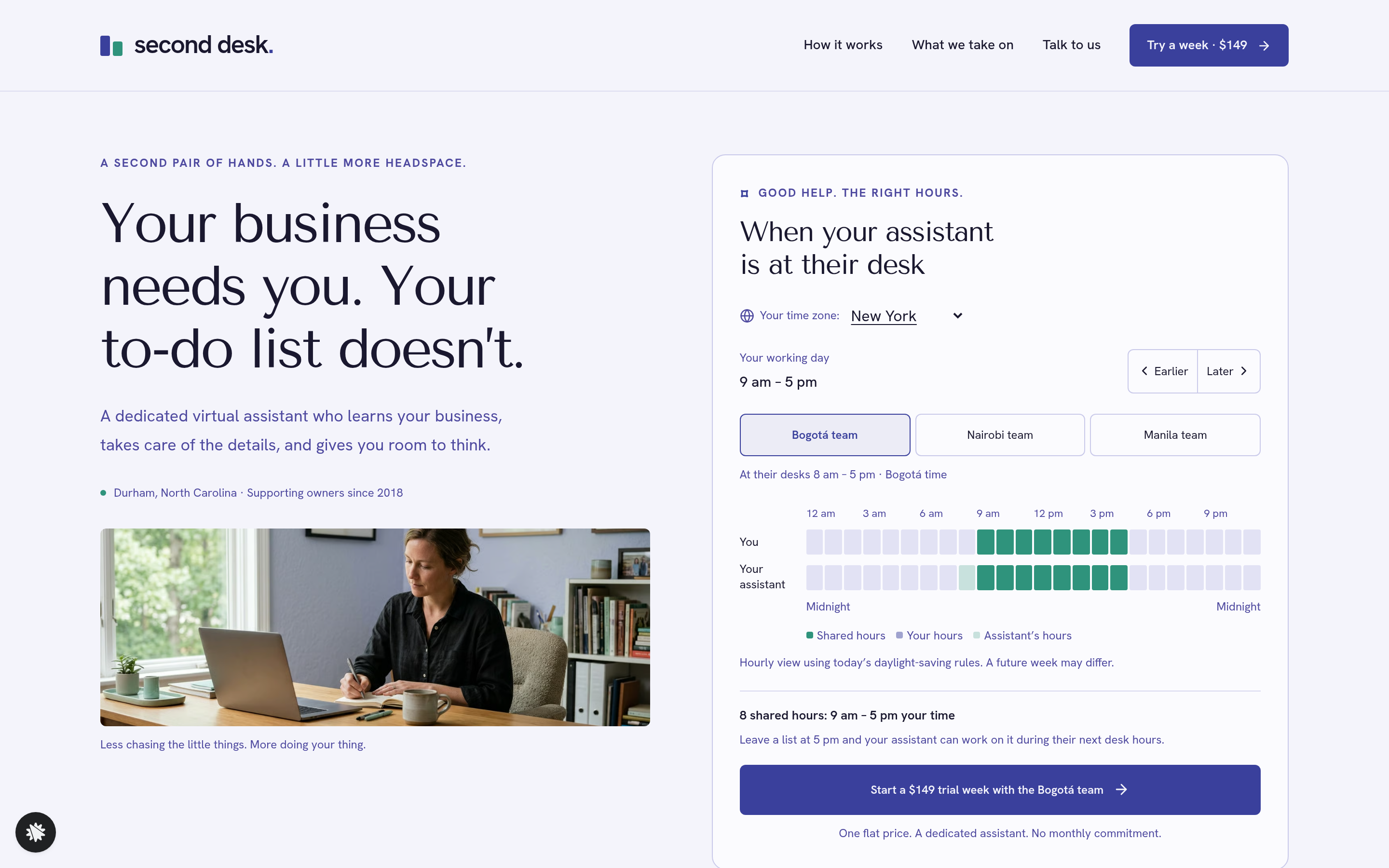
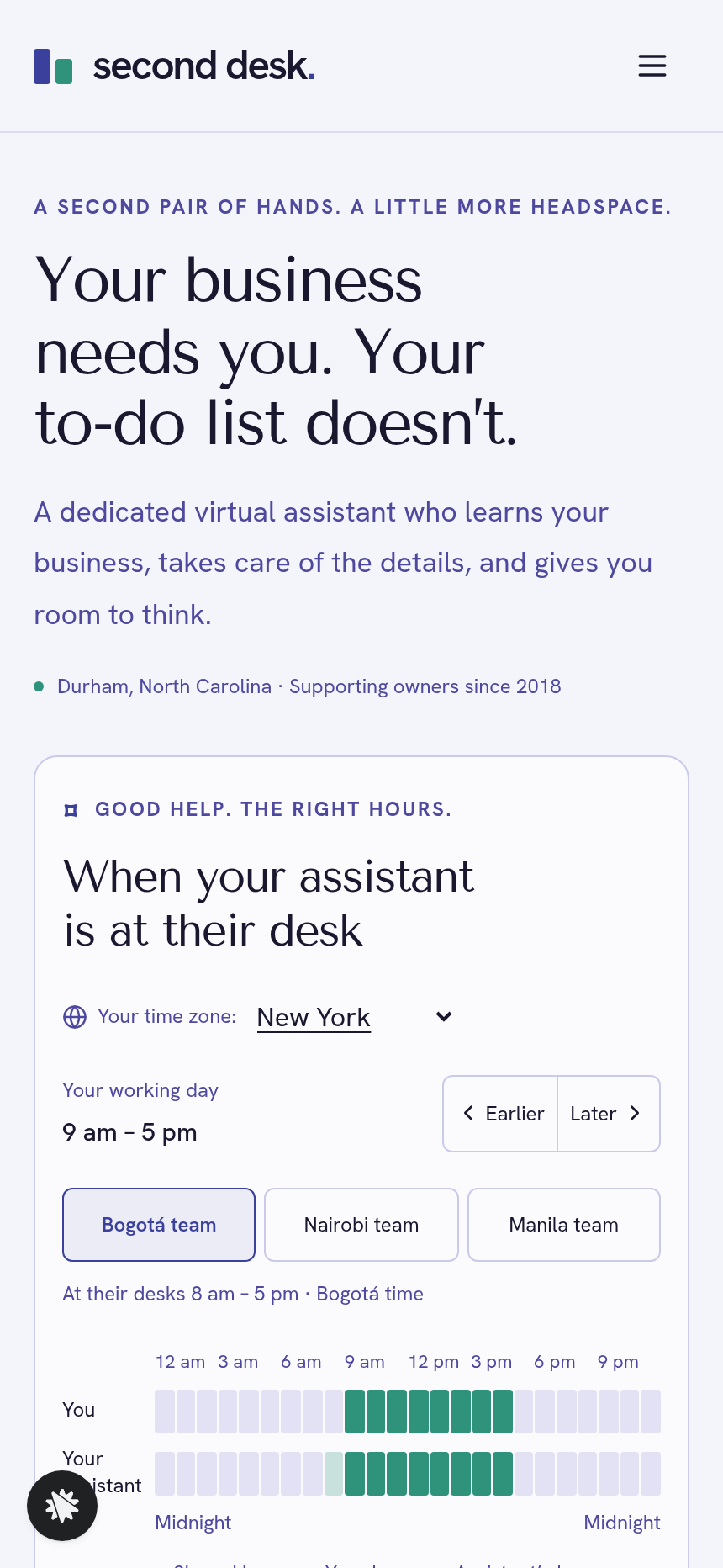
- Home (/): the hero is the "When your assistant is at their desk" hours tool. It offers a time-zone menu (twelve zones, Honolulu to Sydney), a movable eight-hour working day, three team buttons (Bogotá, Nairobi, Manila), and two 24-hour bars labeled "You" and "Your assistant" with shared hours lit and counted. Below it sit a proof strip (214 assistants placed, 4.8 stars, since 2018), a twelve-task grid, plans shown as reference prices (20 hours $520, 40 hours $980, 80 hours $1,840 a month), client quotes and an FAQ.
- Trial (/trial): carries the team, start hour and time zone in the URL, saves the visitor's details, and runs a card checkout for a flat $149 with an optional $49 inbox clean-out bump.
- Welcome (/welcome): confirms the purchase, shows the assistant's desk hours in the buyer's time zone, lays out a Monday-to-Friday trial outline on real dates, and suggests a kickoff-call time inside the shared hours.
- How It Works (/how-it-works): a linear walkthrough from finding shared hours to handing over the first task list.
- Tasks (/tasks): 60 tasks in six groups, each one something the assistant can take off the owner's plate.
- Talk to Us (/talk-to-us) and Call Booked (/call-booked): a short introduction form, then a slot picker for a 20-minute call (the next eight weekdays, shown in the visitor's time zone), and a confirmation that holds the slot for team review.
How it works
A visitor opens the Home page, picks a time zone and a start hour, chooses a team, and sees the hours they share with that assistant. No form or sign-up comes first. If a team has no overlap at the chosen start hour, the tool says so in plain words and suggests a different start. A single call to action then carries those overlap settings, already filled in, into the Trial page. Before going live, the agency name, team cities and prices can all be changed in the editor, and every change is described in plain language, so no code is involved. Opt-ins, call requests and completed trial payments are saved to the funnel's built-in database.
The signature step
The hours tool reads the visitor's time zone from the browser and applies today's daylight-saving rules, so the overlap count holds across all twelve zones without manual fixes. Each cell in both bars carries a spoken label, such as "2 pm: you and your assistant" or "7 am: assistant only", so the result reads at a glance. A visitor who shares no hours with the chosen team sees that stated plainly, with a way forward. The tool answers the usual coverage objection before the visitor reaches a price.
Who it's for
- Virtual-assistant and remote-staffing agencies whose buyers ask about coverage hours first
- Offshore development, support or bookkeeping firms with teams in several time zones
- Service businesses selling a low-barrier trial at a flat one-time price
- Operators who want an interactive pre-qualifier on the homepage instead of a static schedule
Design
- Type pairing
- Tenor Sans display Hanken Grotesk body
- Motion
- the shared hours light up across both bars when a team or the start hour changes and the count rolls; reduced-motion: cells switch at once
- Signature screen
- Working-hours overlap tool: two 24-hour bars in the visitor's own time zone with the shared hours lit and counted
What can you use Second Desk — Virtual Assistant Hours Overlap Agency Site for?
- A Durham-based VA agency replaces its static "coverage hours" FAQ page with this template's live overlap tool, which cuts pre-sale emails about time zones.
- An offshore bookkeeping firm with teams in Nairobi and Manila lets prospects use the three-team selector to qualify themselves by overlap before booking a discovery call through `/talk-to-us`.
- A solo VA operator launching a trial-week offer sets the single team to their own city, hides the other two team buttons via the chat editor, and goes live with a one-team version of the funnel.
- A remote executive-assistant agency sends the Tasks page (`/tasks`), with its 60 items in six groups, as a leave-behind link in outreach emails so prospects see the full scope of work before the call.
- A staffing agency running a promotional push sets the trial price to $99 for a limited period by updating the checkout copy on `/trial` through a single chat instruction, then reverts it the same way.
- A virtual-assistant network with contractors in Latin America and Southeast Asia tracks trial purchases and call requests in one spot, the funnel's own database, so no outside CRM is required.
Frequently asked questions
What is the Virtual Assistant Hours Overlap Agency Site?
Who is it for?
What pages are included?
How do I customize the Virtual Assistant Hours Overlap Agency Site in ClickFunnels AI?
Does it include a checkout or order form?
Can I use my own branding and domain?
How is it different from a classic ClickFunnels agency funnel?
What setup is required before sharing the funnel?
Related templates
 Agency Sites & Funnels
Second Ring — Answering Service Staffing Calculator Agency Site
Answering Service Staffing Calculator Site is an agency site built in ClickFunnels AI for a live call-answering service. Its Erlang C calculator shows how many phone agents a busiest hour needs, then visitors can start a two-week overflow trial for $149.
 Agency Sites & Funnels
Pickline — Program-the-Picker Warehouse Robotics Agency Site
Pickline Program-the-Picker Agency Site is a ClickFunnels AI template built for Pickline Automation, a Reno, Nevada robotics firm that fits picking robots into warehouses. It opens with a picking-robot tool and leads visitors to book a $450 on-site pick-path audit with a card checkout.
 Agency Sites & Funnels
Cue & Cable — Patch-the-Stage Event Sound Agency Site
Cue & Cable is a five-page agency site for an event sound company in Columbus, Ohio, built in ClickFunnels AI. Visitors patch a stage diagram, answer four questions about their event, pick a planning call, and pay a $150 site-visit deposit.
 Agency Sites & Funnels
Paper Compass — Custom Map Studio Pin-Your-Places Site
Custom Map Studio Pin-Your-Places Site is a studio-site-with-deposit-checkout template built in ClickFunnels AI for illustrated-map studios. Visitors pin places on a drawn town, watch the starting price update, then pay a $95 sketch deposit.
Make this template your starting point.
Inspect the preview, plan your changes, and test the workflow before you share it.
Use this template