Second Ring — Answering Service Staffing Calculator Agency Site
Answering Service Staffing Calculator Site is an agency site built in ClickFunnels AI for a live call-answering service. Its Erlang C calculator shows how many phone agents a busiest hour needs, then visitors can start a two-week overflow trial for $149.
About this template
What is Second Ring — Answering Service Staffing Calculator Agency Site?
Second Ring Answering is a call-answering service in Tulsa, Oklahoma. Since 2013 it has answered 1.9 million calls, and 780 reviews average 4.8 stars. This template turns the home page into a sizing tool. A visitor enters their busiest-hour call volume, call length and answer target, and the page shows how many people they need. A two-week overflow trial follows from there.
What you get
- Home page (/): the staffing calculator, a "Start my two-week trial" button, three steps for how the overflow works, four result numbers, three owner quotes, an FAQ, and a "Rather talk first? Book a free call" form saved as a lead.
- Trial page (/trial): the answers and result repeated back, a start day chosen from the next five business days, and business and contact details saved as a lead.
- Start page (/start): card checkout for $149 with a $49 evening and weekend cover bump.
- Welcome page (/welcome): the chosen start day and what happens on day one.
- Own 404 page for missing links.
How it works
- The visitor opens the home page and sets calls in the busiest hour, call length and the answer target.
- The calculator shows how many people that workload needs, plus the share answered in time and the average wait.
- They press "Start my two-week trial", and the answers travel with them to the trial page.
- On /trial they pick a start day and enter business and contact details, which are saved as a lead.
- On /start they pay $149 by card. The $49 evening and weekend cover bump is offered at the same checkout.
- The welcome page confirms the start day and sets out day one.
The signature step
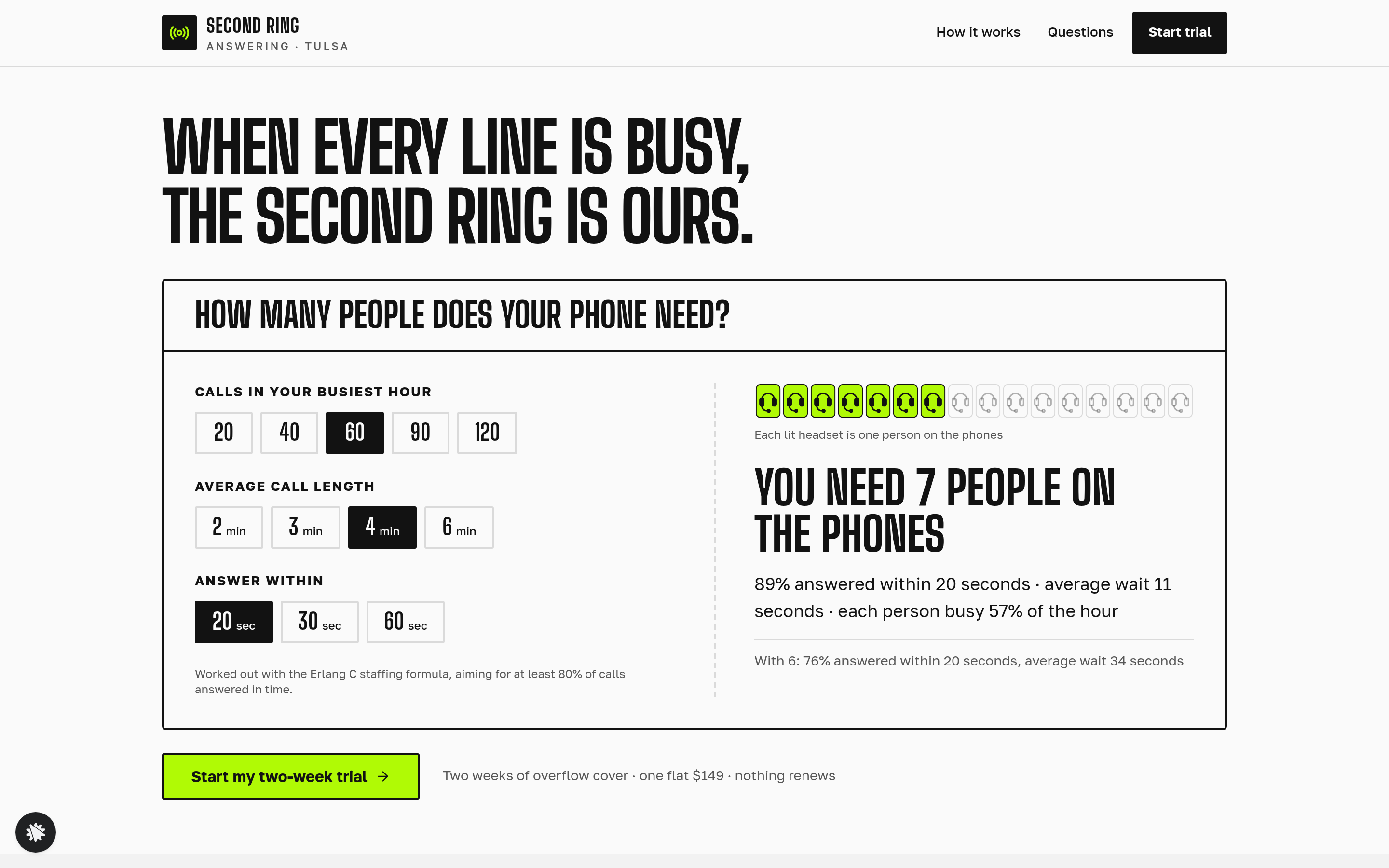
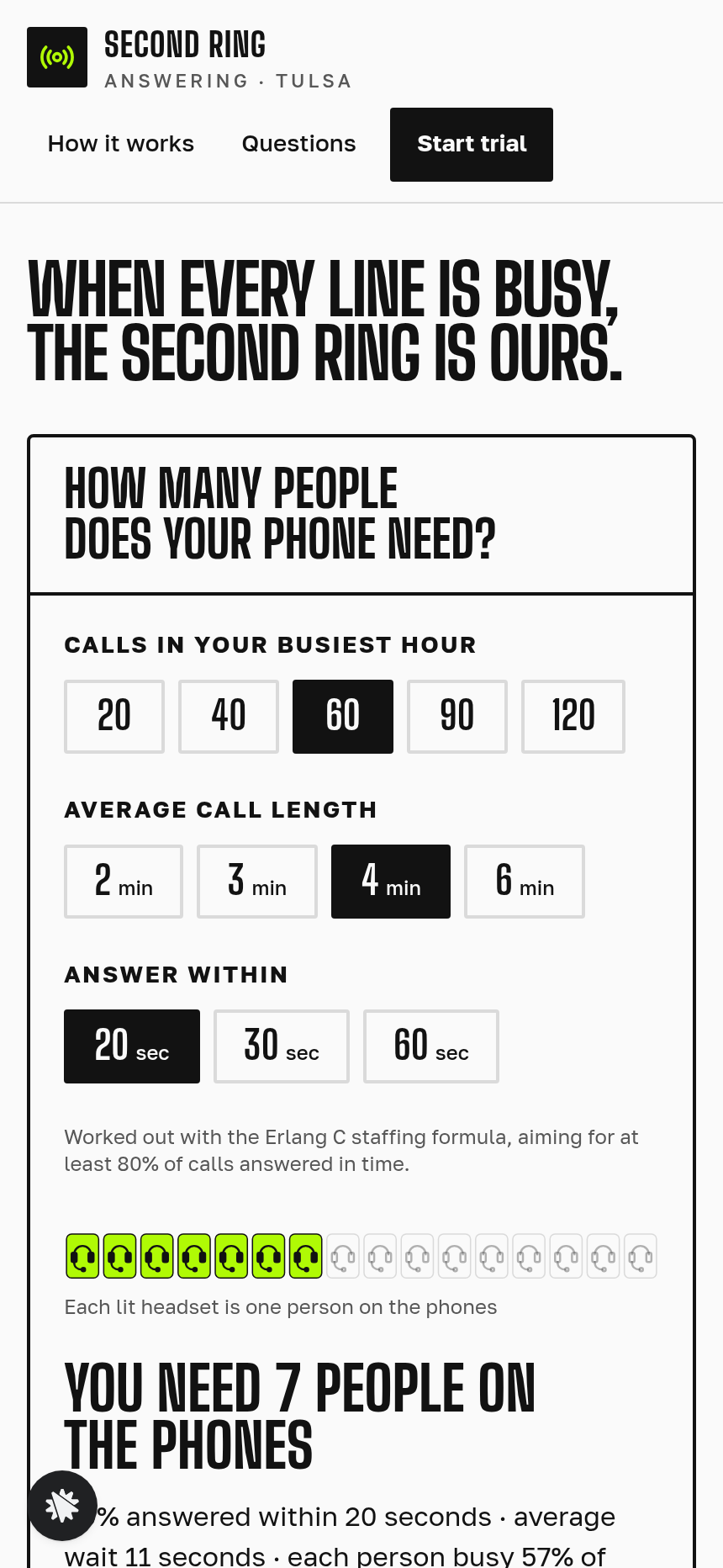
The staffing calculator is the first thing on the home page. Three rows of buttons set calls in the busiest hour (20, 40, 60, 90 or 120), call length (2, 3, 4 or 6 minutes) and answer within (20, 30 or 60 seconds). Sixteen headset seats sit beside them. The Erlang C formula returns how many people are needed to answer at least 80% of calls in time. The page also shows the share answered, the average wait, how busy each person is, and what one fewer person would do. The starting state is 60 calls, 4 minutes and 20 seconds: 7 people, 89% answered, an 11 second average wait and 57% busy. With 6 people, the answered share falls to 76% and the wait rises to 34 seconds.
Who it's for
- Answering services and virtual receptionist agencies that want a site doing more than showing a brochure.
- Call-centre outsourcers who want prospects to size their own need before a sales call.
- Staffing agencies that sell inbound call capacity and want a two-week trial with an add-on at checkout.
- Service businesses that want a calculator on the home page as the first thing a visitor uses.
Design
- Type pairing
- Big Shoulders Display display Golos Text body
- Motion
- headset seats light to the needed count
- Signature screen
- Erlang C staffing tool: calls an hour, call length and answer target give people needed for 80% in time, share answered, average wait, busy share and the one-fewer comparison
What can you use Second Ring — Answering Service Staffing Calculator Agency Site for?
- An answering service in Tulsa swaps its brochure home page for this template, so the calculator qualifies each visitor before the trial form appears.
- A virtual receptionist agency entering a new market links the home page in cold sales emails, so recipients can size their own need before a call.
- A call-centre outsourcer adds the $49 evening and weekend cover bump at checkout and reshapes the calculator's answer-within choices to suit its own queues.
- A staffing agency that sells inbound call capacity links the calculator from its social profiles, so owners can work through the staffing math at any hour.
- An existing ClickFunnels AI user running a local answering service remixes the template, changes the business name and trial details in chat, and publishes the same day.
Frequently asked questions
What is Answering Service Staffing Calculator Site?
Who is it for?
What pages are included?
How do I customize Answering Service Staffing Calculator Site in ClickFunnels AI?
Does it include a checkout or order form?
Can I use my own branding and domain?
How is it different from a classic agency site with a lead calculator and a paid trial?
What setup is required?
Related templates
 Agency Sites & Funnels
Pickline — Program-the-Picker Warehouse Robotics Agency Site
Pickline Program-the-Picker Agency Site is a ClickFunnels AI template built for Pickline Automation, a Reno, Nevada robotics firm that fits picking robots into warehouses. It opens with a picking-robot tool and leads visitors to book a $450 on-site pick-path audit with a card checkout.
 Agency Sites & Funnels
Cue & Cable — Patch-the-Stage Event Sound Agency Site
Cue & Cable is a five-page agency site for an event sound company in Columbus, Ohio, built in ClickFunnels AI. Visitors patch a stage diagram, answer four questions about their event, pick a planning call, and pay a $150 site-visit deposit.
 Agency Sites & Funnels
Paper Compass — Custom Map Studio Pin-Your-Places Site
Custom Map Studio Pin-Your-Places Site is a studio-site-with-deposit-checkout template built in ClickFunnels AI for illustrated-map studios. Visitors pin places on a drawn town, watch the starting price update, then pay a $95 sketch deposit.
 Agency Sites & Funnels
Short Agenda — Meeting Cost Meter Agency Site
Meeting Cost Meter Agency Site is a template made in ClickFunnels AI for an agency website. It opens a live taxi-style meeting meter on the home page, prints a cost receipt when the visitor ends the meeting, and sends them to a flat-$390 audit week checkout.
Make this template your starting point.
Inspect the preview, plan your changes, and test the workflow before you share it.
Use this template