Cogwood Toys — Turn-the-Gears Product Funnel
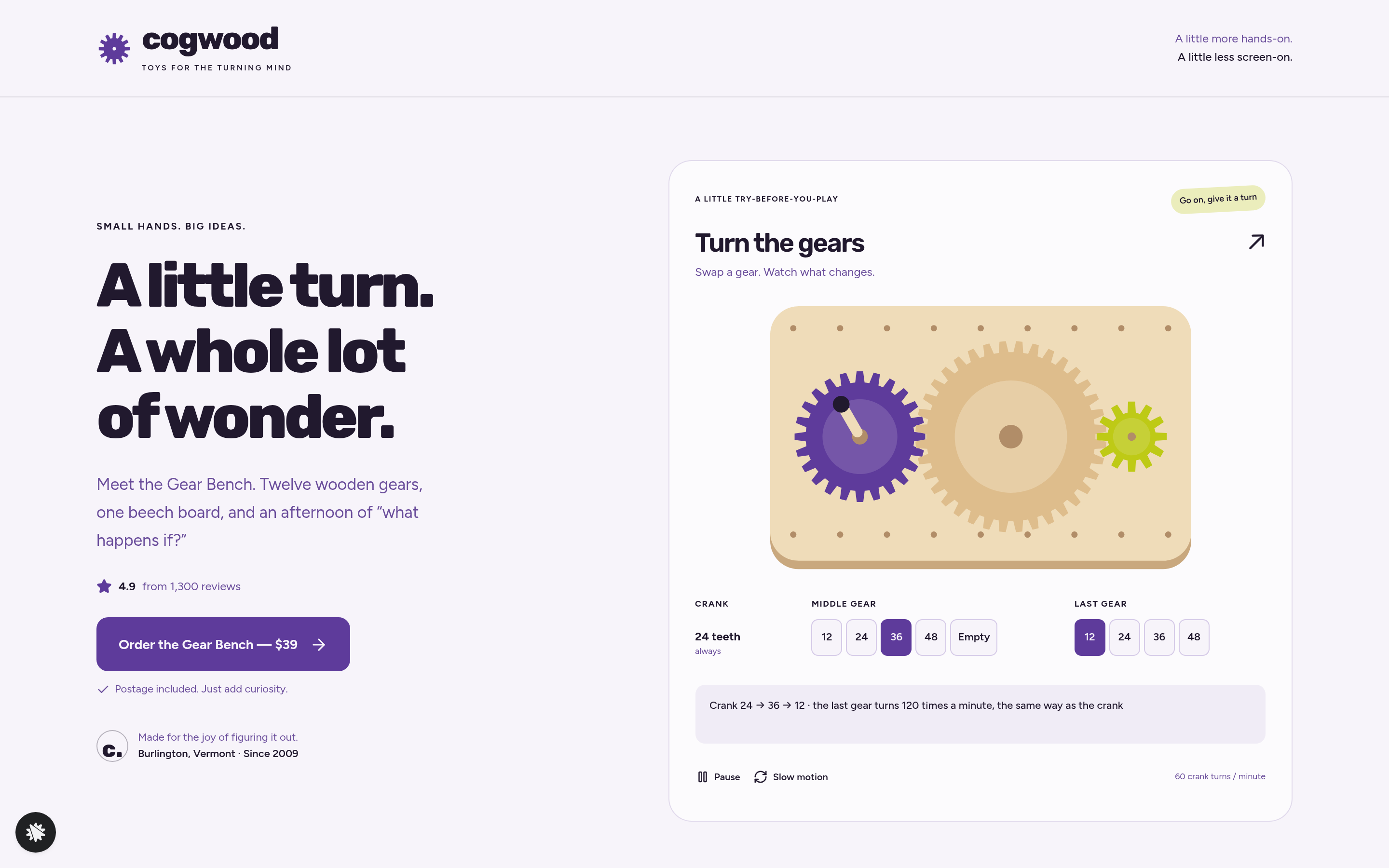
The Turn-the-Gears Product Funnel is a checkout-flow template for physical toy and kit sellers, built in ClickFunnels AI, that lets visitors interact with an animated gear board before ordering a $39 wooden kit. It moves visitors from play to purchase across a landing page, two-step order page, one-click wall-frame offer, and thank-you receipt.
About this template
What is Cogwood Toys — Turn-the-Gears Product Funnel?
Cogwood Toys is a Burlington, Vermont wooden toy maker selling the Gear Bench: a beech board, pegs, and twelve wooden gears for one flat $39 posted. This funnel template puts an interactive gear-train simulator in the hero, so shoppers can play with the product before buying it. The kit's core idea, that gear ratios and direction are things you feel rather than just read about, does the selling.
What you get
Four published routes make up the funnel:
- Landing page (/): The hero pairs the headline and "Order the Gear Bench — $39" button with the Turn-the-Gears board. Below the fold: a three-fact kit band (real beech wood, 12 wooden gears, postage included), a drawn flat-lay of the box contents, four discovery callouts, three parent quotes, and a short FAQ covering batteries, postage, posting time, and age.
- Order page (/order): A two-step form. Step 1, labelled "Your details", gathers name, email, and shipping address, and stores the visitor's last gear train with the lead. Step 2 is a card checkout for the flat $39 with a $12 bump for six extra gears, including a 60-tooth gear.
- Wall Frame offer (/wall-frame): A one-click $24 add-on for a pegboard wall frame, charged to the same card, with no extra postage. Visitors choose "Yes, add the wall frame" or "No thanks, just my Gear Bench."
- Thank-you page (/thank-you): Displays the order receipt, the buyer's saved gear train, and the next posting date.
The owner's /admin page lists funnel steps, the latest contacts, and the latest sales.
How it works
Someone arriving at / sees the animated gear board already in motion. They swap the middle and last gear sizes, watch the speed line update ("Crank 24 → 36 → 12 · the last gear turns 120 times a minute, the same way as the crank"), and use Pause or Slow motion. When they click "Order the Gear Bench — $39" they move to /order, where their last gear configuration is saved with their contact details as a lead. The admin dashboard then shows every opt-in with that gear-train keepsake, no external CRM required. After step 2 checkout, buyers reach /wall-frame for the one-click upsell. The secured order page, order bump, wall-frame charge, and thank-you receipt arrive already connected in the template's payment flow.
The signature step
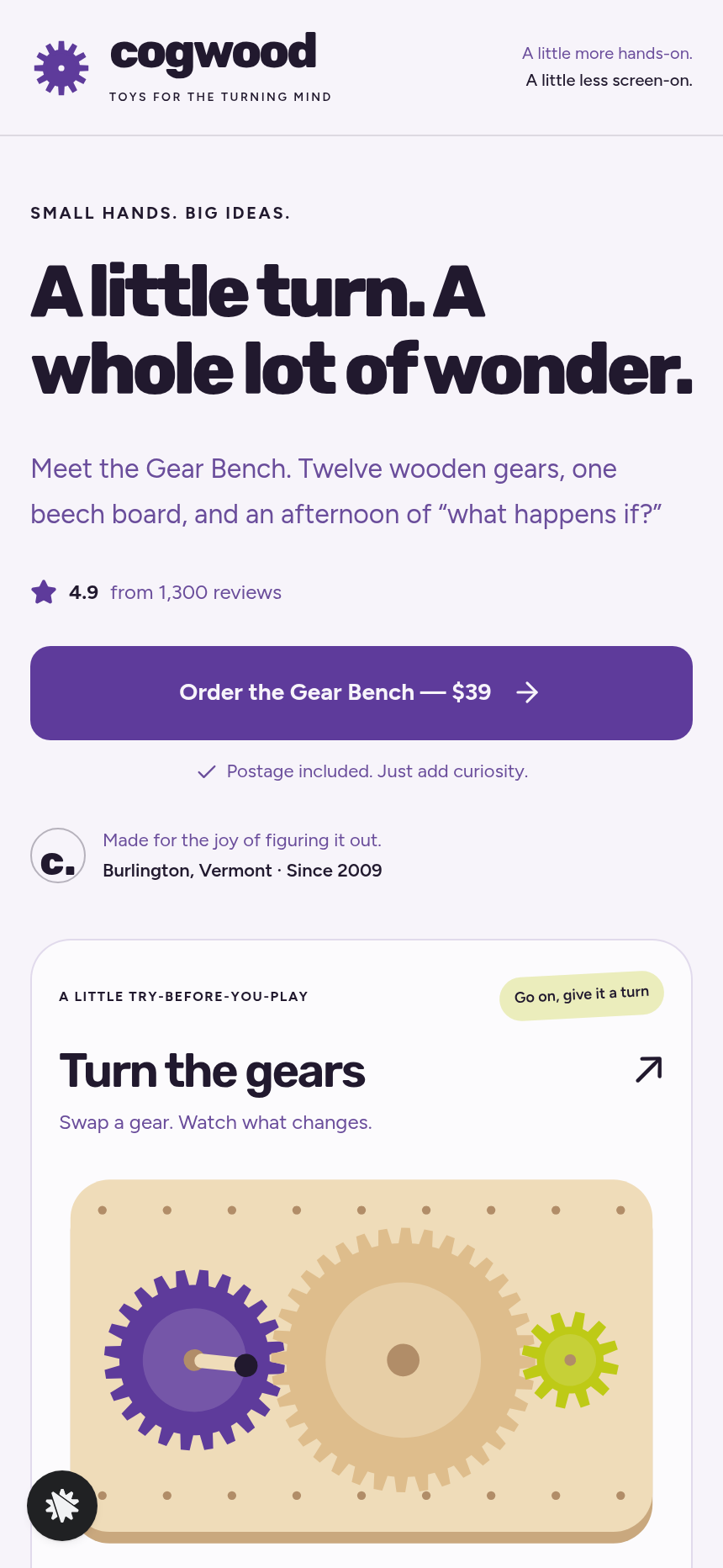
The Turn-the-Gears board on / opens on middle 36, last 12 (120 turns a minute, same direction as the crank). Five middle-slot buttons (12, 24, 36, 48, Empty) and four last-slot buttons (12, 24, 36, 48) let visitors build any train. The middle gear never changes the last gear's speed, only its direction; removing it slides the last gear to mesh with the crank directly and reverses it. Every gear rotates at its real computed speed, touching teeth always move together, and the status line stays accurate throughout. At 390 px all three gears fit the screen and the slot buttons wrap. Reduced motion holds the gears still while the line still updates.
Who it's for
Toy makers, STEM kit brands, model and craft-kit shops, and puzzle sellers whose product is fundamentally tactile. If the product's value is clearest once someone has played with it, putting a working simulation in the funnel hero removes the biggest barrier to purchase.
Design
- Type pairing
- Rubik display Figtree body
- Motion
- gears turn continuously at their computed speeds; reduced-motion: gears hold still and the line still updates
- Signature screen
- Turn-the-gears board: pick middle and last gear sizes on a turning train, with speed and direction worked out
What can you use Cogwood Toys — Turn-the-Gears Product Funnel for?
- A STEM toy brand replaces the Cogwood copy with their own gear-and-pulley kit details, keeping the interactive board as the hero and updating the price and box contents.
- A wooden puzzle maker uses the two-step order form to collect shipping addresses and save each buyer's last puzzle configuration alongside their lead record for a personalized thank-you note.
- A craft-kit subscription box tests a one-time starter kit offer using the flat $39 price point, with the wall-frame slot swapped for a $14 carry-pouch upsell on `/wall-frame`.
- A model-train retailer points the Turn-the-Gears board at a track-layout simulator and checks `/admin` to see how many visitors play with it before ordering.
- A homeschool curriculum seller uses the funnel to sell a physical gear-ratio activity kit, with the four discovery callouts updated to match their learning outcomes.
- A gift-box company targets parents shopping for STEM gifts and uses the parent-quote section and FAQ copy to address common gift-buying questions about age suitability and batteries.
Frequently asked questions
What is the Turn-the-Gears Product Funnel?
Who is this funnel for?
What pages are included?
How do I customize the Turn-the-Gears Product Funnel in ClickFunnels AI?
Does it include a checkout and order form?
Can I use my own branding and domain?
How is it different from a classic ClickFunnels product funnel?
What setup is required before going live?
Related templates
 Product & E-com Funnels
Minute Works — Free Plus Shipping Product Funnel
The Free-Plus-Shipping Product Funnel is a physical-product launch funnel built in ClickFunnels AI that gives visitors a $0 item in exchange for $7.95 shipping, then walks them through an order bump, a bundle upsell, and a downsell before landing on a three-part thank-you. It's designed for small-product brands that want to build a buyer list fast without hiding a single charge.
 Product & E-com Funnels
Sill & Stem — Houseplant Window Match Product Funnel
What is the Houseplant Window Match Product Funnel? A plant shop template built in ClickFunnels AI, it opens with a window-light tool and then sells any three plants in a $59 box.
 Product & E-com Funnels
Little Tick — Set-the-Clock First Watch Funnel
Little Tick sells a children's analog watch from Lancaster, Pennsylvania, through a ClickFunnels AI product funnel. A draggable clock face on the landing page lets a child practice reading the time before the parent reaches a $34 checkout.
 Product & E-com Funnels
Saltwind Chime Co. — Wind Chime Play-It Product Funnel
The Wind Chime Play-It Product Funnel is a single-product e-commerce funnel built in ClickFunnels AI for Saltwind Chime Co., letting visitors tap and hear a browser-playable Six-Tube Porch Chime before placing a $64 order. It follows the classic order-bump-and-add-on money path inside a cream-and-walnut design built around sound as the proof of purchase.
Make this template your starting point.
Inspect the preview, plan your changes, and test the workflow before you share it.
Use this template