Backbeat Yard — Drum Groove Grid Course Funnel
Drum Groove Grid Course Funnel is a course sales funnel template in ClickFunnels AI built for drum and music educators who want visitors to play a lesson before they buy one. It puts a playable 16-step drum machine in the hero, then leads to a single-payment checkout with a bump offer and a one-click upsell after purchase.
About this template
What is Backbeat Yard — Drum Groove Grid Course Funnel?
Backbeat Yard — Drum Groove Grid Course Funnel is a five-page sales funnel for music schools and drum teachers selling a beginner course with a single flat payment. The funnel's premise is experience before enrollment: the home page opens with a working drum machine so visitors can tap out a groove, hear it play, and carry that groove into the checkout as their personal Lesson 0. The course on offer is First 24 Grooves at $79, from Backbeat Yard in Tulsa, Oklahoma.
What you get
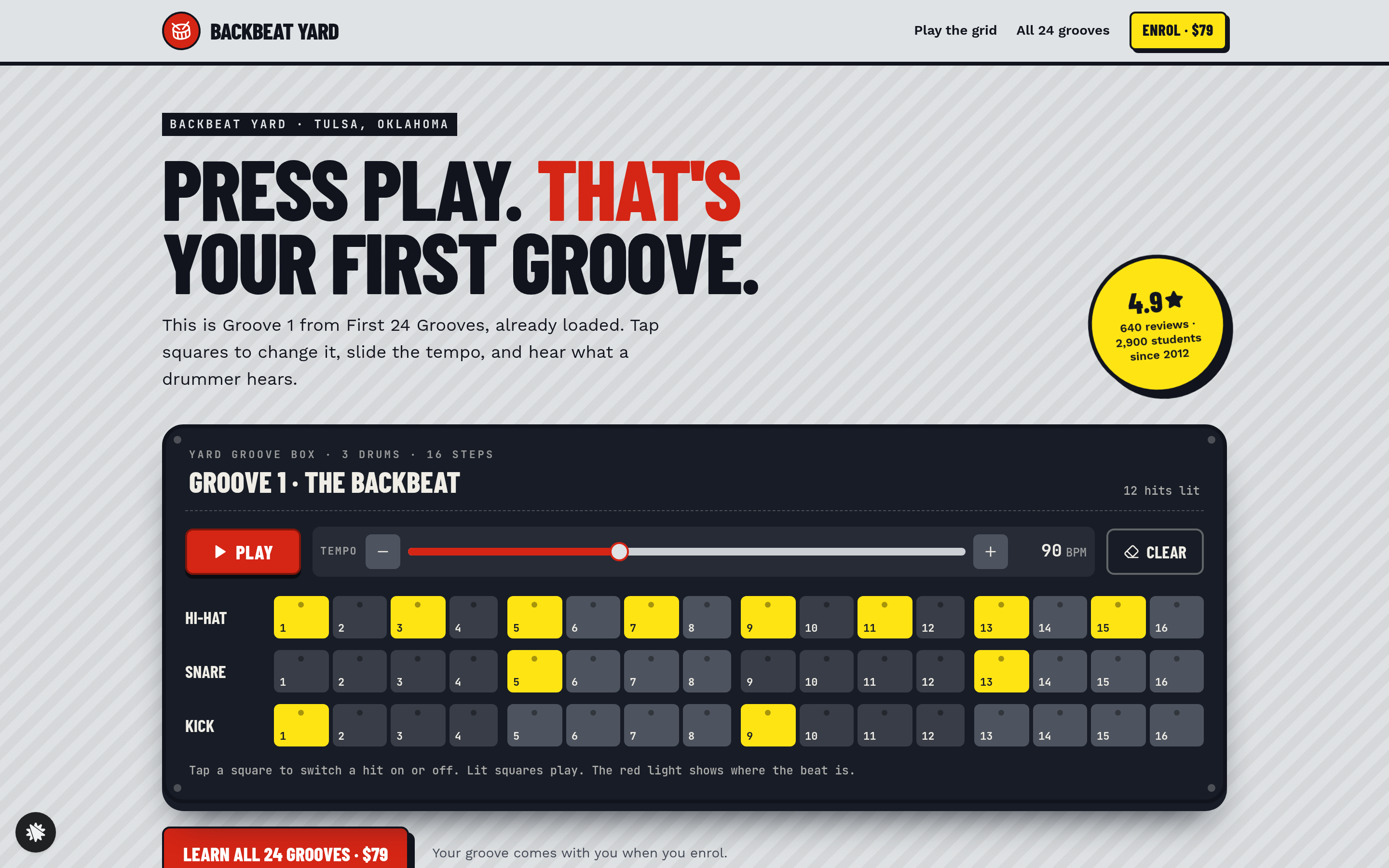
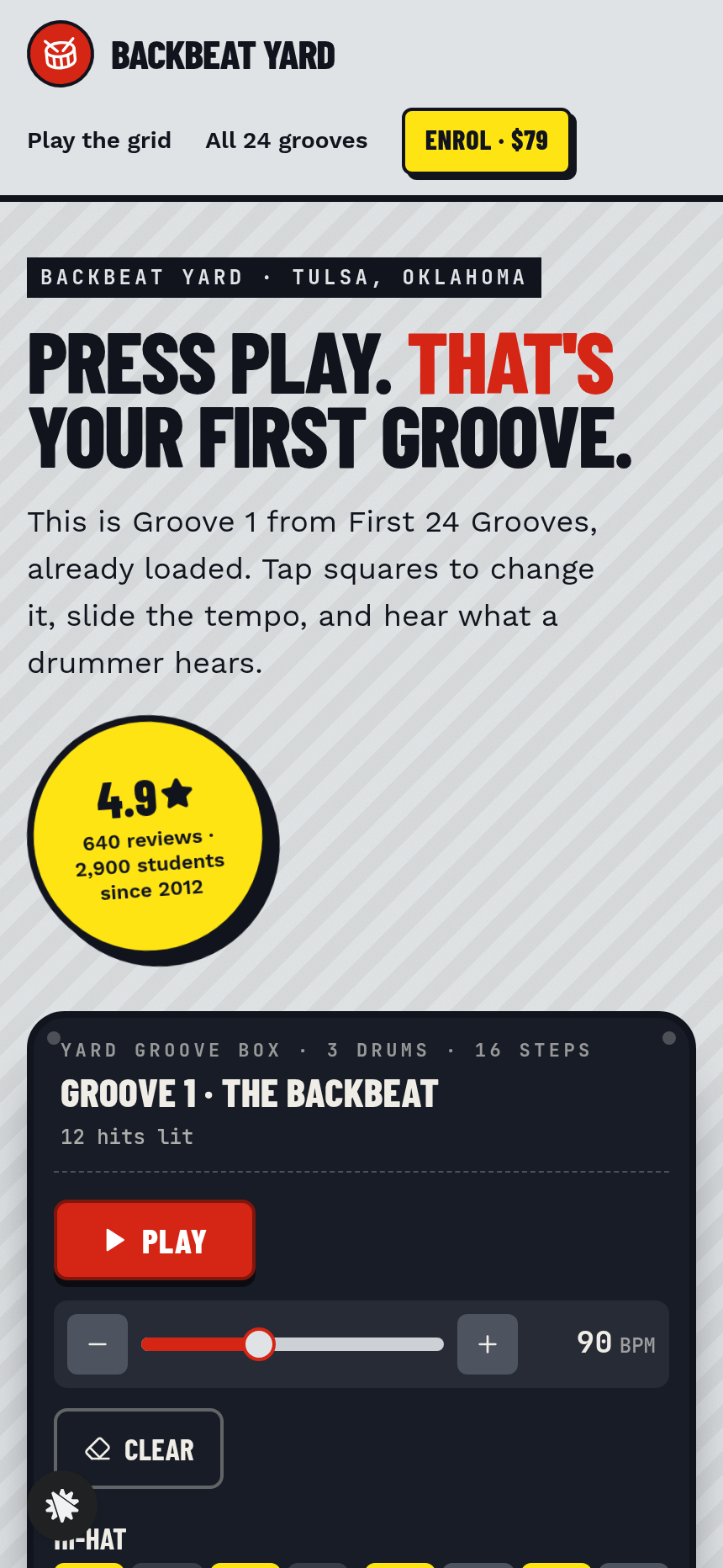
- Sales page (/) — slim nav with a price button, a striped hero with a 4.9-star rating stamp, the groove grid card (Hi-hat, Snare and Kick rows, sixteen steps each in four groups of four, Play/Stop, tempo slider from 60–140 BPM, Clear), three numbered lesson bands that each load their groove into the grid, the course collage, the full numbered list of all 24 grooves with tempos, and a dashed offer box with a wide enrol button.
- Lessons (/lessons) — the full setlist of all 24 grooves; the first three include a Load button that drops the groove into the grid.
- Enrol (/enrol) — the visitor's saved groove displayed as Lesson 0, a flat $79 card checkout, and an order bump for twelve full-band backing tracks at $15.
- One-Time Offer (/one-time-offer) — a one-click add of Fills & Transitions lessons for $49, charged to the saved card with no new form.
- Welcome (/welcome) — first-week schedule, gear list, the saved groove in the grid, and a link to all 24 lessons.
- Admin dashboard (/admin) — funnel conversion stats, page-by-page step view, recent contacts, and a sales table.
How it works
- Visitor lands on / and sees the groove grid already loaded with Groove 1; they tap steps, adjust tempo, and press Play.
- They scroll through the three lesson bands, loading each groove into the grid to preview the course content.
- The offer box presents First 24 Grooves for $79; visitor clicks the enrol button.
- On /enrol their custom groove appears as Lesson 0 alongside the checkout form; they add their email, card details, and optionally the $15 backing-track bump.
- After payment they land on /one-time-offer where one click adds the Fills & Transitions pack at $49 to the same card.
- /welcome confirms access, shows their saved groove, and lays out the first week of lessons.
Opening "Edit this design" from the gallery puts the full funnel in the builder, where the school name, course title, price, and groove presets can change without code. The order page, upsell, and thank-you flow come wired together.
The signature step
The groove grid on / is the funnel's proof mechanism. Three drum rows, sixteen step buttons per row grouped in fours, a moving red-light playhead, browser-synthesized drum sounds, and a tempo slider the visitor drags while the loop runs. Tapping a lit step silences it; tapping a dark step adds the hit. The grid state persists into /enrol as Lesson 0, turning the visitor's experiment into a personal stake in the course before any money changes hands.
Who it's for
- Drum schools and private instructors selling a structured beginner curriculum online.
- Beat-making or music-production educators whose first lesson can be demonstrated in a browser.
- Course creators who want an interactive product sample — not a video — as the primary sales mechanism.
- Any music teacher replacing a free-taster webinar with a self-serve, always-on demo page.
Design
- Type pairing
- Barlow Condensed display Work Sans body
- Motion
- a red light steps across the sixteen squares in time while the loop plays; lit squares pulse on their hit; reduced-motion: the light still steps, no pulse
- Signature screen
- Playable 16-step drum grid that opens on Groove 1 and loads any of the first three lessons
- References
-
- 2.2 long course-offer page (numbered module bands, module list, pale offer box)
What can you use Backbeat Yard — Drum Groove Grid Course Funnel for?
- A drum school with a physical location in a mid-size city uses the funnel to sell its beginner online course, letting prospective students play Groove 1 on the sales page before committing to the $79 enrollment.
- A private drum instructor records 24 short groove videos and publishes the funnel to replace a free taster lesson, using the interactive grid to demonstrate the course format to visitors who have never met them.
- A music-production educator selling a beat-making foundations course adapts the groove grid to a hi-hat and kick pattern, then uses the lesson bands to preview three signature rhythms from the curriculum.
- A drum teacher running live workshops in a studio uses the funnel's flat-payment checkout and backing-track order bump to monetize the same curriculum online without building a separate membership site.
- A multi-teacher academy checks `/admin` to compare how many visitors move from the groove grid to the enrol page with how many come through the lesson list, then edits the sales copy wherever people drop off.
- A course creator who already sells through video platforms adds this funnel as a standalone landing experience to test whether an interactive demo page outperforms their existing static sales page on paid traffic.
Frequently asked questions
What is the Drum Groove Grid Course Funnel?
Who is this funnel for?
What pages are included?
How do I customize the Drum Groove Grid Course Funnel in ClickFunnels AI?
Does it include a checkout and upsell?
Can I use my own branding and domain?
How is this different from a classic ClickFunnels video sales letter funnel?
What setup is required before going live?
Related templates
 Coaching & Courses
Even Keel — Debt Payoff Planner Workshop Funnel
The Debt Payoff Planner Workshop Funnel is a free workshop funnel built in ClickFunnels AI for a money coaching business. Visitors run a payoff planner on their own debts, save the plan with their email and then reach a $79 course checkout with a $19 bump.
 Coaching & Courses
Ledgerlight — Fit-the-Line Sales Forecast Course Funnel
Ledgerlight Fit-the-Line Sales Forecast Course Funnel is a course funnel for a $79 six-lesson sales forecasting class, built with ClickFunnels AI. Visitors drag a trend line through a café's twelve monthly sales, and their line carries through enrolment.
 Coaching & Courses
Hollis Ink — Trace-the-Letter Brush Lettering Course Funnel
The Brush Lettering Trace-the-Letter Course Funnel is a course-sales template for Hollis Ink, an Asheville brush-lettering school, made with ClickFunnels AI. Its hero is an interactive tracing pad where visitors follow guided strokes before enrolling in a 21-day course for a flat $49.
 Coaching & Courses
Plain Tags — First Web Page Playground Course Funnel
The First Web Page Playground Course Funnel is a sales sequence made in ClickFunnels AI for Plain Tags, an evening web school in Wichita, Kansas. It puts a live HTML playground on the sales page so visitors write real code before they ever see a price.
Make this template your starting point.
Inspect the preview, plan your changes, and test the workflow before you share it.
Use this template