Northstar Practice Growth — Webinar to Application Funnel
The webinar-to-application funnel is a free-training pipeline built in ClickFunnels AI. It moves a visitor from a registration page with a live countdown, through a 45-minute training, into a qualifying application and onto a booked strategy call, for coaches and consultants who sell a high-ticket program.
About this template
What is Northstar Practice Growth — Webinar to Application Funnel?
The Northstar Practice Growth webinar-to-application funnel is a six-step pipeline for coaches, clinicians, and consultants who run a free training as the front door to a high-ticket program. Visitors register for a live session, receive a confirmation with a welcome video, watch the training (with a mid-scroll interrupt that routes willing viewers straight to an application), complete a six-question qualifier, and book a 45-minute strategy call. Every lead and application answer is stored without an external CRM from day one.
What you get
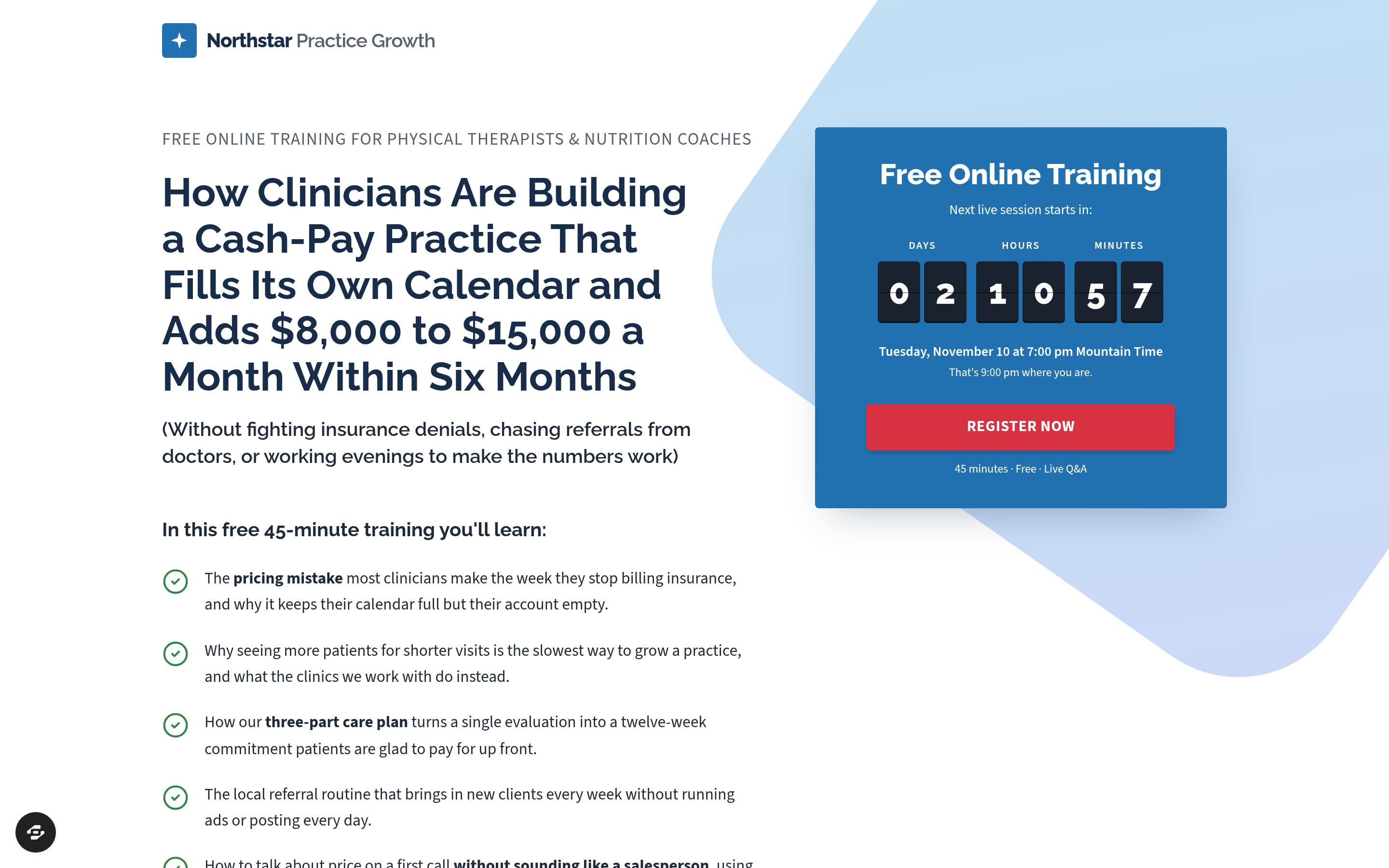
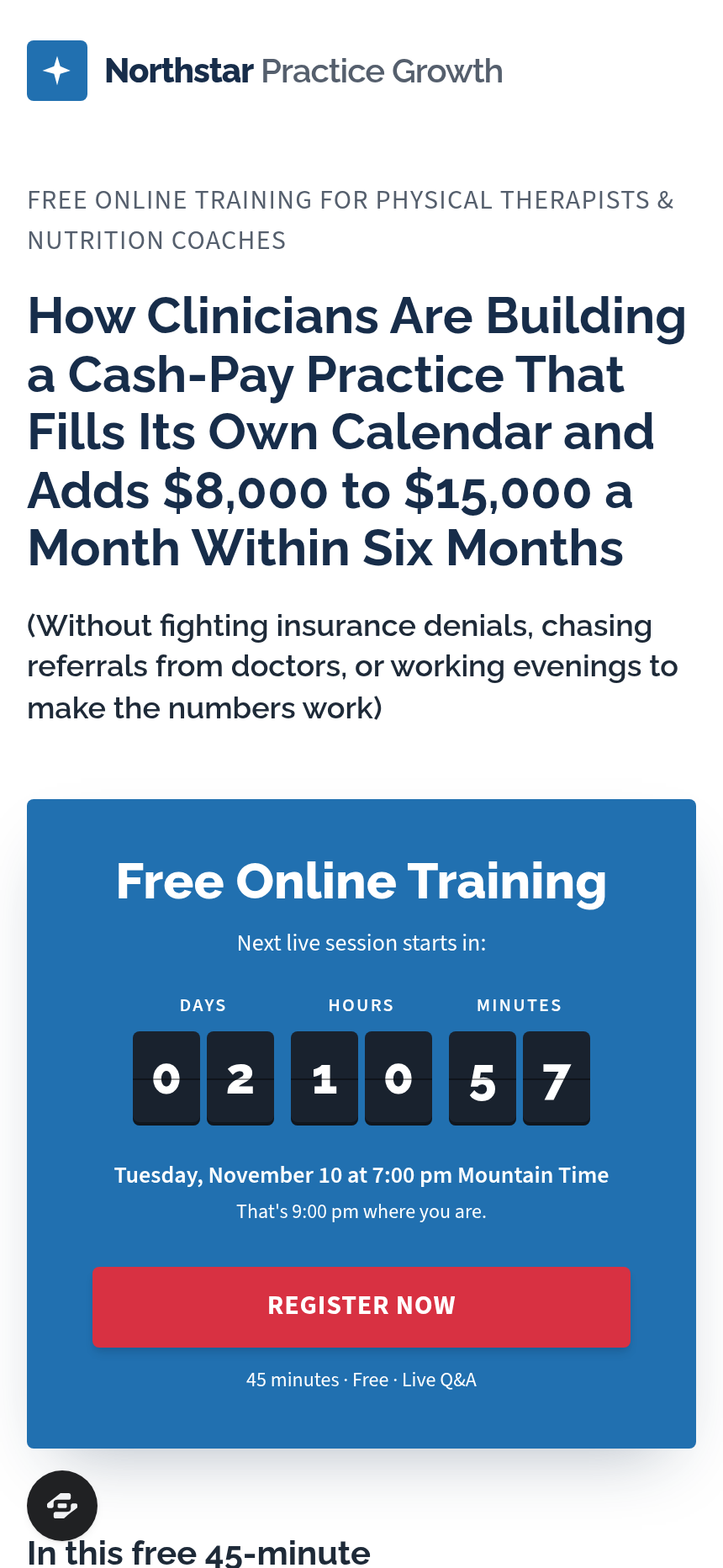
- Registration page (/) — split hero with a long benefit headline, a checklist of training topics, a host bio card, and a blue "Free Online Training" countdown card; the Register button opens a name + email popup that writes a real lead record.
- Confirmation page (/thank-you) — welcome video from the host, three pre-training tasks, an add-to-calendar widget, and a "Watch the training now" button for viewers who cannot wait for the live session.
- Training page (/training) — video player with a "Press play" prompt, a two-column "What you'll learn" list, and a scroll-triggered popup: "Would you rather talk it through with one of our coaches?" with Yes / Keep watching options.
- Application page (/apply) — six questions: practice type, monthly revenue band, weekly client volume, 12-month goal, biggest obstacle, and readiness to invest; answers are only visible to the coaching team.
- Booking page (/book) — calendar widget showing the next ten weekdays with four slots each, times in Mountain Time, and a results wall of clinic-owner testimonials below.
- Pre-call page (/call-booked) — a short briefing video, add-to-Google-Calendar and Apple/Outlook links, and a 12-card client results wall to build conviction before the call.
- Admin dashboard (/admin) — funnel-wide conversion summary, page-by-page step counts, and a contacts table of every registrant with a CSV export path.
How it works
- A visitor lands on / and sees the next live session countdown computed to the next Tuesday or Thursday at 7 pm Mountain, displayed in their local time zone.
- They click "Register now," enter name and email in the popup, and are redirected to /thank-you.
- On /thank-you they watch a two-minute welcome video, note three preparation tasks, and add the event to their calendar — or click through to /training immediately.
- On /training they watch the recorded or live session. After scrolling past the video, the coach-interrupt popup appears; clicking "Yes, I'd like to talk to a coach" routes them directly to /apply, bypassing the need to finish the video.
- On /apply they answer the six qualifying questions and click "Continue to choose a time."
- On /book they pick a day and slot; the confirmation lands them on /call-booked with the pre-call briefing video and calendar links.
Every opt-in, application answer, and booking is stored in the funnel's built-in database and surfaces in the /admin dashboard — no external tool is required before the first call is booked. Because you are starting from a fully structured template, browsing the gallery and opening "Edit this design" gives you a working first version without building from a blank prompt. When you need to adjust copy, questions, or countdown logic, you describe the change in plain language and the editor applies it directly to the page — swapping a question label, updating the revenue bands in the application, or changing the interrupt popup headline each takes a single instruction.
The signature step
The registration hero is the visual anchor of the funnel: a long benefit headline on the left paired with a checklist of training topics and a host bio card, and on the right a navy-and-cobalt "Free Online Training" card with a flip-style countdown, the session time written out in words, and a signal-red "Register now" button. The countdown recomputes on every page load so the next session is always accurate — no manual date updates required.
Who it's for
- Physical therapists and nutrition coaches transitioning to a cash-pay model who use a free training to explain the offer before asking for a commitment.
- Health and wellness consultants who sell a multi-month program and need a qualification step between the training and the first sales conversation.
- Coaches and agency owners in any niche who want a live or evergreen webinar to do the heavy education work while the application filters for readiness.
- Service businesses running free workshops or masterclasses that end with a strategy-call offer rather than a direct checkout.
Design
- Type pairing
- Raleway display Source Sans 3 body
- Motion
- flip countdown; reduced-motion: static
- Signature screen
- Registration hero with the blue countdown card
- References
-
- Webinar-into-application funnels for coaches
What can you use Northstar Practice Growth — Webinar to Application Funnel for?
- A solo physical therapist launching a cash-pay practice uses the funnel to run a weekly free training explaining why insurance billing limits income, then routes motivated viewers to a six-question application before booking a strategy call.
- A nutrition coaching practice with two coaches runs the funnel in evergreen mode, sending paid traffic to the registration page and using the application to filter prospects by monthly revenue before allowing calendar access.
- A four-therapist clinic tests different training topics by swapping the two-column 'What you'll learn' list on `/training` and monitoring which version drives more clicks on the coach-interrupt popup.
- A business coach outside the health space adapts the funnel by editing the six application questions to match their own qualifying criteria — audience size, current revenue, and program readiness — using plain-language chat edits.
- A wellness consultant uses the `/call-booked` results wall to display twelve anonymized client outcomes, building conviction in the 24 hours between booking and the actual call.
- An agency offering practice-growth services for dentists remixes the template, replaces the host bio card and training topic checklist with their own, and launches the funnel without hiring a designer or developer.
Frequently asked questions
What is the webinar-to-application funnel?
Who is this funnel for?
What pages are included?
How do I customize the webinar-to-application funnel in ClickFunnels AI?
Does it include a checkout or order form?
Can I use my own branding and domain?
How is it different from a classic ClickFunnels webinar funnel?
What setup is required before sharing the registration page?
Related templates
 Books & Applications
Keel & Compass — 9-Question Fit Check Application Funnel
The Quiz-Style Application Funnel is a nine-question, one-per-screen fit check that scores every applicant and routes qualified leads to a calendar booking while sending everyone else to a resource — built and customizable in ClickFunnels AI.
 Books & Applications
Weeknight Pantry — What Can I Cook Free-Plus-Shipping Cookbook Funnel
What is the Pantry Cookbook Free-Plus-Shipping Funnel? Built with ClickFunnels AI, it ships a printed cookbook for shipping fees only and opens with a live ingredient matcher.
 Books & Applications
Highfield — Steer-by-Height Balloon Pilot Application Funnel
Highfield Steer-by-Height Balloon Pilot Application Funnel is an application funnel for a hot-air balloon flight school in Indianola, Iowa. It opens with a playable steering puzzle, then takes applicants through questions, an interview booking and a refundable $50 application fee.
 Books & Applications
Thistle & Wren Press — Colouring Book Sample Page Funnel
The Colouring Book Sample Page Funnel is a book-sales funnel template in ClickFunnels AI that lets a visitor colour an actual page from the product before it asks them to buy. It combines an interactive harbour drawing with a two-step order card, a one-time pencil offer, and a personalised thank-you page that shows the reader's own coloured page back to them.
Make this template your starting point.
Inspect the preview, plan your changes, and test the workflow before you share it.
Use this template