Larch & Pine CPAs — Year-End Tax Planning Application Funnel
The tax-planning-application-funnel is an application funnel template built in ClickFunnels AI for CPA firms and professional service providers selling a paid, appointment-based engagement. It combines a live tax-savings estimator, a six-question qualifier, and a real $250 deposit checkout into a single visitor journey that ends with a booked planning session.
About this template
What is Larch & Pine CPAs — Year-End Tax Planning Application Funnel?
Larch & Pine CPAs in Missoula, Montana sells a $1,450 year-end tax-planning engagement to owners of S-corps and LLCs. This template replicates that exact funnel: a home page where a business owner can estimate their savings before anyone asks for their name, a six-question application that writes a qualified lead, a session-reservation page with a real card checkout, and a confirmation page that tells the owner exactly what to bring. The flow runs four pages deep and closes before December 31.
What you get
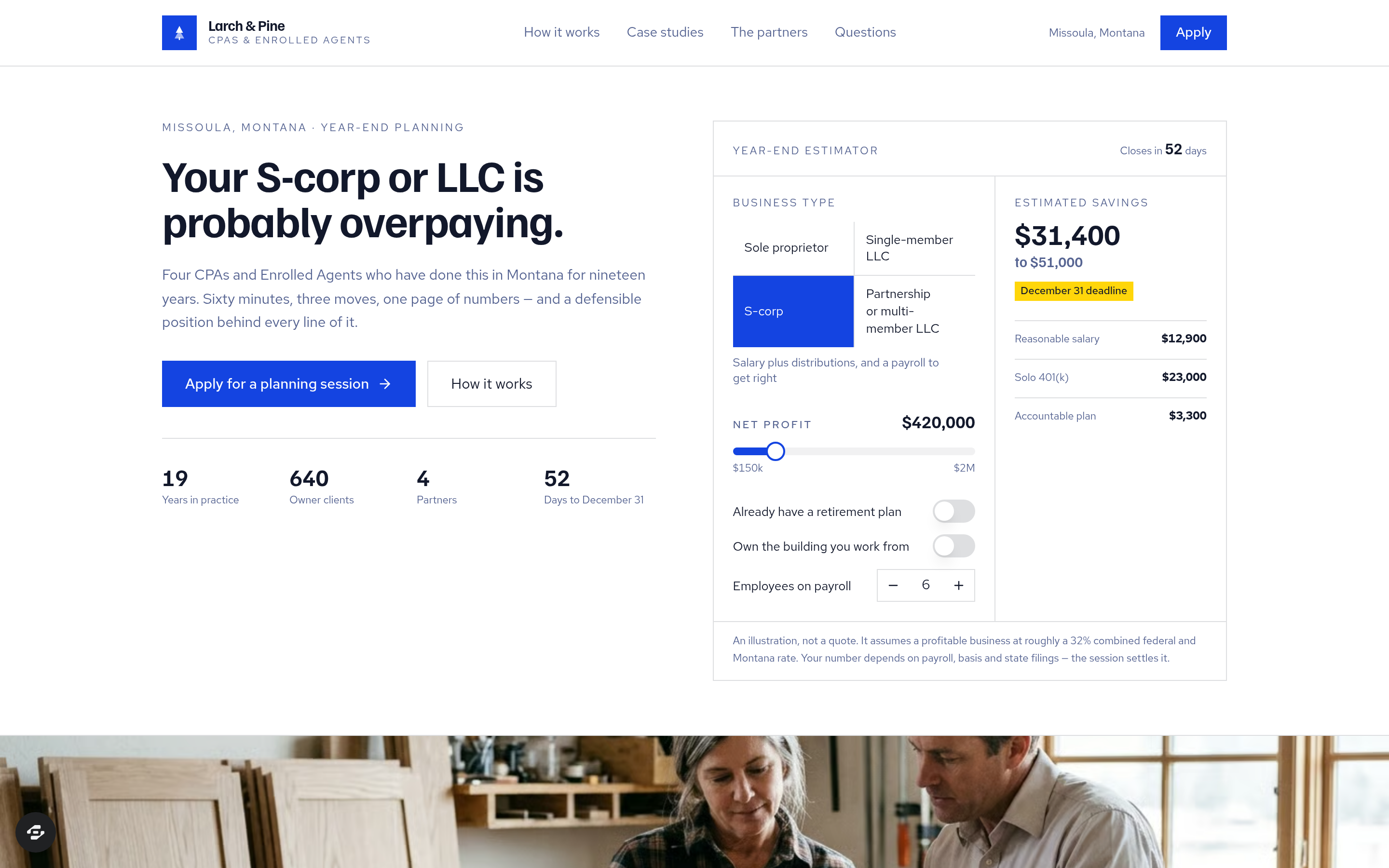
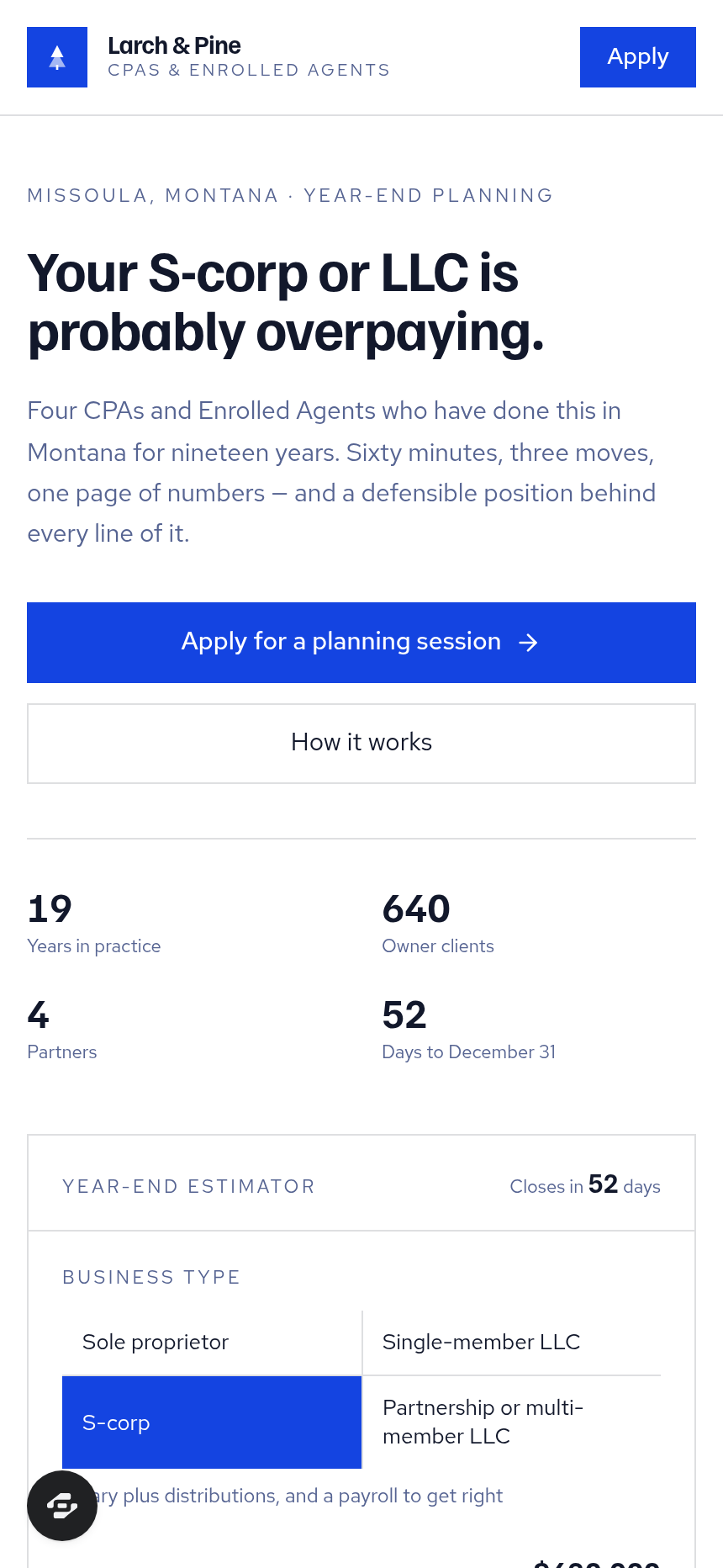
- Index (/) — The landing page opens with a split hero: a headline and two calls to action on the left; the Year-end Estimator on the right. The estimator takes business type (sole prop, LLC, S-corp, partnership), a net-profit slider, a retirement-plan toggle, a building-ownership toggle, and an employee count, then displays a live estimated savings range with the three moves behind it — reasonable salary, solo 401(k), and accountable plan — beside a countdown to December 31 computed from today. Below the hero: a four-step engagement overview, three named client case studies with their net profit and first-year savings numbers, a partner grid (four licensed partners, two CPAs and two Enrolled Agents), eight owner reviews collected after the 2024 and 2025 planning cycles, and an FAQ.
- Apply (/apply) — A six-question application: entity type, revenue band, current CPA situation, biggest tax worry as an open text box, preferred timeline, and contact information. Submitting writes a real lead record. The page labels itself Step 2 of 4 and states that a partner reads every application personally.
- Session (/session) — Step 3 of 4. Approved applicants choose one of the next ten open weekday slots computed from today, add any notes, and pay the $250 deposit through the secure checkout. The deposit is credited in full against the $1,450 engagement fee.
- Confirmation (/confirmation) — Displays the reserved session day in plain words, the balance remaining ($1,200), the documents to gather before the session (last two filed returns, year-to-date P&L, latest payroll report, entity documents), and an add-to-calendar link. The page renders a usable preview for a cold visitor who has not yet booked.
- Dashboard (/admin and /dashboard) — An owner-facing panel showing funnel-wide conversion, a contacts list with every applicant, and a step-by-step breakdown of the pages in order.
- Custom 404 page with a link back to the estimator.
How it works
- A business owner lands on Index (/), runs the estimator, and reads the case studies.
- They click 'Apply for a planning session' and complete the six questions on Apply (/apply).
- After submitting, they land on Session (/session), pick a weekday slot, and pay the $250 deposit — the checkout collects card details on a secured order page and credits the deposit against the full engagement fee, following the same money path as a standard ClickFunnels order form.
- Confirmation (/confirmation) confirms the reservation, shows the balance and document checklist, and offers an add-to-calendar link.
- Every application and contact detail is stored in the funnel's built-in database and surfaces in the Dashboard (/admin), so the firm can review leads and track conversion without connecting an external CRM on day one.
- When you open the template to adapt it, you describe the changes you want — different firm name, adjusted pricing, new case-study numbers, revised FAQ answers — and ClickFunnels AI edits the page directly from that description.
The signature step
The Year-end Estimator on Index (/) is the core of the template. Five inputs — business-type tiles, a net-profit slider, and three toggles — drive a live savings range. The three line items (reasonable salary, solo 401(k), accountable plan) update in real time, and a 'planning moves close in N days' countdown to December 31, computed from the current date, sits beside the range. No hard-coded dates or years appear anywhere in the template.
Who it's for
- CPA firms and enrolled agents selling a fixed-fee year-end planning engagement
- Bookkeepers and financial planners who charge for a paid strategy session after a qualifier
- Any professional service that qualifies leads through an application and holds appointments with a deposit
- Tax advisors who want an interactive estimator to filter serious prospects before the first conversation
Design
- Type pairing
- Familjen Grotesk display Red Hat Text body
- Motion
- none; reduced-motion: static
- Signature screen
- Year-end savings estimator with December 31 countdown
- References
-
- Professional-service application with paid session
What can you use Larch & Pine CPAs — Year-End Tax Planning Application Funnel for?
- A four-partner CPA firm in a mid-size city uses the estimator on Index (/) to pre-qualify S-corp owners before the December rush, reducing discovery calls by letting the savings range do the first filter.
- An enrolled agent running a solo practice adapts the six-question Apply (/apply) form to screen LLC clients for year-end S-corp election timing, charging a $200 deposit on Session (/session) instead of $250.
- A regional bookkeeping firm adds the funnel to their existing site as a standalone URL, driving paid traffic to Index (/) in October and November when year-end planning searches peak.
- A financial planner offering a tax-coordinated investment review uses the template's four-step engagement section and case studies to explain the value of a paid first session to prospects who have never paid for advice before.
- A CPA who also does real estate cost segregation studies edits the estimator toggles on Index (/) to include a building-depreciation input, then updates the case studies on the same page to show cost-seg outcomes alongside ordinary planning numbers.
- A multi-state accounting firm with three offices uses the Session (/session) slot picker and Confirmation (/confirmation) document checklist as a lightweight scheduling and intake system, replacing a separate scheduling tool for their busiest two months of the year.
Frequently asked questions
What is the tax-planning-application-funnel?
Who is the tax-planning-application-funnel for?
What pages are included?
How do I customize the tax-planning-application-funnel in ClickFunnels AI?
Does the template include a checkout or order form?
Can I use my own branding and domain?
How is this different from a classic ClickFunnels application funnel?
What setup is required before the funnel goes live?
Related templates
 Books & Applications
Keel & Compass — 9-Question Fit Check Application Funnel
The Quiz-Style Application Funnel is a nine-question, one-per-screen fit check that scores every applicant and routes qualified leads to a calendar booking while sending everyone else to a resource — built and customizable in ClickFunnels AI.
 Books & Applications
Weeknight Pantry — What Can I Cook Free-Plus-Shipping Cookbook Funnel
What is the Pantry Cookbook Free-Plus-Shipping Funnel? Built with ClickFunnels AI, it ships a printed cookbook for shipping fees only and opens with a live ingredient matcher.
 Books & Applications
Highfield — Steer-by-Height Balloon Pilot Application Funnel
Highfield Steer-by-Height Balloon Pilot Application Funnel is an application funnel for a hot-air balloon flight school in Indianola, Iowa. It opens with a playable steering puzzle, then takes applicants through questions, an interview booking and a refundable $50 application fee.
 Books & Applications
Thistle & Wren Press — Colouring Book Sample Page Funnel
The Colouring Book Sample Page Funnel is a book-sales funnel template in ClickFunnels AI that lets a visitor colour an actual page from the product before it asks them to buy. It combines an interactive harbour drawing with a two-step order card, a one-time pencil offer, and a personalised thank-you page that shows the reader's own coloured page back to them.
Make this template your starting point.
Inspect the preview, plan your changes, and test the workflow before you share it.
Use this template