Kickwash Supply Co. — Sneaker Cleaner Wipe-Clean Funnel
The Sneaker Cleaner Wipe-Clean Funnel is a one-product store in ClickFunnels AI that opens on a mud-wipe demo, then runs a two-step $24 checkout with an order bump, a refill upsell and a thank-you page. It suits direct-to-consumer cleaning products that prove themselves best when the visitor tries them first.
About this template
What is Kickwash Supply Co. — Sneaker Cleaner Wipe-Clean Funnel?
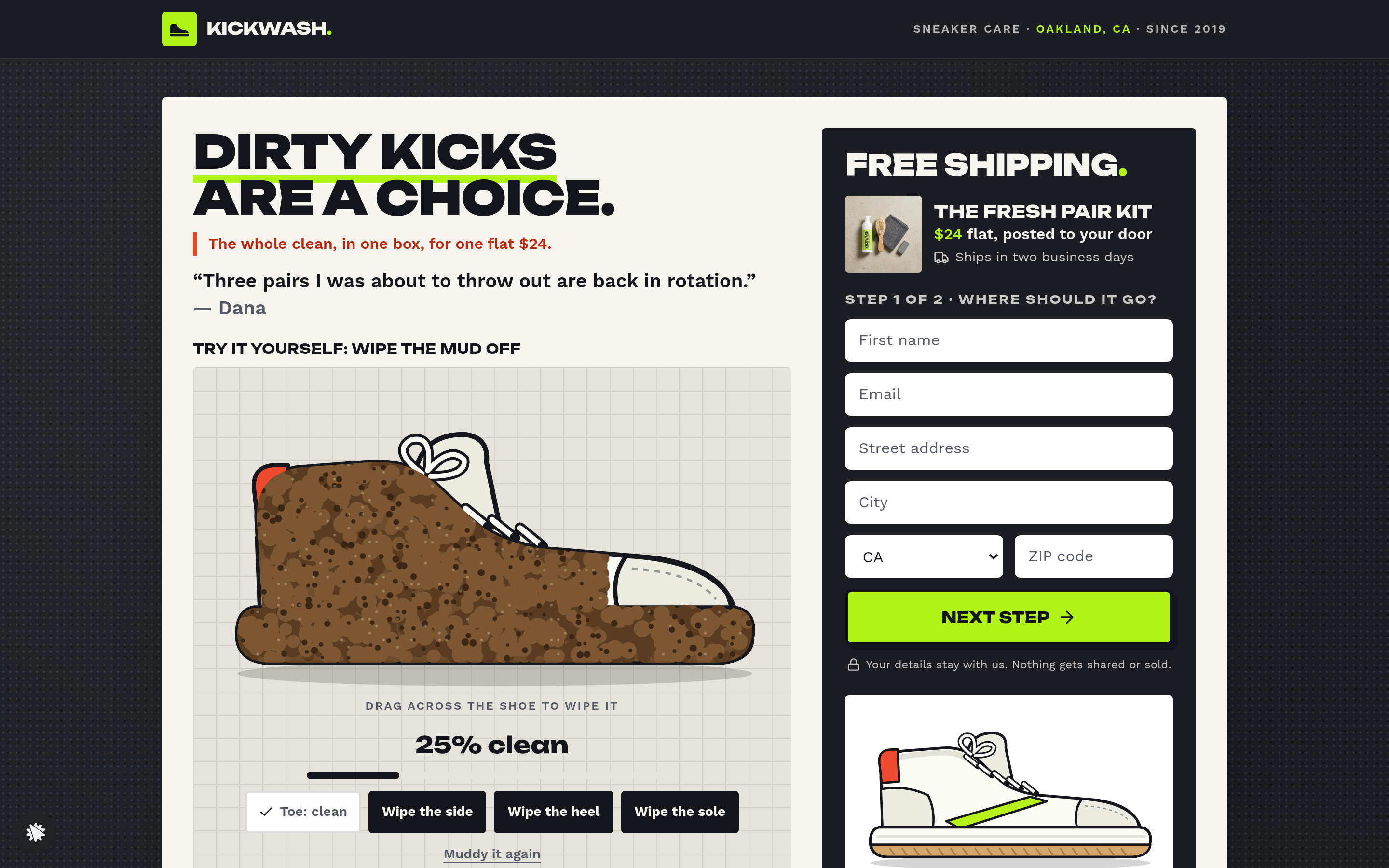
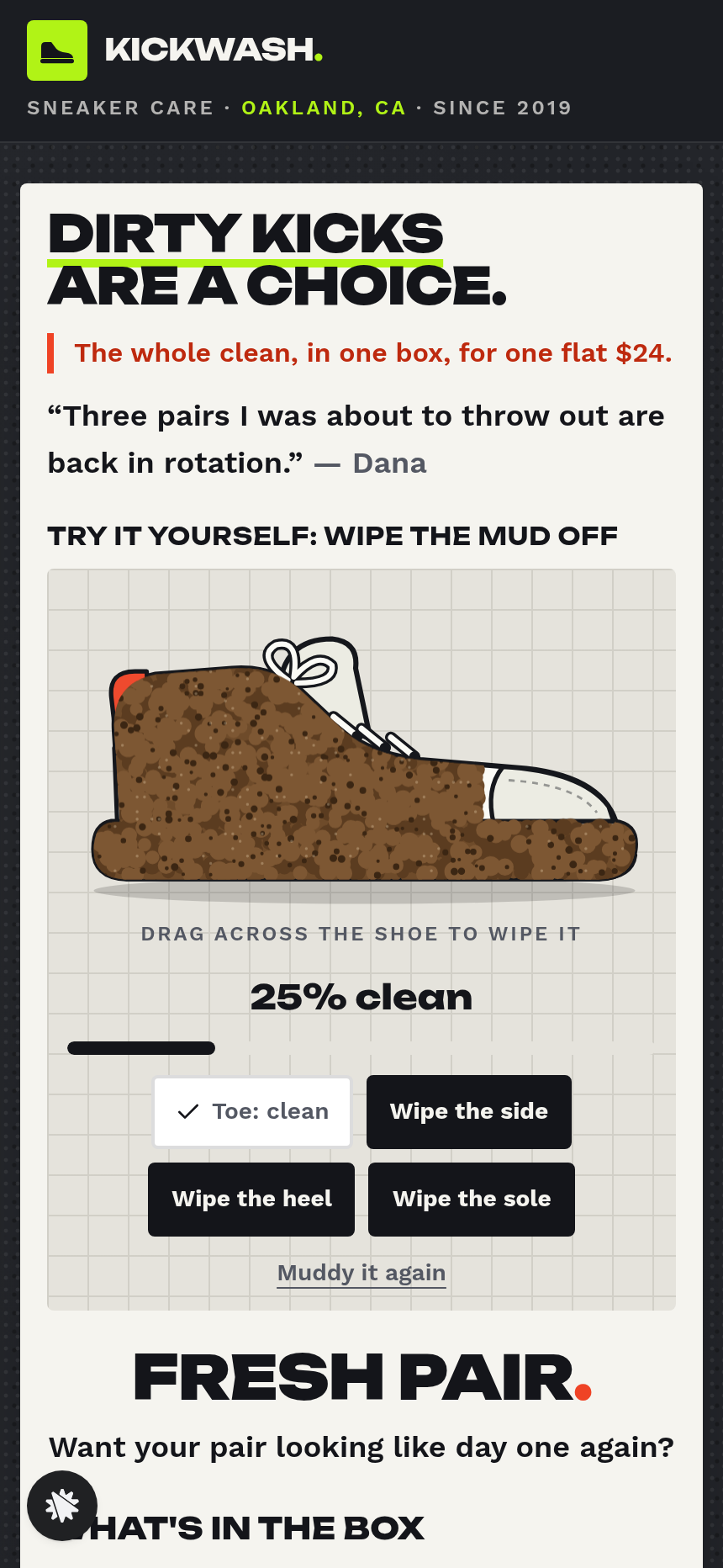
Kickwash Supply Co. sells one thing: the Fresh Pair Kit for a flat $24, shipped from Oakland. This funnel skips the demo video and hands the proof to the visitor instead: an interactive canvas where dragging a finger lifts mud off a drawn sneaker in real time. By the time the percent-clean line hits 100%, the order fields are already on screen.
What you get
- Landing Page (/) — a dark-textured offer page with the WipeDemo component (drag to clean the muddy sneaker; four part buttons; a percent-clean progress line; the order button lights up at 100%), the Fresh Pair Kit product description, two tick-list feature blocks, eight review cards, and a founder note from Rae Okafor. A two-column layout puts Step 1 of 2 shipping fields in a dark order column beside the demo, so the visitor never navigates away to start the order.
- Order page (/order) — Step 2 of 2: a real card checkout for $24 (shipping included) with an optional $7 sole-eraser order bump ('Two extra erasers for the gym bag and the glovebox').
- Add Refills page (/add-refills) — a two-card one-click upsell: $18 for two foam-refill bottles or $11 for one, presented side by side under a "Best deal" flag; a "No thanks, just the kit" link routes to the Thank-You page.
- Thank-You page (/thank-you) — order receipt, two-business-day shipping confirmation, and a three-step use guide (Pump and brush → Wipe it off → Erase the sole).
- Dashboard (/dashboard → /admin) — owner view with conversion rate, recent contacts and a sales table, where test orders are tagged apart from live revenue.
How it works
A visitor lands on the Landing Page, drags across the muddy sneaker until the shoe reads clean, then fills in the Step 1 shipping fields (name, address, zip) beside the demo. Submitting Step 1 routes to the Order page, where the saved address is confirmed, card details are entered, and the $7 sole-eraser bump is offered before the single "Send me a Fresh Pair Kit" button completes the purchase. After checkout the visitor lands on the Add Refills page, where the order-bump mechanic extends to foam refills: one click adds $18 (two bottles) or $11 (one bottle) to the same shipment at no extra postage. Declining routes to the Thank-You page, where the receipt and use instructions close the loop. Opt-ins, addresses and completed sales appear on the owner dashboard under Recent contacts and Recent sales.
The signature step
The WipeDemo on the Landing Page is the conversion engine. The sneaker opens at roughly 25% clean; each drag across the canvas lifts the mud underneath it, and four part-specific buttons (toe, upper, sidewall, sole) do the same job one panel at a time. When the percent-clean line reaches 100%, the "Send me a Fresh Pair Kit" button activates. The interaction is the product demonstration itself, and completing it comes before the shipping fields.
Who it's for
- Single-product physical brands in cleaning, care, and restoration categories: shoe care, leather conditioner, screen cleaners, stain removers, rust treatments.
- DTC operators selling one SKU at a low price point ($15–$35) who want a checkout that closes on the first visit without a long scroll.
- Sellers whose product is a before-and-after, where the customer making the transformation is more convincing than watching a video.
Design
- Type pairing
- Unbounded display Work Sans body
- Motion
- mud lifts under the pointer and a little foam fades behind it; a part button sweeps its quarter clean; reduced-motion: the part clears at once
- Signature screen
- Wipe-it-clean demo: a muddy drawn sneaker the visitor cleans by dragging, with four part buttons and a percent-clean line
- References
-
- 3.10 single-product offer page (pale card on a dark ground, order column, review grid) and two-option add-on page
What can you use Kickwash Supply Co. — Sneaker Cleaner Wipe-Clean Funnel for?
- A sneaker-care brand launching its first DTC kit replaces the Kickwash copy with its own product name, founder photo, and review cards, then goes live with a $24 flat-rate checkout in an afternoon.
- A leather conditioner seller adapts the WipeDemo to show a scuffed leather patch becoming smooth, keeps the two-step order form, and adds its own conditioning-stick upsell on the Add Refills page.
- A screen-cleaning brand uses the funnel's order-bump slot for a microfibre sleeve and the refill page for a two-pack of cleaning spray, capturing the full accessory sale at checkout without a separate email sequence.
- A stain-remover company tests two headline variants on the Landing Page — one leading with the interactive demo, one leading with the review-card grid — using the funnel's split-test capability to find the higher-converting entry point.
- A shoe-repair kit seller monitors the Dashboard's overall conversion rate and recent-sales table after launch to identify at which step (Landing Page drop-off, Order page abandonment, or Add Refills decline) to focus copy improvements first.
- An existing ClickFunnels user imports their current product page URL using the scan-my-URL tool, compares it to the Wipe-Clean template structure, and rebuilds their offer around the interactive demo mechanic to lift the add-to-cart rate.
Frequently asked questions
What is the Sneaker Cleaner Wipe-Clean Funnel?
Who is this funnel for?
What pages are included?
How do I customize the Sneaker Cleaner Wipe-Clean Funnel in ClickFunnels AI?
Does it include a checkout and order form?
Can I use my own branding and domain?
How is it different from a classic ClickFunnels two-step tripwire funnel?
What setup is required before going live?
Related templates
 Product & E-com Funnels
Minute Works — Free Plus Shipping Product Funnel
The Free-Plus-Shipping Product Funnel is a physical-product launch funnel built in ClickFunnels AI that gives visitors a $0 item in exchange for $7.95 shipping, then walks them through an order bump, a bundle upsell, and a downsell before landing on a three-part thank-you. It's designed for small-product brands that want to build a buyer list fast without hiding a single charge.
 Product & E-com Funnels
Sill & Stem — Houseplant Window Match Product Funnel
What is the Houseplant Window Match Product Funnel? A plant shop template built in ClickFunnels AI, it opens with a window-light tool and then sells any three plants in a $59 box.
 Product & E-com Funnels
Little Tick — Set-the-Clock First Watch Funnel
Little Tick sells a children's analog watch from Lancaster, Pennsylvania, through a ClickFunnels AI product funnel. A draggable clock face on the landing page lets a child practice reading the time before the parent reaches a $34 checkout.
 Product & E-com Funnels
Cogwood Toys — Turn-the-Gears Product Funnel
The Turn-the-Gears Product Funnel is a checkout-flow template for physical toy and kit sellers, built in ClickFunnels AI, that lets visitors interact with an animated gear board before ordering a $39 wooden kit. It moves visitors from play to purchase across a landing page, two-step order page, one-click wall-frame offer, and thank-you receipt.
Make this template your starting point.
Inspect the preview, plan your changes, and test the workflow before you share it.
Use this template