Third Coast Seed Co. — Seed Planting Calendar Shop Funnel
The Seed Planting Calendar Shop Funnel is an ecommerce funnel built in ClickFunnels AI for seed houses, nurseries and garden-supply brands. It answers what to plant right now with a frost-zone sow-and-harvest chart, then sells three fixed-price seed boxes through a two-step order form with an order bump.
About this template
What is Third Coast Seed Co. — Seed Planting Calendar Shop Funnel?
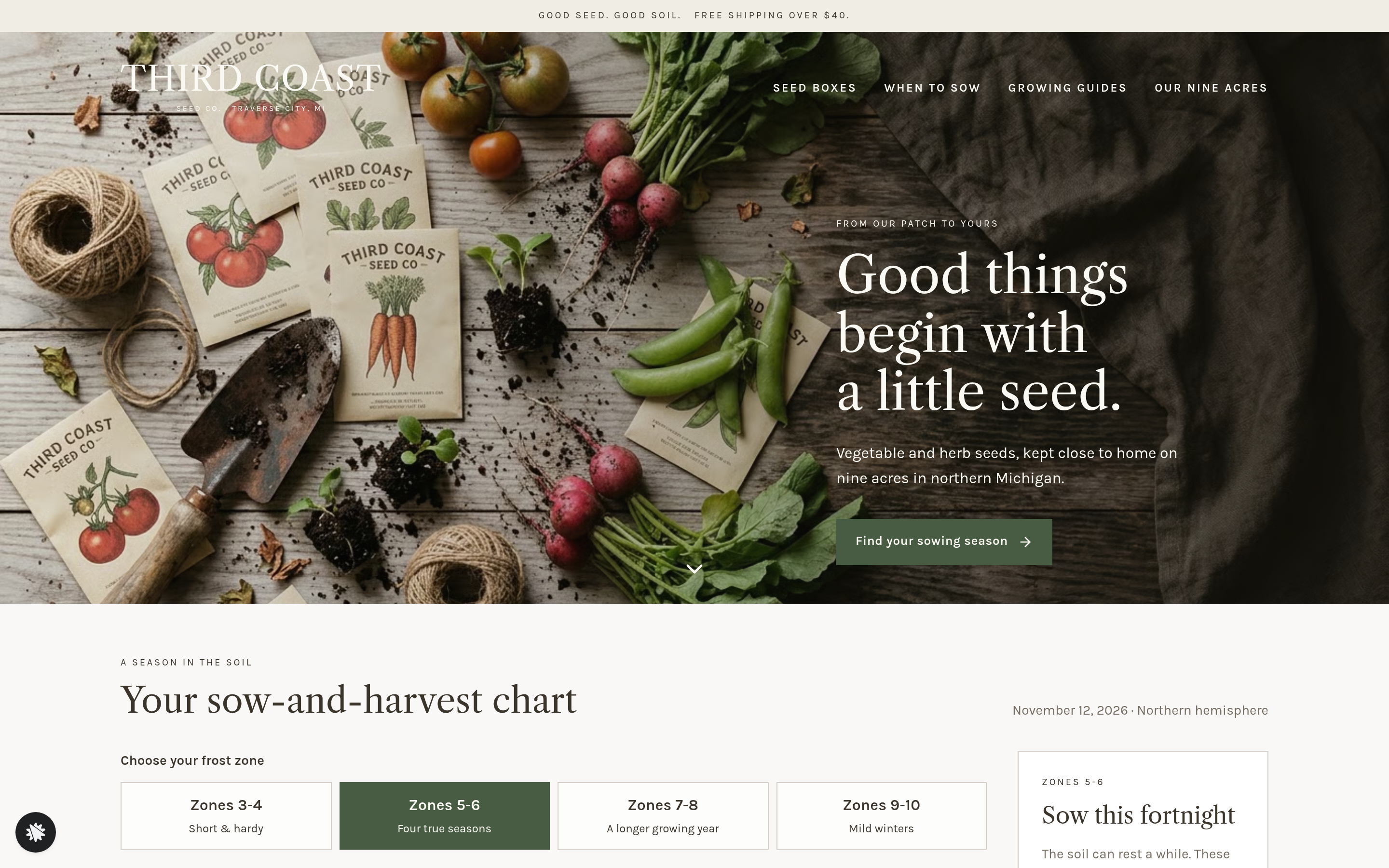
Third Coast Seed Co. runs this funnel as a complete seasonal seed shop. The home page leads with a sow-and-harvest chart that redraws itself by frost zone, turning a browsing visitor into a buyer who already knows their planting windows before they reach a product card. The funnel covers discovery, product selection, checkout, and post-purchase guidance across five named routes.
What you get
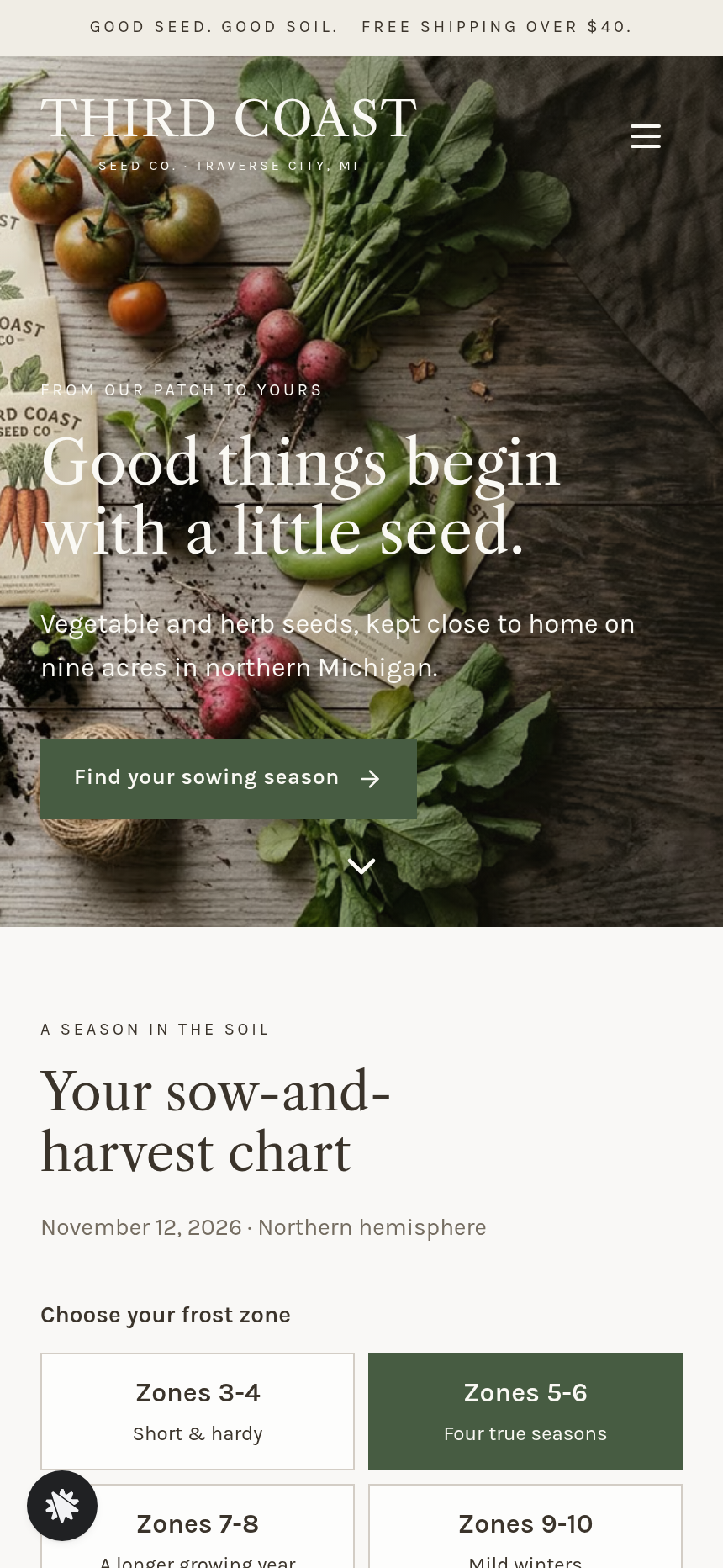
- Landing page (/) — an announcement strip, a full-width flat-lay photo hero with the Third Coast wordmark and a "View the planting chart" button, the sow-and-harvest chart section (zone picker, crop-by-month bars, today line, Sow this Fortnight card with a box button), a best-sellers packet row with star counts, a collections row of four lifestyle photos, three box cards, and a growers' story band ending in the footer.
- Box pages (/box/:slug) — one page per box (Sow-Now Box, Salad Bowl Box, Whole Season Box) showing what is inside for the chosen zone, the "Choose this box" call to action, notes on open-pollinated seed, and a link to the Growing Guides.
- Order page (/order) — a two-step checkout: Step 01 Shipping Details, Step 02 Secure Payment with the cedar row markers order bump ($8, one-time). The selected box and frost zone carry forward in the URL.
- Thank-you page (/thank-you) — order recap, a packing date computed two business days out, and the first sowing window for the buyer's zone, with a link to the Growing Guides.
- Growing Guides (/growing-guides) — short practical guides for all twelve crops with sowing windows keyed to frost zone.
- Admin dashboard (/admin) — funnel step overview, recent contacts, conversion rate, and test-traffic labeling.
How it works
- Visitor lands on / and reads the announcement strip and hero copy.
- Visitor taps a frost-zone tile (Zones 3–4, 5–6, 7–8, or 9–10); the sow-and-harvest chart redraws twelve crops across twelve months with start-indoors, sow-outside, and harvest bars shifting by zone and a today line placed from the current date.
- The Sow this Fortnight card lists crops whose window includes today, or — if no window is open — the next three windows and how many weeks away each is.
- Visitor clicks the box button on the Sow this Fortnight card or scrolls to the three box cards and selects one.
- /box/:slug shows the box contents and the "Choose this box" button.
- Visitor lands on /order: fills in Step 01 Shipping Details, optionally adds the $8 cedar row markers bump, then completes Step 02 Secure Payment with card details. This is the money path: box price + optional bump, one-time purchase, no subscription.
- /thank-you confirms the order, shows the packing estimate, and surfaces the first sowing window for that zone.
Starting from this template in ClickFunnels AI means the zone-picker logic, crop bars, order form, and bump are already wired — you are editing an existing build rather than prompting one from scratch (C03). The order form, $8 cedar row markers bump, and thank-you confirmation are all part of the standard money path this template ships with (C10).
The signature step
The sow-and-harvest chart on the landing page (/) is the funnel's conversion engine. One tap on a frost-zone tile redraws a full year of sowing and harvest bars for twelve crops — tomato, lettuce, carrot, snap pea, bush bean, cucumber, kale, radish, basil, zucchini, beet, and garlic — around a vertical line marking today's date. The Sow this Fortnight card beside it names exactly which crops to act on now, or counts down to the next open windows when none are current. It is an educational tool that removes the buyer's first objection before they see a price.
Who it's for
- Seed houses, bulb sellers, and plant nurseries that sell seasonal products and need to contextualize timing before showing price.
- CSA and homestead brands with a small, curated product range (two to twenty SKUs) rather than a large catalogue.
- Garden-supply shops that want to lead with expertise — a chart or planner — before moving to a product page.
- Any seasonal physical-goods brand where the buyer's first question is "is this the right time for me?" rather than "what does this cost?"
Design
- Type pairing
- Libre Caslon Text display Karla body
- Motion
- bars slide when the zone changes; reduced-motion: static
- Signature screen
- Frost-zone sow-and-harvest chart with a today line and a sow-this-fortnight list
- References
-
- 3.10 skincare storefront home page
What can you use Third Coast Seed Co. — Seed Planting Calendar Shop Funnel for?
- A small seed house replacing a plain Shopify storefront with a funnel that leads with a planting chart and routes visitors directly to one of three curated seed boxes.
- A CSA operation selling seasonal seed kits to its member list, using the frost-zone picker to match each member to the right box before checkout.
- A nursery adding a digital seed-box product line, using the growing guides page and sow-and-harvest chart to establish credibility before showing a price.
- A homestead brand launching a subscription-free, one-time-purchase seed box offer and wanting an order form with a low-cost physical add-on (row markers) as an order bump.
- A garden-supply retailer testing a focused seed-box funnel separate from their main catalogue, using the admin dashboard to track conversion by funnel step.
- A regional seed cooperative building a co-branded storefront where the planting calendar is the primary hook and the three box tiers serve members at different garden sizes.
Frequently asked questions
What is the seed-planting-calendar-shop-funnel?
Who is this funnel for?
What pages are included?
How do I customize the seed-planting-calendar-shop-funnel in ClickFunnels AI?
Does it include a checkout or order form?
Can I use my own branding and domain?
How is it different from a classic ClickFunnels product funnel?
What setup is required before sharing the funnel?
Related templates
 Product & E-com Funnels
Minute Works — Free Plus Shipping Product Funnel
The Free-Plus-Shipping Product Funnel is a physical-product launch funnel built in ClickFunnels AI that gives visitors a $0 item in exchange for $7.95 shipping, then walks them through an order bump, a bundle upsell, and a downsell before landing on a three-part thank-you. It's designed for small-product brands that want to build a buyer list fast without hiding a single charge.
 Product & E-com Funnels
Sill & Stem — Houseplant Window Match Product Funnel
What is the Houseplant Window Match Product Funnel? A plant shop template built in ClickFunnels AI, it opens with a window-light tool and then sells any three plants in a $59 box.
 Product & E-com Funnels
Little Tick — Set-the-Clock First Watch Funnel
Little Tick sells a children's analog watch from Lancaster, Pennsylvania, through a ClickFunnels AI product funnel. A draggable clock face on the landing page lets a child practice reading the time before the parent reaches a $34 checkout.
 Product & E-com Funnels
Cogwood Toys — Turn-the-Gears Product Funnel
The Turn-the-Gears Product Funnel is a checkout-flow template for physical toy and kit sellers, built in ClickFunnels AI, that lets visitors interact with an animated gear board before ordering a $39 wooden kit. It moves visitors from play to purchase across a landing page, two-step order page, one-click wall-frame offer, and thank-you receipt.
Make this template your starting point.
Inspect the preview, plan your changes, and test the workflow before you share it.
Use this template