Small Shop Summit — Event Recording Sales Funnel
The Event Recording Sales Funnel is a post-event sales funnel built in ClickFunnels AI that sells conference recordings at a launch-week price, then converts buyers into early seats for next year. It combines a dark countdown sales page, an inline order form, a next-year seat offer, and a recordings library into one connected flow.
About this template
What is Small Shop Summit — Event Recording Sales Funnel?
The Small Shop Summit — Event Recording Sales Funnel sells the full 16-session recordings of a two-day Nashville retail conference at $37 (regular $197) during the week after the event ends. A 72-hour browser-persisted countdown runs from the visitor's first visit. After checkout, buyers get one click to reserve an early seat for next year at $197 (instead of $597), then land on a thank-you page that links to the full recordings library. The funnel is built for the window between "the event just ended" and "the launch price expires."
What you get
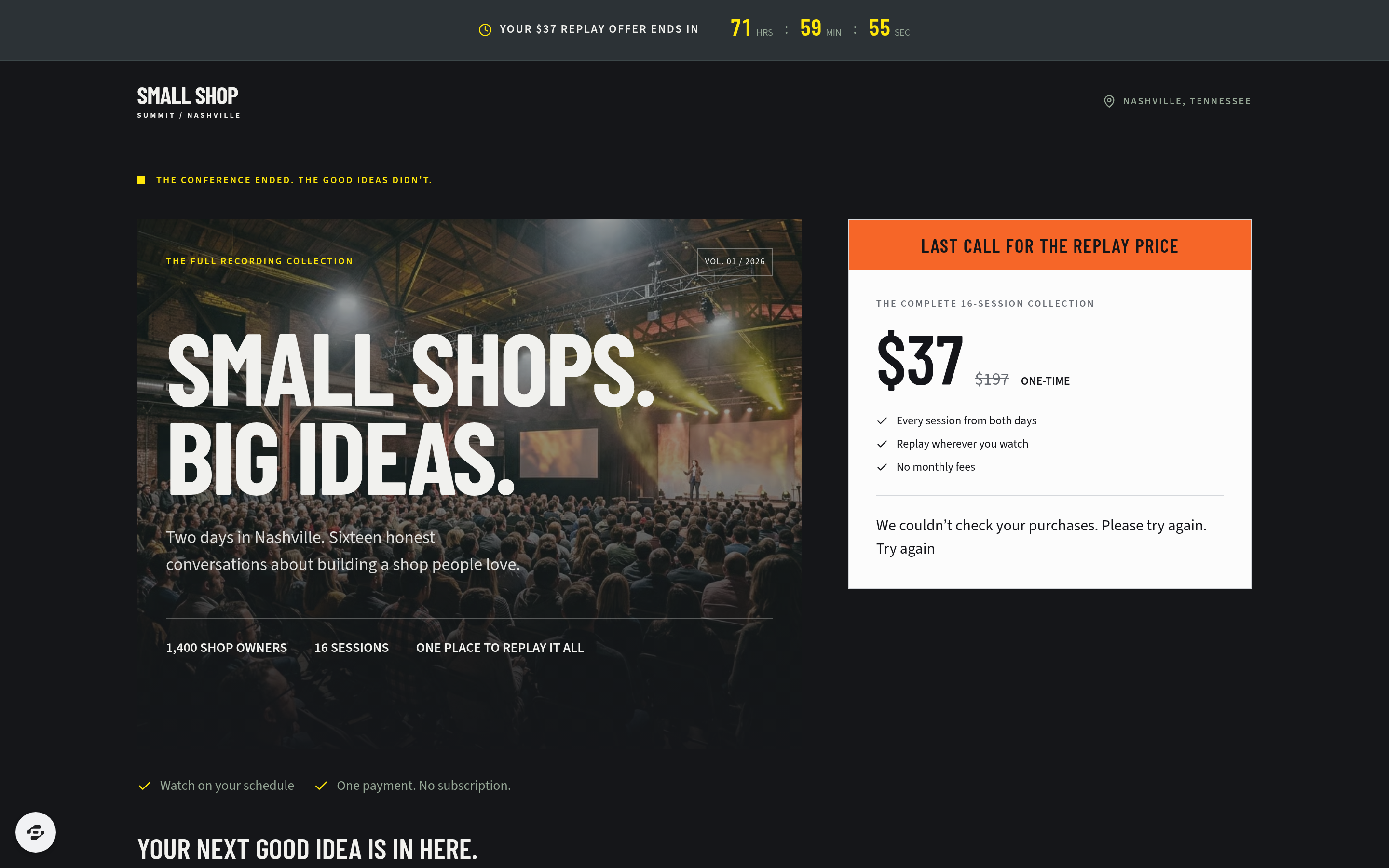
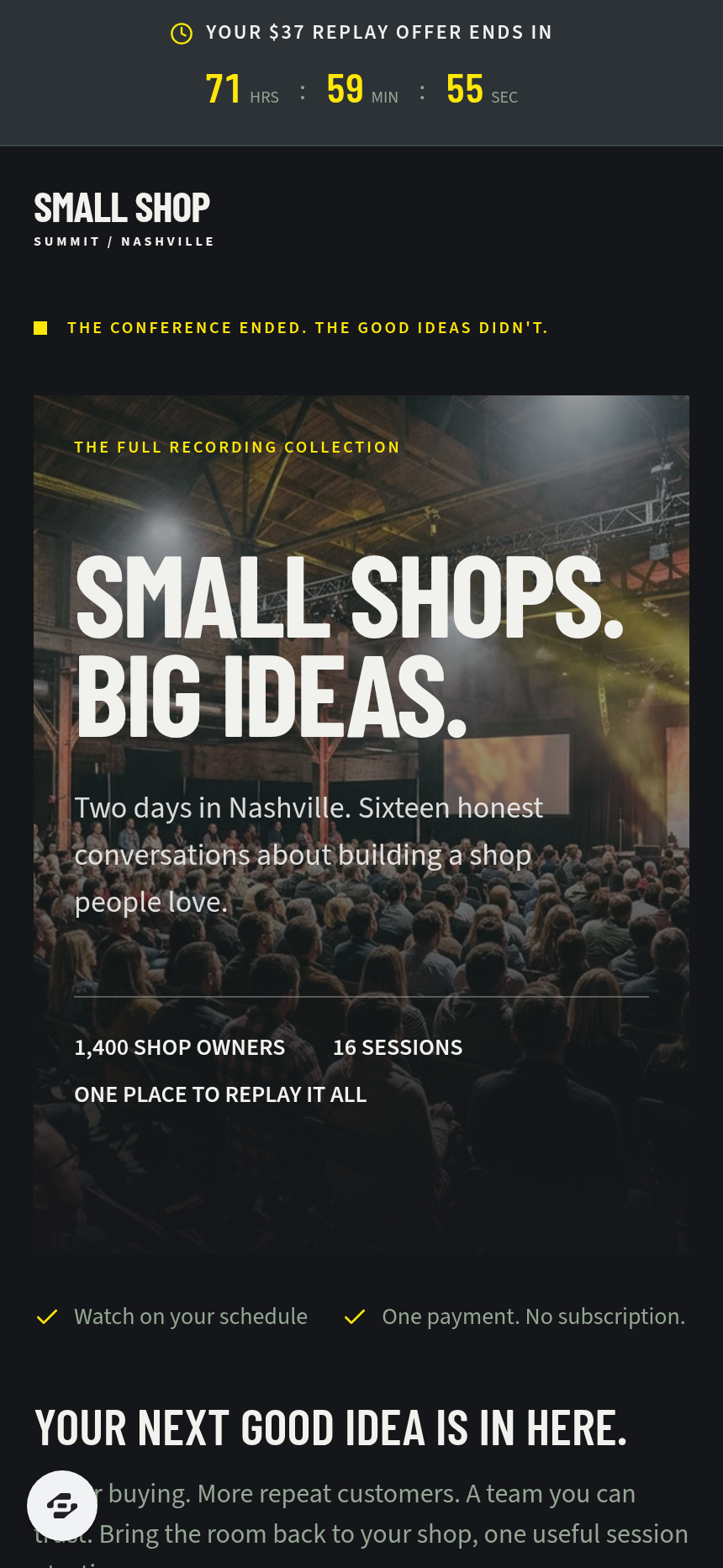
- Index (/) — The main sales page. A slim countdown bar sits at the top. Below it: a dark event hero ("Small Shops. Big Ideas.") with a white price card and the full order form beside it — name, email, card fields, a $17 slide-decks-and-transcripts upgrade checkbox, and a complete-order button. Sections below the fold: session stats, an organiser note, all 16 sessions listed with speaker names and shop types, six attendee quotes, a recap video, a speaker strip, and an FAQ.
- Next-Year (/next-year) — A one-click seat offer presented immediately after purchase. Shows the regular $597 seat price crossed out, the $197 early price, a short countdown, speaker grids, and two buttons: "Reserve my early seat — $197" and "No thanks, just the recordings for me."
- Thank-You (/thank-you) — Purchase confirmation with a receipt reference, line items (full recordings + optional slide-decks upgrade), and a prominent link to the library.
- Library (/library) — All 16 sessions listed with play buttons and durations. Non-buyers see a preview prompt; recording owners watch inline.
- Dashboard (/dashboard and /admin) — Owner-only funnel report: overall conversion, funnel steps in visitor order, and a contacts table with CSV export.
How it works
- A visitor lands on the Index page and sees the countdown bar counting down their personal 72-hour window.
- They scroll through the session list, organiser note, recap video, and attendee quotes.
- They fill in name, email, and card details in the inline order form; optionally check the $17 slide-decks-and-transcripts upgrade.
- On "Complete order," the order form captures payment and routes them to the Next-Year page.
- They choose "Reserve my early seat — $197" (a second charge to the same card) or click "No thanks" to skip.
- Either path lands on the Thank-You page, which links to the Library.
- The Library lists all 16 sessions; the organiser adds the actual video files after setup.
The order form, optional upgrade, and next-year seat are structured as a secured order page with an order bump and a one-click upsell charged to the saved card — the same money path the template ships ready to wire. When you open the funnel in the builder, you describe copy or layout changes in plain language and the editor updates the specific section you name: swap a speaker name in the session list, change the countdown duration, or reword the "No thanks" link, all without touching code. If you are adapting an existing event brand, starting from this template in the gallery and previewing it on desktop and mobile before editing saves the time you would spend building the dark hero and price-card layout from scratch.
The signature step
The hero on the Index page is the funnel's core conversion surface. The event poster image fills the left column; a white price card with the $37 price and the full checkout form sits immediately to its right. A visitor can read the offer and complete a purchase without scrolling. The $17 upgrade checkbox sits inside the same card, so the bump is visible at the moment of decision. The 72-hour countdown bar above the hero reinforces the close date without a separate page or modal.
Who it's for
- Conference organisers who filmed a live event and want to recoup production costs and reach people who could not attend.
- Summit hosts running annual or recurring events who need launch-week recording sales plus early-ticket momentum for the following year.
- Workshop runners and associations whose sessions have practical replay value for a paying audience.
- Independent event producers managing the post-event week for a client and needing a complete, low-setup sales flow.
Design
- Type pairing
- Barlow Condensed display Source Sans 3 body
- Motion
- none; reduced-motion: static
- Signature screen
- Hero with the $37 price card and the real checkout beside it
- References
-
- Event-replay sales page with the order form in the hero
What can you use Small Shop Summit — Event Recording Sales Funnel for?
- A retail conference organiser sells 600 copies of 16 recorded sessions at $37 each in the seven days after the event, recovering production costs before the post-event window closes.
- A florist and boutique trade association hosts an annual summit and uses the next-year seat offer on /next-year to sell $197 early-bird tickets within 48 hours of the recording sale, locking in attendees before general registration opens.
- A workshop producer running a two-day independent bookshop event in Nashville adds the $17 slide-decks-and-transcripts upgrade to the order form and increases average order value without a separate upsell page.
- A summit host who could not film every session uses the Library page to list only the recorded sessions, with the remaining slots marked as coming soon, so buyers know exactly what they are getting before the event archive is complete.
- A regional makers market association sets the funnel live the morning after their event ends, shares the Index URL in a post-event email to 1,400 attendees, and lets the 72-hour countdown create urgency without manual follow-up.
- An event producer managing the post-event week for a client monitors the /admin dashboard to track overall conversion and download the contacts CSV, then hands the client a clean summary of recording buyers and next-year seat holders.
Frequently asked questions
What is the Event Recording Sales Funnel?
Who is it for?
What pages are included?
How do I customize the Event Recording Sales Funnel in ClickFunnels AI?
Does it include a checkout or order form?
Can I use my own branding and domain?
How is it different from a classic ClickFunnels replay or video sales letter funnel?
What setup is required before the funnel goes live?
Related templates
 Webinars & Challenges
Evergreen Webinar Funnel
The Evergreen Webinar Funnel is a just-in-time automated webinar template in ClickFunnels AI that lets registrants pick a session starting in 15 minutes or the next day, then walks them through a real-timeline room, a scheduled pitch reveal, and a checkout — all without fake live chat or inflated attendee counts.
 Webinars & Challenges
Brightsteps — Move-the-Tower Parent Q&A Funnel
The Brightsteps Move-the-Tower Masterclass Funnel is a survey-first webinar registration funnel built in ClickFunnels AI for a kids' logic club in Ann Arbor, Michigan. It opens with a playable three-peg tower puzzle, asks each parent's own question before a free live Q&A is booked, and leads families to a $49 four-week course.
 Webinars & Challenges
Loop & Toss — Juggling Pattern Seven-Day Challenge Funnel
The Loop & Toss Juggling Pattern Seven-Day Challenge Funnel is a seven-day paid challenge template built in ClickFunnels AI for skill teachers who want to prove their method before asking for a sale. It opens on a live pattern player instead of a video, then moves a visitor into a $17 checkout and seven dated lesson pages.
 Webinars & Challenges
The One-Word Workshop — Word Wall Paid Workshop Funnel
The One-Word Workshop Word Wall Funnel is a paid-workshop funnel built in ClickFunnels AI that opens on a live typographic wall of 36 words, lets each visitor claim or contribute their one word for the year, and carries it through to a $24 seat checkout.
Make this template your starting point.
Inspect the preview, plan your changes, and test the workflow before you share it.
Use this template