Trailhound — Harness Fit Finder Funnel
Dog Harness Fit Finder Funnel is a product fit-finder funnel built in ClickFunnels AI for single-product pet gear brands that need to answer the sizing question before asking for a card. It runs visitors through a drawn-dog fit finder, settles their size, and carries that answer into a two-step order with a leash bump and a one-time second-harness offer.
About this template
What is Trailhound — Harness Fit Finder Funnel?
Trailhound Gear sells one harness — the Switchback no-pull — in five sizes and four colours at $48 flat. The funnel's job is to remove the one objection that stalls every pet-gear purchase: "I don't know what size to order." The sales page opens with a fit finder that answers that question in the hero, then hands the confirmed size and colour directly to the order form so the buyer never has to type it.
What you get
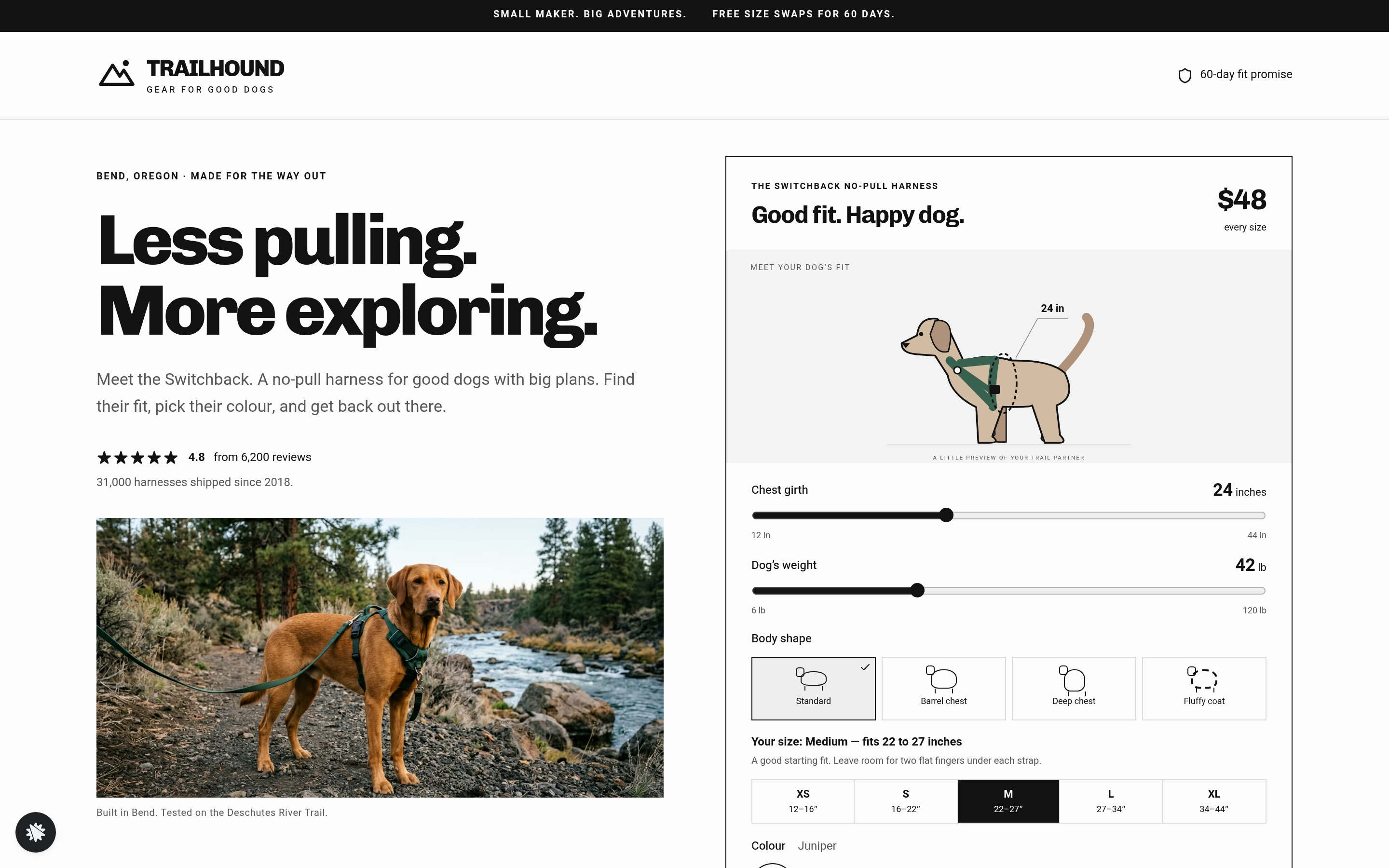
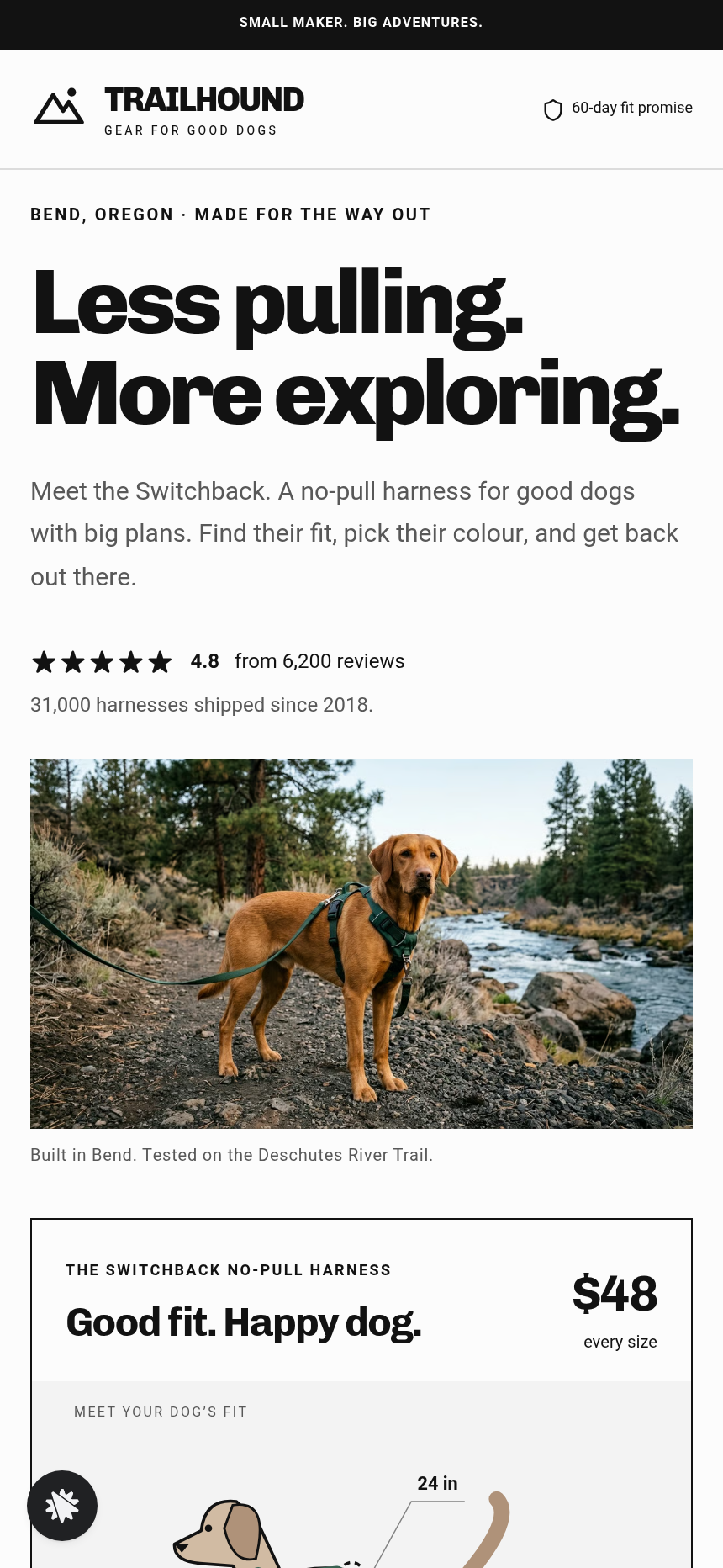
Sales page (/) — An announcement bar, a logo row, and a split hero: a two-line headline with a star rating on the left, and the fit finder card on the right. The card holds two sliders (chest girth 12–44 inches, weight 6–120 lb), four body-shape tiles (standard, barrel-chested, deep-chested, fluffy double coat), a drawn side-view dog labelled "A LITTLE PREVIEW OF YOUR TRAIL PARTNER" that morphs with the slider input, and a size chart row that lights up with the confirmed size. Colour swatches recolour the drawn harness. A three-step "how to measure" strip sits below. The CTA button reads "Order Medium in Juniper — $48" and passes size and colour into the order URL.
Below the hero: a stat strip (31,000 harnesses shipped, 4.8 from 6,200 reviews), a product split explaining front-clip guidance and Y-chest geometry, a dark maker band with Marit Solberg's story, a photo strip of dogs by size (XS–XL), a review section with aggregate rating, the 60-day fit promise, and a FAQ covering no-pull mechanics, between-size guidance, flat $48 pricing, the swap process, and ship timing.
Order page (/order) — A size-and-colour recap pulled from the URL (both editable inline), a "Where's the next adventure?" shipping step (Step 1), and a secure card checkout (Step 2) with a $14 matching-leash bump labelled "Yes, add the matching leash — $14." The card is saved for the offer that follows.
One-time offer (/one-time-offer) — "ONE MORE FOR THE TRAIL": a second Switchback in another colour for $34, charged to the saved card. A YES button completes the charge; "No thanks, one harness is plenty" skips it.
Thank-you page (/thank-you) — Order recap with size, colour, ship date computed to the next business day, the three-step fitting guide, and a drawn fit-check graphic labelled "Switchback harness fit check."
Admin dashboard (/admin) — Overall conversion, funnel-step breakdown in visitor order, and a recent-contacts table showing every buyer, with test traffic labelled separately and never added to live counts.
How it works
The visitor lands on / cold. The fit finder pre-fills a medium-sized standard dog so the page never looks blank. As they move the chest slider, the drawn dog morphs and the size chart highlights the matching row with copy like "Your size: Medium — fits 22 to 27 inches"; a between-size warning appears when the shape tile and girth put the dog on a boundary.
When they tap the order button, size and colour travel in the URL to /order. The order form presents shipping details as Step 1, then the card checkout mounts inside its own child component when the buyer advances to Step 2 — the leash bump appears there. After payment, the buyer lands on /one-time-offer, where the saved card handles the second-harness charge with one tap. The secured order page, the order bump, the one-time upsell, and the thank-you confirmation together make up the complete money path that ClickFunnels AI wires into every checkout-type funnel.
Every opt-in, order, and size selection is stored in the funnel's built-in database and surfaces in the /admin dashboard — no external CRM is needed to see who bought which size or to export contacts.
To swap copy, adjust prices, change slider ranges, or rewrite FAQ answers after launch, you describe the change in plain language in the ClickFunnels AI chat editor and the page updates — no code required.
The signature step
The fit finder on / is what separates this funnel from a standard product page. Moving the chest-girth slider redraws the dog's silhouette in real time, repositions a drawn tape measure around the chest, and lights up exactly one row of the size chart. Selecting the "deep-chested" shape tile with a girth reading near a size boundary appends the advice "Deep chest and between sizes: go up one." The result is a confirmed size recommendation the buyer trusts before they ever see a price or a card field.
Who it's for
- Pet gear brands selling one product in multiple sizes where fit hesitation is the primary drop-off
- Dog apparel, dog boot, or dog-coat shops that want a visual sizing tool in the hero
- Outdoor and trail gear brands (bike helmets, backpacks, wetsuits) with a numeric sizing step before checkout
- Single-product DTC founders who want a maker story, a no-pull explainer, and a sizing widget without hiring a developer
- Existing ClickFunnels users replacing a plain product page with a fit-guided funnel
Design
- Type pairing
- Chivo display Heebo body
- Motion
- drawn dog morph on slider input; reduced-motion: static
- Signature screen
- Fit finder with a drawn dog and a size chart row that lights up
What can you use Trailhound — Harness Fit Finder Funnel for?
- A dog-gear startup launching a no-pull harness replaces a plain Shopify product page with this funnel to reduce size-related returns by confirming fit before checkout.
- A dog apparel brand selling a quilted jacket in four sizes drops in the fit finder, swaps the slider labels to "neck" and "back length," updates the size chart rows, and has a sized purchase flow live the same day.
- A trail-dog accessory maker adds the funnel as a dedicated landing page for a paid social campaign, using the drawn-dog visual to hold attention long enough to explain a Y-chest design.
- A pet-subscription box operator uses the sales page as a standalone fit-quiz entry point, collecting the size result in the admin dashboard contacts table to pre-fill boxes before the buyer pays.
- An outdoor gear brand selling dog boots adapts the body-shape tiles to paw-width categories, keeping the slider for weight, and uses the lit-up size-chart row to recommend a boot size before the two-step order.
- A small maker testing a second product colour runs the one-time offer page as a post-purchase colour-add offer, tracking uptake in the admin dashboard without connecting an external analytics tool.
Frequently asked questions
What is the dog-harness-fit-finder-funnel?
Who is this funnel for?
What pages are included?
How do I customize the dog-harness-fit-finder-funnel in ClickFunnels AI?
Does it include a checkout and order bump?
Can I use my own branding and domain?
How is it different from a classic ClickFunnels product funnel?
What setup is required before going live?
Related templates
 Product & E-com Funnels
Minute Works — Free Plus Shipping Product Funnel
The Free-Plus-Shipping Product Funnel is a physical-product launch funnel built in ClickFunnels AI that gives visitors a $0 item in exchange for $7.95 shipping, then walks them through an order bump, a bundle upsell, and a downsell before landing on a three-part thank-you. It's designed for small-product brands that want to build a buyer list fast without hiding a single charge.
 Product & E-com Funnels
Sill & Stem — Houseplant Window Match Product Funnel
What is the Houseplant Window Match Product Funnel? A plant shop template built in ClickFunnels AI, it opens with a window-light tool and then sells any three plants in a $59 box.
 Product & E-com Funnels
Little Tick — Set-the-Clock First Watch Funnel
Little Tick sells a children's analog watch from Lancaster, Pennsylvania, through a ClickFunnels AI product funnel. A draggable clock face on the landing page lets a child practice reading the time before the parent reaches a $34 checkout.
 Product & E-com Funnels
Cogwood Toys — Turn-the-Gears Product Funnel
The Turn-the-Gears Product Funnel is a checkout-flow template for physical toy and kit sellers, built in ClickFunnels AI, that lets visitors interact with an animated gear board before ordering a $39 wooden kit. It moves visitors from play to purchase across a landing page, two-step order page, one-click wall-frame offer, and thank-you receipt.
Make this template your starting point.
Inspect the preview, plan your changes, and test the workflow before you share it.
Use this template