Sixty-Four Squares — Chess Puzzle Placement Course Funnel
Chess Puzzle Placement Course Funnel is a course enrollment funnel built in ClickFunnels AI that places each visitor by having them solve three live chess puzzles before presenting a matching level and a one-payment checkout. It replaces the typical quiz with a playable board, then routes the visitor through placement, enrollment, a one-time offer, and a welcome week.
About this template
What is Sixty-Four Squares — Chess Puzzle Placement Course Funnel?
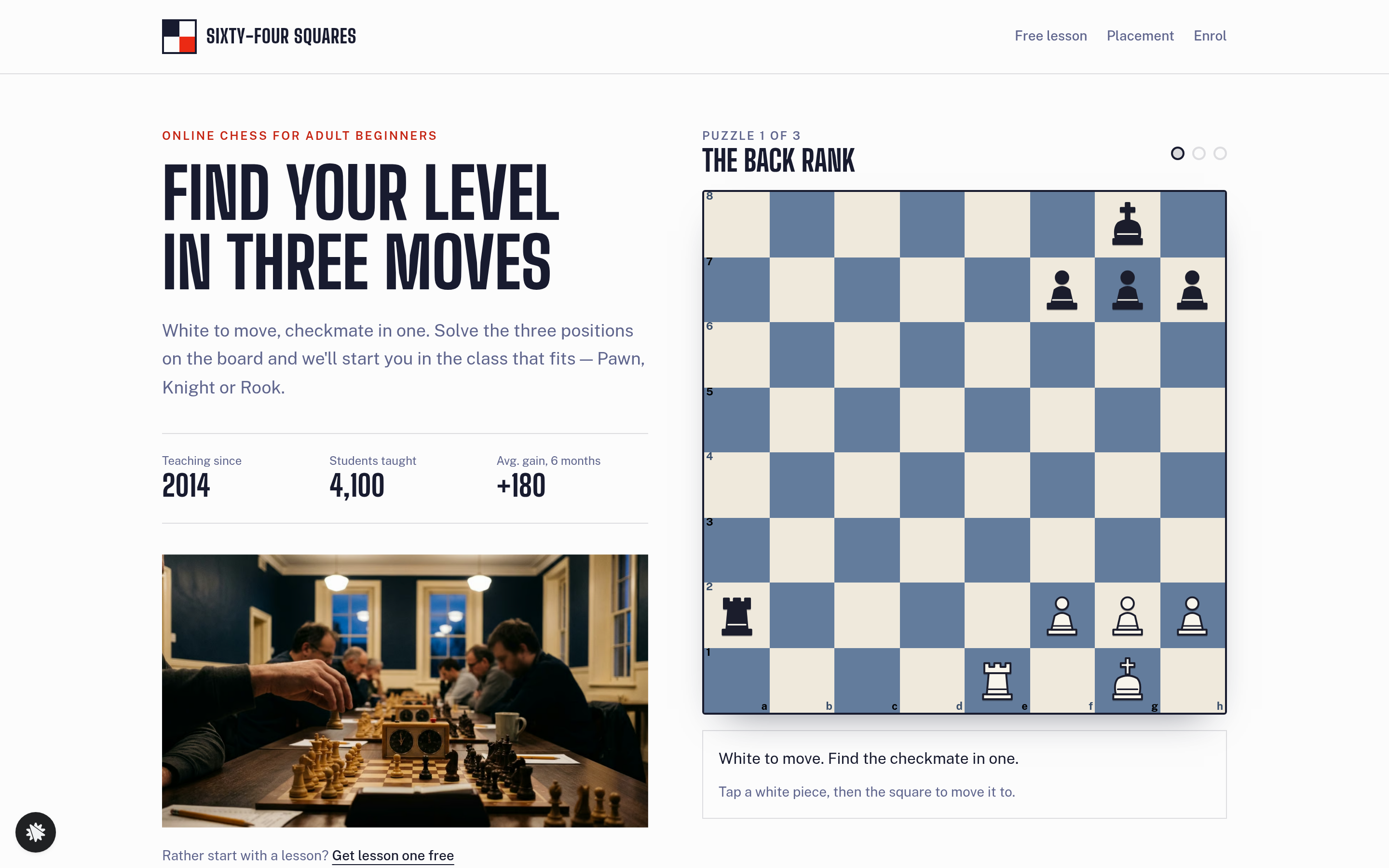
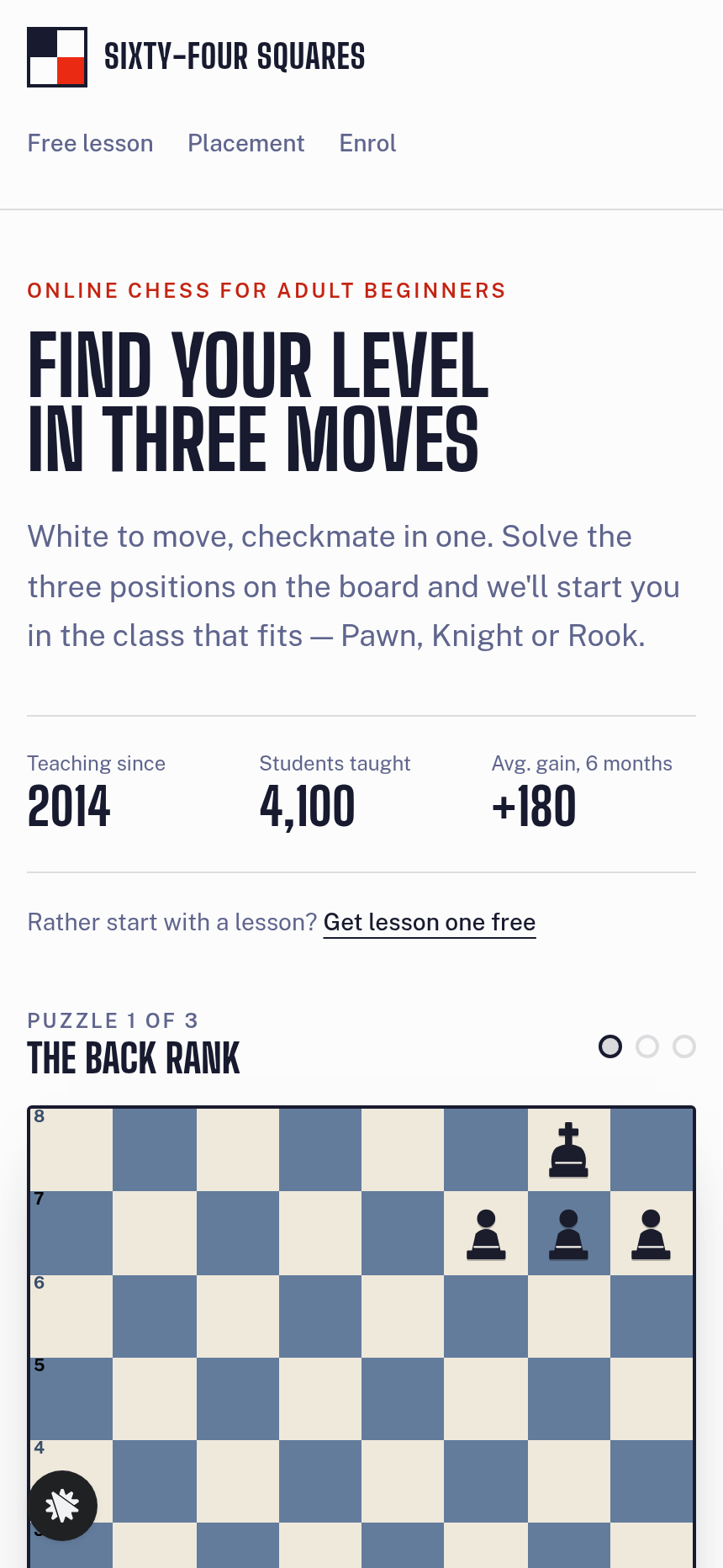
Sixty-Four Squares is an online chess school for adult beginners run from St. Louis, Missouri. Teaching since 2014, it has placed 4,100 students and runs a live coached class every Thursday evening. This funnel skips the usual "answer five questions" placement quiz and puts a real 8-by-8 board in the hero instead: visitors move pieces to solve three mate-in-one positions, and their score sets their starting level automatically.
What you get
Six visitor pages and an owner dashboard, connected end to end:
- Index (/) — slim nav, split hero with the playable puzzle board (Puzzle progress dots, three-dot score, Checkmate banner), How the school works in three steps, three level cards, student quotes, the Thursday class time shown in the visitor's own time zone, and an FAQ.
- Placement (/placement) — shows "You solved 2 of 3 on your own — start at Level 2, Knight" with three level cards (Level 1 Pawn, Level 2 Knight, Level 3 Rook) and a link to enrol.
- Enrol (/enrol) — the visitor's level carried in the URL, a plan selector (One Level $59 / All Three Levels $129), a $19 puzzle-book order bump, and a secure card checkout.
- OneTimeOffer (/one-time-offer) — a single post-purchase screen offering a 15-minute video game review for $39, charged to the card just used; one yes/no choice.
- Welcome (/welcome) — the first week of lessons for the enrolled level, the first Thursday class slot, and account access.
- FreeLesson (/free-lesson) — email opt-in to read Lesson 1 without paying.
- Dashboard (/admin) — funnel conversion steps, recent contacts with test-traffic labelling, and CSV export.
How it works
- Visitor lands on Index and sees the puzzle board in the hero with the prompt "White to move, checkmate in one."
- They tap a white piece, then tap a destination square. A correct mating move triggers the Checkmate banner and a one-sentence explanation; a wrong move slides back with a short hint; after two misses a Show me button plays the answer.
- After Puzzle 3 the board transitions to a placement result. The score (0–1 solved = Pawn, 2 = Knight, 3 = Rook) is saved with the visitor's session. The owner dashboard then lists each contact's level and puzzle record, with no outside CRM involved.
- Visitor clicks through to Enrol, where the level is pre-selected. They choose One Level ($59) or All Three Levels ($129), optionally add the $19 puzzle-book bump, and complete the secured order page — the money path includes the order bump on Enrol and the one-click $39 video-review upsell on OneTimeOffer, both charged to the saved card.
- After purchase, Welcome delivers the first week of content and the Thursday class time.
The signature step
The playable board on Index is the funnel's defining feature. Three mate-in-one positions ("The back rank," "The weak square," "The smothered king") are rendered on a real 8-by-8 grid with labeled squares ("e1, white rook"; "e4, empty") so screen readers and keyboard users can play. On mobile each square is at least 44 px. The three Puzzle progress dots below the board show solved-without-hint, solved-with-hint, and unsolved states in real time.
To swap in your own subject — say, three sight-reading bars for a music course or three grammar sentences for a language school — you open the funnel in ClickFunnels AI and describe the change: "Replace the chess puzzles with three sight-reading exercises; keep the three-dot progress bar and the placement result page." ClickFunnels AI rewrites the puzzle panel copy, the placement labels, and the level card descriptions while leaving the board interaction logic and checkout intact.
Who it's for
- Chess coaches selling a beginner course who want placement to feel like play, not paperwork.
- Music teachers, coding tutors, or language schools whose course has natural skill tiers and a short interactive exercise that sorts students faster than a quiz.
- Course creators who already sell at a fixed one-payment price and want an order bump and a post-purchase upsell without building separate pages.
- Operators migrating from a survey-style funnel who want the same level-match logic but with a tactile, shareable demo in the hero.
Design
- Type pairing
- Big Shoulders Display display Public Sans body
- Motion
- piece slides to its square or slides back; checkmate banner; reduced-motion: instant move
- Signature screen
- Playable chess board with three mate-in-one puzzles that set your level
What can you use Sixty-Four Squares — Chess Puzzle Placement Course Funnel for?
- A chess coach launching a beginner course uses the funnel to let prospects prove their level on the board before seeing a price — conversion from placement to enrol is higher because the visitor already knows their tier.
- A music school adapts the three puzzle slots to three sight-reading bars, keeps the Pawn/Knight/Rook level structure, and sells a fixed-price piano course with a sheet-music order bump on the Enrol page.
- A language tutor replaces the chess positions with three grammar-correction sentences, relabels levels A1/A2/B1, and uses the OneTimeOffer page to sell a 15-minute pronunciation review video after enrollment.
- A chess club running a youth program uses the FreeLesson page to collect emails from parents, drip Lesson 1, and move interested families into the paid course funnel without a separate email tool.
- An operator migrating from a five-question survey funnel remixes this template to cut the placement step from five clicks to three moves, reducing drop-off on the placement screen.
- A coding school tests whether an interactive placement exercise (three short debugging tasks in place of puzzles) increases paid enrollments versus their existing multiple-choice quiz, using the funnel's built-in contact store to compare cohorts.
Frequently asked questions
What is the Chess Puzzle Placement Course Funnel?
Who is this funnel for?
What pages are included?
How do I customize the Chess Puzzle Placement Course Funnel in ClickFunnels AI?
Does it include a checkout and order form?
Can I use my own branding and domain?
How is it different from a classic ClickFunnels survey funnel?
What setup is required before sharing the funnel?
Related templates
 Coaching & Courses
Even Keel — Debt Payoff Planner Workshop Funnel
The Debt Payoff Planner Workshop Funnel is a free workshop funnel built in ClickFunnels AI for a money coaching business. Visitors run a payoff planner on their own debts, save the plan with their email and then reach a $79 course checkout with a $19 bump.
 Coaching & Courses
Ledgerlight — Fit-the-Line Sales Forecast Course Funnel
Ledgerlight Fit-the-Line Sales Forecast Course Funnel is a course funnel for a $79 six-lesson sales forecasting class, built with ClickFunnels AI. Visitors drag a trend line through a café's twelve monthly sales, and their line carries through enrolment.
 Coaching & Courses
Hollis Ink — Trace-the-Letter Brush Lettering Course Funnel
The Brush Lettering Trace-the-Letter Course Funnel is a course-sales template for Hollis Ink, an Asheville brush-lettering school, made with ClickFunnels AI. Its hero is an interactive tracing pad where visitors follow guided strokes before enrolling in a 21-day course for a flat $49.
 Coaching & Courses
Plain Tags — First Web Page Playground Course Funnel
The First Web Page Playground Course Funnel is a sales sequence made in ClickFunnels AI for Plain Tags, an evening web school in Wichita, Kansas. It puts a live HTML playground on the sales page so visitors write real code before they ever see a price.
Make this template your starting point.
Inspect the preview, plan your changes, and test the workflow before you share it.
Use this template