Ines Calloway — Question Deck Facilitator Site
Question Deck Facilitator Site is a facilitator-personal-site funnel built in ClickFunnels AI for Ines Calloway, a team facilitator who sells a $28 physical card deck and books workshops through the same site. Visitors try the product in the hero by drawing live cards from The Long Table before they ever see a buy button.
About this template
What is Ines Calloway — Question Deck Facilitator Site?
Ines Calloway runs team sessions in Providence, Rhode Island built around The Long Table, a 52-card question deck she created after 14 years and 620 team sessions. This funnel is her entire web presence: a card draw that hands the visitor a real question from the deck, a physical-product checkout for the $28 deck, a workshop booking path, and a contact form — all on one site with no external tools required to start.
What you get
Five visitor-facing pages and a built-in owner dashboard:
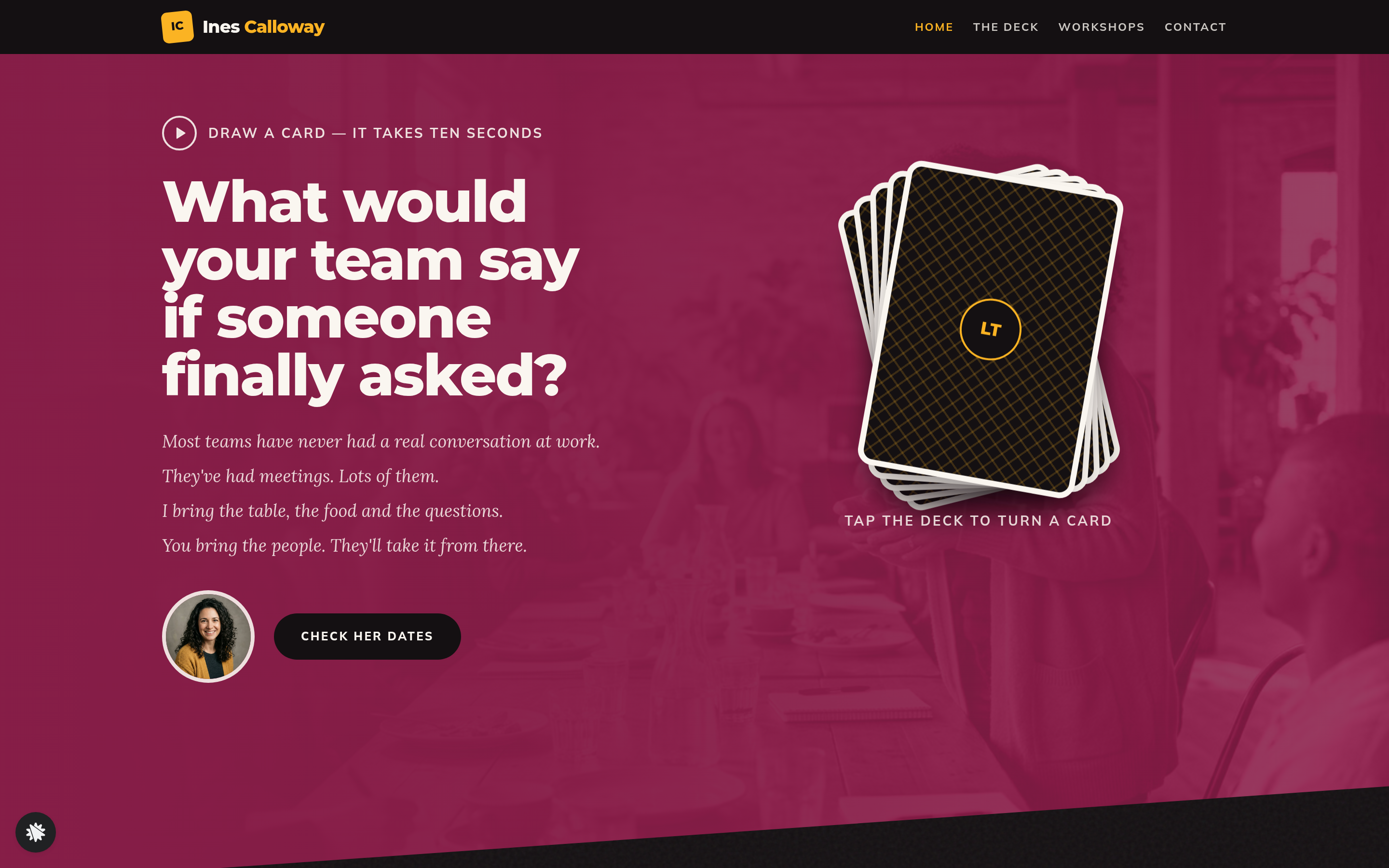
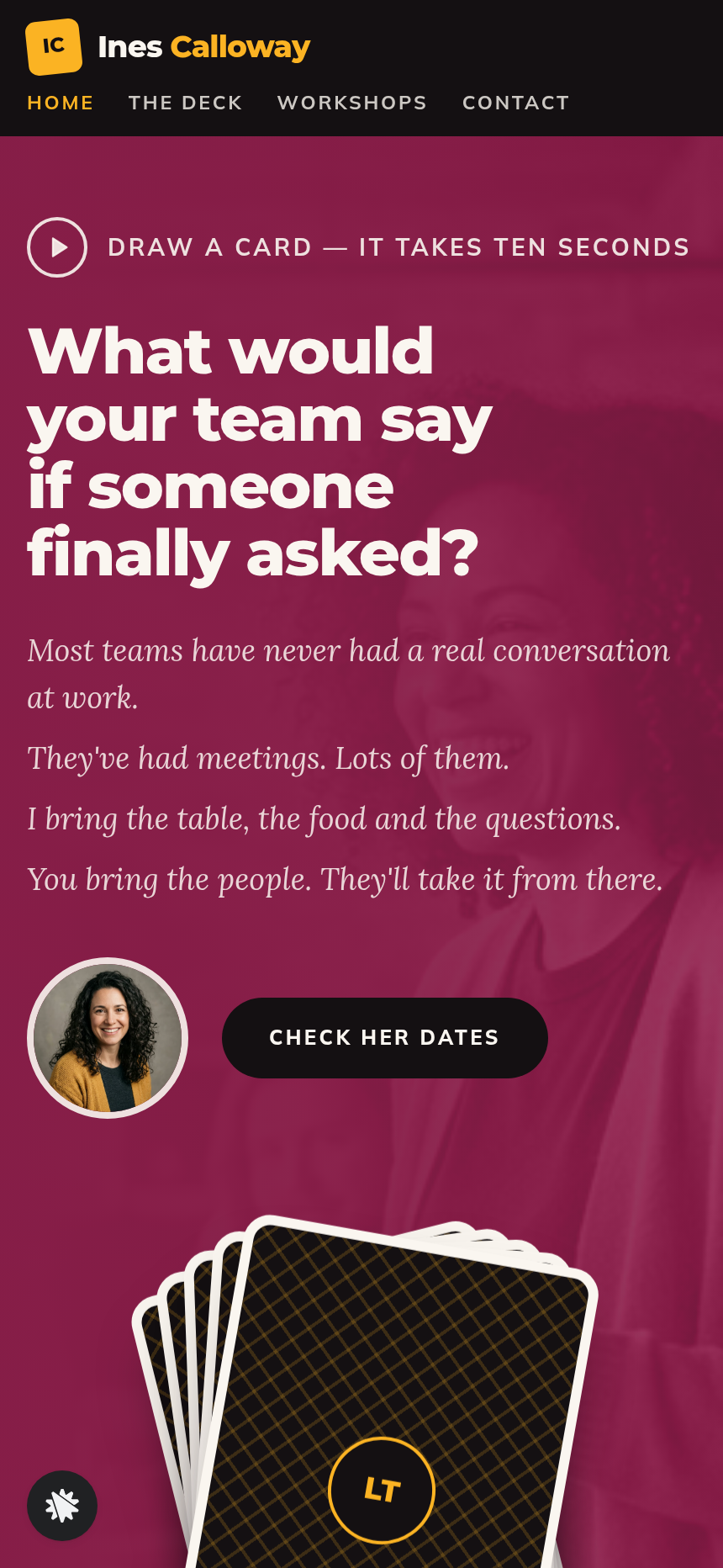
- Home (/) — a tall colour hero band with the card draw (tap the fanned deck, turn over up to three question cards colour-coded by suit, then choose 'See the deck' or 'Bring Ines to your team'), a near-black pull-quote band, a warm formats band listing Team kickoff, Half-day offsite, and Train your managers with prices-from, a client-names wall, and diagonal band edges throughout.
- Deck (/deck) — the four suits with example questions, what is in the box, and a live order form for the $28 deck with a $12 Wild Cards expansion bump.
- Thank You (/thank-you) — order confirmation with a ship date computed two business days out and a prompt to book a session with Ines.
- Workshops (/workshops) — the three session formats, prices, travel policy, and a step-by-step walkthrough of how a session runs (call, build, eat-and-talk).
- Contact (/contact) — an event-details form (company, date, format interest, source, notes) that routes to Received (/received), which shows what was submitted and the three next steps: email, 30-minute call, one-page plan.
- Dashboard (/dashboard → /admin) — funnel visit counts, conversion rate, and a contacts table showing every form submission, newest first, with test traffic labelled and excluded.
How it works
- A visitor lands on Home (/) and sees the fanned deck in the hero.
- They tap: one question card turns face-up, colour-coded by suit (Warm, Work, Trust, Wild).
- They can draw two more cards, then choose between the buy path and the booking path.
- Buy path: 'See the deck' goes to Deck (/deck), where the order form collects name, email, and card details; an optional $12 Wild Cards bump appears before payment; the order lands on Thank You (/thank-you) with a computed ship date — the order form, order bump, and confirmation page are the full money path built into the template.
- Booking path: 'Bring Ines to your team' or 'Check her dates' goes to Workshops (/workshops) or directly to Contact (/contact); form submission routes to Received (/received).
- Every contact form submission and order is stored in the funnel's built-in database and appears in the Dashboard (/admin) with name, email, timestamp, and test-traffic flag — no external CRM is needed to track leads from day one.
- When you want to adjust the card draw copy, swap a workshop price, or reword the contact confirmation, you describe the change in plain language and ClickFunnels AI edits the page — whether that means updating a card question in data/longTable.ts, changing the $28 price on the Deck order form, or reordering the bands on Home.
The signature step
The card draw on Home (/) is what makes this funnel distinct. The deck sits fanned and face-down in the hero beside the headline. The visitor taps it; one real question from The Long Table turns over with its suit colour. They can draw a second and third card. No score, no quiz result, no email gate — just the product itself, live in the browser, before any ask is made.
Who it's for
- Facilitators and coaches who sell a physical card or game product alongside live sessions.
- Speakers and authors who want one site that handles both a product order and a speaking or workshop inquiry.
- Game makers and question-deck creators who want visitors to experience the product before buying.
- Consultants and trainers who charge per session and need a simple booking-request flow with no calendar software.
- Anyone running workshops priced from a few hundred to a few thousand dollars who currently sends prospects to a generic contact page with no product demo.
Design
- Type pairing
- Montserrat display Mulish body
- Motion
- card flip on tap; reduced-motion: cross-fade
- Signature screen
- Tap-to-draw question deck in the hero band
- References
-
- 10.10 keynote speaker site
What can you use Ines Calloway — Question Deck Facilitator Site for?
- A team facilitator replaces her static WordPress site with this template, keeps the card draw as her homepage demo, and starts taking $28 deck orders and workshop inquiries from the same URL.
- A leadership coach who sells a printed reflection card set uses the Deck page and order bump to sell a base deck plus an expansion pack in one checkout, with no separate e-commerce platform.
- A keynote speaker adds the Contact page and Received flow to handle event-booking requests, replacing a generic email address with a structured form that asks for date, company, and format preference.
- A game designer launching a question-deck Kickstarter uses the card draw on Home to let backers experience the product before they click through to the campaign, tracking interest via the Dashboard contacts table.
- A corporate trainer offering three workshop tiers (kickoff, half-day, manager training) uses the Workshops page to list formats and prices-from, then routes all inquiries through the Contact and Received flow so nothing gets lost in email.
- A facilitator collective with five members remixes the template for each member, swapping the card questions, palette, and workshop prices per person, with each version on its own custom domain under a Growth plan.
Frequently asked questions
What is the Question Deck Facilitator Site?
Who is this template for?
What pages are included?
How do I customize the Question Deck Facilitator Site in ClickFunnels AI?
Does it include a checkout or order form?
Can I use my own branding and domain?
How is it different from a classic ClickFunnels lead-gen funnel?
What setup is required before going live?
Related templates
 Personal Brand
Hollis Reed — Family Historian Fan Chart Site
The Family Historian Fan Chart Site is a four-page service funnel built in ClickFunnels AI for a genealogy researcher. The home page draws an interactive fan chart from a birth year, two intake steps gather the research details, and a $350 card checkout closes the sale with an optional $45 framed-chart bump.
 Personal Brand
Maren Holt — Line-Up-the-Layers Printmaker Site
Maren Holt — Line-Up-the-Layers Printmaker Site is a ClickFunnels AI product-sales template for a screen printmaker in Duluth, Minnesota. Visitors line up a two-colour print with an interactive registration tool before buying a numbered edition of 50 for a flat $65.
 Personal Brand
Margo Pell — Monday Mini Crossword Personal Site
Margo Pell Monday Mini Crossword Personal Site is a lead-magnet-with-product-sale funnel built in ClickFunnels AI for a crossword maker's personal site. It opens on a playable four-by-four mini, converts solvers into Monday-email subscribers, and sells a $24 book of 52 full-size puzzles.
 Personal Brand
Wren Ashby — Wedding Planner Seating Chart Site
Wedding Planner Seating Chart Site is a lead-capture service funnel built with ClickFunnels AI for wedding planners who sell a flat-rate seating plan — couples arrange 24 guests across three tables, see conflicts in plain language, then pay $85 for the finished chart, place-card list, and drawn table map.
Make this template your starting point.
Inspect the preview, plan your changes, and test the workflow before you share it.
Use this template