Quickbrown Keys — Typing Speed Test Lead Page
Typing Speed Test Lead Page is a lead-capture funnel built with ClickFunnels AI that places a live 60-second typing test in the hero, gates the result behind an opt-in form, and delivers a $7 ten-day drill course on the thank-you page.
About this template
What is Quickbrown Keys — Typing Speed Test Lead Page?
Quickbrown Keys is a touch-typing school in Rochester, New York, open since 2017. This funnel replaces the standard PDF lead magnet with an interactive proof-of-concept: visitors type a 45-word passage against a countdown clock, receive a speed card showing words per minute, accuracy and their three weakest keys, then trade their name and email for a ten-day practice plan. The order page sells the Ten-Day Homerow Sprint for a one-time $7 with an optional finger-map and key-chart pack as an order bump.
What you get
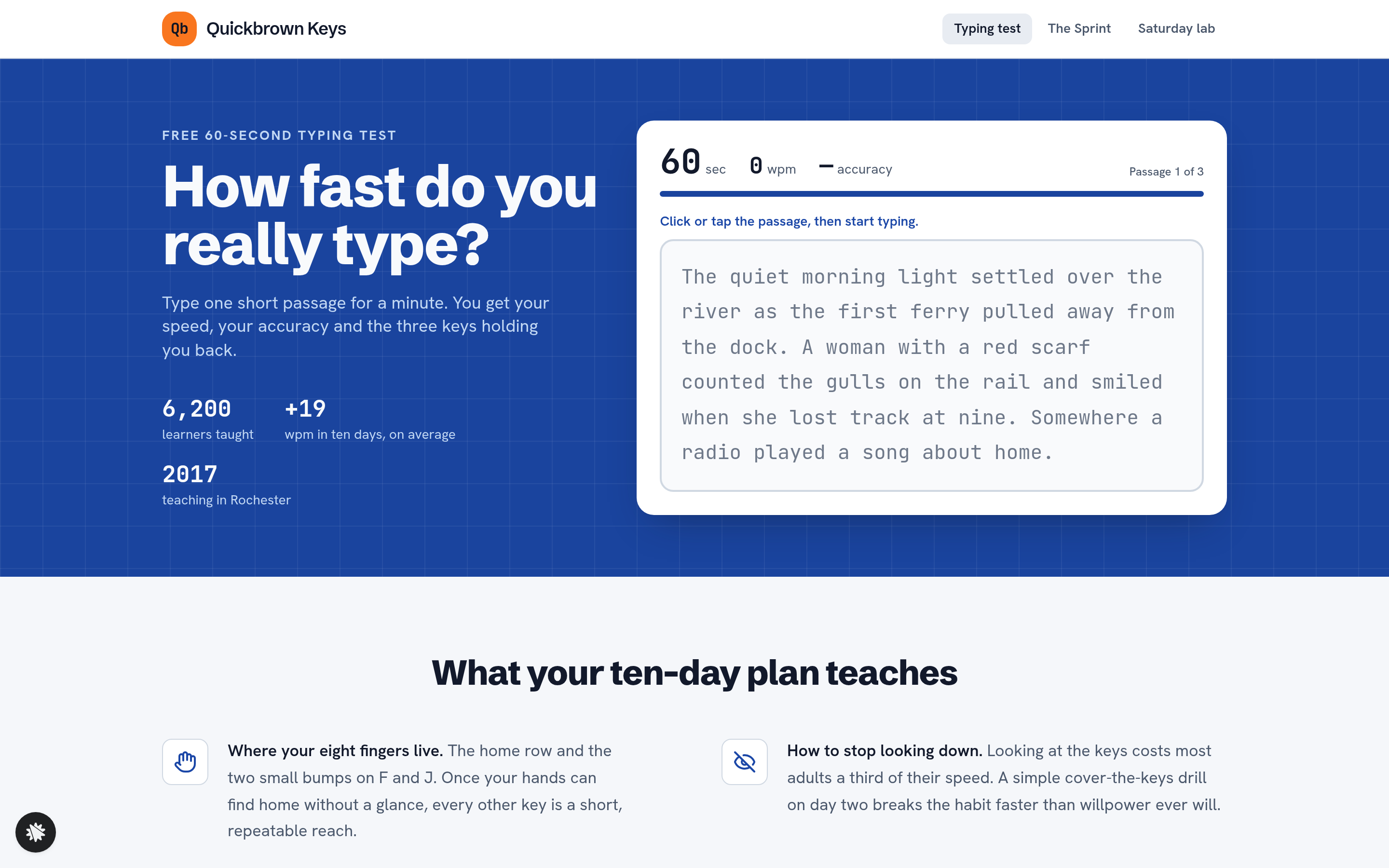
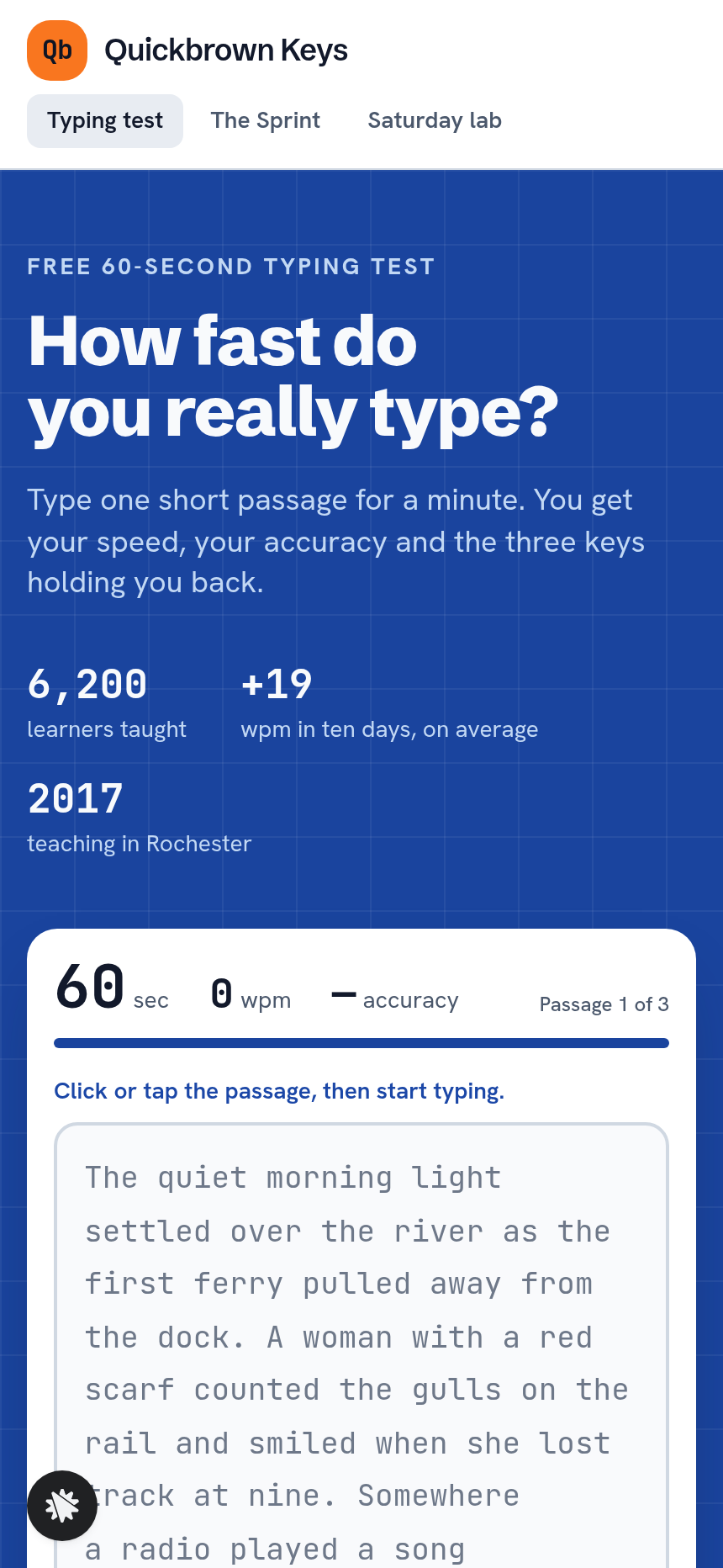
- Landing page (/) — a cobalt-blue hero band with a live typing test card: a displayed passage that colours letter by letter as the visitor types, a countdown bar, live words-per-minute and accuracy, and a final speed card on the 40/60/80 scale listing the three most-missed keys. Below the hero: a two-by-two grid of four learning outcomes, three learner quotes and a closing colour band.
- Result gate (/ — popup) — a plan-gate popup with first name, email, two yes/no questions ("Do you type for work?" and "Do you look at the keys when you type?") and a consent checkbox.
- Thank-you page (/thank-you) — an intro-offer band for the Ten-Day Homerow Sprint, the visitor's speed card and a "what is it" section with drill details.
- Sprint order page (/sprint) — a ten-day curriculum overview, a $7 checkout and a $12 finger-map pack order bump.
- Welcome page (/welcome) — Day 1 drill, the visitor's starting speed and extra reps on their flagged keys.
- Saturday lab page (/lab) — the next four Saturday session dates computed from today, session descriptions and a Monroe Avenue location.
- Admin dashboard (/dashboard and /admin) — overall conversion, test traffic, per-step counts and every opt-in in one list.
How it works
- Visitor lands on / and reads the hero headline: "How fast do you really type?"
- They type the displayed passage; the clock counts down 60 seconds and accuracy updates live.
- The speed card appears with their wpm, accuracy and three weakest keys.
- The result gate popup opens — the plan-gate form asks for name, email and two qualifying questions; the contacts list in the built-in dashboard records every opt-in with their answers, so the school can segment work typists from hunt-and-peck beginners without connecting an external CRM.
- After opt-in the visitor lands on /thank-you, which shows their speed card and the Ten-Day Homerow Sprint offer.
- Clicking through to /sprint shows the ten-day curriculum and a $7 order form with the optional $12 finger-map pack bump.
- Post-purchase, /welcome opens Day 1 and surfaces extra reps on the three flagged keys; the follow-up email sequence, included with the funnel, reinforces the daily drill habit and surfaces the Saturday lab offer for nearby learners.
The signature step
The typing test in the landing-page hero is what makes this funnel distinct. The passage displays in JetBrains Mono; each character the visitor types is coloured green (correct) or red (error) in place. A progress bar counts down the 60 seconds. When the timer expires, a speed card slides in with the wpm figure plotted on a 40/60/80 scale and the three keys the visitor missed most — giving them a personalised reason to want the plan before the opt-in form ever appears.
Who it's for
- Touch-typing schools and tutors who want an interactive lead magnet instead of a downloadable PDF.
- Coding bootcamps that screen incoming students for keyboard fluency.
- Language schools adding a typing component to their digital-skills curriculum.
- Test-prep services whose entrance exams include a timed typing section.
- Corporate training teams measuring baseline typing speed before a productivity workshop.
Design
- Type pairing
- Schibsted Grotesk display Hanken Grotesk body
- Motion
- passage letters colour as typed; countdown bar shrinks; speed card replaces the test; reduced-motion: static
- Signature screen
- 60-second typing test that ends in a speed card
- References
-
- 0.6 template-library lead funnel page
What can you use Quickbrown Keys — Typing Speed Test Lead Page for?
- A touch-typing school uses the funnel to convert website visitors into email subscribers by letting them benchmark their current speed before any sales message appears.
- A coding bootcamp embeds the typing test as a pre-enrollment screener, using the two yes/no qualifying questions to flag applicants who hunt-and-peck before the interview stage.
- A corporate L&D team runs the funnel before a productivity workshop to collect baseline wpm scores for every participant, stored in the built-in contacts dashboard for pre- and post-training comparison.
- A test-prep provider for data-entry certification programs uses the speed card result — wpm, accuracy, and three weakest keys — to pitch a targeted remediation course on the thank-you page.
- A language school adds the funnel to its digital-skills track, using the Saturday lab page (/lab) to promote weekly in-person sessions to local opt-ins while routing remote learners straight to the Sprint order page.
- An online keyboard tutor replaces a free PDF guide with the typing test, using the follow-up email sequence included in the funnel to send daily drill reminders that mirror the ten-day plan structure.
Frequently asked questions
What is the Typing Speed Test Lead Page?
Who is this funnel for?
What pages are included?
How do I customize the Typing Speed Test Lead Page in ClickFunnels AI?
Does it include a checkout or order form?
Can I use my own branding and domain?
How is it different from a classic ClickFunnels opt-in funnel?
What setup is required before sharing the funnel?
Related templates
 Lead Pages & Opt-ins
Marin Pricing Ladder
Marin Pricing Ladder is an ebook lead magnet funnel template for ClickFunnels AI: a single opt-in page with a drawn book cover, five bullets and a two-field form, a delivery page that hands over the PDF, and a $17 workbook order page with a real card form.
 Lead Pages & Opt-ins
Butter & Bay — One-Oven Holiday Dinner Planner Lead Page
Holiday Dinner One-Oven Planner Lead Page is a giveaway-style opt-in funnel made with ClickFunnels AI for Butter & Bay Cooking School in Raleigh, North Carolina. Visitors set their turkey weight, dinner time and sides, read a one-oven timeline, then submit the "Email me this plan" form to keep it.
 Lead Pages & Opt-ins
Fernbrook Studio — 5-Day Pricing Email Course Lead Page
The email-course lead page is an email-course squeeze funnel that captures freelancer opt-ins with a five-day pricing course, delivers day 1 instantly on a confirmation page, and bridges to a $29 template pack. ClickFunnels AI builds it from a single prompt and lets you edit every line of copy, the day-by-day outline, and the order form through a plain-language chat.
 Lead Pages & Opt-ins
Bluewater Move Quote
The multi-step quote lead page is a desktop inline stepper that walks visitors through three numbered steps — need, details, contact — and delivers a quote-ETA confirmation on a separate thank-you page. ClickFunnels AI builds and wires both pages from a single prompt, ready to adapt to any service business that needs several answers before a human can price a job.
Make this template your starting point.
Inspect the preview, plan your changes, and test the workflow before you share it.
Use this template