Corwin Vale — Mind Reader Booking Site
The Mind Reader Booking Site is a personal-brand booking template in ClickFunnels AI for a performing mentalist: it opens with a live mind-reading trick in the hero, then moves visitors through three priced formats, a date-availability strip, and a deposit checkout to hold a performance date.
About this template
What is Corwin Vale — Mind Reader Booking Site?
Corwin Vale is a mind reader based in Charleston, South Carolina — 312 events, 4.9 stars, performing since 2014 at weddings, company dinners, and private parties. This funnel exists to fill his calendar. Rather than describing what a mentalist does, the site demonstrates it: the first thing a visitor encounters is a real trick, and by the time they reach the booking section they have already been the audience.
What you get
Five visitor-facing pages and an owner dashboard:
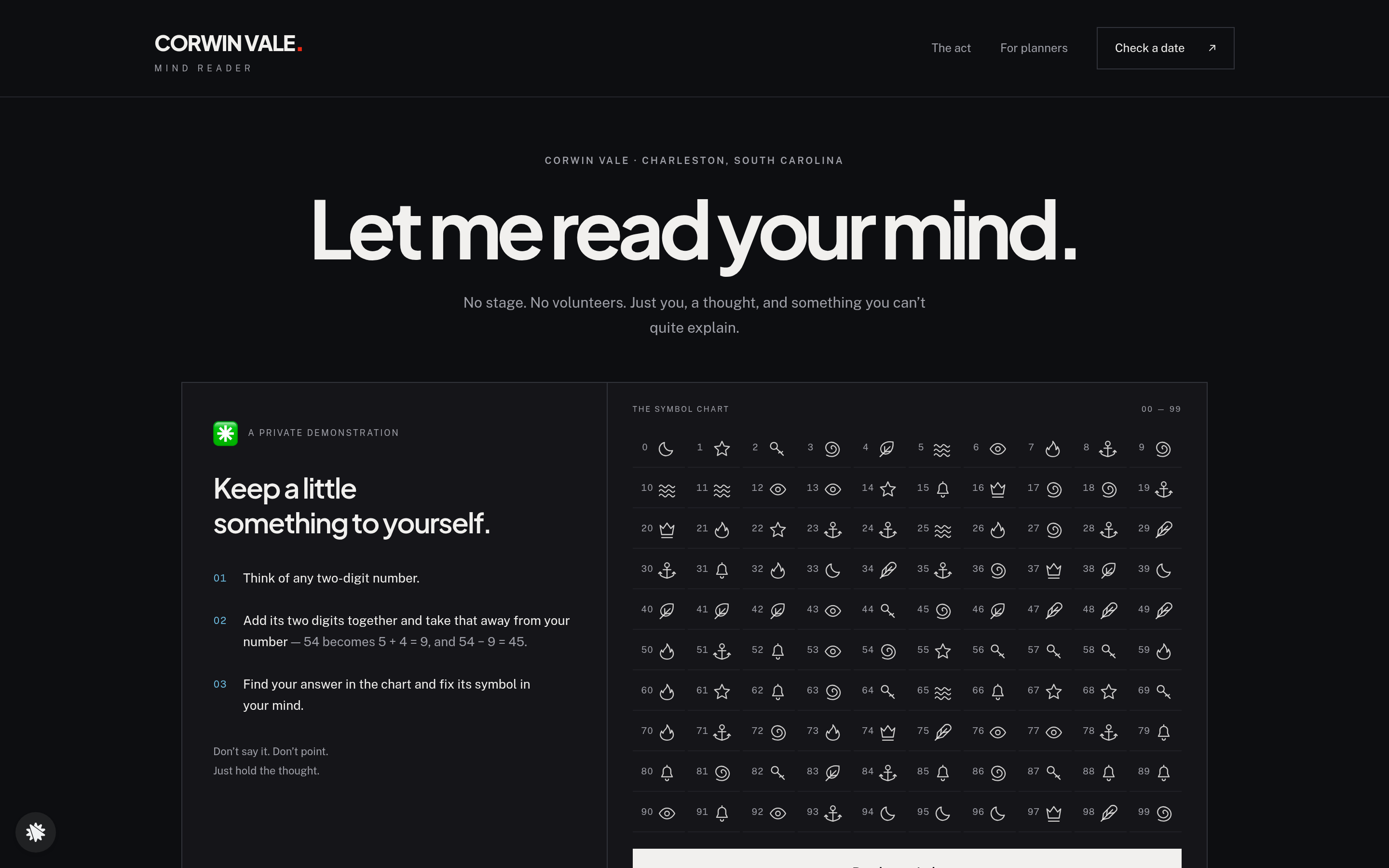
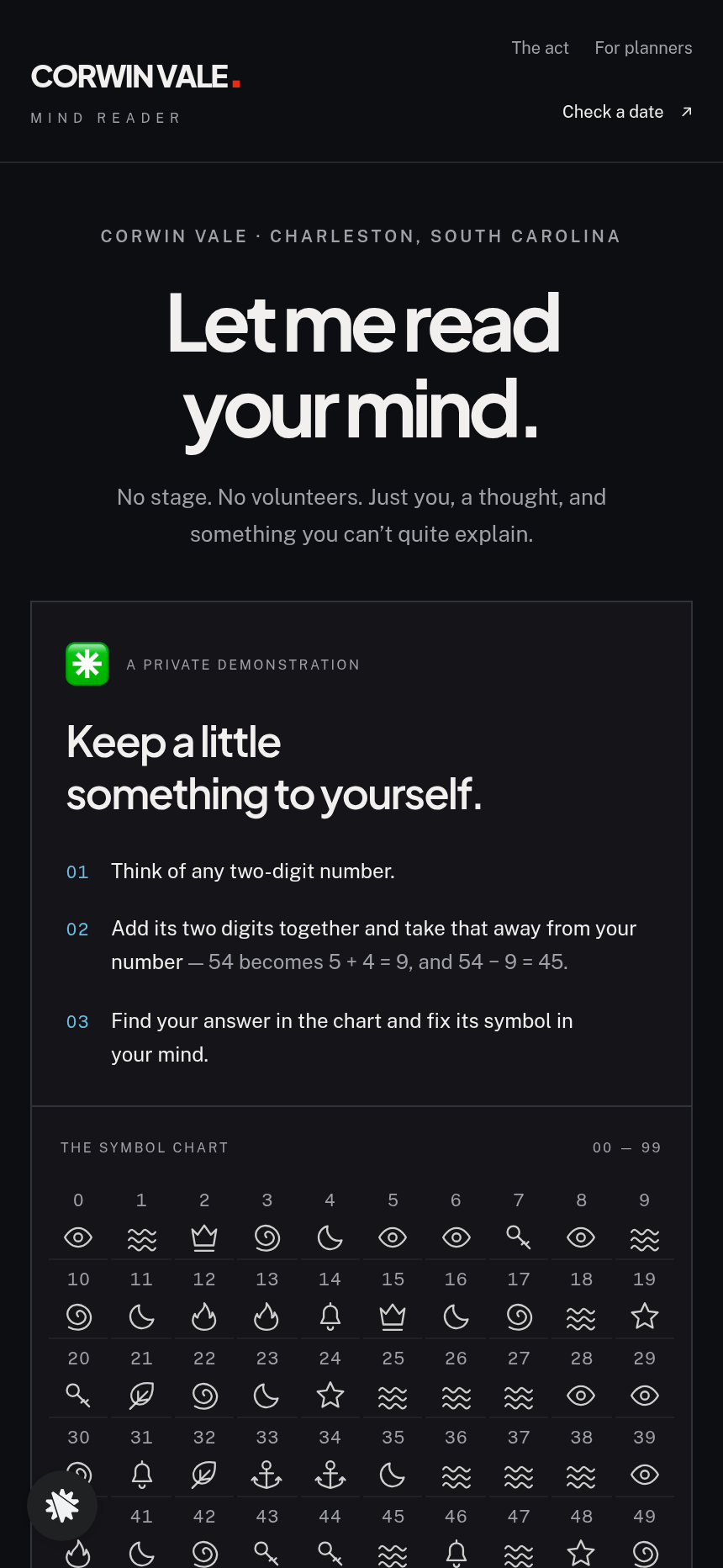
- Home (/) — The centrepiece is the "Let me read your mind" trick card (MindStage): three numbered instructions, a 0–99 symbol chart, a "Read my mind" button that dims the stage and reveals the correct symbol, and a "Try me again" reset. Below it: three performance formats with open fees ($650 table-side, $1,200 dinner show, $1,700 full evening), host quotes, and a strip of the next ten Fridays and Saturdays marked open or held, with a "Hold this date" call to action.
- Hold (/hold) — The date-hold request page. Visitors confirm their chosen date and format, enter four details (email, name, guest count, event type), then complete a card checkout: a flat $150 date-hold deposit applied toward the performance fee, with an optional $95 custom-finale order bump.
- Held (/held) — The confirmation screen. Shows the held date in plain language and three numbered next steps, including when Corwin will call.
- The Act (/the-act) — Three narrative moments from a live performance; links back to the date-check flow.
- For Planners (/for-planners) — Running order, room and timing requirements, and eight answered questions for event coordinators.
- Dashboard (/admin) — Owner view of visits, recent contacts, and sales.
How it works
Begin with the Mind Reader Booking Site from the gallery. Check it on desktop and on mobile, then open the editor and fit each detail to your act, your market, and your fees. After generation, describe any change you want — swap the performer name, update a format fee, adjust the date strip header — and ClickFunnels AI edits the page directly. /hold brings a protected payment form, a $95 custom-finale bump, and a thank-you redirect. The deposit path is connected from the start.
The signature step
The MindStage component on the Home page is what makes this funnel unlike any other booking site in the gallery. The visitor follows three instructions, finds their number's symbol in the chart, and presses "Read my mind." The stage dims for about three seconds — "Hold it in your mind…" — then the correct symbol appears large. Each round assigns one chosen symbol to all nine multiples of nine (9, 18, 27 … 81) while every other number gets a randomly assigned symbol, so the reveal is always accurate and the method is never visible in the chart. "Try me again" reshuffles and picks a new symbol. No explanation, no disclaimer, no mention of mathematics anywhere on the page.
Who it's for
- Mentalists and mind readers who book private and corporate events
- Magicians whose act is easier to show than describe
- Close-up performers who want a site that pre-sells the experience before asking for a deposit
- Any solo entertainer whose calendar fills via direct inquiry rather than a ticketing platform
Design
- Type pairing
- Plus Jakarta Sans display Public Sans body
- Motion
- the stage dims for three seconds before the symbol appears; reduced-motion: the symbol simply appears
- Signature screen
- Mind-reading trick: a 0-99 symbol chart and a reveal that names the symbol you are holding in your head
What can you use Corwin Vale — Mind Reader Booking Site for?
- A Charleston mentalist uses the funnel to replace an outdated PDF media kit: visitors experience the trick, see the three formats and fees, and place a deposit — all without an email exchange.
- A corporate entertainment agency white-labels the funnel for a mind reader on their roster, updating the performer name, fees, and city so the booker lands on a dedicated site for that act.
- A wedding entertainment vendor adds the For Planners page URL to their venue partnership packets so event coordinators can review the running order, room requirements, and FAQ before recommending the act.
- A mentalist transitioning from club dates to private events uses the date strip to signal scarcity — marking most upcoming Fridays and Saturdays as held — which supports the premium fee positioning.
- A performer testing two fee structures runs a split test on the three format cards, comparing the original $650/$1,200/$1,700 pricing against a simplified two-tier offer to see which produces more Hold-page visits.
- An entertainer who works destination events swaps the Charleston, South Carolina location copy and the date strip header to reflect their home market, then publishes the funnel on a custom domain under their own name.
Frequently asked questions
What is the Mind Reader Booking Site?
Who is this funnel for?
What pages are included?
How do I customize the Mind Reader Booking Site in ClickFunnels AI?
Does it include a checkout or order form?
Can I use my own branding and domain?
How is it different from a classic ClickFunnels booking or lead-capture funnel?
What setup is required before sharing the funnel?
Related templates
 Personal Brand
Hollis Reed — Family Historian Fan Chart Site
The Family Historian Fan Chart Site is a four-page service funnel built in ClickFunnels AI for a genealogy researcher. The home page draws an interactive fan chart from a birth year, two intake steps gather the research details, and a $350 card checkout closes the sale with an optional $45 framed-chart bump.
 Personal Brand
Maren Holt — Line-Up-the-Layers Printmaker Site
Maren Holt — Line-Up-the-Layers Printmaker Site is a ClickFunnels AI product-sales template for a screen printmaker in Duluth, Minnesota. Visitors line up a two-colour print with an interactive registration tool before buying a numbered edition of 50 for a flat $65.
 Personal Brand
Margo Pell — Monday Mini Crossword Personal Site
Margo Pell Monday Mini Crossword Personal Site is a lead-magnet-with-product-sale funnel built in ClickFunnels AI for a crossword maker's personal site. It opens on a playable four-by-four mini, converts solvers into Monday-email subscribers, and sells a $24 book of 52 full-size puzzles.
 Personal Brand
Wren Ashby — Wedding Planner Seating Chart Site
Wedding Planner Seating Chart Site is a lead-capture service funnel built with ClickFunnels AI for wedding planners who sell a flat-rate seating plan — couples arrange 24 guests across three tables, see conflicts in plain language, then pay $85 for the finished chart, place-card list, and drawn table map.
Make this template your starting point.
Inspect the preview, plan your changes, and test the workflow before you share it.
Use this template