Quiet Hours — Sleep Quiz to Workshop Seat Funnel
The quiz-to-workshop-seat funnel is a seven-question diagnostic that scores a visitor's top sleep blocker and turns the result page into a live workshop registration — built and customizable in ClickFunnels AI. The result page names the blocker, plays a personal video report, and presents a seat picker, so the visitor registers as a natural continuation of seeing their result.
About this template
What is Quiet Hours — Sleep Quiz to Workshop Seat Funnel?
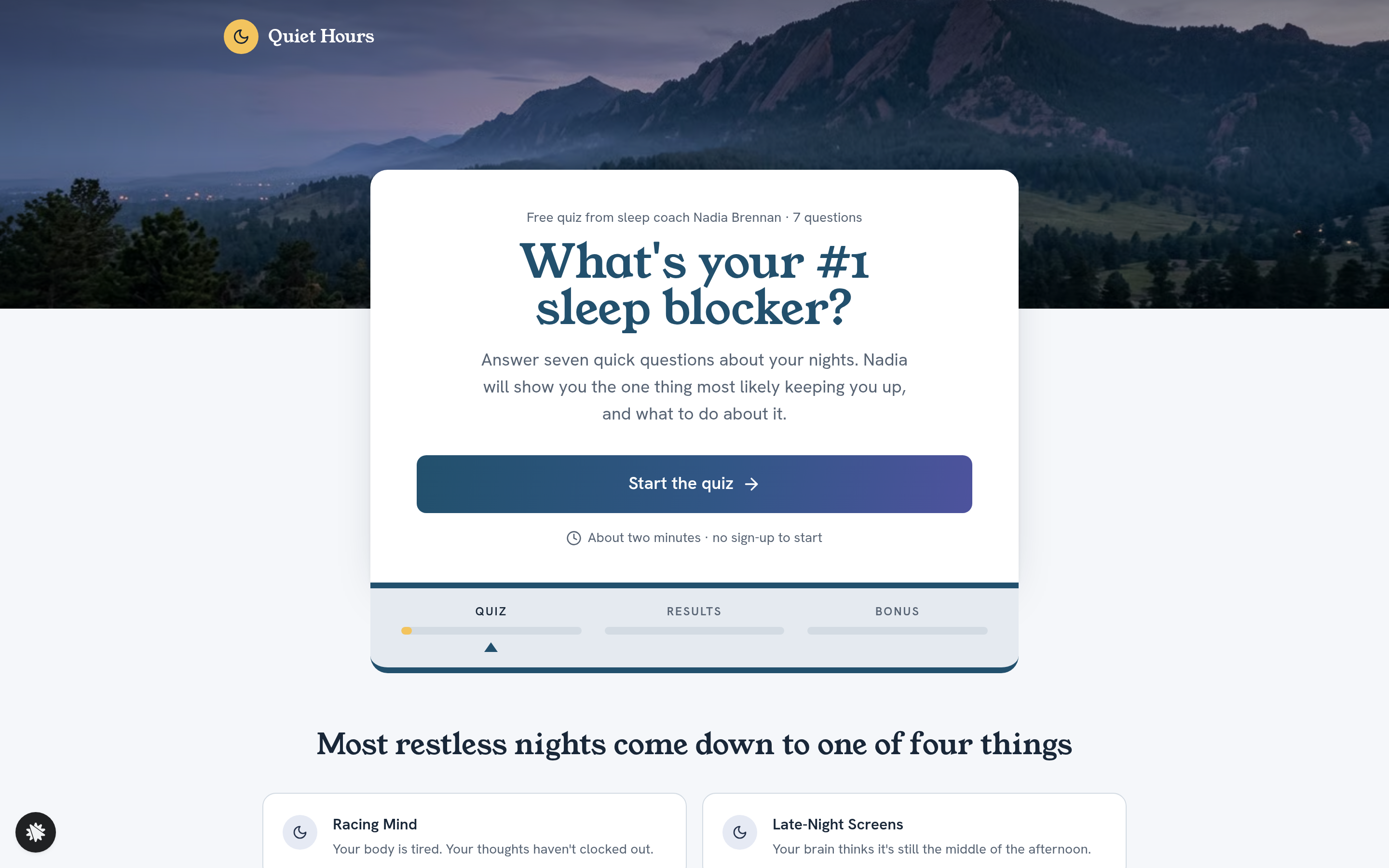
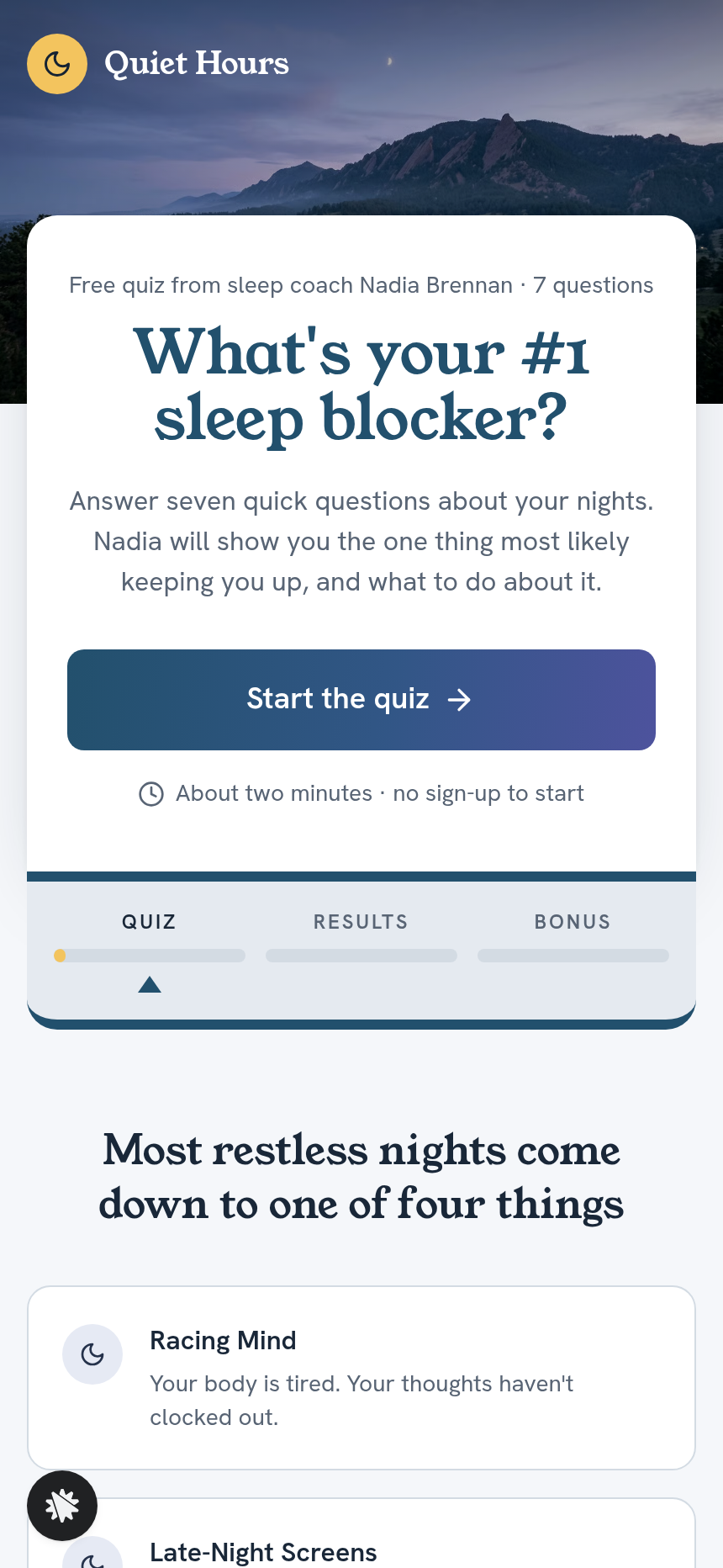
Quiet Hours is a sleep coaching practice run by Nadia Brennan in Boulder, Colorado. This funnel fills her free live workshop by running every visitor through a seven-question quiz before they ever see a registration form. Each answer scores one of four sleep blockers — Racing Mind, Late-Night Screens, Shifting Schedule, or The 3 a.m. Wake-Up — and the result page names the visitor's specific blocker, plays a video report from Nadia, and shows a seat picker for the next three sessions in the visitor's own time zone. Registration is the continuation of reading the result, not a separate step.
What you get
- Landing page (/): quiz start with a headline, a two-sentence description, a social proof strip with a client quote, and a single call-to-action button
- Seven question cards (/quiz/1 through /quiz/7): each shows a photo band at the top, a white card overlapping it with one question and three full-width gradient answer bars, and a three-stage progress strip labeled quiz / results / bonus
- Result gate (/quiz/ready): collects first name and email before revealing the result; writes the lead at this point
- Result page (/result): names the visitor's blocker in the headline, plays a short presenter video report, lists three reasons tied to their answers, and embeds the seat picker — date, time zone, session slot — with an optional text reminder field
- One-time offer (/offer): step bar, a 72%-off headline for the $27 Wind-Down Audio Pack, a presenter video, an explicit consent checkbox, an add-to-order button, a no-thanks link, and a breakdown of four named audio sessions plus two bonuses
- Confirmation page (/confirmation): the saved seat in plain language, Google / Outlook / Apple calendar links, a pre-workshop checklist, and a secondary offer for visitors who skipped the audio pack
- Admin dashboard (/admin): overall conversion, a funnel-step breakdown in visitor order, and a contact list with opt-in timestamps
- Custom 404 (/404): redirects lost visitors back to the quiz start
How it works
- Visitor arrives at / and clicks Start the quiz
- Seven question cards at /quiz/1–7 collect answers about sleep habits; each answer increments a score toward one of the four blockers
- At /quiz/ready the visitor enters their first name and email to unlock the result — their details land in the funnel's built-in contact database, visible in the owner dashboard with CSV export, so no external CRM is needed from day one
- The /result page names their blocker, plays Nadia's video, and shows the seat picker; submitting the form saves the seat and moves the visitor to the offer
- At /offer the visitor can add the $27 Wind-Down Audio Pack through the secured order page; declining the no-thanks link routes to confirmation
- /confirmation shows the seat details, calendar links, and the pre-workshop checklist
The signature step
The /result page is what makes this funnel distinctive. The blocker is named in the headline — "Lane, your #1 sleep blocker is Late-Night Screens" — a presenter video plays automatically, three bullet points tie the diagnosis to the visitor's specific answers, and the seat picker sits directly below. The visitor never navigates to a separate registration page; they scroll down from their result and choose a session time.
Who it's for
- Sleep coaches, therapists, and health practitioners who run free live workshops and want a diagnostic to qualify attendees before they register
- Nutritionists and wellness educators whose audience has diverse root causes and responds better to a personalized finding than a generic pitch
- Online course creators and webinar hosts who want quiz data stored alongside their lead list to inform follow-up messaging
- Any coach whose free workshop has four or fewer outcome categories that a short quiz can reliably predict
Design
- Type pairing
- Young Serif display Hanken Grotesk body
- Motion
- none; reduced-motion: static
- Signature screen
- Result page that names the blocker and books the workshop seat
- References
-
- 1.9 quiz -> video report -> webinar seat -> OTO
What can you use Quiet Hours — Sleep Quiz to Workshop Seat Funnel for?
- A sleep coach who runs three free workshops a month uses the quiz to pre-qualify attendees, so every registrant already knows their specific blocker and arrives with a focused question for the Q&A.
- A nutritionist who addresses sleep as part of gut-health programs embeds the quiz funnel on her blog and uses the blocker data stored in the dashboard to segment follow-up emails by result type.
- A corporate wellness consultant sells the $27 Wind-Down Audio Pack to workshop guests whose employer won't cover a full coaching package, capturing revenue from attendees who would otherwise leave with nothing.
- A therapist in private practice uses the result gate at `/quiz/ready` to build an email list of sleep-focused prospects and re-invites them to future workshop dates without running paid ads.
- A fitness trainer adds the quiz to a landing page targeting shift workers and routes visitors who score 'Shifting Schedule' to a workshop session tailored to irregular-hour schedules.
- An online course creator uses the four blocker categories as audience segments, then customizes the result-page video for each category to increase workshop show-up rates before pitching a paid sleep course.
Frequently asked questions
What is the quiz-to-workshop-seat funnel?
Who is this funnel for?
What pages are included?
How do I customize the quiz-to-workshop-seat funnel in ClickFunnels AI?
Does it include a checkout or order form?
Can I use my own branding and domain?
How is it different from a classic ClickFunnels webinar registration funnel?
What setup is required before going live?
Related templates
 Classic Funnels
Ridgeback Tactical — Coupon Registration Cart Funnel
The coupon-registration cart funnel is a coupon-gate cart that captures an email address before revealing a 70%-off discount code, then walks the buyer through an order form, two one-click add-ons, and a thank-you receipt — built and customizable in ClickFunnels AI.
 Classic Funnels
Live Demo Funnel
The Appointment Story Funnel is a mobile tap-through booking funnel built in ClickFunnels AI that walks a visitor from service selection to a confirmed appointment in four tile steps. It is designed for local service businesses running social ads to a phone-first booking page.
 Classic Funnels
Second Light — Photo Restoration Before-and-After Tripwire Funnel
The Photo Restoration Before-and-After Tripwire Funnel is a four-page sales sequence built in ClickFunnels AI for a photo restoration studio. Visitors drag a divider across a faded print or run the fix on their own photo, then order one restoration for $9 with a $12 print bump and a $69 ten-photo offer.
 Classic Funnels
Rootline — Turn-the-Pipes Free Drip Kit Funnel
Rootline gives away a Drip Starter Kit from a garden supply shop in Fort Collins, Colorado, for one flat $7.95 shipping charge. The offer page uses a pipe puzzle to set it up, and the funnel is built in ClickFunnels AI.
Make this template your starting point.
Inspect the preview, plan your changes, and test the workflow before you share it.
Use this template