Second Light — Photo Restoration Before-and-After Tripwire Funnel
The Photo Restoration Before-and-After Tripwire Funnel is a four-page sales sequence built in ClickFunnels AI for a photo restoration studio. Visitors drag a divider across a faded print or run the fix on their own photo, then order one restoration for $9 with a $12 print bump and a $69 ten-photo offer.
About this template
What is Second Light — Photo Restoration Before-and-After Tripwire Funnel?
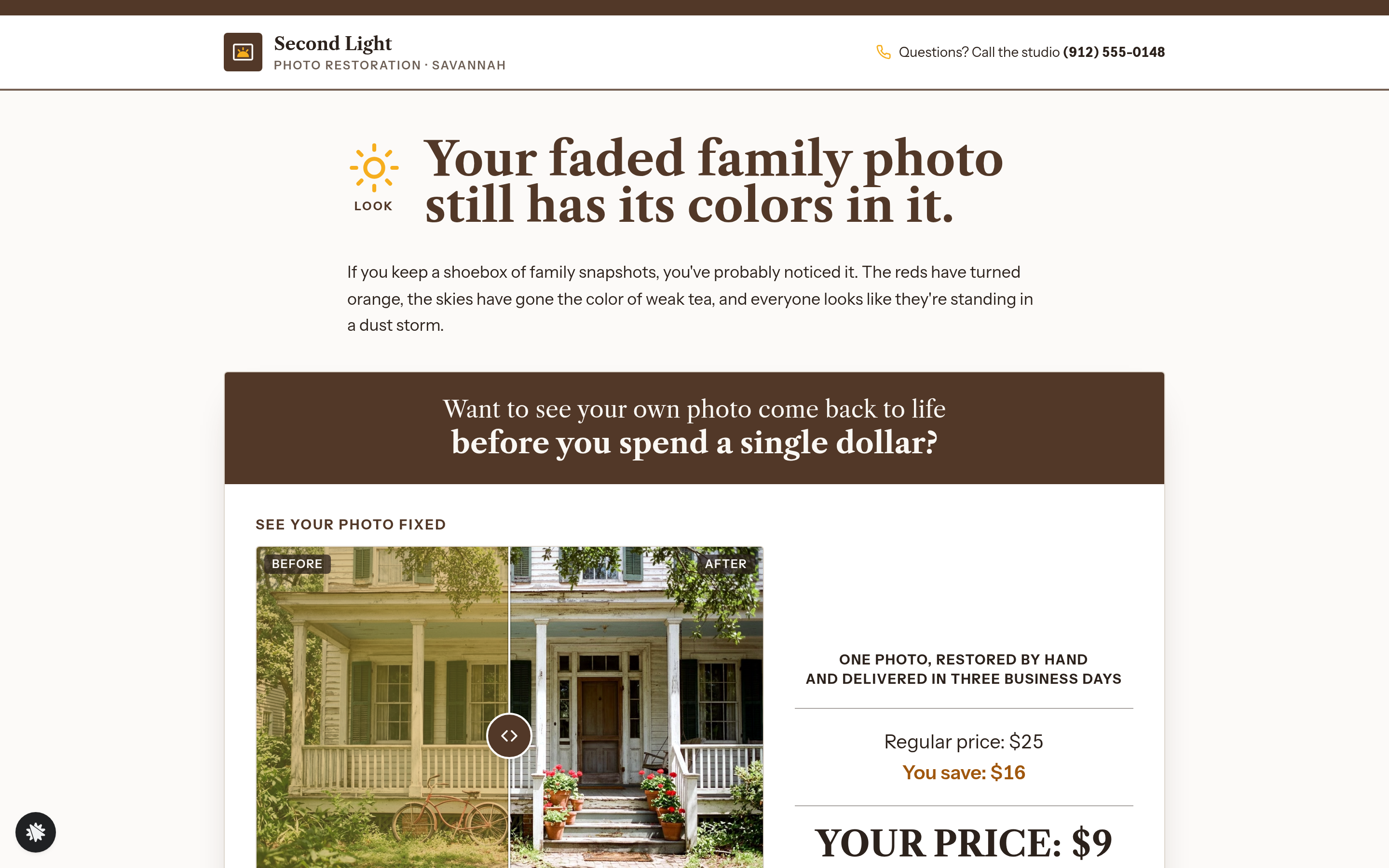
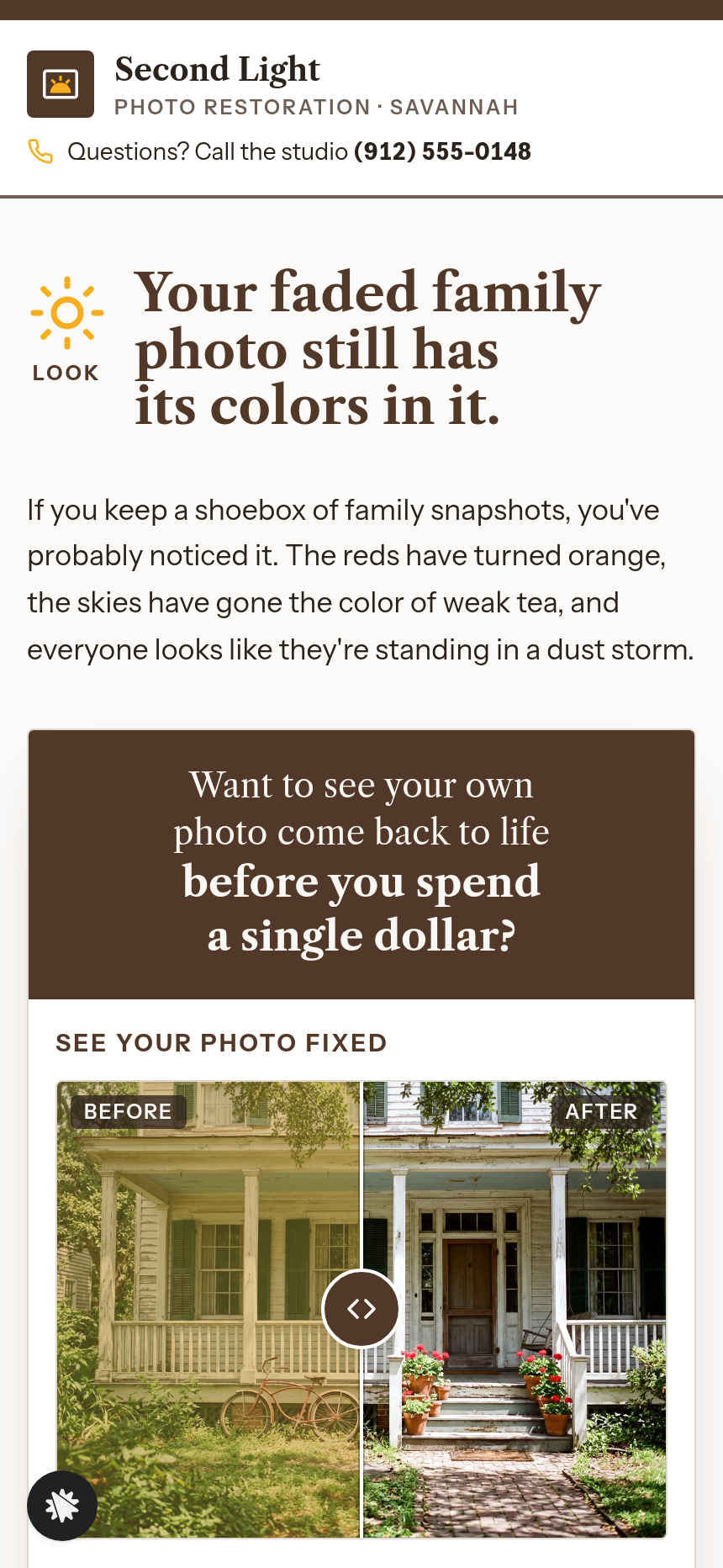
Second Light Photo Restoration is a studio in Savannah, Georgia. It has restored 21,000 photos since 2009 and holds 4.9 stars from 860 reviews. The Photo Restoration Before-and-After Tripwire Funnel sells one hand-restored photo for $9. The sales page makes the case with proof: a faded porch snapshot in a drag-to-compare viewer, and a browser tool that applies the same color fix to any JPEG or PNG a visitor chooses. Nothing is uploaded and no account is needed.
What you get
The funnel runs on four pages, listed with routes:
- The sales page (/) holds the letter from restorer Della Marsh, the before-and-after offer card, a $25 to $9 price block, the Yes button, an email-only preview form, three customer quotes and a list of what is included.
- The order page (/order) saves name and email first, then takes card payment of $9 with an optional $12 archival 5×7 print, signed and posted in a stiff sleeve.
- The one-time offer (/ten-more) adds ten more hand restorations for $69, which saves $21 against the regular rate.
- The thank-you page (/thank-you) confirms what was bought, gives the studio address for sending the full-size scan and states the three-business-day delivery window.
How it works
- A visitor drags the divider on the sales page, or presses the Before, Half and half or After buttons, to see the fix on the porch photo.
- They can pick their own JPEG or PNG and see the same fix applied in the browser.
- They click "Yes — restore my photo for $9" and move to the order page.
- The order page saves name and email as a lead, then takes card payment for $9. The $12 print is a checkbox in the same payment.
- The one-time offer comes next. Yes charges ten more restorations for $69 to the card already on file. "No thanks, just the one photo" goes straight to the thank-you page.
Each opt-in and order lands in the funnel's built-in database as soon as it is submitted, so a separate CRM is optional.
The signature step
The before-and-after viewer does the selling. The divider sits on a warm cream card, and the visitor can drag it, press arrow keys or tap a button. A readout lists each color channel before and after the fix, such as Red 72–226 → 0–255. The fix stretches each channel from its 1st to 99th percentile out to the full 0–255 range on a canvas. "Try your own photo" runs the same fix on a file from the visitor's device, and the photo never leaves the browser.
Who it's for
- Photo restorers who want a low-cost first order before pitching a larger collection.
- Scanning and digitizing services that can show a visible color difference on the customer's own file.
- Framers and retouchers who sell prints and want a proven entry price.
- Any service whose result can be shown on the buyer's own file before asking for money.
Design
- Type pairing
- Libre Caslon Text display Instrument Sans body
- Motion
- divider drag with touch and arrow keys; per-channel 1%/99% levels stretch on a canvas
- Signature screen
- See-your-photo-fixed: drag a divider across a faded print or your own photo; the per-channel levels fix runs in the browser with a channel readout
- References
-
- 7.21 long-letter one-time-offer page (layout reference)
What can you use Second Light — Photo Restoration Before-and-After Tripwire Funnel for?
- A solo restorer in a mid-size city keeps the $9 price, swaps in a 1970s street photo from her area and uses the ten-photo offer to fill the work table a week at a time.
- A scanning service uses the funnel as the front-end offer for its archival scans, letting visitors run the color fix on a family snapshot before it quotes a full album.
- A framer who also restores photos adds the 5×7 archival print as the natural bump and fulfills the digital file and the printed copy from one order.
- A wedding retoucher replaces the opening photo with a faded portrait from the 1980s and rewrites the letter to speak to adult children preserving their parents' pictures.
- A digitizing shop asks the builder chat for two headline options for the offer card and compares which framing brings in more $9 orders.
Frequently asked questions
What is the Photo Restoration Before-and-After Tripwire Funnel?
Who is it for?
What pages are included?
How do I customize the Photo Restoration Before-and-After Tripwire Funnel in ClickFunnels AI?
Does it include a checkout or order form?
Can I use my own branding and domain?
How is it different from a classic tripwire funnel?
What setup is required before going live?
Related templates
 Classic Funnels
Ridgeback Tactical — Coupon Registration Cart Funnel
The coupon-registration cart funnel is a coupon-gate cart that captures an email address before revealing a 70%-off discount code, then walks the buyer through an order form, two one-click add-ons, and a thank-you receipt — built and customizable in ClickFunnels AI.
 Classic Funnels
Live Demo Funnel
The Appointment Story Funnel is a mobile tap-through booking funnel built in ClickFunnels AI that walks a visitor from service selection to a confirmed appointment in four tile steps. It is designed for local service businesses running social ads to a phone-first booking page.
 Classic Funnels
Rootline — Turn-the-Pipes Free Drip Kit Funnel
Rootline gives away a Drip Starter Kit from a garden supply shop in Fort Collins, Colorado, for one flat $7.95 shipping charge. The offer page uses a pipe puzzle to set it up, and the funnel is built in ClickFunnels AI.
 Classic Funnels
Tin Lantern Games — Dice Game Play-a-Turn Funnel
The Dice Game Play-a-Turn Funnel is a product sales funnel template made in ClickFunnels AI, and it lets a visitor play one real turn of a five-dice tabletop game before reading any copy. Visitors move from a playable demo on the landing page through a two-step order form and an expansion upsell to a thank-you page, all built around a flat $24 purchase.
Make this template your starting point.
Inspect the preview, plan your changes, and test the workflow before you share it.
Use this template