Leaf & Peel — Compost Balance Cheat Sheet Lead Page
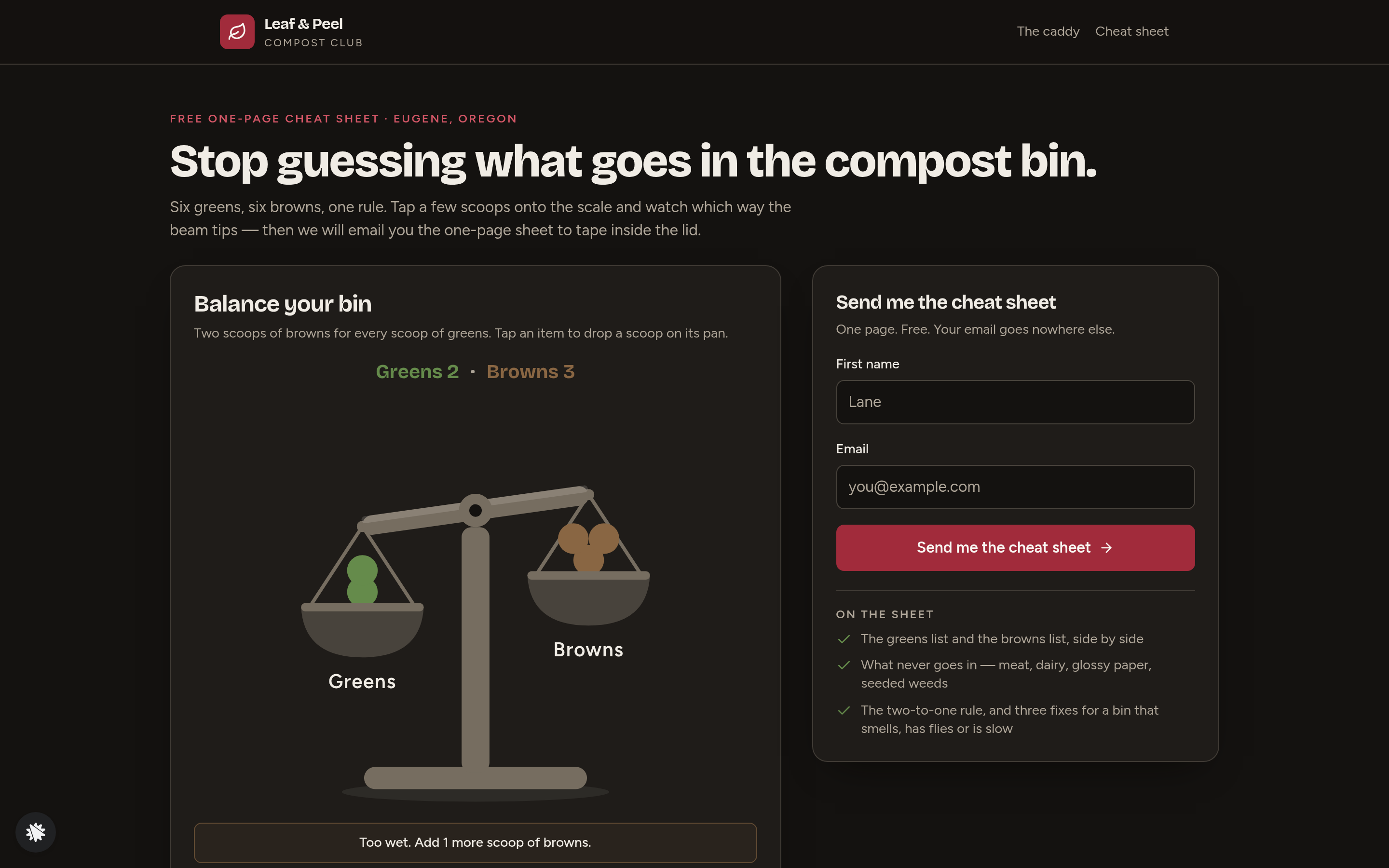
Compost Balance Cheat Sheet Lead Page is a lead-magnet opt-in funnel built in ClickFunnels AI for Leaf & Peel Compost Club in Eugene, Oregon. Visitors balance a drawn scale of greens and browns, then trade their email address for a free one-page 'What goes in' cheat sheet.
About this template
What is Leaf & Peel — Compost Balance Cheat Sheet Lead Page?
Leaf & Peel Compost Club (Eugene, Oregon; founded 2018; 9,300 members; 4.8 stars from 640 reviews) gives away a one-page compost cheat sheet in exchange for a first name and email address. The funnel exists to collect home-gardener leads — the stated target is 600 opt-ins a month — and to move a small share of those new subscribers toward a $18 Countertop Caddy Starter Set purchase. Every page is built from code-drawn illustrations, Figtree body type, Bricolage Grotesque headlines, and a near-black soil / crimson / leaf-green / bark-brown palette.
What you get
- Landing page (/) — the Balance Your Bin scale widget (twelve item buttons, two take-a-scoop-off buttons, a live verdict line, Empty the bin and Start again controls), a two-field sign-up form (First name, Email), four club numbers, the club story, three member quotes, and a five-question FAQ.
- Cheat Sheet page (/cheat-sheet) — the full printable sheet on screen (What goes in as greens, What goes in as browns, What never goes in, the two-to-one rule, three bin fixes), the visitor's last scale mix, a Print button, and a band promoting the Countertop Caddy Starter Set at $18.
- Printable sheet (/print) — a plain one-page version optimised for printing and taping inside a bin lid.
- Caddy checkout (/caddy) — a real card checkout for a flat $18, with an optional $6 Roll of 50 compostable liners order bump.
- On Its Way page (/on-its-way) — receipt, posting date (412 Blair Blvd, Eugene OR 97402), a first-week guide (Same day / Day one to three / Day four / Day five to seven), and links back to the cheat sheet and printable sheet.
- Admin dashboard (/admin) — visit counts, overall conversion rate, recent contacts list (newest first, test sign-ups labelled and excluded), and a recent sales table.
- Own 404 page (/thank-you redirects; custom Not Found screen with links back to the scale and the cheat sheet).
How it works
Each opt-in, scoop count and caddy order is saved inside the funnel and appears on the admin view under Recent contacts and Recent sales. There is no need for an external CRM to begin tracking leads. After a visitor signs up, the funnel sends a delivery email with the cheat sheet, keeping new members warm from the moment they join the list. To swap the club name, change the item button labels or adjust the caddy price, open the editor and describe the change in plain language. ClickFunnels AI edits the page (copy, counts, prices, colours) without touching code.
The signature step
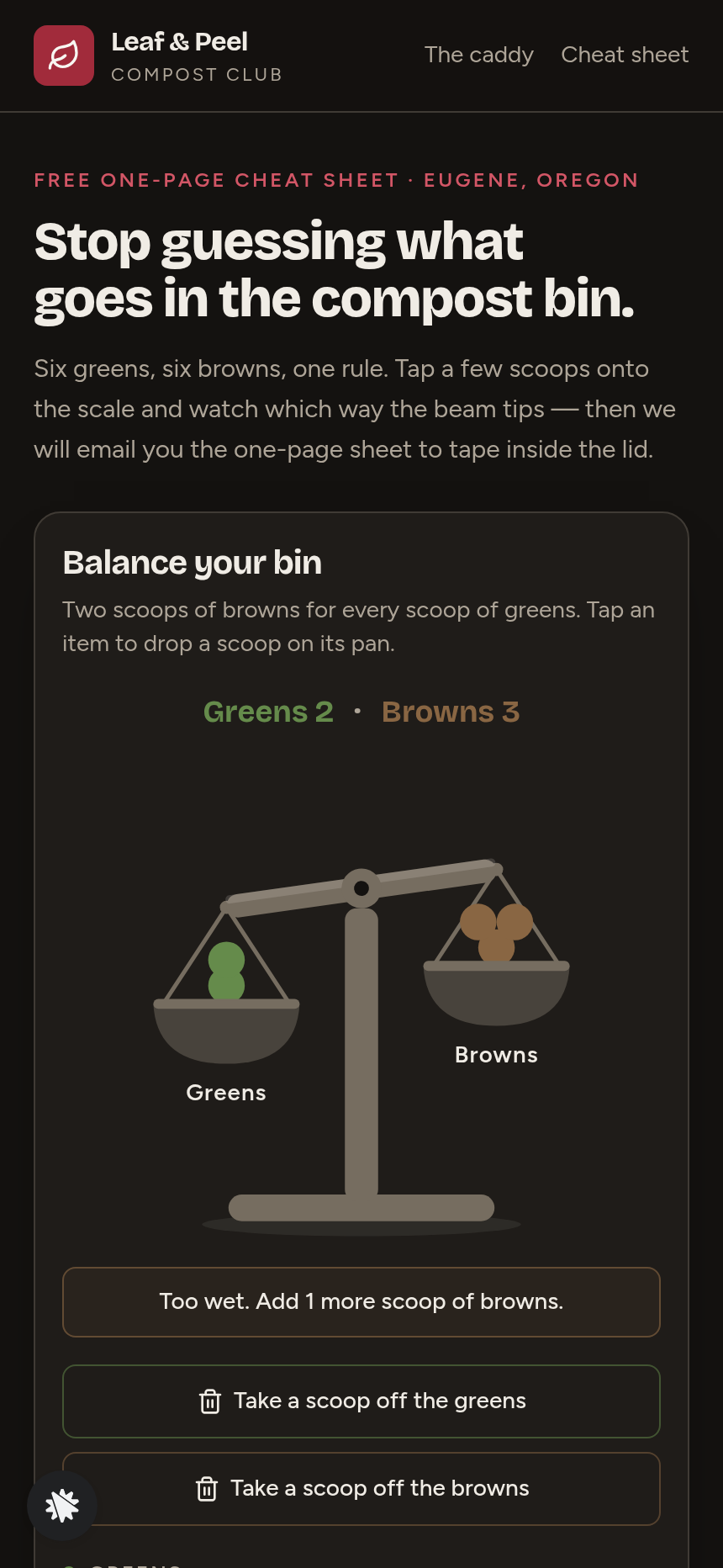
Balance Your Bin sits directly under the headline on the landing page (/). The scale opens with two scoops of greens (vegetable peelings and coffee grounds) and three scoops of browns (dry leaves, torn cardboard, shredded paper), beam dipping on the greens side, verdict line reading "Too wet. Add 1 more scoop of browns." Visitors tap any of the twelve item buttons — six greens (vegetable peelings, coffee grounds, grass clippings, fruit scraps, tea leaves, fresh weeds) and six browns (dry leaves, shredded paper, torn cardboard, straw, sawdust, egg cartons) — and watch the beam swing. The rule is two scoops of browns for every scoop of greens; the verdict line gives the exact number of scoops missing or over. Reaching a balanced state before seeing the sign-up form makes the cheat sheet feel earned rather than requested.
Who it's for
- Garden centres and compost-bin retailers who want a monthly email list of home composters.
- Zero-waste shops and council recycling teams running free-resource lead campaigns.
- Soil and lawn-care coaches who teach a ratio rule and want a visual tool to demonstrate it.
- Worm-bin and bokashi sellers looking to capture buyer-ready leads before a product offer.
- Any operator with a simple two-to-one rule that is easier to feel than to read.
Design
- Type pairing
- Bricolage Grotesque display Figtree body
- Motion
- a scoop drops onto its pan and the beam swings to its new angle; reduced-motion: the beam changes at once
- Signature screen
- Balance-your-bin scale: twelve item buttons load two pans and the beam and one line say what to add
What can you use Leaf & Peel — Compost Balance Cheat Sheet Lead Page for?
- A garden centre in Eugene adds the funnel to its website footer and collects 400 composting-curious email addresses in its first month, then follows up with a caddy promotion in week two.
- A council recycling team replaces the Leaf & Peel branding with their borough's colours and cheat sheet, using the balance scale at community events on a tablet to demonstrate the two-to-one rule before capturing resident emails.
- A worm-bin retailer swaps the six green and brown item labels for worm-bin-appropriate scraps, sets the verdict line thresholds to match a different carbon-to-nitrogen ratio, and uses the funnel to build a list ahead of a new bin launch.
- A zero-waste shop owner runs the caddy checkout as the funnel's upsell, bundling the $18 starter set with a $6 liner refill bump and tracking both opt-ins and caddy sales from the admin dashboard.
- A soil coach embeds the opt-in page link in a weekly newsletter, letting readers play with the scale and download the cheat sheet, then emails the new list a five-part composting course using the contact data exported from the dashboard.
- A farmers-market compost-starter seller prints the QR code for the landing page on booth signage, letting visitors load the scale on their phones and opt in on the spot in exchange for the cheat sheet.
Frequently asked questions
What is the Compost Balance Cheat Sheet Lead Page?
Who is this funnel for?
What pages are included?
How do I customize the Compost Balance Cheat Sheet Lead Page in ClickFunnels AI?
Does it include a checkout or order form?
Can I use my own branding and domain?
How is it different from a classic ClickFunnels lead-magnet funnel?
What setup is required before sharing the funnel?
Related templates
 Lead Pages & Opt-ins
Marin Pricing Ladder
Marin Pricing Ladder is an ebook lead magnet funnel template for ClickFunnels AI: a single opt-in page with a drawn book cover, five bullets and a two-field form, a delivery page that hands over the PDF, and a $17 workbook order page with a real card form.
 Lead Pages & Opt-ins
Butter & Bay — One-Oven Holiday Dinner Planner Lead Page
Holiday Dinner One-Oven Planner Lead Page is a giveaway-style opt-in funnel made with ClickFunnels AI for Butter & Bay Cooking School in Raleigh, North Carolina. Visitors set their turkey weight, dinner time and sides, read a one-oven timeline, then submit the "Email me this plan" form to keep it.
 Lead Pages & Opt-ins
Fernbrook Studio — 5-Day Pricing Email Course Lead Page
The email-course lead page is an email-course squeeze funnel that captures freelancer opt-ins with a five-day pricing course, delivers day 1 instantly on a confirmation page, and bridges to a $29 template pack. ClickFunnels AI builds it from a single prompt and lets you edit every line of copy, the day-by-day outline, and the order form through a plain-language chat.
 Lead Pages & Opt-ins
Bluewater Move Quote
The multi-step quote lead page is a desktop inline stepper that walks visitors through three numbered steps — need, details, contact — and delivers a quote-ETA confirmation on a separate thank-you page. ClickFunnels AI builds and wires both pages from a single prompt, ready to adapt to any service business that needs several answers before a human can price a job.
Make this template your starting point.
Inspect the preview, plan your changes, and test the workflow before you share it.
Use this template