The Homestead Ledger — Paid Newsletter VSL Funnel
The Paid Newsletter VSL Funnel is a video sales letter sequence for subscription publishers, built in ClickFunnels AI. It gates a personal video letter behind an email opt-in, walks visitors through a long-form letter, and closes with an order form, a back-issue bump and a one-time lifetime upgrade.
About this template
What is The Homestead Ledger — Paid Newsletter VSL Funnel?
The Paid Newsletter VSL Funnel is modeled on how the best subscription letter publishers sell online: earn attention with a short video, collect an email before the video plays, then let a long personal letter do the selling. The template ships as The Homestead Ledger — a monthly print-and-digital newsletter from a 40-acre farm outside Viroqua, Wisconsin — giving you a fully populated example you can reshape for any niche publication.
What you get
Four connected pages plus an admin dashboard:
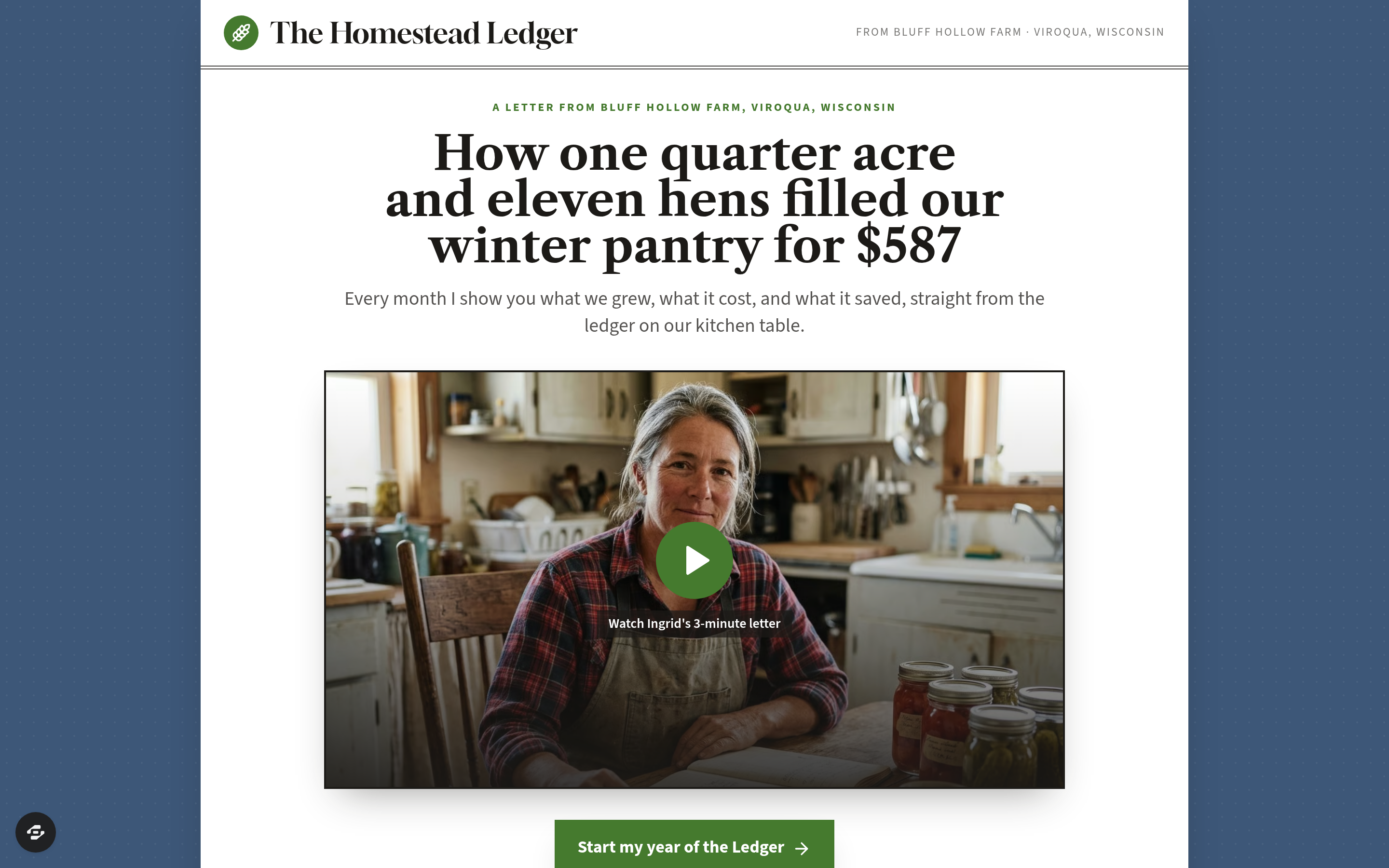
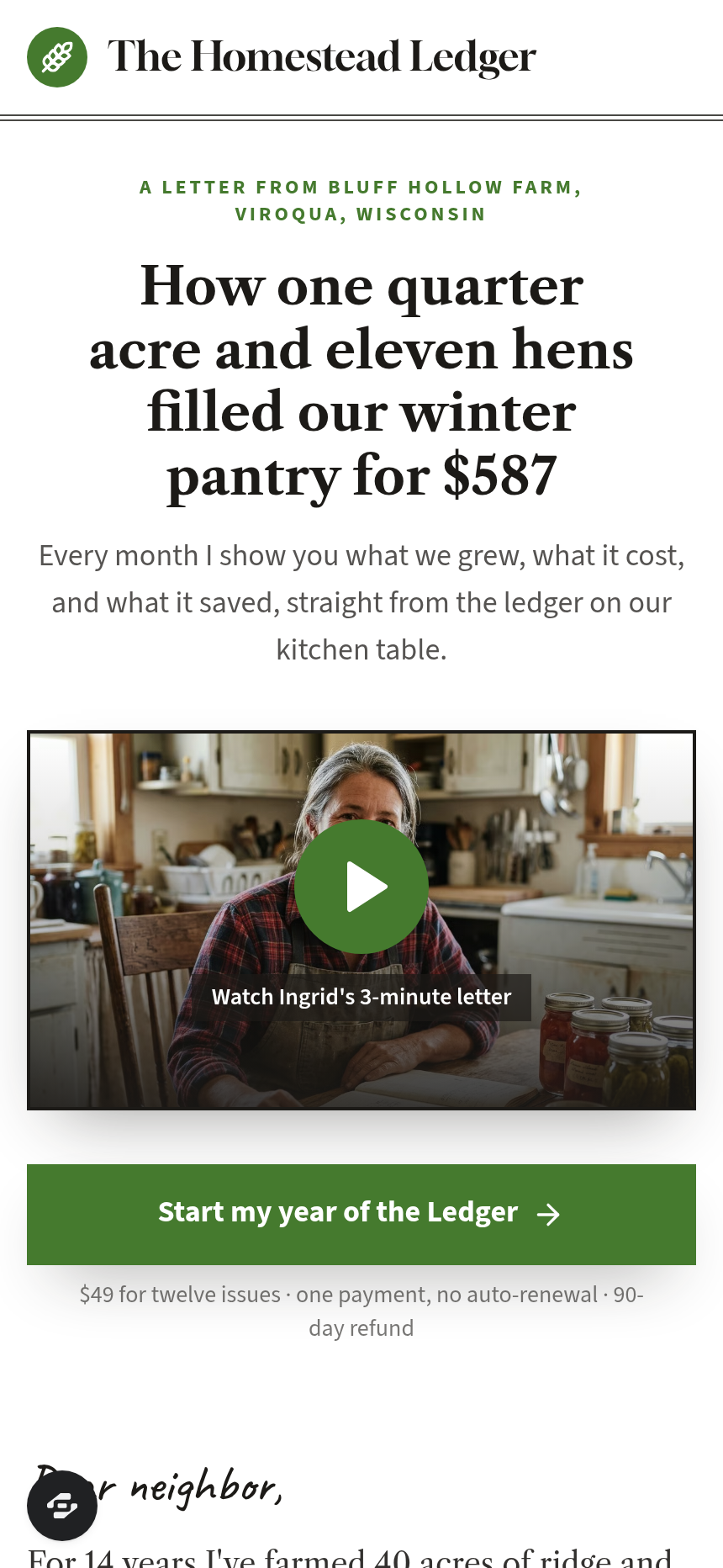
- Landing page (/) — a serif video letter page with a kicker, the headline "How one quarter acre and eleven hens filled our winter pantry for $587," a large click-to-play frame, and a long personal letter below the fold covering the editor's story, what every issue contains, three bonus planning reports, a price comparison, and a 90-day kitchen-table guarantee.
- Order page (/order) — a two-column layout: a condensed letter on the left and a three-step order form on the right (name and email, mailing address, card details) with a $12 back-issue binder order bump and a 30-day refund guarantee.
- Upgrade page (/upgrade) — a one-time Ledger Circle lifetime offer at $299, shown only after the first order, with a letter of lifetime benefits, a YES button, and a "No thanks" link to the welcome page.
- Welcome page (/thank-you) — confirms the order, shows the first printed-issue mail date, and unlocks three downloadable planning reports at /reports/:id (The $600 Pantry Plan, The Quarter-Acre Garden Map, The Hen Math Worksheet).
- Admin dashboard (/admin) — shows overall funnel conversion, a list of every opted-in contact, and the ordered steps a visitor moves through.
How it works
A visitor lands on / and sees the video frame. Clicking play opens the EmailGate component: "Where should Ingrid send the next issue?" — entering an email writes a real lead to the funnel's built-in contact store and starts the video; the contact and opt-in timestamp appear immediately in the admin dashboard, so you can see every reader who engaged even before they ordered (C12). After watching, the visitor reads the long letter and clicks through to /order, where the secured order form handles a one-time $49 charge with the optional $12 binder bump; completing checkout forwards to /upgrade for the $299 lifetime offer, then to /thank-you where the three reports unlock (C10). When you want to adjust the editor's name, the subscription price, the bonus report titles, or the guarantee copy, you describe the change in the ClickFunnels AI chat and the page updates — no code, no layout rebuilding (C02).
The signature step
The email-gated video letter is the defining move of this funnel. The EmailGate sits in front of the video, not the page — visitors read the headline and subhead before they see the gate, so they arrive at "Where should Ingrid send the next issue?" already curious. The email collected here doubles as a lead even if the visitor never reaches the order page, giving the publisher a list of warm contacts to follow up with regardless of whether a sale closes on the first visit.
Who it's for
- Newsletter publishers selling a print or digital subscription with a personal story at the center
- Niche experts who write a paid letter — farming, finance, health, local investing, craft trades — and want a video-first sales page
- Creators who have an existing audience and want to convert them through a long-form letter rather than a short landing page
- Publishers who want a lifetime upgrade offer presented automatically, one time, right after the first transaction
Design
- Type pairing
- Gloock display Libre Caslon Text + Source Sans 3 body
- Motion
- none; reduced-motion: static
- Signature screen
- Email-gated video letter
- References
-
- Paid-newsletter VSL with email gate and lifetime upgrade
What can you use The Homestead Ledger — Paid Newsletter VSL Funnel for?
- A homesteading writer selling a $49 annual print-and-digital subscription uses the email gate to build a warm lead list from every video view, then follows up with non-buyers using the captured addresses.
- A small-acreage farming educator replaces the Homestead Ledger copy with their own newsletter name and editor story, keeping the long-letter structure and 90-day guarantee to match their existing brand voice.
- A financial letter publisher adapts the lifetime upgrade page to offer a $299 Ledger Circle equivalent for their investing newsletter, presenting it one time, immediately after the annual subscription order.
- A regional food and farm publication uses the back-issue binder bump on the order page to sell a bound collection of past issues alongside the current subscription, increasing average order value without a separate campaign.
- A craft-trades writer with no technical staff launches their first paid newsletter funnel by remixing this template, changing the editor name, subscription price, and bonus report titles through plain-language chat edits rather than hiring a developer.
- A niche publisher running a print letter on beekeeping uses the `/admin` dashboard to monitor opt-in-to-order conversion and identify whether drop-off happens at the video gate or after the long letter, then adjusts copy accordingly.
Frequently asked questions
What is the Paid Newsletter VSL Funnel?
Who is the Paid Newsletter VSL Funnel for?
What pages are included?
How do I customize the Paid Newsletter VSL Funnel in ClickFunnels AI?
Does it include a checkout and order form?
Can I use my own branding and domain?
How is it different from a classic ClickFunnels VSL funnel?
What setup is required before sharing the funnel?
Related templates
 Classic Funnels
Ridgeback Tactical — Coupon Registration Cart Funnel
The coupon-registration cart funnel is a coupon-gate cart that captures an email address before revealing a 70%-off discount code, then walks the buyer through an order form, two one-click add-ons, and a thank-you receipt — built and customizable in ClickFunnels AI.
 Classic Funnels
Live Demo Funnel
The Appointment Story Funnel is a mobile tap-through booking funnel built in ClickFunnels AI that walks a visitor from service selection to a confirmed appointment in four tile steps. It is designed for local service businesses running social ads to a phone-first booking page.
 Classic Funnels
Second Light — Photo Restoration Before-and-After Tripwire Funnel
The Photo Restoration Before-and-After Tripwire Funnel is a four-page sales sequence built in ClickFunnels AI for a photo restoration studio. Visitors drag a divider across a faded print or run the fix on their own photo, then order one restoration for $9 with a $12 print bump and a $69 ten-photo offer.
 Classic Funnels
Rootline — Turn-the-Pipes Free Drip Kit Funnel
Rootline gives away a Drip Starter Kit from a garden supply shop in Fort Collins, Colorado, for one flat $7.95 shipping charge. The offer page uses a pipe puzzle to set it up, and the funnel is built in ClickFunnels AI.
Make this template your starting point.
Inspect the preview, plan your changes, and test the workflow before you share it.
Use this template