Halloran & Pike — Estate Auction Lot Preview Page
The Estate Auction Lot Preview Page is a lead-capture-and-registration funnel built for auction houses that need registered bidders before a sale. ClickFunnels AI generates a browsable 36-lot catalogue, a bidder registration form, a paddle card, and a printed-catalogue checkout wired together as one ready-to-edit funnel.
About this template
What is Halloran & Pike — Estate Auction Lot Preview Page?
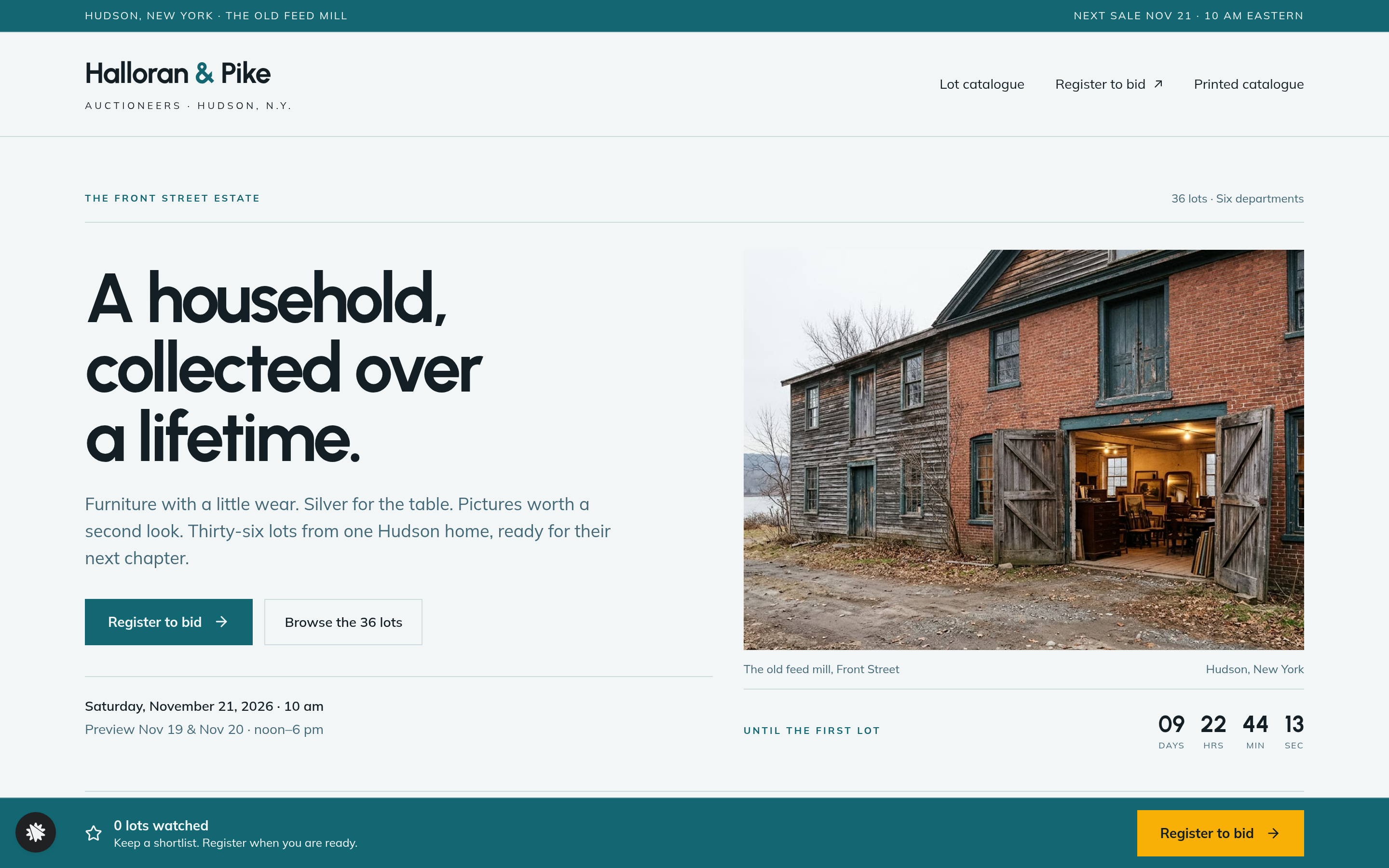
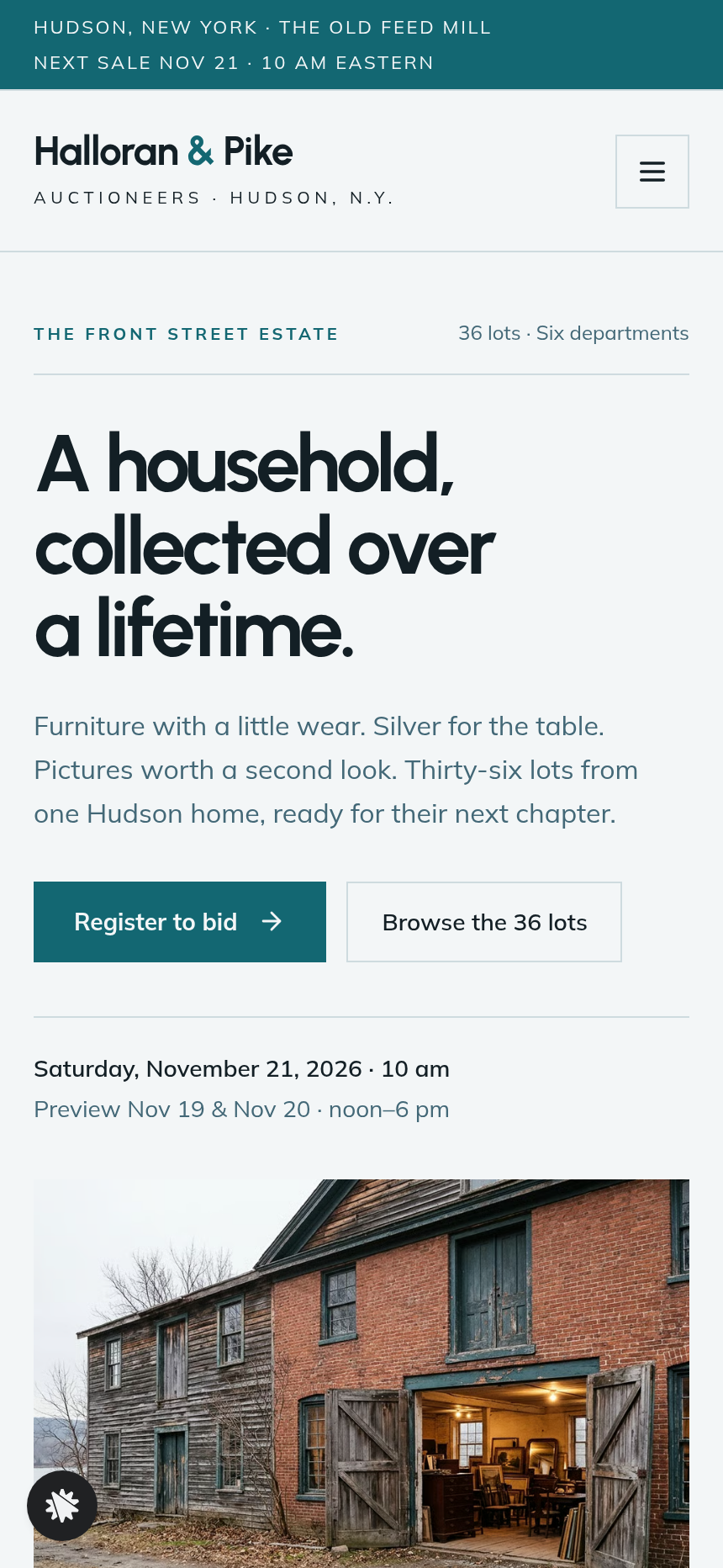
Halloran & Pike Auctioneers in Hudson, New York hold a sale every other Saturday in the old feed mill on Front Street. This funnel turns the next estate sale into a browsable lot catalogue that collects registered bidders — with their watched lots — before the first paddle goes up. Every page is reachable from the template without real-time gating, so you can preview the full visitor journey on day one.
What you get
Catalogue (/) — sale date computed from today, a countdown to the first lot, the estate's story, 36 photographed lots in a three-column grid, six filter chips (furniture, art, silver, rugs, jewelry, curiosities), a watch star on every lot, a sticky shortlist bar that counts watched lots and links to registration, past-sale hammer prices, how bidding works, buyer's premium and terms, and a full FAQ.
Lot page (/lots/:number) — larger photos, condition notes, provenance, the estimate in dollars, and an absentee-bid field (AbsenteeBidForm) where a visitor can leave a maximum hammer bid before registering.
Register to bid (/register) — RegistrationForm collects name, email, phone, bidding method (room, phone, absentee) and preview day choice, and saves the submission alongside the visitor's watched lots.
Paddle card (/registered) — PaddleCard shows the assigned paddle number, sale date and time in words, chosen preview day, watched lots with estimates, directions to the Front Street mill, and Google Calendar / Apple-Outlook calendar links.
Printed catalogue (/printed-catalogue) — PrintedOrder renders a card checkout on load for the $18 mailed catalogue, with mailing address fields and a one-time payment. No subscription, no payment plans.
Thank-you (/thank-you) — order confirmation for the printed catalogue with next steps.
Dashboard (/dashboard) and Admin (/admin) — owner view of funnel traffic, contacts and test-traffic labelling.
How it works
- A visitor lands on the catalogue, reads the estate story, and browses 36 lots with photos, lot numbers and estimate ranges.
- They star any lots they want; the sticky WatchBar counts the shortlist and surfaces the registration link.
- On a lot page they can leave a maximum absentee bid before they register.
- At /register they choose room, phone or absentee bidding, pick a preview day, and submit — their watched lots travel with the registration and are stored in the funnel's built-in database, so the auction office sees every bidder's shortlist in one place without an external CRM.
- The paddle card at /registered confirms their paddle number, preview time, watched lots and directions.
- At any point a visitor can order the $18 printed catalogue: the PrintedOrder checkout renders on load at /printed-catalogue and carries the full order through to /thank-you using a pay-in-full card form with mailing address fields — the same order-page pattern that handles the money path in every sale-ready funnel.
The signature step
The lot catalogue on the Index page is the centrepiece: a three-column grid of photographed objects, each carrying a lot number, a one-line description, an estimate range and a watch star. The sticky WatchBar above the fold counts watched lots in real time and opens bidder registration the moment a visitor is ready. Filter chips let visitors narrow to a single department without leaving the page.
Who it's for
- Auction houses running regular estate sales who want pre-registered bidders with shortlists before the doors open.
- Estate-sale companies that want to move from email PDFs to a catalogued web presence.
- Charity auctions and benefit sales that need a lot grid, watch-list and registration in one place.
- Antique dealers and galleries hosting one-off selling exhibitions with numbered lots and estimates.
- Any sale organiser who wants to offer phone, absentee and room bidding through a single pre-sale registration form.
Design
- Type pairing
- Urbanist display Mulish body
- Motion
- watch star + sticky count; reduced-motion: static
- Signature screen
- 36-lot catalogue with watch stars and a sticky shortlist bar
What can you use Halloran & Pike — Estate Auction Lot Preview Page for?
- An independent auction house running fortnightly estate sales publishes the catalogue two weeks out, collects watch-lists from 80 registered bidders, and gives the phone-bidding team a shortlist for every caller before the sale opens.
- A charity auctioneer sets up the template for a benefit sale with 36 donated lots, uses the filter chips to let supporters browse by category, and captures paddle registrations with preview-day headcounts in one form.
- An antique gallery hosting a one-day selling exhibition uses the lot grid to show estimates, takes absentee bids via the lot-page form, and mails the $18 printed catalogue to collectors who prefer to mark up a physical copy.
- An estate-sale company replacing a PDF price list with a browsable catalogue embeds the watch-star flow so prospective buyers arrive at the preview having already shortlisted the pieces they intend to bid on.
- A regional auction house with a mailing list drives subscribers to the catalogue page two Saturdays before the sale and measures which lot categories attract the most watch-stars to inform how they sequence the room on sale day.
- A consignment auctioneer handling a single-owner collection uses the estate story section and provenance fields on each lot page to tell the collection's history, then routes serious buyers directly to phone-bidding registration.
Frequently asked questions
What is the Estate Auction Lot Preview Page?
Who is it for?
What pages are included?
How do I customize the Estate Auction Lot Preview Page in ClickFunnels AI?
Does it include a checkout or order form?
Can I use my own branding and domain?
How is it different from a classic ClickFunnels lead-magnet funnel?
What setup is required before sharing the funnel?
Related templates
 Lead Pages & Opt-ins
Marin Pricing Ladder
Marin Pricing Ladder is an ebook lead magnet funnel template for ClickFunnels AI: a single opt-in page with a drawn book cover, five bullets and a two-field form, a delivery page that hands over the PDF, and a $17 workbook order page with a real card form.
 Lead Pages & Opt-ins
Butter & Bay — One-Oven Holiday Dinner Planner Lead Page
Holiday Dinner One-Oven Planner Lead Page is a giveaway-style opt-in funnel made with ClickFunnels AI for Butter & Bay Cooking School in Raleigh, North Carolina. Visitors set their turkey weight, dinner time and sides, read a one-oven timeline, then submit the "Email me this plan" form to keep it.
 Lead Pages & Opt-ins
Fernbrook Studio — 5-Day Pricing Email Course Lead Page
The email-course lead page is an email-course squeeze funnel that captures freelancer opt-ins with a five-day pricing course, delivers day 1 instantly on a confirmation page, and bridges to a $29 template pack. ClickFunnels AI builds it from a single prompt and lets you edit every line of copy, the day-by-day outline, and the order form through a plain-language chat.
 Lead Pages & Opt-ins
Bluewater Move Quote
The multi-step quote lead page is a desktop inline stepper that walks visitors through three numbered steps — need, details, contact — and delivers a quote-ETA confirmation on a separate thank-you page. ClickFunnels AI builds and wires both pages from a single prompt, ready to adapt to any service business that needs several answers before a human can price a job.
Make this template your starting point.
Inspect the preview, plan your changes, and test the workflow before you share it.
Use this template