Harbor Light Food Pantry — Donation Story Funnel
The Donation Story Funnel is a phone-first, one-question-per-screen giving flow built in ClickFunnels AI that walks a visitor from cause selection through a real card checkout and a plain-numbers thank-you. It models Harbor Light Food Pantry in Duluth, Minnesota and is ready to remix for any nonprofit that raises money from mobile visitors.
About this template
What is Harbor Light Food Pantry — Donation Story Funnel?
Harbor Light Food Pantry feeds 2,300 households a month in Duluth, Minnesota, run by 180 volunteers over 31 winters. This funnel reproduces their giving story as a centred 390-pixel phone canvas — one question per screen, a progress bar, and a back arrow — that ends in a secured donation checkout and an impact thank-you. Desktop visitors see the phone canvas centred on a soft gradient ground. Every screen renders for a cold arrival: the thank-you at /thank-you shows an example gift when no payment data is present.
What you get
Seven story steps live on the home route / inside a single shell (GiveShell) that manages progress state:
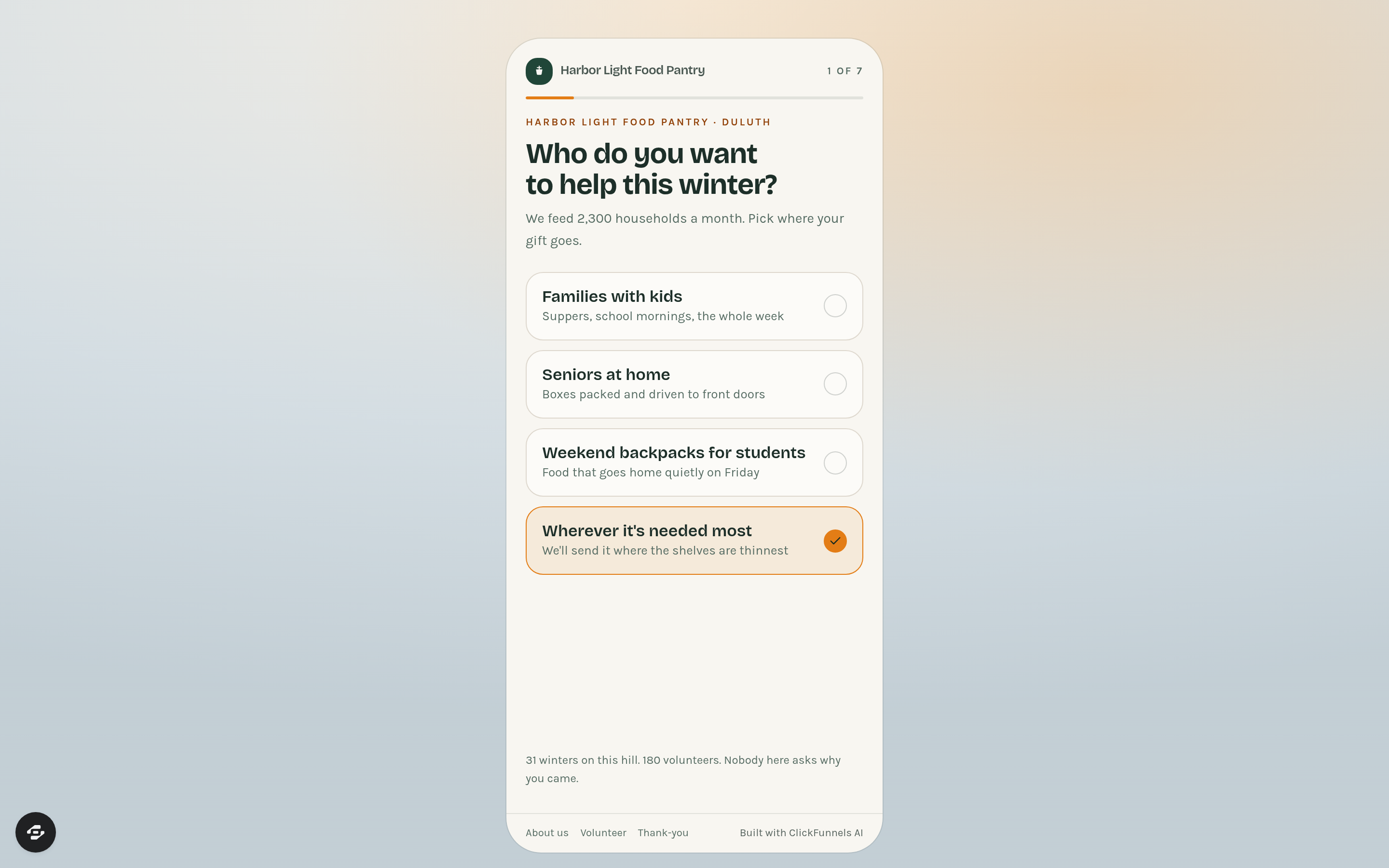
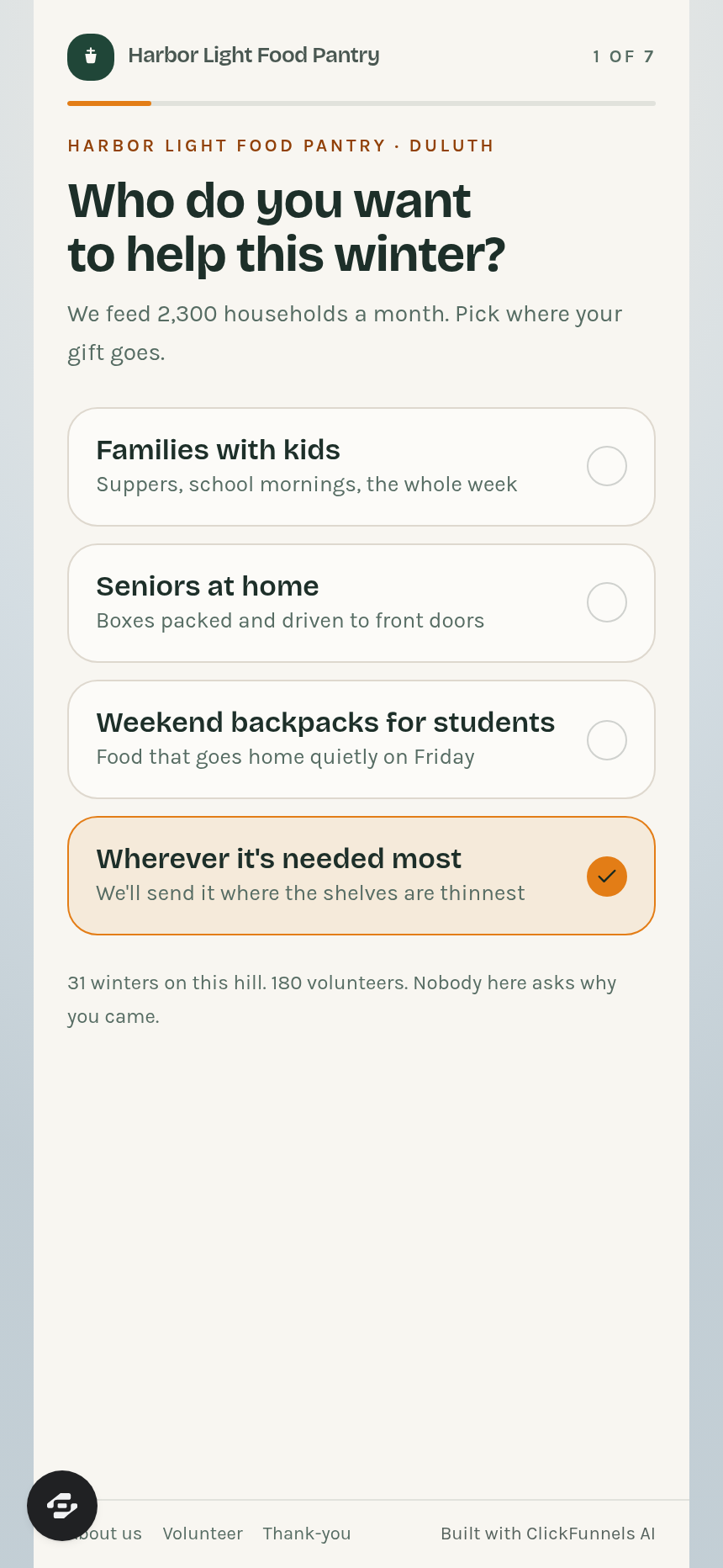
- ChooseCause — "Who do you want to help this winter?" Four tappable tiles: families with kids, seniors at home, weekend backpacks for students, wherever it's needed most.
- CauseDetail — What a gift does for the chosen cause (for example, $25 buys 75 meals), with one photo and a "That's who I want to help" confirmation.
- ChooseAmount — Amount tiles at $25, $50, $100, $250, plus an open "Or write another amount" field.
- ChooseCadence — One-time or monthly toggle with a "Continue" button.
- ChooseDedication — Optional in-honour or in-memory dedication with a name field and short note; skip does not reduce the gift.
- DonorDetails — Name and email collected before payment; copy states the card number never passes through the funnel.
- Give at /give — Secured card checkout with order summary, name on card, card details, and a "Pay for your gift" button. Harbor Light's 501(c)(3) tax-deductible notice appears here. If payment is not connected, the page shows the postal address and phone number instead.
Supporting routes: /thank-you (gift impact in plain numbers, share button, volunteer link), /about (pantry history since 1994, stat tiles, give and volunteer CTAs), /volunteer (shift picker — Tuesday morning, Thursday afternoon, Saturday morning, home deliveries — name, email, phone, notes), /admin (funnel dashboard with conversion rate, funnel step list, and contacts table).
How it works
A visitor taps through the story steps on /; each answer is held in client state and passed to /give as query parameters so the checkout reflects the exact cause, amount, and cadence chosen. At /give, the order form charges the card and routes the confirmed donor to /thank-you, which restates what the gift became in numbers (meals, households reached). The admin dashboard at /admin shows overall conversion, the ordered list of funnel steps, and every contact who opted in, with CSV export available — opt-in and payment records are stored in the funnel's built-in database so no external CRM is needed from day one. When you want to adjust copy, tile labels, or the impact equivalency numbers, you describe the change in plain language and ClickFunnels AI edits the relevant step — for example, "change the $25 tile label from 75 meals to 80 meals" updates ChooseAmount without touching the checkout page.
The signature step
ChooseCause is the opening screen. The headline reads "Who do you want to help this winter?" and four large tappable cards fill the phone canvas; the selected card tints amber. This single question frames the donor's identity before any amount is mentioned, which is the structural reason the funnel converts: the visitor commits to a person before committing to a number.
Who it's for
- Food banks and food pantries that run seasonal giving campaigns
- Shelters, churches, and schools whose donors give primarily from a phone
- Local nonprofits with a volunteer program they want to recruit into at the same session
- Any cause-based organization that wants a story-first flow ending in a real card checkout rather than a third-party donate button
Design
- Type pairing
- Bricolage Grotesque display Karla body
- Motion
- step slide; reduced-motion: static
- Signature screen
- Who do you want to help this winter? tile step
- References
-
- Perspective-style mobile story funnels
What can you use Harbor Light Food Pantry — Donation Story Funnel for?
- A regional food bank runs a winter campaign: they swap the four cause tiles for their own programs (senior boxes, school pantry, emergency shelf, general fund) and launch the funnel as a mobile giving page linked from their Instagram bio.
- A church food pantry wants monthly recurring donors: they use the ChooseCadence step to default to "A gift every month" and promote the link in their bulletin, collecting recurring card authorizations through /give.
- A school district's weekend backpack program needs a standalone giving page: they strip the funnel to two cause tiles (backpacks, summer meals), update the impact line to show meals per school year, and embed the URL in a parent newsletter.
- A homeless shelter runs a memorial-giving campaign in December: they highlight the ChooseDedication step in their email, letting donors dedicate a gift in memory of a family member; dedications are stored with the donor record in the built-in database.
- A local nonprofit wants to recruit volunteers at the moment of peak generosity: after completing /thank-you, donors see a "Volunteer a Saturday" link that routes to /volunteer, where shift sign-ups are captured and stored as separate leads.
- A community foundation manages giving days for multiple member organizations: they clone the funnel for each org, update the cause detail and impact stats per clone, and run all giving day traffic through separate published URLs under their own domain.
Frequently asked questions
What is the Donation Story Funnel?
Who is this funnel for?
What pages are included?
How do I customize the Donation Story Funnel in ClickFunnels AI?
Does it include a checkout or order form?
Can I use my own branding and domain?
How is it different from a classic ClickFunnels donation or opt-in funnel?
What setup is required before sharing the funnel?
Related templates
 Mobile Story Funnels
Willow Doula — Due-Date Wheel Mobile Story Funnel
Doula Due-Date Wheel Mobile Story Funnel is a tap-through story funnel built in ClickFunnels AI for a doula collective's birth-prep classes. Visitors enter a period date and cycle length, see a live due-date wheel with four class Saturdays, then pay $129 for the series.
 Mobile Story Funnels
Third Move — Move-One-Match Puzzle Night Story Funnel
The Third Move Move-One-Match Puzzle Night Story Funnel is a ClickFunnels AI quiz-story template for Third Move Board Game Café in Providence, Rhode Island. It opens with a matchstick puzzle and walks visitors through difficulty, party size, Thursday and results to a card checkout for a $12 seat.
 Mobile Story Funnels
Saltmarsh — Pour-the-Layers Unity Sand Story Funnel
Saltmarsh Pour-the-Layers Unity Sand Story Funnel is a four-screen, phone-style ClickFunnels AI funnel for a $39 unity sand ceremony set. Couples pick two colours, pour their layers into a drawn vase, and check out by card.
 Mobile Story Funnels
Plaza Verde — Match-the-Pairs Spanish Class Story Funnel
The Spanish Class Match-the-Pairs Story Funnel is a mobile-first, interactive booking funnel built with ClickFunnels AI that walks visitors through a twelve-card word-and-picture matching game before converting them into paying trial-class students at $25 a seat.
Make this template your starting point.
Inspect the preview, plan your changes, and test the workflow before you share it.
Use this template